Volvo V60 Twin Engine (2020 year). Manual in english - page 29
STARTING AND DRIVING
}}
493
3. Do not release the buttons until the indica-
tor lamp has switched from flashing
slowly (approx. once per second) to either
flashing quickly (approx. 10 times per sec-
ond) or illuminating with a constant glow.
>
If the indicator lamp illuminates with
a constant glow:
Indication that the
programming has finished. Press the
programmed button twice to activate.
If the indicator lamp flashes quickly:
The device to be programmed to
HomeLink
®
may have a security func-
tion that requires extra steps. Test by
pressing the programmed button twice
to see whether the programming is
working. Otherwise, continue with the
following steps.
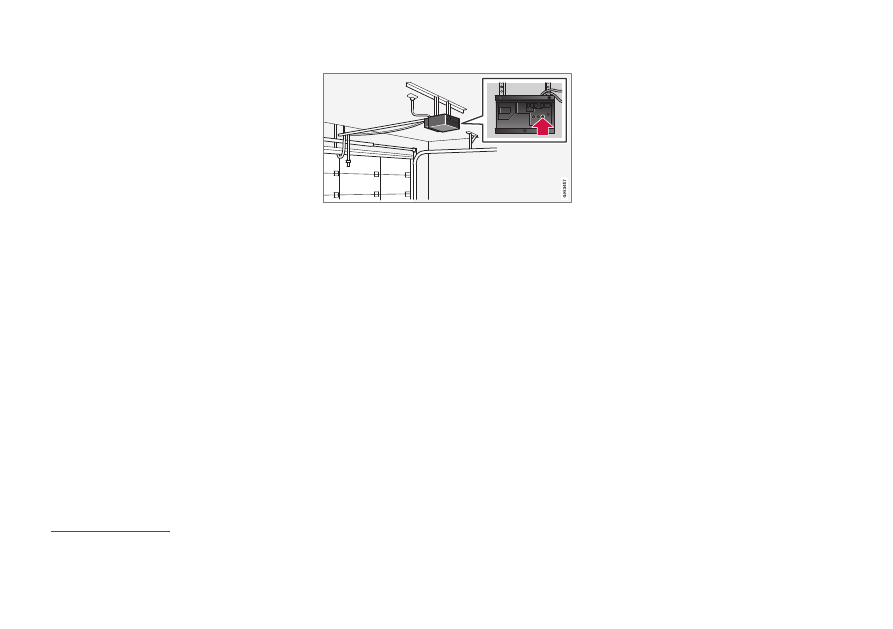
4. Locate programming button
18
on the
receiver for the garage door or similar. It is
normally located close to the antenna's
bracket on the receiver.
5. Depress and release the receiver's pro-
gramming button once. The programming
must be completed within 30 seconds of
the button being depressed.
6. Press and release the button on
HomeLink
®
that you want to program.
Repeat the sequence of pressing/holding/
releasing a second time and, depending
on the receiver model, even a third time.
> Programming is now be complete and
the garage door, gate or similar should
now be activated when the pro-
grammed button is depressed.
In the event of programming problems, con-
tact HomeLink
®
call 00 8000 466 354 65 (or the toll number
+49 6838 907 277)
19
.
Reprogramming individual buttons
To reprogram an individual HomeLink
®
button,
proceed as follows:
1. Press the desired button and hold it
depressed for approx. 20 seconds.
2. Once the indicator lamp on HomeLink
®
starts to flash slowly, programming can
continue as normal.
Note:
If the button to be reprogrammed is
not programmed with a new unit, it will
resume the previously saved program-
ming.
Resetting the HomeLink
®
buttons
It is only possible to reset all of the HomeLink
®
buttons at the same time, not each button
individually. Individual buttons can only be
reprogrammed.
–
Press and hold depressed the outer but-
tons (1 and 3) on HomeLink
®
for approx.
10 seconds.
> When the indicator lamp changes over
from a constant glow to starting to
flash, the buttons are reset and ready to
be reprogrammed.
18
Button designation and colour varies between manufacturers.
19
Note that the toll-free number may not be available depending on operator.