Volvo XC40 (2019 year). Instruction - part 7
||
DISPLAYS AND VOICE CONTROL
132
4. Pull down Top view again and tap
Settings
System
Driver Profiles
Edit
Profile
.
5. Select
Connect key
to link the profile with
the key. A driver profile can only be linked to
the key currently being used in the vehicle. If
there are any other keys in the vehicle,
More
than one key is found, put the key you
want to connect on backup reader
will be
displayed.
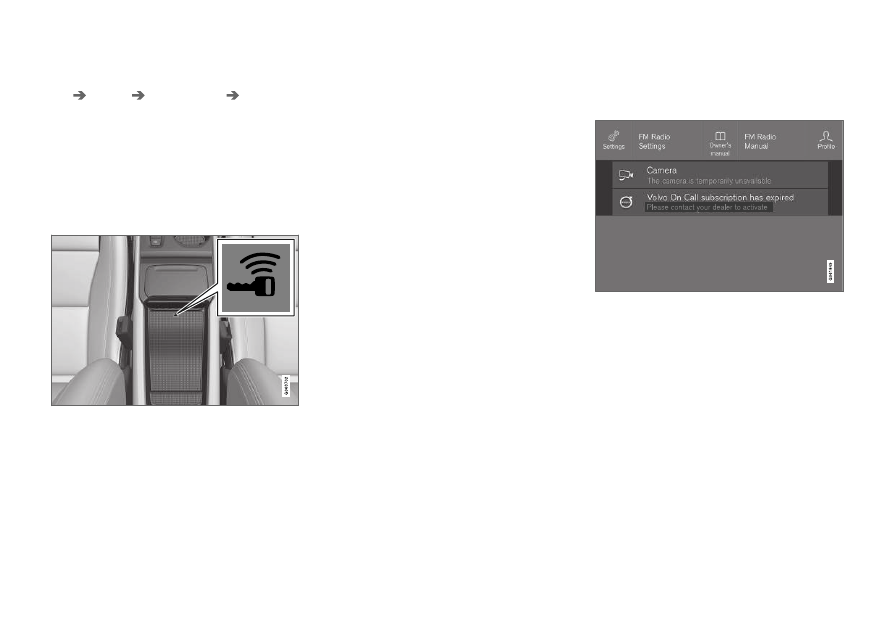
Location of the backup key reader in the storage com-
partment.
> When
Profile connected to key
is dis-
played, the key and driver profile have
been linked.
6. Tap
OK
.
> The key used is now linked to the driver
profile and will remain so as long as the
Connect key
box is not deselected.
Related information
•
•
Changing a driver profile's name (p. 131)
•
Messages in the center display
The center display shows messages in certain
circumstances to inform or assist the driver.
Messages in the center display's Top view.
Messages with lower priority for the driver are
shown in the center display.
Most of the messages are shown in the center
display's status bar. The message will disappear
from the status bar after a short period of time or
after the required action has been taken. Mes-
sages that need to be saved are stored in Top
view in the center display.
The message may be shown along with graphics,
symbols or a button to e.g. activate/deactivate a
function connected to the message.