Toyota Prius Plug-in Hybrid (2023 year). Manual in english - page 7
112
2-2. Charging
■
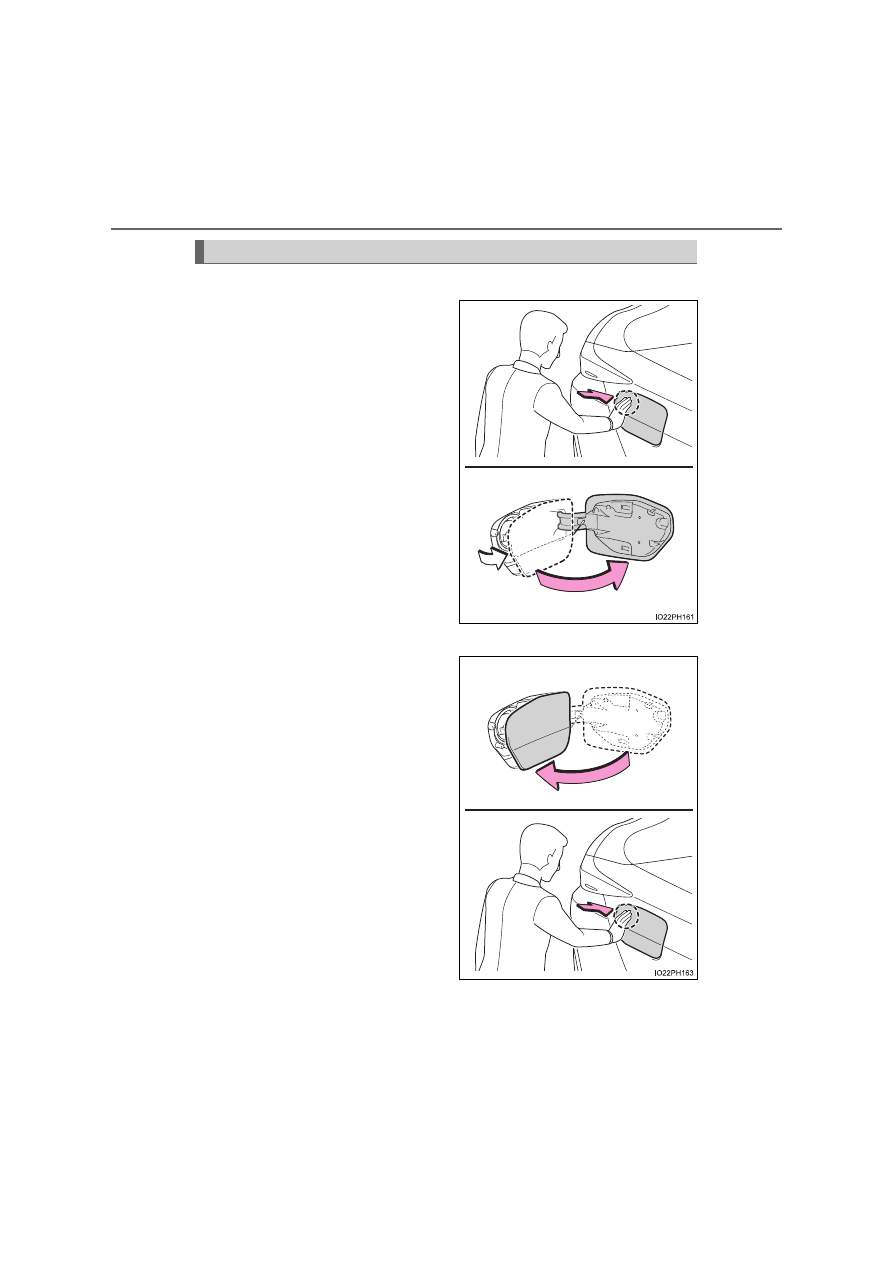
Opening the charging port lid
Press the rear edge of the
charging port lid (the position
shown in the illustration) with
the doors unlocked.
Push and take your hand away
to slightly open the charging port
lid. Then open the lid fully by
hand.
While the doors are locked, only
the charging port lid can be
unlocked by carrying an elec-
tronic key and pressing the
charging port lid. (
P. 131)
■
Closing the charging port lid
Close the charging port lid and
press the rear edge of the
charging port lid (the position
shown in the illustration).
When the doors are locked with
the smart entry & start system,
wireless remote control or door
lock switch, the charging port lid
is also locked. (
P. 273, 275)
If the charging port lid is closed
with the doors locked, the
charging port lid locks.
Opening and closing the charging port lid