Toyota Supra (2023 year). Manual in english - page 9
 

  Index      Toyota     Toyota Supra (2023 year). Manual in english


Search            copyright infringement  


Content      ..     7      8      9      10     ..


Toyota Supra (2023 year). Manual in english - page 9


137

3-1. CONTROLS

3

CON

T

ROLS

Adaptive variable suspension.

Steering.

Display in the instrument clus-
ter.

Cruise control.

When drive-ready state is 
switched on, the NORMAL driv-
ing mode is selected automati-

cally.

Concept

Balanced tuning between 
dynamic and efficient driving.

Concept

Dynamic tuning for higher agility 
with an optimized chassis and 
suspension.

Switching on

Concept

Customize settings can be 
adjusted in the customize driv-
ing mode.

Configuration

Via Toyota Supra Command:

1

"My Vehicle"

2

"Vehicle settings"

3

"Configure SPORT INDIVID-
UAL"

4

Select the desired setting.

Reset Customize to the stan-
dard settings:
"Reset to SPORT STANDARD".

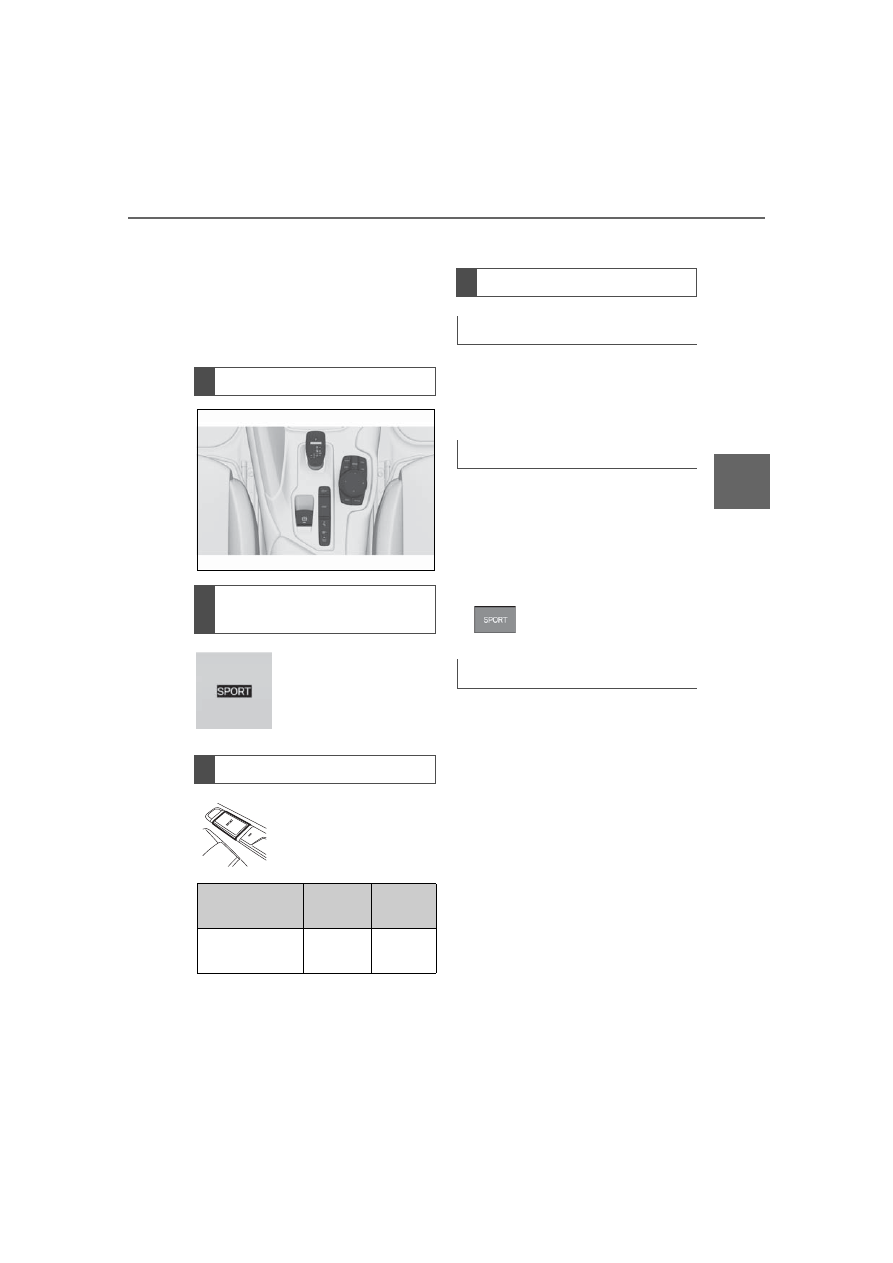
Overview

Displays in the instrument 
cluster

The selected driving 
mode is displayed in 
the instrument cluster.

Driving modes

Button in the vehicle

Button

Driving 

mode

Configu-

ration

SPORT

SPORT

Custom-

ize

Driving modes in detail

NORMAL

SPORT

Press the button.

Customize

138

3-1. CONTROLS

This chapter describes all stan-
dard, country-specific and 
optional features offered with 
the series. It also describes fea-
tures and functions that are not 
necessarily available in your 
vehicle, e.g., due to the selected 
options or country versions. This 
also applies to safety-related 
functions and systems. When 
using these functions and sys-
tems, the applicable laws and 
regulations must be observed.

The instrument cluster is a vari-
able display. When the sport 
mode switch is used to change 
the driving mode, the instrument 
cluster displays change to 
match the driving mode.

The display change in the instru-
ment cluster can be deactivated 
via Toyota Supra Command.
Some of the displays in the 
instrument cluster may differ 
from the illustrations in this 
Owner's Manual.

If the displays on the instrument 

cluster fail, do not use the vehicle. 

There may be a risk of accident or 

risk of damage to property. Immedi-

ately park the vehicle in a safe man-

ner.If drive readiness is switched off 

and on again, the malfunction may 

be rectified and it may be possible 

to continue driving. If the malfunc-

tion cannot be remedied, have the 

system checked by your Toyota 

dealer.

1

Fuel gauge P.145

2

Speedometer

3

Tachometer P.146
Status, Sport mode switch 
P.137

4

Time P.64

5

Variable displays P.140

6

External temperature P.147

7

Engine coolant temperature 
P.147

8

Vehicle messages P.140
Range P.147

9

Transmission display P.132

10

Variable displays P.140

Speed Limit Info P.205

Displays

Vehicle features and 
options

Instrument cluster

Concept

General information

Safety information

Overview

139

3-1. CONTROLS

3

CON

T

ROLS

In some areas of the instrument 
cluster, various assistance sys-
tems, for example the cruise 
control, can be displayed. The 
displays may vary depending on 
the equipment version and 
country variant.

The display can be changed for 
sport mode.

The driving mode will change to 
sport mode.

The vehicle messages system 
monitors functions in the vehicle 
and notifies you of malfunctions 
in the monitored systems.

A vehicle messages message is 
displayed as a combination of 
indicator or warning lights and 

SMS text messages in the 
instrument cluster and, if appli-
cable, in the Head-up Display.
In addition, an acoustic signal 
may sound and an SMS text 
message may appear on the 
Control Display.

Press and hold the button on the 
turn signal lever.

Some vehicle messages are 
displayed continuously and are 
not cleared until the malfunction 
is eliminated. If several malfunc-
tions occur at once, the mes-
sages are displayed 
consecutively.
The messages can be hidden 
for approx. 8 seconds. After this 
time, they are displayed again 
automatically.

Some vehicle messages are 
hidden automatically after 

Variable displays

Sport mode display

Concept

Changing the display

Push the sport mode 
switch until SPORT is 
displayed.

Vehicle messages

Concept

General information

Hiding vehicle messages

Continuous display

Temporary display

140

3-1. CONTROLS

approx. 20 seconds. The vehicle 
messages are stored and can 
be displayed again later.

Via Toyota Supra Command:

1

"My vehicle"

2

"Vehicle status"

3

"Vehicle messages"

4

Select the SMS text mes-
sage.

SMS text messages in combina-
tion with a symbol in the instru-
ment cluster explain a vehicle 
message and the meaning of 
the indicator/warning lights.

Additional information, such as 
the reason for an error or mal-
function or the required action, 
can be called up via vehicle 
messages.
With urgent messages the 

added text will be automatically 
displayed on the Control Dis-
play.
Depending on the vehicle mes-
sage, further help can be 
selected.
Via Toyota Supra Command:

1

"My vehicle"

2

"Vehicle status"

3

"Vehicle messages"

4

Select the desired text mes-
sage.

5

Select desired setting

Certain messages displayed 
while driving are displayed 
again after drive-ready state is 
switched off.

Indicator/warning lights in the 
instrument cluster display the 
status of some functions in the 
vehicle and indicate when a 
malfunction is present in the 
monitored systems.

The indicator/warning lights can 
light up in a variety of combina-
tions and colors.

Displaying stored vehicle 
messages

Display

Vehicle messages

At least one vehicle 
messages message is 
displayed or is stored.

SMS text messages

Supplementary SMS text 
messages

Messages after trip comple-
tion

Indicator/warning lights

Concept

General information

141

3-1. CONTROLS

3

CON

T

ROLS

Several of the lights are 
checked for proper functioning 
and light up temporarily when 
drive-ready state is switched on.

Red lights

Safety belt warning

Safety belt on the driver 
or passenger side is not 
buckled. The safety belt 
warning can also be 
activated if heavy 
objects are placed on 
the front passenger 
seat.
Make sure that the seat 
belts are positioned 
correctly.

Airbag system

Airbag system and belt 
tensioner are not work-
ing.
Have the vehicle 
checked immediately 
by your Toyota dealer.

Parking brake

The parking brake is 
set.
For releasing the park-
ing brake, refer to page 
125.

Brake system

Braking system 
impaired. Continue to 
drive moderately.
Have the vehicle 
checked immediately 
by your Toyota dealer.

General risk of collision

Indicator light illumi-
nates or flashes in con-
junction with an 
acoustic signal if a colli-
sion is imminent.
Pre-Collision System 
(for pedestrians and 
bicycles), see page 
184.

Yellow lights

Anti-lock Braking System 
ABS

Braking force boost 
may not be working. 
Avoid abrupt braking. 
Take the longer brak-
ing distance into 
account.
Have the system imme-
diately checked by your 
Toyota dealer.

142

3-1. CONTROLS

VSC Vehicle Stability Con-
trol System

The indicator light 
flashes: VSC controls 
the drive and braking 
forces. The vehicle is 
stabilized. Reduce 
speed and modify your 
driving style to the driv-
ing circumstances.
The indicator light lights 
up: VSC has malfunc-
tioned.
Have the system imme-
diately checked by your 
Toyota dealer.
VSC, refer to page 201.

VSC Vehicle Stability Con-
trol System is deactivated or 
Traction mode is activated

VSC is deactivated or 
Traction mode is acti-
vated.
VSC, refer to page 201
and Traction mode, 
refer to page 203.

Tire Pressure Monitor TPM

The indicator light lights 
up: the Tire Pressure 
Monitor reports a low 
tire inflation pressure or 
a flat tire. Follow the 
information in the vehi-
cle message.
The indicator light 
flashes and then con-
tinuously lights up: no 
flat tire or loss of tire 
inflation pressure can 
be detected.

Interference caused 
by systems or 
devices with the 
same radio fre-
quency: after leaving 
the area of the inter-
ference, the system 
automatically 
becomes active 
again.

A wheel without TPM 
wheel electronics is 
mounted: have it 
checked by your Toy-
ota dealer as needed.

Malfunction: have the 
system checked by 
your Toyota dealer.

Tire Pressure Monitor, 
refer to page 288.

143

3-1. CONTROLS

3

CON

T

ROLS

Steering system

Steering system may 
not be working.
Have the system 
checked by your Toyota 
dealer.

Emissions

The warning light 
lights up:

Emissions are deterio-
rating. Have the vehi-
cle checked as soon 
as possible.

The warning light 
flashes under certain 
circumstances:

This indicates that 
there is excessive mis-
firing in the engine.
Reduce the vehicle 
speed and have the 
system checked imme-
diately; otherwise, seri-
ous engine misfiring 
within a brief period 
can seriously damage 
emission control com-
ponents, in particular 
the catalytic converter.
Socket for Onboard 
Diagnosis, refer to page 
310.

Green lights

Turn signal

Turn signal switched 
on.
Unusually rapid flash-
ing of the indicator light 
indicates that a turn sig-
nal bulb has failed.
Turn signal, refer to 
page 126.

Parking lights

Parking lights are 
switched on.
Parking lights/low 
beams, refer to page 
158.

Low beams

Low beams are 
switched on.
Parking lights/low 
beams, refer to page 
158.

144

3-1. CONTROLS

The current fill level of the fuel 
tank is displayed.

Vehicle tilt position may cause 
the display to vary.
Information on refueling, refer to 
page 270.

Lane departure warning

Depending on vehicle 
equipment and 
national-market ver-
sion:
The indicator light lights 
up: the system is 
switched on. A lane 
boundary has been 
detected on at least 
one side of the vehicle 
and the system is ready 
to intervene. Warnings 
will be issued.
Icon flashes green: the 
system is performing a 
steering intervention.
Lane departure warn-
ing, refer to page 188.

Automatic high-beam

Automatic high-beam is 
switched on.
High beams are 
switched on and off 
automatically depend-
ing on the traffic situa-
tion.
Automatic high-beam, 
refer to page 161.

Cruise Control

The system is active.
Additional information:
Driver assistance sys-
tems, Cruise Con-
trol,see page 207.

Dynamic radar cruise control 
switched on

The system is switched 
on.
Additional information:
Dynamic radar cruise 
control ,see page 211.

Blue lights

High beams

High beams are 
switched on.
High beams, refer to 
page 127.

Fuel gauge

Concept

General information

Display

An arrow beside the 
fuel pump symbol 
shows which side of the 
vehicle the fuel filler 
flap is on.

145

3-1. CONTROLS

3

CON

T

ROLS

Always avoid engine speeds in 
the red warning field. In this 
range, the fuel supply is reduced 
to protect the engine.

Depending on the vehicle equip-
ment, the shift position indica-
tors on the instrument cluster 
indicates the maximum shift 
point at which the best possible 
acceleration can be achieved.

Depending on the equipment 
and nationalmarket version, the 
Shift lights are active in the sport 
mode of the Automatic transmis-
sion and with manual transmis-
sion.

When the selected driving mode 
is sport mode, a shift light will be 
displayed.

Automatic transmission:

1

Select SPORT using the 
sport mode switch.

2

Activate manual mode of the 
transmission.

• Successive orange illumi-

nated fields indicate the 
upcoming shift moment.

• The field lights up red. Do not 

wait any further to shift.

When the maximum speed is 
reached, the entire display 
flashes red and the supply of 
fuel is interrupted in order to 
protect the engine.

Indicator light in the 
instrument cluster

The yellow indicator 
light illuminates, once 
the fuel reserve is 
reached.

Tachometer

Shift lights

Concept

General information

Functional requirement

Switching on shift lights

Display

Standby state and 
drive-ready state

The lettering OFF in 
the instrument cluster 
indicates that 
drive-ready state is 
switched off and 
standby state is 
switched on.

146

3-1. CONTROLS

For further information, see Idle 
state, standby state, and 
drive-ready state, refer to page 
45.

If the indicator drops to 
+37°F/+3°C or lower, a signal 
sounds.
A vehicle message is displayed.
There is an increased risk of ice 
on roads.

The time is displayed in the 
instrument cluster. Setting the 
time and time format, refer to 
page 64.

The range indicates the dis-

The lettering READY in 
the instrument cluster 
indicates that the 
drive-ready state is 
switched on.

Engine coolant tempera-
ture

Display

When the engine 
temperature is low: 
Only the segments in 
the low temperature 
range will be illumi-
nated. Drive with 
moderate engine 
speed and vehicle 
speed.

When the engine 
temperature is nor-
mal: All segments to 
the middle tempera-
ture range will be illu-
minated.

When the engine 
temperature is high: 
All segments to the 
high temperature 
range will be illumi-
nated. A warning 
message will also be 
displayed.

To check the coolant 
level, refer to page 306.

Indicator light in the 
instrument cluster

A red indicator light is 
displayed.

External temperature

General information

Safety information

WARNING

Even at temperatures above 

+37°F/+3°C there can be a risk of 

icy roads, for instance on bridges 

or shady sections of road. There 

is a risk of an accident. Modify 

your driving style to the weather 

conditions at low temperatures.

Time

Range

Concept

147

3-1. CONTROLS

3

CON

T

ROLS

tance that can still be covered 
with the current fuel level.

The estimated range available 
with the remaining fuel is perma-
nently displayed in the instru-
ment cluster.
With a low remaining range, a 
vehicle message is briefly dis-
played. With a sporty driving 
style, for instance fast cornering, 
the engine function is not always 
ensured.
The vehicle message appears 
continuously below a range of 
approx. 30 miles/50 km.

The function displays the ser-
vice notifications and the corre-
sponding maintenance scopes.

After switching on drive-ready 

state, the instrument cluster 
briefly displays available driving 
distance or time to the next 
scheduled maintenance.

More information on the type of 
service required may be dis-
played on the Control Display.
Via Toyota Supra Command:

1

"My vehicle"

2

"Vehicle status"

3

 "Service required"

Maintenance and service measures 

and legally mandated inspections 

are displayed.

4

Select an entry to call up 
detailed information.

General information

Safety information

NOTICE

With a driving range of less than 

30 miles/50 km the engine may 

no longer have sufficient fuel. 

Engine functions are not ensured 

anymore. There is a risk of dam-

age to property. Refuel promptly.

Service notifications

Concept

General information

Display

Detailed information on ser-
vice notifications

Symbols

Symbols

Description

No service is currently 
required.

The time for recom-
mended maintenance 
or a legally mandated 
inspection is approach-
ing.

The time for recom-
mended maintenance 
has already passed.

148

3-1. CONTROLS

Enter the dates for the manda-
tory vehicle inspections.
Make sure that the vehicle's 
date and time are set correctly.
Via Toyota Supra Command:

1

"My vehicle"

2

"Vehicle status"

3

 "Service required"

4

"Date:"

5

Select the desired setting.

The gear shift indicator recom-
mends the optimal gear for the 
current driving situation and 
supports an efficient driving 
style.

Depending on the vehicle equip-
ment and country version, the 
gear shift indicator is active in 
the manual mode of the auto-
matic transmission and with 
manual transmission.

Suggestions to shift gear up or 
down are displayed in the instru-
ment cluster.

On vehicles without a gear shift 
indicator, the engaged gear is 
displayed.

Suggestions to shift gear up or 
down are displayed in the instru-
ment cluster.
On vehicles without a gear shift 
indicator, the engaged gear is 
displayed.

The display can be operated 
when necessary.

Entertainment source.

Current audio source.

List of most recent telephone 
calls.

If necessary, the corresponding 

Entering appointment dates

Gear shift indicator

Concept

General information

Manual transmission: dis-
playing

Example

Description

Efficient gear is set.

Shift into efficient gear.

Automatic transmission: 
displaying

Example

Description

Efficient gear is set.

Shift into efficient gear.

Selection lists

Concept

149

3-1. CONTROLS

3

CON

T

ROLS

menu will open on the Control 
Display.

Items displayed may differ 
depending on the specifications 
of the vehicle.

The lists can be displayed and 
operated using the buttons on 
the steering wheel.

The Onboard Computer dis-
plays different vehicle data in 
the instrument cluster, such as 
average values.

Press and hold the button on the 
turn signal lever.
Information is displayed in the 
instrument cluster. Pressing the 
button repeatedly displays addi-
tional information.

The following information can be 
displayed on the Onboard Com-
puter:

Miles and trip miles.

Current drivable range.

Consumption display.

Average consumption and 
average speed.

Average consumption since 

Display

Displaying and using the 
list

Button

Function

Change the entertain-
ment source.
Pressing the button 
again will close the cur-
rently displayed list.

Show list of most 
recent telephone calls.

Turn the thumbwheel: 
select entertainment 
source or list entry.
Press the thumbwheel 
to confirm the setting.
The currently selected 
list can be displayed 
again in the instrument 
cluster by turning the 
thumbwheel.

Onboard Computer in the 
instrument cluster

Concept

Calling up information

Information at a glance

150

3-1. CONTROLS

leaving the factory.

For some information of the 
Onboard Computer, it is possi-
ble to set whether it can be 
called up in the instrument clus-
ter.
Via Toyota Supra Command:

1

"My vehicle"

2

"System settings"

3

"Displays"

4

"Instrument panel"

5

"Onboard info"

6

Select the desired setting.

Displaying/resetting miles

• Press the knob to display the 

trip miles.

When the drive-ready state is 
switched off, miles and trip miles 
are displayed.

• Keep the knob pressed down 

to reset the trip miles.

Display

Concept

The range indicates the dis-
tance that can still be covered 
with the current fuel level.

General information

The estimated range available 
with the remaining fuel is perma-
nently displayed in the instru-
ment cluster.
With a low remaining range, a 
vehicle message is briefly dis-
played. With a sporty driving 
style, for instance taking curves 
aggressively, the engine func-
tion is not always ensured.
The vehicle message appears 
continuously below a range of 
approx. 30 miles/50 km.

Adjusting information for 
Onboard Computer

Information in detail

Odometer and trip odometer

Current drivable range

151

3-1. CONTROLS

3

CON

T

ROLS

Safety information

Display

Concept

The current consumption dis-
plays the current consumption 
of fuel. Check whether you are 
currently driving in an efficient 
and environmentally friendly 
manner.

General information

The current fuel consumption is 
displayed on the instrument 
cluster as a bar display.

Display

General information

Average speed and average 
consumption are calculated for 
the distance traveled since the 
last reset in the Onboard Com-
puter.
Periods in which the vehicle is 
parked with the engine manually 
stopped are not included in the 
calculation of the average 
speed.

Resetting average values

Press and hold the button on the 
turn signal lever.

NOTICE

With a driving range of less than 

30 miles/50 km the engine may 

no longer have sufficient fuel. 

Engine functions are not ensured 

anymore. There is a risk of dam-

age to property. Refuel promptly.

Consumption display

Average speed and average 
consumption

152

3-1. CONTROLS

Display

The Onboard Computer dis-
plays different vehicle data on 
the Control Display, such as 
average values.

Two types of Onboard Com-
puter are available on the Con-
trol Display:

"Onboard info": average val-
ues, such as the consump-
tion, are displayed. The 
values can be reset individu-
ally.

"Trip computer": the values 
deliver an overview of a cer-
tain distance and can be reset 
as often as necessary.

Via Toyota Supra Command:

1

"My Vehicle"

2

"Driving information"

3

"Onboard info" or "Trip com-
puter"

Via Toyota Supra Command:

1

"My Vehicle"

2

"Driving information"

3

"Onboard info"

4

"Consumption" or "Speed"

5

"OK"

Via Toyota Supra Command:

1

"My Vehicle"

2

"Driving information"

3

"Trip computer"

4

Move the Controller to the 
left, if needed.

"Reset": all values are 

reset.

"Automatic reset": all val-

ues are reset approx. 4 hours 
after the vehicle has come to 
a standhill.

5

If necessary, "OK"

Onboard Computer on the 
Control Display

Concept

General information

Calling up the Onboard 
Computer or trip computer

Resetting the Onboard 
computer

Resetting the trip com-
puter


Content      ..     7      8      9      10     ..