Toyota RAV4 Hybrid (2023 year). Manual in english - page 11
175
3-4. Adjusting the steering wheel and mirrors
3
Before
driving
*
: This is a function for the optical
mirror mode, however, the setting
can also be changed while using
the digital mirror mode.
■
Enabling/disabling the
automatic anti-glare func-
tion (optical mirror mode)
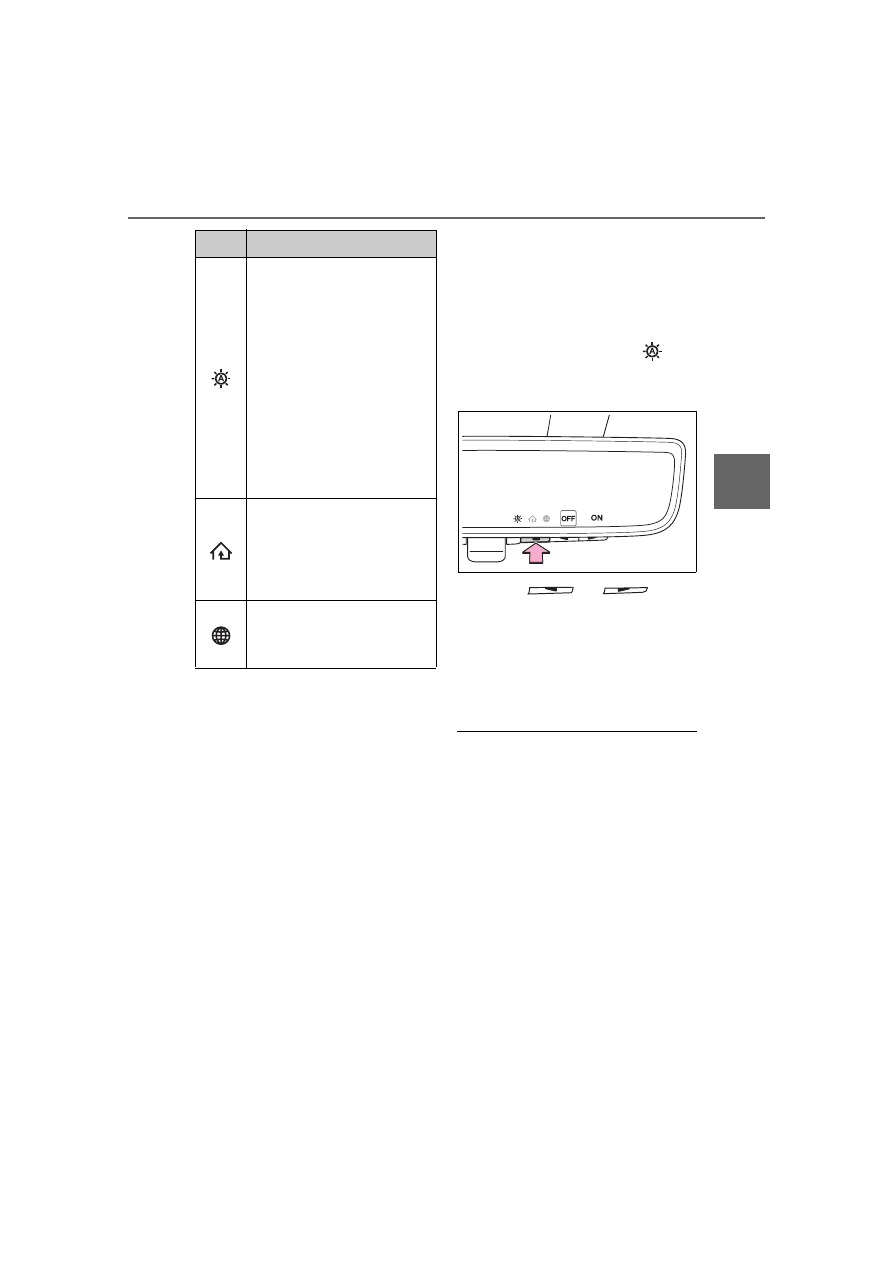
The automatic anti-glare func-
tion in the optical mirror mode
can be enabled/disabled. The
setting can be changed in both
the digital mirror mode and the
optical mirror mode.
When using the digital mirror
mode
When using the optical mirror
mode
1
Press the menu button.
The icons will be displayed.
2
Press the menu button
repeatedly and select
.
The setting display will be dis-
played.
3
Press
or
to
enable (ON)/disable (OFF)
the automatic anti-glare func-
tion.
The icons will disappear if a button
is not operated for approximately 5
seconds or more.
■
Adjusting the display (digital
mirror mode)
●
If the displayed image is adjusted,
it may appear distorted. This is not
a malfunction.
●
If the brightness of the Digital
Rear-view Mirror is set too high, it
may cause eye strain. Adjust the
Digital Rear-view Mirror to an
appropriate brightness. If your
eyes become tired, change to
optical mirror mode.
●
The brightness of the Digital Rear-
view Mirror will change automati-
cally according to the brightness
of the area in front of your vehicle.
Select to enable/disable the
automatic anti-glare func-
tion.
*
Responding to the bright-
ness of the headlights of
vehicles behind, the
reflected light is automati-
cally adjusted.
The automatic anti-glare
function is enabled each
time the power switch is
changed to ON.
Select to display
HomeLink
®
Training Tuto-
rial to assist customers to
train their Garage Door
Opener System. (
Select to change the lan-
guage of the Homelink
®
Training Tutorial.
Icons
Settings