Toyota RAV4 Hybrid (2023 year). Manual in english - page 9
143
3-2. Opening, closing and locking the doors
3
Before
driving
■
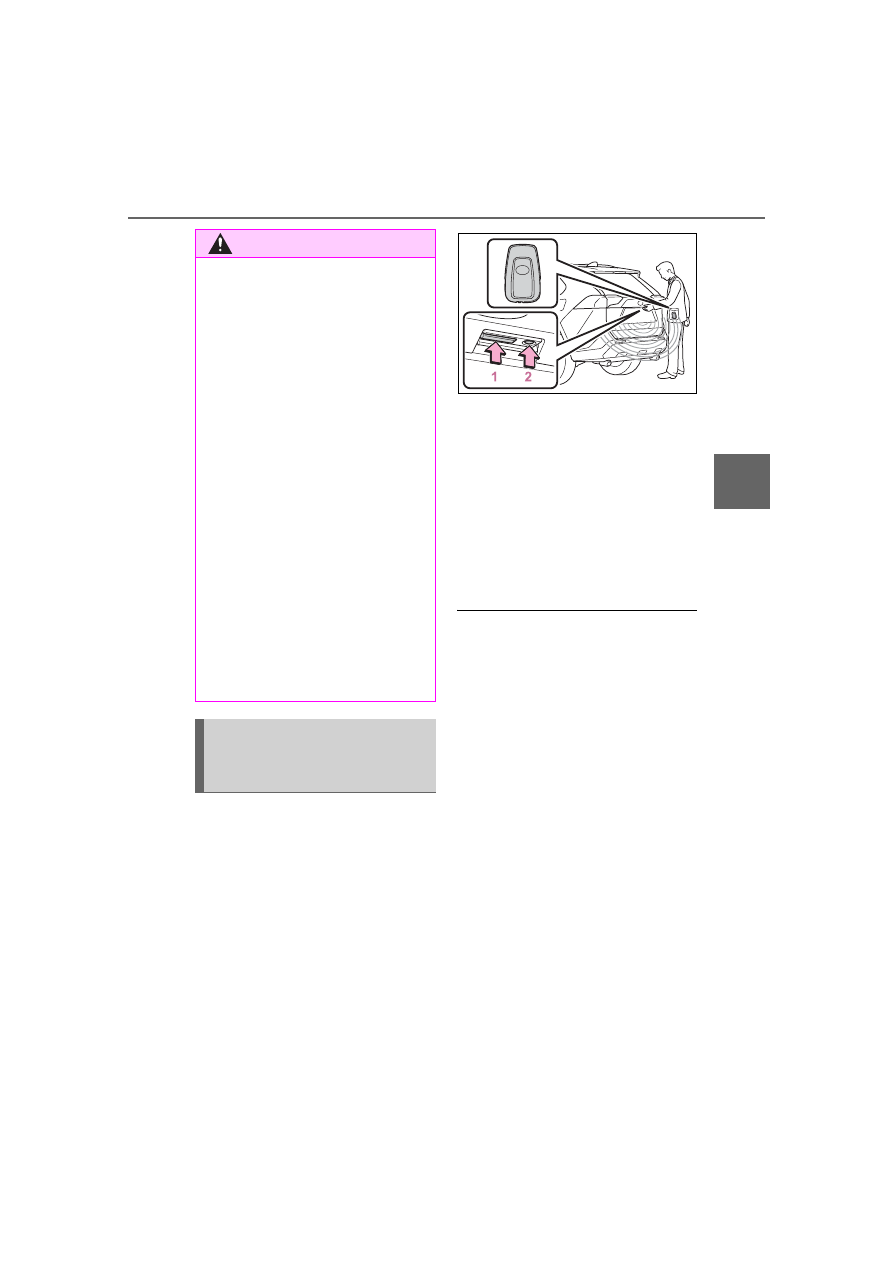
Using the entry function
(vehicles with smart key
system)
Carry the electronic key to
enable this function.
1
Unlocks all the doors
The doors cannot be unlocked for 3
seconds after the doors are locked.
2
Locks all the doors
Check that the door is securely
locked.
■
Using the wireless remote
control
■
Operation signals
A buzzer sounds and the emer-
gency flashers flash to indicate that
the doors have been
locked/unlocked using the entry
function (if equipped) or wireless
remote control. (Locked: once;
Unlocked: twice)
■
Security feature
Vehicles without smart key system
If a door is not opened within
approximately 60 seconds after the
vehicle is unlocked using the wire-
less remote control, the security fea-
ture automatically locks the vehicle
again.
Vehicles with smart key system
If a door is not opened within
approximately 60 seconds after the
vehicle is unlocked using the entry
function or wireless remote control,
the security feature automatically
locks the vehicle again. (However,
depending on the location of the
WARNING
●
Do not pull on the back door
damper stay (vehicles without
power back door) (
P.145) or
back door spindle (vehicles with
power back door) (
P.152) to
close the back door, and do not
hang on the back door damper
stay (vehicles without power
back door) or back door spindle
(vehicles with power back door).
Doing so may cause hands to
be caught or the back door
damper stay (vehicles without
power back door) or back door
spindle (vehicles with power
back door) to break, causing an
accident.
●
Vehicles without power back
door: If a bicycle carrier or simi-
lar heavy object is attached to
the back door, it may suddenly
shut again after being opened,
causing someone’s hands,
head or neck to be caught and
injured. When installing an
accessory part to the back door,
using a genuine Toyota part is
recommended.
Unlocking and locking the
back door from the out-
side