Toyota Mirai (2023 year). Manual in english - page 17
275
5-5. Using the driving support systems
5
Dr
iv
ing
●
When there is a malfunction in a
sensor or the system is temporar-
ily unavailable.
●
When the operating function is
disabled manually.
●
When the power switch is turned
off.
*
: If equipped
■
Conditions under which the
system will not detect a vehicle
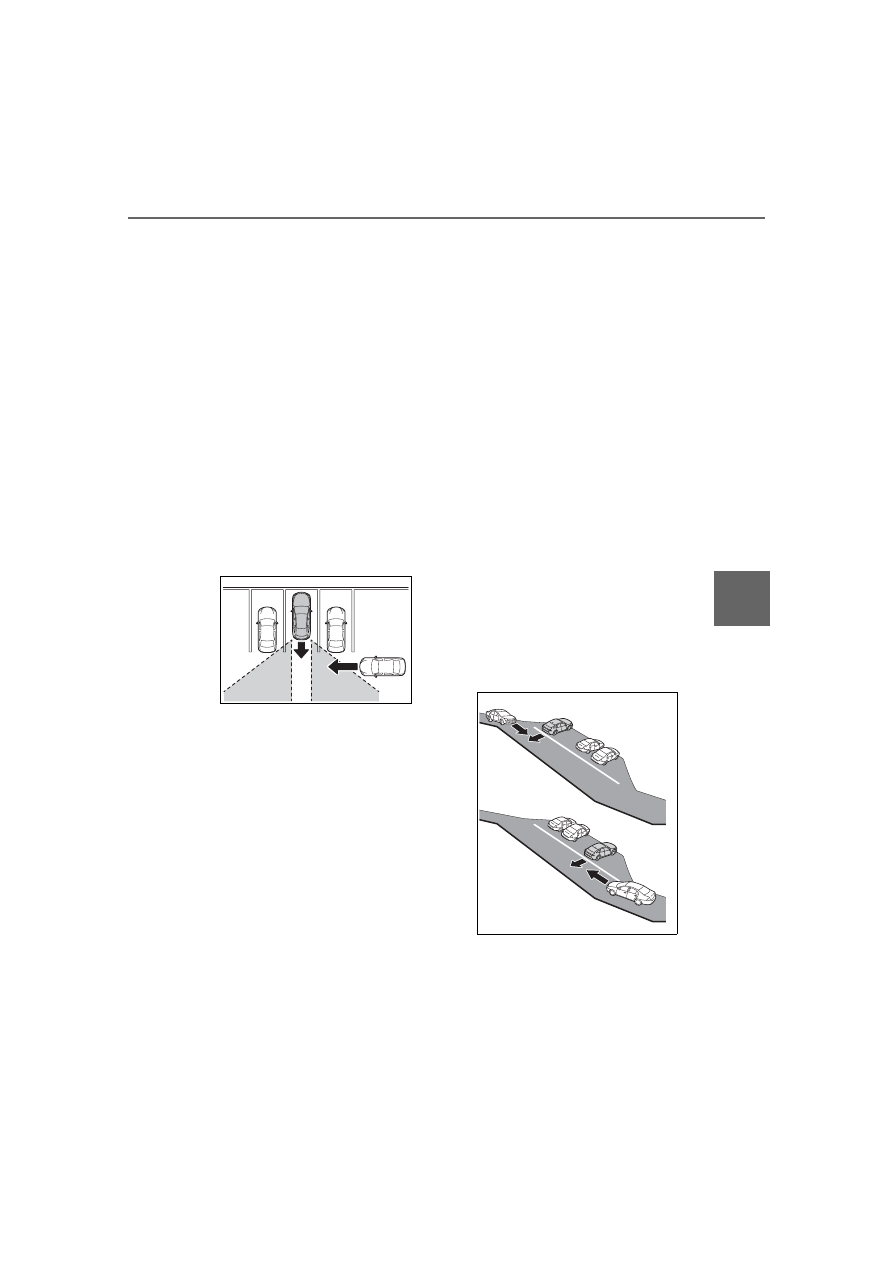
The RCTA function is not designed
to detect the following types of vehi-
cles and/or objects:
●
Vehicles approaching from directly
behind
●
Vehicles backing up in a parking
space next to your vehicle
●
Vehicles that the sensors cannot
detect due to obstructions
●
Guardrails, walls, signs, parked
vehicles and similar stationary
objects
*
●
Small motorcycles, bicycles,
pedestrians, etc.
*
●
Vehicles moving away from your
vehicle
●
Vehicles approaching from the
parking spaces next to your vehi-
cle
*
●
The distance between the sensor
and approaching vehicle gets too
close
*
: Depending on the conditions,
detection of a vehicle and/or
object may occur.
■
Situations in which the system
may not operate properly
The RCTA function may not detect
vehicles correctly in the following
situations:
●
When the sensor is misaligned
due to a strong impact to the sen-
sor or its surrounding area
●
When mud, snow, ice, a sticker,
etc.,is covering the sensor or sur-
rounding area on the rear bumper
●
When driving on a road surface
that is wet with standing water
during bad weather, such as
heavy rain, snow, or fog
●
When multiple vehicles are
approaching with only a small gap
between each vehicle
●
When a vehicle is approaching at
high speed
●
When equipment that may
obstruct a sensor is installed, such
as a towing eyelet, bumper pro-
tector (an additional trim strip,
etc.), bicycle carrier, or snow plow
●
When backing up on a slope with
a sharp change in grade