Toyota Highlander (2023 year). Manual in english - page 14
225
4-5. Using the driving support systems
4
Dr
iv
ing
WARNING
●
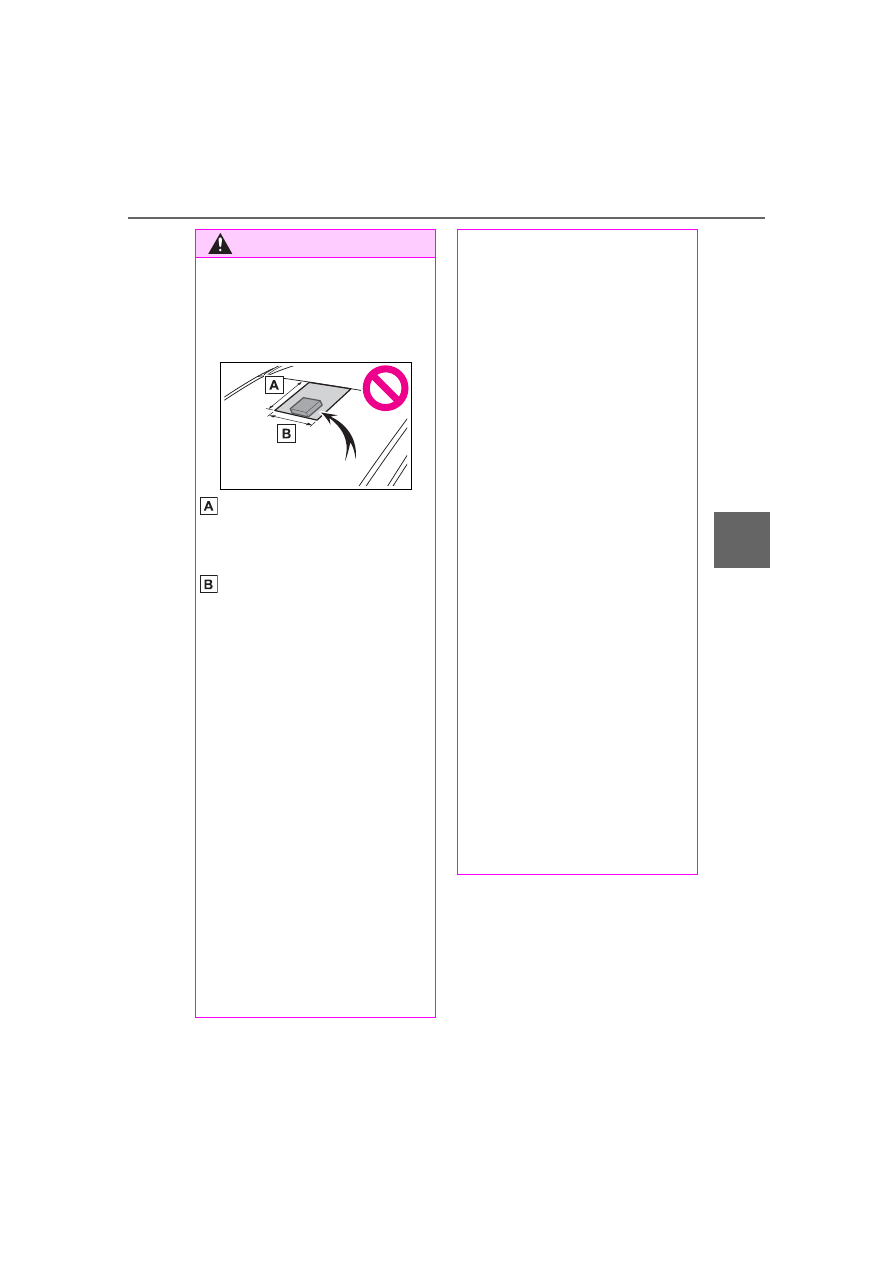
Do not attach objects, such as
stickers, transparent stickers,
etc., to the outer side of the
windshield in front of the front
camera (shaded area in the
illustration).
From the top of the windshield
to approximately 0.4 in. (1 cm)
below the bottom of the front
camera
Approximately 7.9 in. (20 cm)
(Approximately 4.0 in. [10 cm]
to the right and left from the
center of the front camera)
●
If the part of the windshield in
front of the front camera is
fogged up or covered with con-
densation or ice, use the wind-
shield defogger to remove the
fog, condensation or ice.
(
●
If water droplets cannot be
properly removed from the area
of the windshield in front of the
front camera by the windshield
wipers, replace the wiper insert
or wiper blade.
●
Do not attach window tint to the
windshield.
●
Replace the windshield if it is
damaged or cracked.
After replacing the windshield,
the front camera must be recali-
brated. Contact your Toyota
dealer for details.
●
Do not allow liquids to contact
the front camera.
●
Do not allow bright lights to
shine into the front camera.
●
Do not dirty or damage the front
camera.
When cleaning the inside of the
windshield, do not allow glass
cleaner to contact the lens of
the front camera. Also, do not
touch the lens.
If the lens is dirty or damaged,
contact your Toyota dealer.
●
Do not subject the front camera
to a strong impact.
●
Do not change the installation
position or direction of the front
camera or remove it.
●
Do not disassemble the front
camera.
●
Do not modify any components
of the vehicle around the front
camera (inside rear view mirror,
etc.) or ceiling.
●
Do not attach any accessories
to the hood, front grille or front
bumper that may obstruct the
front camera. Contact your Toy-
ota dealer for details.
●
If a surfboard or other long
object is to be mounted on the
roof, make sure that it will not
obstruct the front camera.
●
Do not modify the headlights or
other lights.