Toyota Corolla Hybrid (2023 year). Manual in english - page 8
128
3-2. Opening, closing and locking the doors
other doors.
Press and hold to open the win-
dows
*1
and moon roof.
*1, 2
*1
:This setting must be customized
at your Toyota dealer.
*2
:If equipped
■
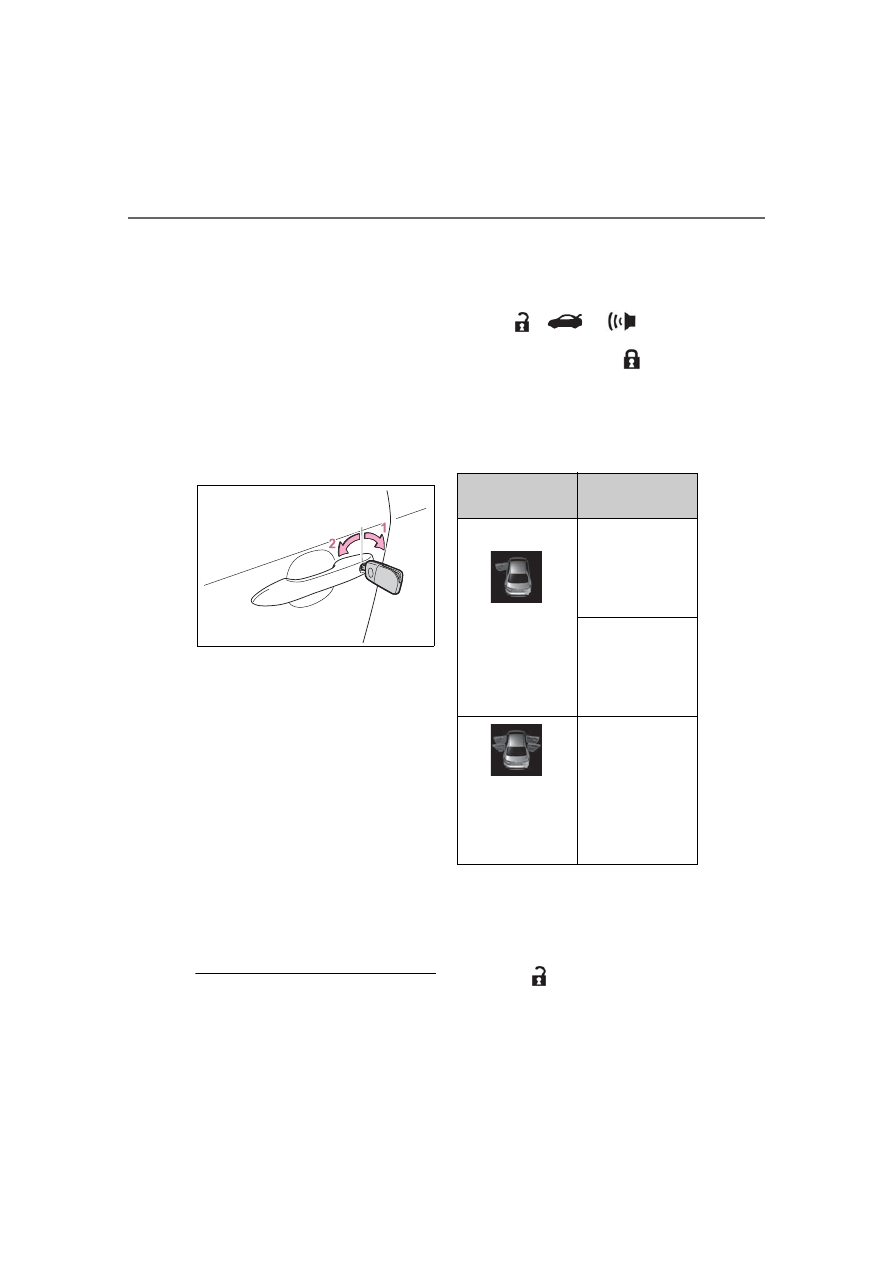
Key
Turning the key operates the
doors as follows:
Vehicles without a smart key
system
1
Unlocks all the doors
Turning the key unlocks the driver’s
door. Turning the key again unlocks
the other doors.
Turn and hold to open the windows
*
2
Locks all the doors
Turn and hold to open the windows
*
*
: This setting must be customized
at your Toyota dealer.
Vehicles with a smart key sys-
tem
The doors can also be locked
and unlocked with the mechani-
cal key. (
■
Switching the door unlock func-
tion (vehicles with a smart key
system)
It is possible to set which doors the
entry function unlocks using the
wireless remote control.
1
Turn the power switch off.
2
When the indicator light on the
key surface is not on, press and
hold
,
or
for
approximately 5 seconds while
pressing and holding
.
The setting changes each time an
operation is performed, as shown
below. (When changing the setting
continuously, release the buttons,
wait for at least 5 seconds, and
repeat step
2
.)
To prevent unintended triggering of
the alarm, unlock the doors using
the wireless remote control and
open and close a door once after
the settings have been changed. (If
a door is not opened within 60 sec-
onds after
is pressed, the doors
will be locked again and the alarm
will automatically be set.)
In case that the alarm is triggered,
Multi-informa-
tion display/Beep
Unlocking func-
tion
Exterior: Beeps 3
times
Interior: Pings
once
Holding the
driver’s door
handle unlocks
only the driver’s
door.
Holding the front
passenger’s
door handle
unlocks all the
doors.
Exterior: Beeps
twice
Interior: Pings
once
Holding either
front door handle
unlocks all the
doors.