Toyota Highlander (2022 year). Manual in english - page 7
109
2-1. Instrument cluster
2
Vehicle
statu
s information an
d in
dicator
s
Audio Plus (vehicles with
Data Communication Mod-
ule) or Premium Audio
1
Press the “MENU” button.
2
Select “Info” on the “Menu”
screen.
3
Select “ECO” on the “Infor-
mation” screen.
If a screen other than “Trip Informa-
tion” is displayed, select “Trip Infor-
mation”.
12.3-inch display
1
Select
Toyota multi-oper-
ation touch (
2
Select “TripInfo.”.
The screen position can also be
changed by select a desired infor-
mation in full screen.
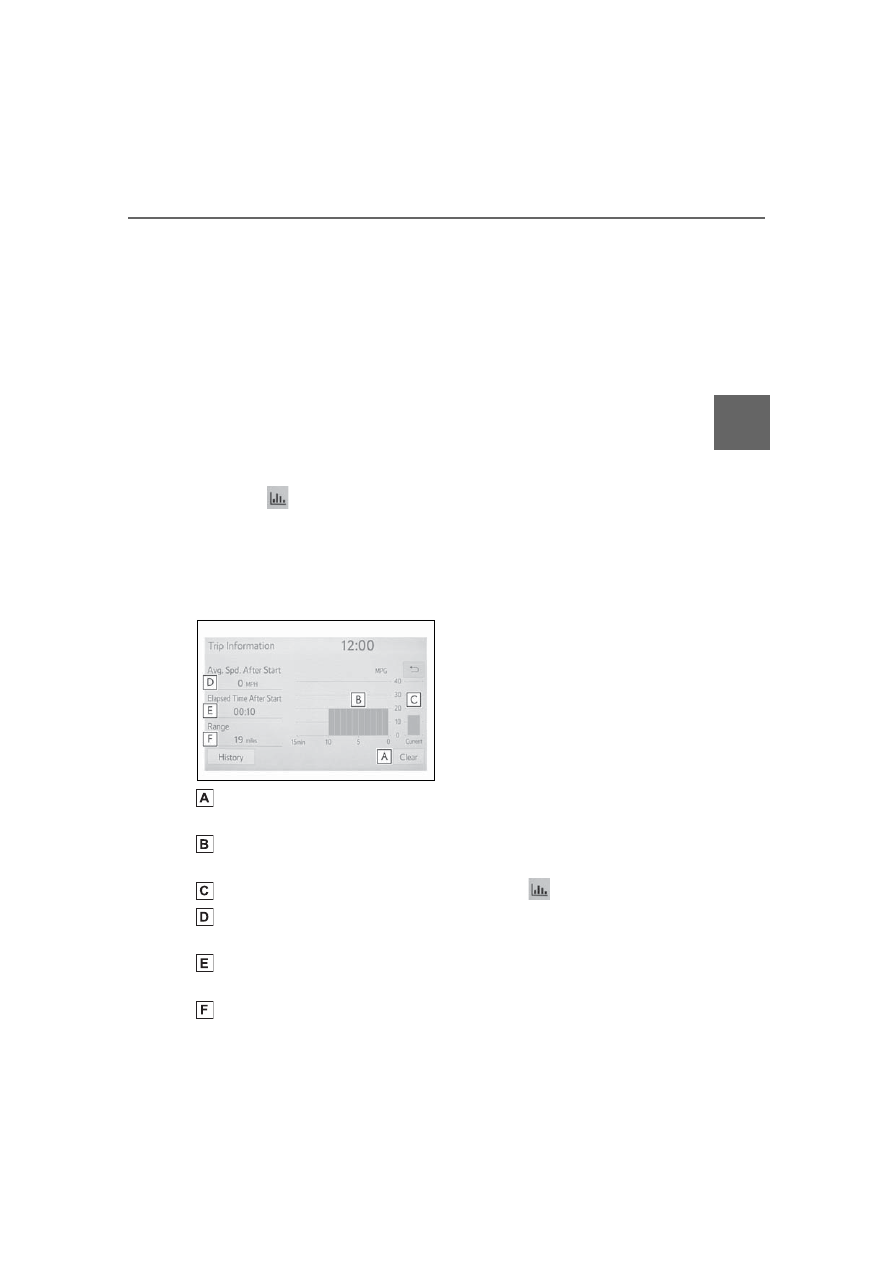
Resetting the consumption
data
Fuel consumption in the past
15 minutes
Current fuel consumption
Average vehicle speed since
the engine was started.
Elapsed time since the
engine was started.
Cruising range
The average fuel consumption
history is divided by color into
past averages and the average
fuel consumption since the last
updated. Use the displayed
average fuel consumption as a
reference.
The image is an example only, and
may vary slightly from actual condi-
tions.
■
History
Audio or Audio Plus (vehicles
without Data Communication
Module)
1
Press the “MENU” button.
2
Select “Info” on the “Menu”
screen.
If a screen other than “History” is
displayed, select “History”.
Audio Plus (vehicles with
Data Communication Mod-
ule) or Premium Audio
1
Press the “MENU” button.
2
Select “Info” on the “Menu”
screen.
3
Select “ECO” on the “Infor-
mation” screen.
If a screen other than “History” is
displayed, select “History”.
12.3-inch display
1
Select
Toyota multi-oper-
ation touch (
2
Select “History”.
The screen position can also be
changed by select a desired infor-
mation in full screen.