Subaru Crosstrek (2022 year). Manual in english - page 13
(205,1)
!
Date and time settings
You can set the date, time and 12h or 24h
format settings.
!
Current date and time setting
For details about clock setting, refer to
“Clock”
!
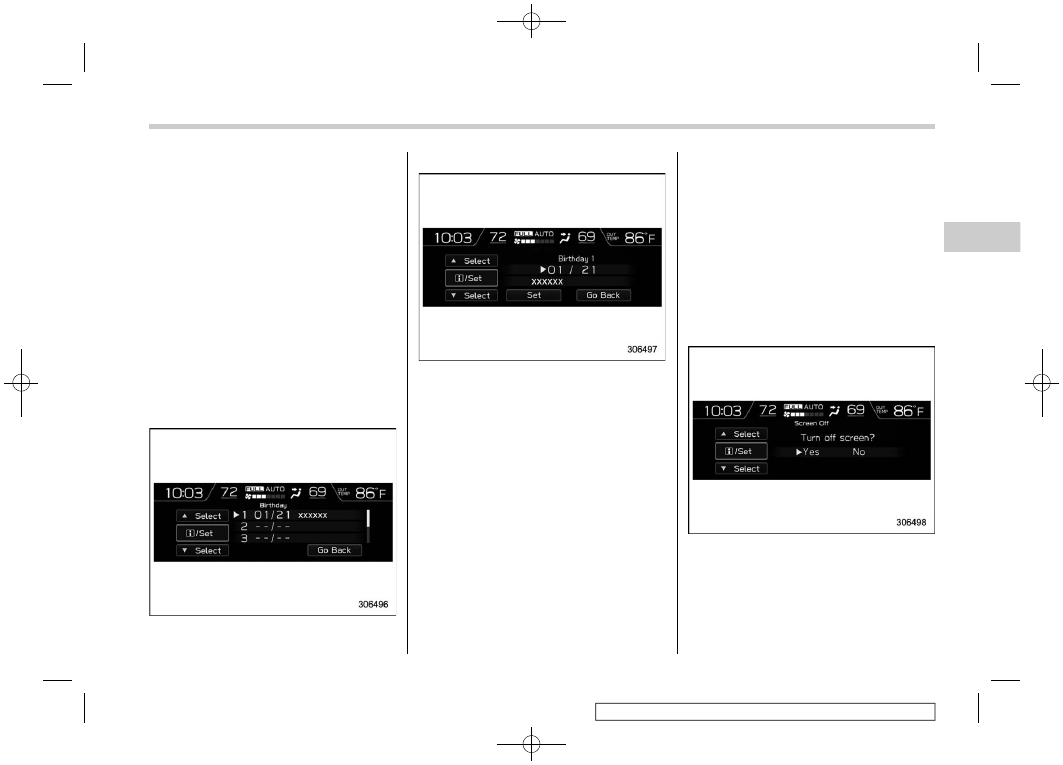
Birthday setting
If a birthday or anniversary is approaching,
a message will be displayed when the
ignition switch is turned to the “ON”
position. This function can be set to on or
off. For details, refer to “Bypass screen
setting”
1. Select “Birthday” from the 2nd menu in
the setting screen. Refer to “Setting
screen”
2. Select from the list the number that you
want to register.
3. Enter the date and the text by using the
control switches.
4. Select “Set” to exit settings. Select “Go
Back” to return to the previous screen
without applying the setting changes.
NOTE
You can store a maximum of 5 birth-
days.
!
Anniversary setting
1. The procedure for setting an anniver-
sary is the same as “Birthday setting”
61, except that in step 1 “Anniversary” is
selected.
NOTE
You can store a maximum of 5 anniver-
saries.
!
Display/Beep settings
You can set the display settings and
volume settings.
!
Screen OFF setting
1. Select “Screen Off” from the 2nd menu
in setting screen. Refer to “Setting screen”
2. Select “Yes” to turn off the screen.
Select “No” to return to the previous
screen.
Restoring the screen
When the INFO button is operated after
– CONTINUED –
Instruments and controls/Multi-function display (color LCD)
3-61
3