Nissan Sentra (2024 year). Manual in english - page 13
 

  Index      Manuals     Nissan Sentra (2024 year). Manual in english


Search            copyright infringement  


Content      ..     11      12      13      14     ..


Nissan Sentra (2024 year). Manual in english - page 13


SYSTEM TEMPORARILY
UNAVAILABLE

Condition A

When the radar sensor picks up interfer-
ence from another radar source, making it
impossible to detect a vehicle ahead, the
I-FCW system is automatically turned off.

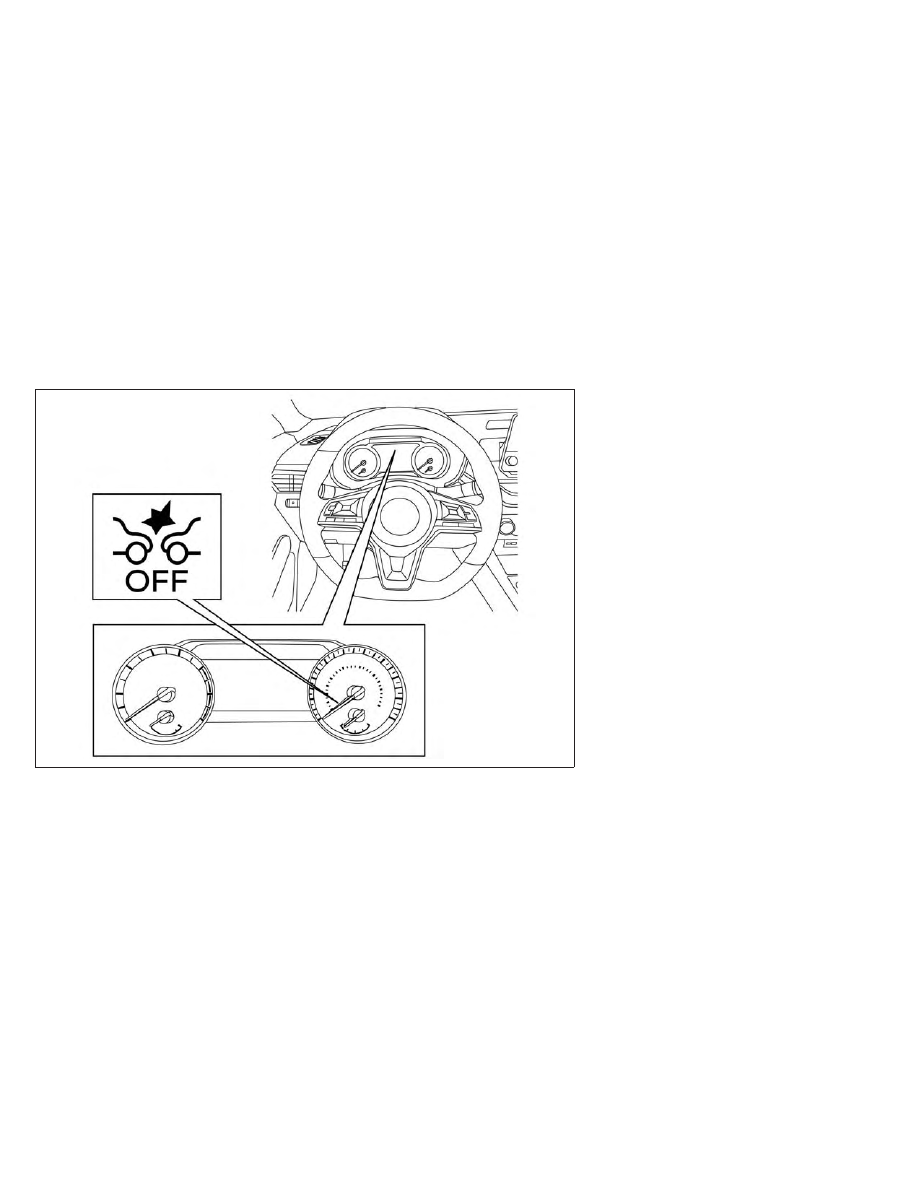
The AEB with Pedestrian Detection system
warning light (orange) will illuminate.

Action to take:

When the above conditions no longer exist,
the I-FCW system will resume automatically.

Condition B

When there is inclement weather (rain, fog,
snow, etc.) blocking the front radar sensor,
the I-FCW system will automatically be
canceled. The chime will sound and the
“Forward Driving Aids Temporarily Disabled
Front Sensor Blocked: See Owner’s Manual”
or “Driving Aids Temporarily Disabled Front
Sensor Blocked: See Manual” warning mes-
sage will appear in the vehicle information
display.

LSD3795

For vehicles with the 7 inch meter display

5-114

Starting and driving

Action to take:

When the conditions listed above are no
longer present, the warning message will
no longer be available in the vehicle infor-
mation display. If the “Forward Driving Aids
Temporarily

Disabled

Front

Sensor

Blocked: See Owner’s Manual” or “Driving
Aids Temporarily Disabled Front Sensor
Blocked: See Manual” warning message
continues to be displayed, have the system
checked. It is recommended that you visit a
NISSAN dealer for this service.

Condition C

When the radar sensor of the front bumper
is covered with mud, dirt, snow, ice, etc., or is
obstructed, the I-FCW system will auto-
matically be canceled, the chime will sound
and the “Forward Driving Aids Temporarily
Disabled Front Sensor Blocked: See Own-
er’s Manual” or “Driving Aids Temporarily
Disabled

Front

Sensor

Blocked:

See

Manual” warning message will appear in
the vehicle information display.

Action to take:

If the warning message appears, stop the
vehicle in a safe place, place the shift lever
in the P (Park) position, and turn the engine
off. When the radar signal is temporarily
interrupted, clean the sensor area of the

LSD3796

For vehicles with the 4.2 inch meter display

Starting and driving

5-115

front bumper and restart the engine. If the
“Forward Driving Aids Temporarily Disabled
Front Sensor Blocked: See Owner’s Manual”
or “Driving Aids Temporarily Disabled Front
Sensor Blocked: See Manual” warning mes-
sage continues to be displayed, have the
system checked. It is recommended that
you visit a NISSAN dealer for this service.

Condition D

When driving on roads with limited road
structures or buildings (for example, long
bridges, deserts, snowfields, driving next to
long walls), the system may illuminate the
system warning light and display the “For-
ward Driving Aids Temporarily Disabled
Front Sensor Blocked: See Owner’s Manual”
or “Driving Aids Temporarily Disabled Front
Sensor Blocked: See Manual” message.

Action to take:

When the above driving conditions no lon-
ger exist, turn the system back on.

NOTE:

If the AEB with Pedestrian Detection sys-
tem stops working, the I-FCW system will
also stop working.

SYSTEM MALFUNCTION

If the I-FCW system malfunctions, it will be
turned off automatically, a chime will
sound, the AEB with Pedestrian Detection
warning light (orange) will illuminate and
the warning message [Malfunction] will ap-
pear in the vehicle information display.

Action to take

If the warning light (orange) comes on, stop
the vehicle in a safe location, turn the en-
gine off and restart the engine. If the
warning light continues to illuminate, have
the I-FCW system checked. It is recom-
mended that you visit a NISSAN dealer for
this service.

SYSTEM MAINTENANCE

The sensor

O

A

is located on the front of the

vehicle.

To keep the system operating properly, be
sure to observe the following:
• Always keep the sensor area of the front

bumper/emblem clean.

• Do not strike or damage the areas

around the sensor.

• Do not cover or attach stickers or similar

objects on the front bumper near the
sensor area. This could cause failure or
malfunction.

LSD3890

LSD3826

5-116

Starting and driving

• Do not attach metallic objects near the

sensor area (brush guard, etc.). This could
cause failure or malfunction.

• Do not alter, remove or paint the front

bumper. Before customizing or restoring
the front bumper, it is recommended that
you visit a NISSAN dealer.

WARNING

Failure to follow the warnings and in-
structions for proper use of the I-DA
system could result in serious injury or
death.

The I–DA system is only a warning to
inform the driver of a potential lack
of driver attention or drowsiness. It
will not steer the vehicle or prevent
loss of control.

The I–DA system does not detect and
provide an alert of the driver’s lack of
attention

or

fatigue

in

every

situation.

It is the driver’s responsibility to:

stay alert,

drive safely,

keep the vehicle in the traveling
lane,

be in control of the vehicle at all
times,

avoid driving when tired,

avoid distractions (texting, etc.).

The I–DA system helps alert the driver if the
system detects a lack of attention or driv-
ing fatigue.

The system monitors driving style and
steering behavior over a period of time,
and it detects changes from the normal
pattern. If the system detects that driver
attention is decreasing over a period of
time, the system uses audible and visual
warnings to suggest that the driver take a
break.

INTELLIGENT DRIVER ALERTNESS
(I-DA)

Starting and driving

5-117

INTELLIGENT DRIVER ALERTNESS
SYSTEM OPERATION

If the system detects driver fatigue or that
driver attention is decreasing, the mes-
sage “Take a break?” appears in the vehicle
information display and a chime sounds
when the vehicle is driven at speeds above
37 mph (60 km/h).

The system continuously monitors driver
attention and can provide multiple warn-
ings per trip.

The system resets and starts reassessing
driving style and steering behavior when
the ignition switch is cycled from the ON to
the OFF position and back to the ON
position.

LSD5958

For vehicles with the 7 inch meter

display

LSD5959

For vehicles with the 4.2 inch meter

display

5-118

Starting and driving

HOW TO ENABLE/DISABLE THE
INTELLIGENT DRIVER ALERTNESS
(I-DA) SYSTEM

Perform the following steps to enable or
disable the I–DA system.

1. Press the

button until “Settings” dis-

plays in the vehicle information display.
Use the

button to select “Driver As-

sistance.” Then press the OK button.

2. Select “Driver Attention Alert” and press

the OK button to turn the system on or
off.

NOTE:
The setting will be retained even if the
engine is restarted.

LSD3980

For vehicles with the 7 inch meter display

Starting and driving

5-119

INTELLIGENT DRIVER ALERTNESS
(I-DA) SYSTEM LIMITATIONS

WARNING

Listed below are the system limitations
for the I–DA system. Failure to operate
the vehicle in accordance with these
system limitations could result in seri-
ous injury or death.

The I-DA system may not operate
properly and may not provide an
alert in the following conditions:

Poor road conditions such as an

uneven road surface or potholes.

Strong side wind.

If you have adopted a sporty driv-

ing style with higher cornering
speeds

or

higher

rates

of

acceleration.

Frequent

lane

changes

or

changes to vehicle speed.

The I–DA system will not provide an
alert in the following conditions:

Vehicle speeds lower than 37 mph

(60 km/h).

Short lapses of attention.

Instantaneous distractions such

as dropping an object.

LSD3801

For vehicles with the 4.2 inch meter display

5-120

Starting and driving

System malfunction

If the Intelligent Driver Alertness system
malfunctions, the system warning mes-
sage will appear in the vehicle information
display and the function will be stopped
automatically.

Action to take

Stop the vehicle in a safe location, place the
vehicle in P (Park) position, turn the engine
off and restart the engine. If the system
warning message continues to appear,
have the system checked. It is recom-
mended that you visit a NISSAN dealer for
this service.

CAUTION

During the first 1,200 miles (2,000 km),
follow these recommendations to ob-
tain maximum engine performance
and ensure the future reliability and
economy of your new vehicle. Failure to
follow these recommendations may
result in shortened engine life and re-
duced engine performance.

• Avoid driving for long periods at constant

speed, either fast or slow, and do not run
the engine over 4,000 rpm.

• Do not accelerate at full throttle in any

gear.

• Avoid quick starts.
• Avoid hard braking as much as possible.

LSD3802

BREAK-IN SCHEDULE

Starting and driving

5-121

Follow these easy-to-use Fuel Efficient
Driving Tips to help you achieve the most
fuel economy from your vehicle.

1.

Use Smooth Accelerator and Brake
Pedal Application

• Avoid rapid starts and stops
• Use smooth, gentle accelerator and

brake application whenever possible

• Maintain constant speed while com-

muting and coast whenever possible

2.

Maintain Constant Speed

• Look ahead to try and anticipate and

minimize stops

• Synchronizing your speed with traffic

lights allows you to reduce your num-
ber of stops

• Maintaining a steady speed can mini-

mize red light stops and improve fuel
efficiency

3.

Use Air Conditioning (A/C) at Higher
Vehicle Speeds

• Below 40 mph (64 km/h), it is more

efficient to open windows to cool the
vehicle due to reduced engine load

• Above 40 mph (64 km/h), it is more

efficient to use A/C to cool the vehicle
due to increased aerodynamic drag

• Recirculating the cool air in the cabin

when the A/C is on reduces cooling
load

4.

Drive

at

Economical

Speeds

and

Distances

• Observing the speed limit and not ex-

ceeding 60 mph (97 km/h) (where le-
gally allowed) can improve fuel effi-
ciency due to reduced aerodynamic
drag

• Maintaining a safe following distance

behind other vehicles reduces unnec-
essary braking

• Safely monitoring traffic to anticipate

changes in speed permits reduced
braking

and

smooth

acceleration

changes

• Select a gear range suitable to road

conditions

5.

Use Cruise Control

• Using cruise control during highway

driving helps maintain a steady speed

• Cruise control is particularly effective

in providing fuel savings when driving
on flat terrains

6.

Plan for the Shortest Route

• Utilize a map or navigation system to

determine the best route to save time

7.

Avoid Idling

• Shutting off your engine when safe for

stops exceeding 30–60 seconds saves
fuel and reduces emissions

8.

Buy an Automated Pass for Toll Roads

• Automated passes permit drivers to

use special lanes to maintain cruising
speed through the toll and avoid stop-
ping and starting

9.

Winter Warm Up

• Limit idling time to minimize impact to

fuel economy

• Vehicles typically need no more than

30 seconds of idling at start-up to ef-
fectively circulate the engine oil before
driving

• Your vehicle will reach its ideal operat-

ing temperature more quickly while
driving versus idling

10.

Keeping your Vehicle Cool

• Park your vehicle in a covered parking

area

or

in

the

shade

whenever

possible

• When entering a hot vehicle, opening

the windows will help to reduce the
inside temperature faster, resulting in
reduced demand on your A/C system

FUEL EFFICIENT DRIVING TIPS

5-122

Starting and driving

11.

ECO Mode

• The ECO mode helps to enhance

the fuel economy by controlling the
engine

and

Continuously Variable

Transmission (if so equipped) opera-
tion

automatically

to

avoid

rapid

acceleration.

• Keep your engine tuned up.
• Follow the recommended scheduled

maintenance.

• Keep the tires inflated to the correct pres-

sure. Low tire pressure increases tire
wear and lowers fuel economy.

• Keep the wheels in correct alignment. Im-

proper alignment increases tire wear and
lowers fuel economy.

• Use the recommended viscosity engine

oil. For additional information, see “Engine
oil

and

oil

filter

recommendations”

(P. 10-6).

INCREASING FUEL ECONOMY

Starting and driving

5-123

WARNING

Do not stop or park the vehicle over
flammable materials such as dry
grass, waste paper or rags. They may
ignite and cause a fire.

Safe parking procedures require that
both the parking brake be set and the
transmission placed in P (Park) for
Continuously Variable Transmission
(CVT) models or in an appropriate
gear for manual transmission (M/T)
models. Failure to do so could cause
the vehicle to move unexpectedly or
roll away and result in an accident.
Make sure the shift lever has been
pushed as far forward as it can go
and cannot be moved without de-
pressing the foot brake pedal.

Never leave the engine running while
the vehicle is unattended.

Do not leave children unattended in-
side the vehicle. They could unknow-
ingly activate switches or controls or
make the vehicle move. Unattended
children could become involved in
serious accidents.

To help avoid risk of injury or death
through unintended operation of the
vehicle and/or its systems, do not
leave children, people who require
the assistance of others or pets unat-
tended in your vehicle. Additionally,
the temperature inside a closed ve-
hicle on a warm day can quickly be-
come high enough to cause a signifi-
cant risk of injury or death to people
and pets.

1. Firmly apply the parking brake.

2.

M/T models

Place the shift lever in the R (Reverse)
position. When parking on an uphill
grade, place the shift lever in 1st gear.

CVT models

Move the shift lever into the P (Park)
position.

SSD0488

PARKING/PARKING ON HILLS

5-124

Starting and driving

3. To help prevent the vehicle from rolling

into traffic when parked on an incline, it
is a good practice to turn the wheels as
illustrated.

• HEADED DOWNHILL WITH CURB

O

1

:

Turn the wheels into the curb and
move the vehicle forward until the
curb side wheel gently touches the
curb.

• HEADED UPHILL WITH CURB

O

2

:

Turn the wheels away from the curb
and move the vehicle back until the
curb side wheel gently touches the
curb.

• HEADED UPHILL OR DOWNHILL, NO

CURB

O

3

:

Turn the wheels toward the side of the
road so the vehicle will move away
from the center of the road if it moves.

4. Place the ignition switch in the LOCK

position.

WARNING

If the engine is not running or is
turned off while driving, the power
assist for the steering will not work.
Steering will be harder to operate.

When the power steering warning
light illuminates with the engine run-
ning, there will be no power assist for
the steering. You will still have control
of the vehicle, but the steering will be
harder to operate. Have the power
steering system checked. It is recom-
mended that you visit a NISSAN
dealer for this service.

The power steering system is designed to
provide power assist while driving to oper-
ate the steering wheel with light force.

When the steering wheel is operated re-
peatedly or continuously while parking or
driving at a very low speed, the power as-
sist for the steering wheel will be reduced.
This is to prevent overheating of the power
steering system and protect it from getting
damaged. While the power assist is re-
duced, steering wheel operation will be-
come heavy. When the temperature of the
power steering system goes down, the
power assist level will return to normal.

Avoid repeating such steering wheel op-
erations that could cause the power steer-
ing system to overheat.

You may hear a noise when the steering
wheel is operated quickly. However, this is
not a malfunction.

If the power steering warning light illumi-
nates while the engine is running, it may
indicate the power steering system is not
functioning properly and may need servic-
ing. Have the power steering system
checked. It is recommended that you visit a
NISSAN dealer for this service.

When the power steering warning light illu-
minates with the engine running, there will
be no power assist for the steering, but you
will still have control of the vehicle. At this
time, greater steering effort is required to
operate the steering wheel, especially in
sharp turns and at low speeds.

For additional information, see “Power
steering warning light” (P. 2-14).

POWER STEERING

Starting and driving

5-125

The brake system has two separate hy-
draulic circuits. If one circuit malfunctions,
you will still have braking at two wheels.

BRAKE PRECAUTIONS

Vacuum assisted brakes

The brake booster aids braking by using
engine vacuum. If the engine stops, you
can stop the vehicle by depressing the
brake pedal. However, greater foot pres-
sure on the brake pedal will be required to
stop the vehicle and stopping distance will
be longer.

Using the brakes

Avoid resting your foot on the brake pedal
while driving. This will overheat the brakes,
wear out the brake pads faster, and reduce
gas mileage.

To help reduce brake wear and to prevent
the brakes from overheating, reduce speed
and downshift to a lower gear before going
down a slope or long grade. Overheated
brakes may reduce braking performance
and could result in loss of vehicle control.

WARNING

While driving on a slippery surface,
be careful when braking, accelerat-
ing or downshifting. Abrupt braking
or

accelerating

could

cause

the

wheels to skid and result in an
accident.

If the engine is not running or is
turned off while driving, the power
assist for the brakes will not work.
Braking will be harder.

Wet brakes

When the vehicle is washed or driven
through water, the brakes may get wet. As
a result, your braking distance will be lon-
ger and the vehicle may pull to one side
during braking.

To dry the brakes, drive the vehicle at a safe
speed while lightly pressing the brake
pedal to heat up the brakes. Do this until
the brakes return to normal. Avoid driving
the vehicle at high speeds until the brakes
function correctly.

Parking brake break-in

Break in the parking brake shoes whenever
the stopping effect of the parking brake is
weakened or whenever the parking brake
shoes and/or drums/rotors are replaced,
in order to assure the best braking
performance.

This procedure is described in the vehicle
service manual. It is recommended that
you visit a NISSAN dealer for this service.

ANTI-LOCK BRAKING SYSTEM (ABS)

WARNING

The ABS is a sophisticated device, but
it cannot prevent accidents resulting
from careless or dangerous driving
techniques. It can help maintain ve-
hicle control during braking on slip-
pery surfaces. Remember that stop-
ping distances on slippery surfaces
will be longer than on normal sur-
faces even with ABS. Stopping dis-
tances may also be longer on rough,
gravel or snow covered roads, or if
you are using tire chains. Always
maintain a safe distance from the ve-
hicle in front of you. Ultimately, the
driver is responsible for safety.

BRAKE SYSTEM

5-126

Starting and driving

Tire type and condition may also af-
fect braking effectiveness.

When replacing tires, install the

specified size of tires on all four
wheels.

When installing a spare tire, make

sure that it is the proper size and
type as specified on the Tire and
Loading Information label. For ad-
ditional information, see “Tire and
Loading

Information

label”

(P. 8-31).

For additional information, see

“Wheels and tires” (P. 8-29).

The ABS controls the brakes so the wheels
do not lock during hard braking or when
braking on slippery surfaces. The system
detects the rotation speed at each wheel
and varies the brake fluid pressure to pre-
vent each wheel from locking and sliding.
By preventing each wheel from locking, the
system helps the driver maintain steering
control and helps to minimize swerving
and spinning on slippery surfaces.

Using the system

Depress the brake pedal and hold it down.
Depress the brake pedal with firm steady
pressure, but do not pump the brakes. The
Anti-lock Braking System will operate to
prevent the wheels from locking up. Steer
the vehicle to avoid obstacles.

WARNING

Do not pump the brake pedal. Doing so
may

result

in

increased

stopping

distances.

Self-test feature

The Anti-lock Braking System (ABS) in-
cludes electronic sensors, electric pumps,
hydraulic solenoids and a computer. The
computer has a built-in diagnostic feature
that tests the system each time you start
the engine and move the vehicle at a low
speed in forward or reverse. When the self-
test occurs, you may hear a “clunk” noise
and/or feel a pulsation in the brake pedal.
This is normal and does not indicate a mal-
function. If the computer senses a mal-
function, it switches the ABS off and illumi-
nates the ABS warning light on the

instrument panel. The brake system then
operates normally, but without anti-lock
assistance.

If the ABS warning light illuminates during
the self-test or while driving, have the ve-
hicle checked. It is recommended that you
visit a NISSAN dealer for this service.

Normal operation

The Anti-lock Braking System (ABS) oper-
ates at speeds above 3 - 6 mph (5 - 10
km/h). The speed varies according to road
conditions.

When the ABS senses that one or more
wheels are close to locking up, the actuator
rapidly applies and releases hydraulic pres-
sure. This action is similar to pumping the
brakes very quickly. You may feel a pulsa-
tion in the brake pedal and hear a noise
from under the hood or feel a vibration
from the actuator when it is operating. This
is normal and indicates that the ABS is op-
erating properly. However, the pulsation
may indicate that road conditions are haz-
ardous and extra care is required while
driving.

Starting and driving

5-127

BRAKE ASSIST

When the force applied to the brake pedal
exceeds a certain level, the Brake Assist is
activated generating greater braking force
than a conventional brake booster even
with light pedal force.

WARNING

The Brake Assist is only an aid to assist
braking operation and is not a collision
warning or avoidance device. It is the
driver’s responsibility to stay alert,
drive safely and be in control of the ve-
hicle at all times.

The VDC system uses various sensors to
monitor driver inputs and vehicle motion.
Under certain driving conditions, the VDC
system helps to perform the following
functions:
• Controls brake pressure to reduce wheel

slip on one slipping drive wheel so power
is transferred to a non-slipping drive
wheel on the same axle.

• Controls brake pressure and engine out-

put to reduce drive wheel slip based on
vehicle speed (traction control function).

• Controls brake pressure at individual

wheels and engine output to help the
driver maintain control of the vehicle in
the following conditions:

– Understeer (vehicle tends to not follow

the steered path despite increased
steering input)

– Oversteer (vehicle tends to spin due to

certain road or driving conditions)

The VDC system can help the driver to
maintain control of the vehicle, but it can-
not prevent loss of vehicle control in all driv-
ing situations.

When the VDC system operates, the
indicator light in the instrument panel
flashes to note the following:
• The road may be slippery or the system

may determine some action is required
to help keep the vehicle on the steered
path.

• You may feel a pulsation in the brake

pedal and hear a noise or vibration from
under the hood. This is normal and indi-
cates that the VDC system is working
properly.

• Adjust your speed and driving to the road

conditions.

For additional information, see “Slip indica-
tor light” (P. 2-15) and ”Vehicle Dynamic Con-
trol (VDC) OFF indicator light” (P. 2-15).

If a malfunction occurs in the system, the

indicator light comes on in the instru-

ment panel. The VDC system automatically
turns off when the indicator light is off.

The vehicle information display is used to
turn off the VDC system. The

indicator

light and the AEB system warning light illu-
minates to indicate the VDC system is off.

VEHICLE DYNAMIC CONTROL (VDC)
SYSTEM

5-128

Starting and driving

When the vehicle information display is
used to turn off the VDC system, the sys-
tem still operates to prevent one drive
wheel from slipping by transferring power
to a non-slipping drive wheel. The
indicator light flashes if this occurs. All
other VDC functions are off and the
indicator light will not flash.

The VDC system is automatically reset to
on when the ignition switch is placed in the
OFF position then back to the ON position.

The computer has a built-in diagnostic fea-
ture that tests the system each time you
start the engine and move the vehicle for-
ward or in reverse at a slow speed. When
the self-test occurs, you may hear a clunk
noise and/or feel a pulsation in the brake
pedal. This is normal and is not an indica-
tion of a malfunction.

WARNING

The VDC system is designed to help
the driver maintain stability but does
not prevent accidents due to abrupt
steering operation at high speeds or
by careless or dangerous driving
techniques. Reduce vehicle speed
and be especially careful when driv-
ing and cornering on slippery sur-
faces and always drive carefully.

Do not modify the vehicle's suspen-
sion. If suspension parts such as
shock absorbers, struts, springs, sta-
bilizer bars, bushings and wheels are
not NISSAN recommended for your
vehicle or are extremely deterio-
rated, the VDC system may not oper-
ate properly. This could adversely af-
fect vehicle handling performance,
and the

indicator light may flash

or the

indicator light may

illuminate.

If brake related parts such as brake
pads, rotors and calipers are not
NISSAN recommended or are ex-
tremely deteriorated, the VDC sys-
tem may not operate properly and
the

indicator

light

may

illuminate.

If engine control related parts are not
NISSAN recommended or are ex-
tremely deteriorated, the

indi-

cator light may illuminate.

When driving on extremely inclined
surfaces such as higher banked cor-
ners, the VDC system may not oper-
ate properly and the

indicator

light may flash or the

indicator

light may illuminate. Do not drive on
these types of roads.

When driving on an unstable surface
such as a turntable, ferry, elevator or
ramp, the

indicator light may

flash or the

indicator light may

illuminate. This is not a malfunction.
Restart the engine after driving onto
a stable surface.

If wheels or tires other than the
NISSAN

recommended

ones

are

used, the VDC system may not oper-
ate properly and the

indicator

light may flash or the

indicator

light may illuminate.

The VDC system is not a substitute
for winter tires or tire chains on a
snow covered road.

Starting and driving

5-129

RISE-UP AND BUILD-UP

The system gradually adjusts braking
power during normal braking to help pro-
vide an enhanced brake feel.

BRAKE FORCE DISTRIBUTION

During braking while driving through turns,
the system optimizes the distribution of
force to each of the front and rear wheels
depending on the radius of the turn.

WARNING

The VDC system is designed to help
the driver maintain stability but does
not prevent accidents due to abrupt
steering operation at high speeds or
by careless or dangerous driving
techniques. Reduce vehicle speed
and be especially careful when driv-
ing and cornering on slippery sur-
faces and always drive carefully.

Do not modify the vehicle's suspen-
sion. If suspension parts such as
shock absorbers, struts, springs, sta-
bilizer bars, bushings and wheels are
not NISSAN recommended for your
vehicle or are extremely deterio-
rated, the VDC system may not oper-
ate properly. This could adversely af-
fect vehicle handling performance,
and the

indicator light may flash

or the

indicator light may

illuminate.

If brake related parts such as brake
pads, rotors and calipers are not
NISSAN recommended or are ex-
tremely deteriorated, the VDC sys-
tem may not operate properly and
the

indicator

light

may

illuminate.

If engine control related parts are not
NISSAN recommended or are ex-
tremely deteriorated, the

indi-

cator light may illuminate.

When driving on extremely inclined
surfaces such as higher banked cor-
ners, the VDC system may not oper-
ate properly and the

indicator

light may flash or the

indicator

light may illuminate. Do not drive on
these types of roads.

When driving on an unstable surface
such as a turntable, ferry, elevator or
ramp, the

indicator light may

flash or the

indicator light may

illuminate. This is not a malfunction.
Restart the engine after driving onto
a stable surface.

If wheels or tires other than the
NISSAN

recommended

ones

are

used, the VDC system may not oper-
ate properly and the

indicator

light may flash or the

indicator

light may illuminate.

The VDC system is not a substitute
for winter tires or tire chains on a
snow covered road.

5-130

Starting and driving

The chassis control is an electric control
module

that

includes

the

following

functions:
• Intelligent Trace Control
• Active Ride Control
• Intelligent Engine Brake (if so equipped)

INTELLIGENT TRACE CONTROL

The Intelligent Trace Control senses driving
based

on

the

driver’s

steering

and

acceleration/braking patterns, and con-
trols brake pressure at individual wheels to
aid tracing at corners and help smooth ve-
hicle response.

When the VDC system is turned off, the In-
telligent Trace Control is also turned off.

If the chassis control warning message ap-
pears in the vehicle information display, it
may indicate that the Intelligent Trace Con-
trol is not functioning properly. Have the
system checked as soon as possible. It is
recommended that you visit a NISSAN
dealer for this service. See “Vehicle informa-
tion

display

warnings

and

indicators”

(P. 2-28) or (P. 2-47).

WARNING

The Intelligent Trace Control may not
be effective depending on the driving
condition. Always drive carefully and
attentively.

When the Intelligent Trace Control is oper-
ating, you may feel a pulsation in the brake
pedal and hear a noise. This is normal and
indicates that the Intelligent Trace Control
is operating properly.

You may also feel deceleration when the
Intelligent Trace Control is operating. How-
ever, this is not a malfunction.

ACTIVE RIDE CONTROL

This system senses upper body motion
(based on wheel speed information) and
controls four wheel brake pressure. This will
enhance ride comfort in effort to restrain
uncomfortable

upper

body

movement

when passing over undulated road surfaces.

When the VDC system is turned off, the Ac-
tive Ride Control is also turned off.

When the Active Ride Control is operating,
you may hear noise and sense slight decel-
eration. This is normal and indicates that the
Active Ride Control is operating properly.

If the chassis control warning message ap-
pears in the vehicle information display, it
may indicate that the Active Ride Control is
not functioning properly. Have the system
checked as soon as possible. It is recom-
mended that you visit a NISSAN dealer for
this service. See “Vehicle information dis-
play warnings and indicators” (P. 2-28) or
(P. 2-47).

INTELLIGENT ENGINE BRAKE (if so
equipped)

The Intelligent Engine Brake function adds
subtle deceleration by controlling CVT gear
ratio, depending on the cornering condi-
tion calculated from driver’s steering input
and plural sensors. This benefit is for easier
traceability and less workload of adjusting
speed with braking at corners.

The Intelligent Engine Brake also adds
subtle deceleration with gear ratio control
according

to

driver’s

brake

pedal

operation.

When the VDC system is turned off, the In-
telligent Engine Brake is also turned off.

CHASSIS CONTROL

Starting and driving

5-131

If the chassis control warning message ap-
pears in the vehicle information display, it
may indicate that the Intelligent Engine
Brake is not functioning properly. Have the
system checked as soon as possible. It is
recommended that you visit a NISSAN
dealer for this service. See “Vehicle informa-
tion

display

warnings

and

indicators”

(P. 2-28) or (P. 2-47).

WARNING

The Intelligent Engine Brake may not
be effective depending on the driving
condition. Always drive carefully and
attentively.

When the Intelligent Engine Brake is oper-
ating, the needle of the tachometer will rise
up and you may hear an engine noise. This
is normal and indicates that the Intelligent
Engine Brake is operating properly.

You may also feel deceleration when the
Intelligent Engine Brake is operating. How-
ever, this is not a malfunction.

WARNING

Never rely solely on the hill start as-
sist system to prevent the vehicle
from moving backward on a hill. Al-
ways drive carefully and attentively.
Depress the brake pedal when the
vehicle is stopped on a steep hill. Be
especially careful when stopped on a
hill on frozen or muddy roads. Failure
to prevent the vehicle from rolling
backwards may result in a loss of
control of the vehicle and possible
serious injury or death.

The hill start assist system is not de-
signed to hold the vehicle at a stand-
still on a hill. Depress the brake pedal
when the vehicle is stopped on a
steep hill. Failure to do so may cause
the vehicle to roll backwards and
may result in a collision or serious
personal injury.

The hill start assist system may not
prevent

the

vehicle

from

rolling

backwards on a hill under all load or
road conditions. Always be prepared
to depress the brake pedal to prevent
the vehicle from rolling backwards.
Failure to do so may result in a colli-
sion or serious personal injury.

When the vehicle is stopped on a hill, the hill
start assist system automatically keeps
the brakes applied to help prevent the ve-
hicle from rolling backward in the time it
takes the driver to release the brake pedal
and apply the accelerator.

The hill start assist system will operate au-
tomatically under the following conditions:
• The transmission is shifted to a forward

or reverse gear.

• The vehicle is stopped completely on a

hill by applying the brake. The maximum
holding time is 2 seconds. After 2 sec-
onds the vehicle will begin to roll back and
the hill start assist system will stop oper-
ating completely.

The hill start assist system will not operate
when the shift lever is placed in the N (Neu-
tral) or P (Park) position or on a flat and level
road.

HILL START ASSIST SYSTEM

5-132

Starting and driving

The RSS sounds a tone to inform the driver
of obstacles near the bumper.

When the “DISPLAY” key is on, the sonar
view will automatically appear in the
touch-screen display. An additional view of
the sonar status will appear in the vehicle
information display for reference.

WARNING

The RSS is a convenience but it is not
a substitute for proper parking.

The driver is always responsible for
safety during parking and other ma-
neuvers. Always look around and check
that it is safe to do so before parking.

Read and understand the limitations
of the RSS as contained in this sec-
tion. The colors of the corner sonar
indicator and the distance guide
lines in the rear view indicate differ-
ent distances to the object.

Inclement

weather

or

ultrasonic

sources such as an automatic car wash,
a truck's compressed-air brakes or a
pneumatic drill may affect the function
of the system; this may include reduced
performance or a false activation.

This function is designed as an aid to
the driver in detecting large station-
ary objects to help avoid damaging
the vehicle.

The system is not designed to prevent
contact with small or moving objects.
Always move slowly. The system will
not detect small objects below the
bumper, and may not detect objects
close to the bumper or on the ground.

The system may not detect the fol-
lowing objects: fluffy objects such as
snow, cloth, cotton, glass, wool, etc.;
thin objects such as rope, wire and
chain, etc.; or wedge-shaped objects.

If your vehicle sustains damage to the
bumper fascia, leaving it misaligned or
bent, the sensing zone may be altered
causing inaccurate measurement of ob-
stacles or false alarms.

CAUTION

Excessive noise (such as audio sys-
tem volume or an open vehicle win-
dow) will interfere with the tone and
it may not be heard.

Keep the sonar sensors (located on
the bumper fascia) free from snow,
ice and large accumulations of dirt.
Do not clean the sensors with sharp
objects. If the sensors are covered,
the accuracy of the sonar function
will be diminished.

LSD3247

REAR SONAR SYSTEM (RSS)

Starting and driving

5-133

SYSTEM OPERATION

The system informs with a visual and au-
dible alert of rear obstacles when the shift
lever is in the R (Reverse) position.

The system is deactivated at speeds above
6 mph (10 km/h). It is reactivated at lower
speeds.

The intermittent tone will stop after 3 sec-
onds when an obstacle is detected by only
the corner sensor and the distance does
not change. The tone will stop when the
obstacle moves away from the vehicle or if
the vehicle moves away from the obstacle.

When the object is detected, the indicator
(green) appears and blinks and the tone
sounds intermittently. When the vehicle
moves closer to the object, the color of the
indicator turns yellow and the rate of the
blinking increases. When the vehicle is very
close to the object, the indicator stops
blinking and turns red, and the tone
sounds continuously.

When the corner of the vehicle moves
closer to an object, the corner sonar indi-
cator

O

A

appears. When the center of the

vehicle moves close to an object, the cen-
ter sonar indicator

O

B

appears.

The system indicators

O

A

will appear when

the vehicle moves closer to an object.

LSD3246

LSD2137

5-134

Starting and driving

HOW TO ENABLE/DISABLE THE
SONAR SYSTEM

The system is automatically activated
when the ignition is in the ON position and
the shift lever is in the R (Reverse) position.

Perform the following steps to enable or
disable the sonar system:

For vehicles with the 7 inch meter
display:

1. Press the

button until “Settings” dis-

plays in the vehicle information display.
Use the

button to select “Driver As-

sistance.” Then press the OK button.

2. Select “Parking Aids” and press the OK

button.

3. Select “Rear” and press the OK button to

turn the system on or off.

• Select “Auto Show Sonar” to display

the parking sensor in the vehicle infor-
mation display when the sonar sys-
tem activates.

• Select “Distance” to change the sonar

system distance to “Long,” “Medium” or
“Short.”

• Select “Volume” to change the volume

to “High,” “Medium” or “Low”

LSD3981

For vehicles with the 7 inch meter display

Starting and driving

5-135

For vehicles with the 4.2 inch meter
display:

1. Press the

button until “Settings” dis-

plays in the vehicle information display.
Use the

button to select “Driver As-

sistance.” Then press the OK button.

2. Select “Parking Aids” and press the OK

button.

3. Select “Rear Sensor” and press the OK

button to turn the system on or off.

• Select “Display” to display the parking

sensor in the vehicle information dis-
play when the sonar system activates.

• Select “Distance” to change the sonar

system distance to “Long,” “Medium” or
“Short.”

• Select “Volume” to change the volume

to “High,” “Medium” or “Low”

LSD3799

For vehicles with the 4.2 inch meter display

5-136

Starting and driving

SONAR LIMITATIONS

WARNING

Listed below are the system limitations
for the sonar system. Failure to operate
the vehicle in accordance with these
system limitations could result in seri-
ous injury or death.

The system is deactivated at speeds
above 6 mph (10 km/h). It is reacti-
vated at lower speeds.

Inclement

weather

or

ultrasonic

sources such as an automatic car
wash,

a

truck’s

compressed-air

brakes or a pneumatic drill may af-
fect the function of the system; this
may include reduced performance or
a false activation.

The system is not designed to pre-
vent contact with small or moving
objects. Always move slowly. The
system will not detect small objects
below the bumper or on the ground.

The system may not detect the fol-
lowing objects: fluffy objects such as
snow, cloth, cotton, glass-wool, etc.;
thin objects such as rope, wire and
chain, etc.; or wedge-shaped objects.

The system may not detect objects
at speeds above 3 mph (5 km/h) and
may not detect certain angular or
moving objects.

Do not attach stickers (including
transparent material), install acces-
sories, or apply anything blocking
the sensors. These conditions may
reduce the ability of the system.

SYSTEM TEMPORARILY
UNAVAILABLE

When sonar blockage is detected, the sys-
tem will be deactivated automatically.

The system is not available until the condi-
tions no longer exist.

The sonar sensors may be blocked by tem-
porary ambient conditions such as splash-
ing water, mist or fog. The blocked condi-
tion may also be caused by objects such as
ice, frost or dirt obstructing the sonar
sensors.

Action to take:

When the above conditions no longer exist,
the system will resume automatically.

SYSTEM MAINTENANCE

The sonar sensors

O

1

are located on the

rear bumper. Always keep the area near
the sonar sensors clean.

The sonar sensors may be blocked by tem-
porary ambient conditions such as splash-
ing water, mist or fog.

The blocked condition may also be caused
by objects such as ice, frost or dirt ob-
structing the sonar sensors.

Check for and remove objects obstructing
the area around the sonar sensors.

LSD3754

Starting and driving

5-137

Do not attach stickers (including transpar-
ent material), install accessories or apply
additional paint near the sonar sensors.

Do not strike or damage the area around
the sonar sensors. It is recommended that
you visit a NISSAN dealer if the area around
the sonar sensors is damaged due to a
collision.

The Idling Stop System activates to prevent
unnecessary fuel consumption, exhaust
emissions and noise.
• When you stop the vehicle, the engine is

turned off automatically.

• When you release the brake pedal to be-

gin moving again, the engine is turned on
automatically.

WARNING

The engine restarts if the vehicle
moves at approximately 1 mph (2
km/h) or more (on a downhill grade,
etc.) while the engine is turned off by
the Idling Stop System. Depress the
brake pedal immediately to stop the
vehicle to prevent an accident.

CAUTION

At the end of the journey the engine
must be stopped and ignition switch
be pushed off. Lock the vehicle as
normal. Pushing the ignition switch
off will shut down all electrical sys-
tems. Failure to do this may result in a
discharged battery.

Place the ignition switch in the OFF
position before opening the hood of
performing any maintenance. Fail-
ure to do so may result in serious in-
juries

due

to

automatic

engine

restart.

NOTE:

The Idling Stop System will not activate
under the following conditions:

When the engine is kept idling without
the vehicle being driven after the en-
gine is turned on.

When the engine coolant temperature
is low.

When the battery capacity is low.

When the battery temperature is low.

When the vehicle is moving.

When a negative pressure booster
decreases.

When the engine hood is opened with
the engine running.

When the engine is turned on with the
engine hood open.

When the driver’s seat belt is not
fastened.

When the driver’s door is open.

IDLING STOP SYSTEM (if so
equipped)

5-138

Starting and driving

When the steering wheel is operated or
when the steering wheel angle is more
than 45 degrees for both direction.

When the Idling Stop System indicator
blinks at a low speed.

(When the Idling Stop System indica-
tor blinks at a high speed (twice ap-
proximately every 1 second), be sure to
check if the engine hood is open. When
the engine hood is opened the engine
will be in the normal stopped state. In
this case, restart the engine with the
ignition switch).
(When the Idling Stop System indicator
blinks at a low speed (once approxi-
mately every 2 seconds), have the sys-
tem checked, and if necessary repaired,
by a NISSAN dealer promptly).

When the fan speed control is in any
position other than “OFF,” (0) while the
air flow control is in the front defroster
position.

When the front defroster switch is on.

When the rear window defroster switch
is on.

When the temperature inside the ve-
hicle is lower than approximately 68°F
(20°C).

When the temperature inside the ve-
hicle is higher than approximately 86°F
(30°C). (When the air conditioner is off,
the Idling Stop System will operate.)

When the fan speed of the air condi-
tioner is set to the maximum speed.

When the Idling Stop OFF switch is
turned on.

When the power consumption is large.

When the altitude is high.

When

the

accelerator

pedal

is

depressed.

When the shift lever is any range other
than D (Drive).

When the brake pedal is not firmly
depressed.

When stopping the vehicle on steep
sloping roads.

NOTE:

The engine will not restart even if the
brake pedal is released while the Idling
Stop System is activated under the fol-
lowing conditions:

When the engine hood is opened.

NOTE:

It may take some time until the Idling
Stop System activates under the follow-
ing conditions:

When the battery is discharged.

When the outside temperature is low or
high.

When the battery is replaced or the bat-
tery terminal is disconnected for ex-
tended periods and then reconnected.

NOTE:

When the Idling Stop System indicator
illuminates, the engine starts running
automatically under at least one of the
following conditions:

The driver’s seat belt is unfastened, or
the driver’s door is open.

The battery voltage becomes low (due
to electrical load from other vehicle
systems like headlights, heaters, etc.,
or auxiliary devices connected to the 12
volt socket inside the vehicle).

The vehicle speed is above about 1 mph
(2 km/h).

When the rear window defroster is
operated.

Starting and driving

5-139

When the temperature inside the ve-
hicle is lower than approximately 68°F
(20°C).

When the temperature inside the ve-
hicle is higher than approximately 86°C
(30°F). (When the air conditioner is off,
the Idling Stop System will operate.)

When the front defroster is turned on.

When more than 3 minutes have
elapsed since the Idling Stop System
was active.

When

the

accelerator

pedal

is

depressed.

When the steering wheel is operated.
(The steering wheel operation may
become heavy, but this is not a mal-
function.)

When the battery capacity is low.

When the power consumption is high.

When the shift lever is any range other
than D (Drive).

When the Idling Stop OFF switch is
pushed.

NOTE:

The following condition will prevent the
Idling Stop System from automatically
restarting the engine. Starting the en-
gine with the ignition switch operation is
then necessary:

The hood is open.

Use this system while waiting at a stop
light, etc. When the vehicle is stopped for
long periods of time, turn off the engine.

When the engine is stopped by the Idling
Stop System, heating, cooling and dehumidi-
fying functions will be deactivated. To avoid
the air conditioning functions from being de-
activated, turn off the Idling Stop System by
pushing the Idling Stop OFF switch.

RETROGRADE MOVEMENT
CONTROL FUNCTION

This system is designed to reduce the ret-
rograde movement that occurs while the
driver’s foot changes from depressing the
brake pedal to the accelerator pedal when
moving the vehicle while the Idling Stop
System is active on a hilly road.

IDLING STOP SYSTEM DISPLAY

The status of the Idling Stop System can be
checked in the vehicle information display.

The indicator is displayed when the Idling
Stop System is activated.

LSD4812

Idling Stop System indicator

5-140

Starting and driving

If the Idling Stop System is activated or de-
activated using the Idling Stop OFF switch,
the message is shown.

The fuel saved and the engine stop time
mode shows the following items:
• The fuel saved shows the estimated

quantity of fuel that was saved by the
Idling Stop System every time the engine
is automatically stopped.

• The engine stop time shows the time

that the engine has been stopped for by
the Idling Stop System.

The total fuel saved and the engine stop
time can also be checked in the vehicle
information display. For additional infor-
mation, see “Vehicle information display”
(P. 2-34).

If the engine stops when the Idling Stop
System is activated and will not start auto-
matically, the message is shown.

LSD4795

Idling Stop System ON or OFF

LSD4796

Fuel saved and engine stop time

LSD4279

Auto start deactivation

Starting and driving

5-141

This message is displayed when the Idling
Stop System is malfunctioning.

It is recommended that you have the sys-
tem checked. It is recommended that you
visit a NISSAN dealer for this service.

IDLING STOP OFF SWITCH

The system can be temporarily deacti-
vated by pushing the Idling Stop OFF
switch. Pushing the switch again or restart-
ing the engine by using the ignition switch
will reactivate the Idling Stop System.
• When the Idling Stop System is deacti-

vated while the engine is running, the en-
gine is prevented from automatically
stopping.

• When the Idling Stop System is deacti-

vated after the engine has been auto-
matically stopped by the Idling Stop Sys-
tem, the engine will immediately restart if
suitable conditions are present. The en-
gine will then be prevented from auto-
matically stopping during the same
journey.

NOTE:
• The Idling Stop System ON or OFF mes-

sage is displayed for a few seconds in
the vehicle information display when
the Idling Stop System OFF switch is
pushed. For additional information,
see

“Idling

Stop

System

Display”

(P. 5-140).

• The Idling Stop System resets to ON

every

time

the

ignition

switch

is

switched from the OFF position to the
ON position.

• It is best to disable the ISS system

when towing a trailer. You can do this
by pushing the Idling Stop OFF switch.

LSD4280

System fault

LSD5842

5-142

Starting and driving

FREEING A FROZEN DOOR LOCK

To prevent a door lock from freezing, apply
de-icer through the key hole. If the lock
becomes frozen, heat the key before in-
serting it into the key hole, or use the re-
mote keyless entry key fob or the NISSAN
Intelligent Key®.

ANTIFREEZE

In the winter when it is anticipated that the
temperature will drop below 32°F (0°C),
check the antifreeze to assure proper win-
ter protection. For additional information,
see “Engine cooling system” (P. 8-4).

BATTERY

If the battery is not fully charged during ex-
tremely cold weather conditions, the battery
fluid may freeze and damage the battery. To
maintain maximum efficiency, the battery
should be checked regularly. This vehicle is
equipped with a sealed maintenance free
battery. It is recommended that you visit a
NISSAN dealer for service.

DRAINING OF COOLANT WATER

If the vehicle is to be left outside without
antifreeze, drain the cooling system, includ-
ing the engine block. Refill before operating
the vehicle. For additional information, see
“Changing engine coolant” (P. 8-5).

TIRE EQUIPMENT

1. SUMMER tires have a tread designed to

provide superior performance on dry
pavement. However, the performance of
these tires will be substantially reduced
in snowy and icy conditions. If you oper-
ate your vehicle on snowy or icy roads,
NISSAN recommends the use of MUD &
SNOW or ALL SEASON TIRES on all four
wheels. It is recommended that you visit
a NISSAN dealer for the tire type, size,
speed rating and availability information.

2. For additional traction on icy roads,

studded tires may be used. However,
some U.S. states and Canadian prov-
inces prohibit their use. Check local,
state and provincial laws before install-
ing studded tires.

Skid and traction capabilities of studded
snow tires on wet or dry surfaces may be
poorer than that of non-studded snow
tires.

3. Tire chains may be used. For additional

information, see “Tire chains” (P. 8-37).

SPECIAL WINTER EQUIPMENT

It is recommended that the following items
be carried in the vehicle during winter:
• A scraper and stiff-bristled brush to re-

move ice and snow from the windows
and wiper blades.

• A sturdy, flat board to be placed under the

jack to give it firm support.

• A shovel to dig the vehicle out of

snowdrifts.

• Extra washer fluid to refill the windshield-

washer fluid reservoir.

DRIVING ON SNOW OR ICE

WARNING

Wet ice (32°F, 0°C and freezing rain),
very cold snow or ice can be slick and
very hard to drive on. The vehicle will
have much less traction or “grip” un-
der these conditions. Try to avoid
driving on wet ice until the road is
salted or sanded.

Whatever the condition, drive with
caution. Accelerate and slow down
with care. If accelerating or down-
shifting too fast, the drive wheels will
lose even more traction.

COLD WEATHER DRIVING

Starting and driving

5-143

Allow more stopping distance under
these conditions. Braking should be
started sooner than on dry pavement.

Allow greater following distances on
slippery roads.

Watch for slippery spots (glare ice).
These may appear on an otherwise
clear road in shaded areas. If a patch
of ice is seen ahead, brake before
reaching it. Try not to brake while on
the ice, and avoid any sudden steer-
ing maneuvers.

Do not use the cruise control (if so
equipped) on slippery roads.

Snow can trap dangerous exhaust
gases under your vehicle. Keep snow
clear of the exhaust pipe and from
around your vehicle.

ENGINE BLOCK HEATER (if so
equipped)

Engine block heaters are used to assist
with cold temperature starting.

The engine block heater should be used
when the outside temperature is 20°F (-7°C)
or lower.

WARNING

Do not use your engine block heater
with an ungrounded electrical sys-
tem or a 2-pronged adapter. You can
be seriously injured by an electrical
shock if you use an ungrounded
connection.

Disconnect and properly store the
engine block heater cord before
starting the engine. Damage to the
cord could result in an electrical
shock and can cause serious injury.

Use a heavy-duty 3-wire, 3-pronged
extension cord rated for at least 10 A.
Plug

the

extension

cord

into

a

Ground Fault Interrupt (GFI) pro-
tected,

grounded

110-VAC

outlet.

Failure to use the proper extension
cord or a grounded outlet can result
in a fire or electrical shock and cause
serious personal injury.

To use the engine block heater:

1. Turn the engine off.

2. Open the hood and unwrap the engine

block heater cord.

3. Plug the engine block heater cord into a

grounded 3-wire, 3-pronged extension
cord.

4. Plug the extension cord into a Ground

Fault Interrupt (GFI) protected, grounded
110-volt AC (VAC) outlet.

5. The engine block heater must be

plugged in for at least 2 - 4 hours, de-
pending on outside temperatures, to
properly warm the engine coolant. Use
an appropriate timer to turn the engine
block heater on.

6. Before starting the engine, unplug and

properly store the cord to keep it away
from moving parts.

5-144

Starting and driving


Content      ..     11      12      13      14     ..