Nissan Almera Tino V10. Manual - part 719
3
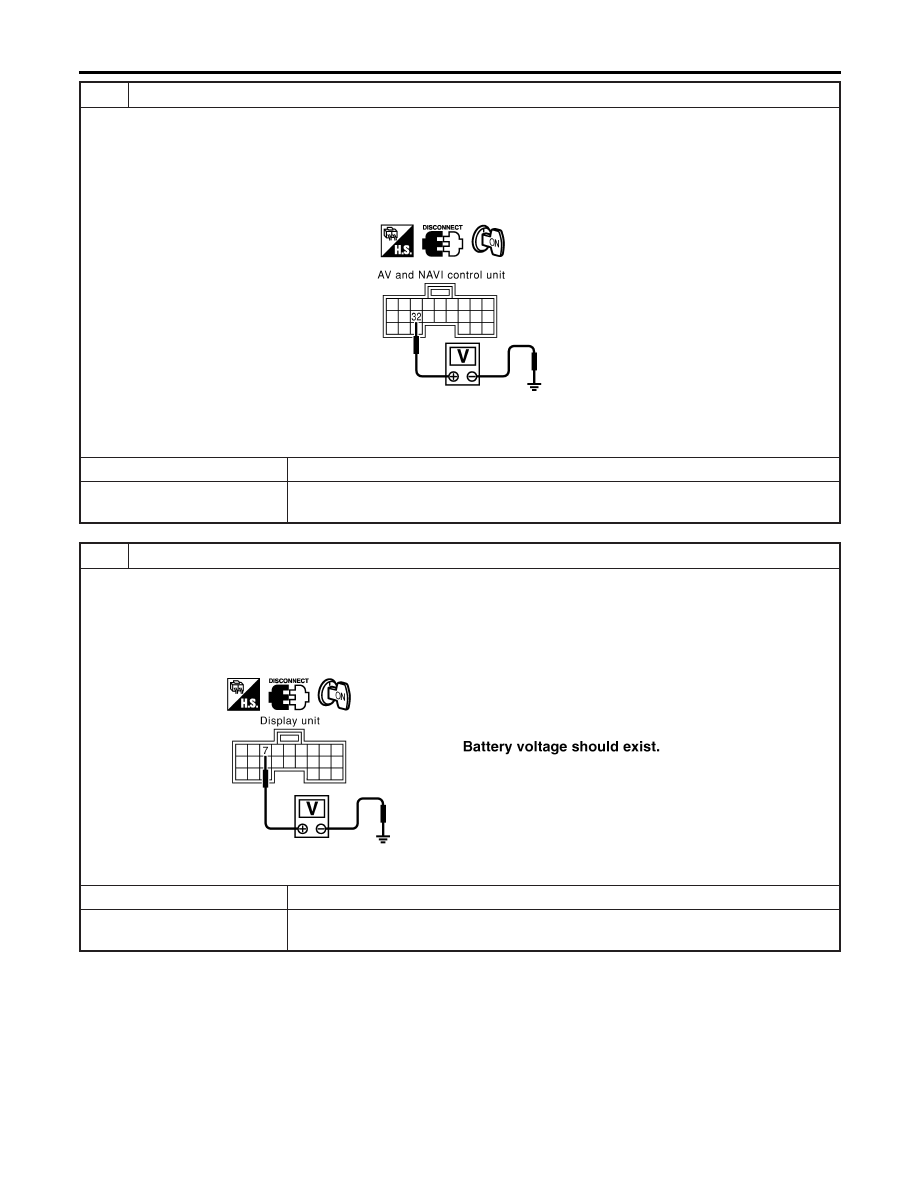
CHECK REVERSE POSITION INPUT SIGNAL/WITH NAVIGATION SYSTEM
1. Turn ignition switch OFF.
2. Disconnect rear AV and NAVI control unit connector.
3. Turn ignition switch ON.
4. Shift the selector lever to R-position.
5. Check voltage between AV and NAVI control unit harness connector B63 (LHD models) B115 (RHD models) terminal
32 (G/W) and ground.
MKIB0179E
Battery voltage should exist.
OK or NG
OK
©
GO TO 5.
NG
©
Check harness for open or short between AV and NAVI control unit and backup lamp
switch (M/T models) or park/neutral position switch (A/T model).
4
CHECK REVERSE POSITION INPUT SIGNAL/WITHOUT NAVIGATION SYSTEM
1. Turn ignition switch OFF.
2. Disconnect display unit connector.
3. Turn ignition switch ON.
4. Shift the selector lever to R-position.
5. Check voltage between display unit harness connector M96 terminal 7 (G/W) and ground.
YEL579E
OK or NG
OK
©
GO TO 5.
NG
©
Check harness for open or short between display unit and back up lamp switch (M/T
models) or park/neutral position switch (A/T model).
REARVIEW MONITOR
Trouble Diagnosis (Cont’d)
EL-172