Mitsubishi Montero (2002-2004). Manual - part 463
 

  Index      Mitsubishi     Mitsubishi Montero - service repair manual 2002-2004 year


Search            


Content   ..  461  462  463  464   ..


Mitsubishi Montero (2002-2004). Manual - part 463


IGNITION SWITCH

TSB Revision

CHASSIS ELECTRICAL

54A-23

If an attempt is made to start the engine with an unregistered 
ignition key, cranking occurs, but fuel supply is cut off to disable 
the engine. In approx. 10 seconds, the theft-alarm indicator will 
blink for approx. 30 seconds.
NOTE: powertrain control module has an encrypted code for 
immobilizer-ECU, and the encrypted code is registered in the 
immobilizer-ECU and ignition key.

POINTS TO NOTE DURING OPERATION

If none of the functions can be used, check the diagnostic trou-
ble codes, and after carrying out any necessary repairs, repeat 
the operation.
If an incorrect password is input five times in a row, the immobi-
lizer-ECU judges that an unauthorized operation is being 
attempted. Start-prevention mode will be set, and engine oper-
ation will stop and all special functions will be disabled. If the 
ignition switch is turned to "ON" position and left in that position 
for approximately 20 minutes, "Unauthorized operation, start- 
prevention mode" will be cancelled.

KEY ID REGISTER

All ignition keys can be registered with scan tool MB991502. 
Additional ignition keys can be registered with or without scan 
tool MB991502. If an ignition key is registered using scan tool 
MB991502, no registered ignition keys must be lost.

.

Registration with the scan tool

CAUTION

To prevent damage to scan tool MB991502, always turn the 
ignition switch to "LOCK" (OFF) position before connect-
ing or disconnecting scan tool MB991502.
NOTE: Using the key ID register function will cause all key IDs 
that have been previously registered in the immobilizer-ECU to 
be erased. All keys need to be registered. Those which have 
been registered before should be on hand before using this 
function.
NOTE: If registering more than one key, do not disconnect scan 
tool MB991502 halfway through the registration process.
NOTE: After registering key IDs, check that the engine can be 
started using all of the keys that have been registered. If the 
engine will not start, refer to Immobilizer System Diagnosis 

P.54A-7

.

ACX02297

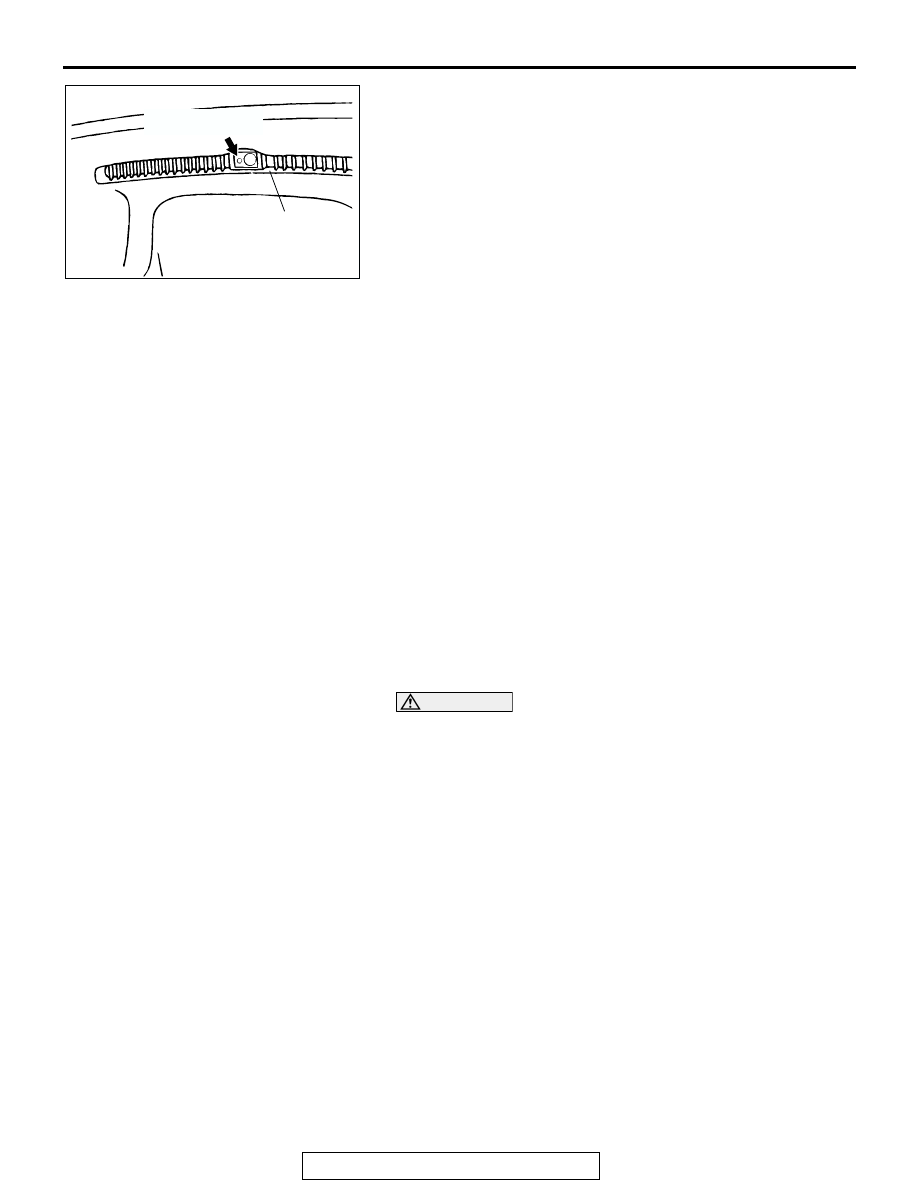
THEFT ALARM 

INDICATOR LIGHT

DEFROSTER NOZZLE

AC

IGNITION SWITCH

TSB Revision

CHASSIS ELECTRICAL

54A-24

1. Connect scan tool MB991502 to data link connector (16- 

pin).

2. Turn the ignition switch to "ON" position.

3. At "System Select," press "YES".

4. Select "Immobilizer, " press "YES".

5. Select "Special Func," press "YES". 

If DTC 11 exists, "Can't execute" will be displayed. Check for 
DTC 11. (Refer to 

P.54A-8

.)

ACX01539

16-pin

MB991502

AI

AC000522

AC

AC000523

AB

AC000530

AB

AC000518

AB

IGNITION SWITCH

TSB Revision

CHASSIS ELECTRICAL

54A-25

6. Select "key ID register, " press "YES".

7. Input the password. Use the "UP" and "DOWN" keys to 

change the current password digit to a value between 0 and 
9. Use the "LEFT" and "RIGHT" keys to move to a different 
password digit. Press the "YES" key to accept the password.
If an incorrect password is input five times in a row, this 
screen is displayed and the Immobilizer-ECU switches to 
unauthorized operation, start-prevention mode.
NOTE: Four separate digits must be input to make up the 
password.

8. Press the "YES" key to start key ID registration.

9. This will be displayed when the key ID registration is 

successful. If an error occurs during key ID registration, the 
message "Can't execute" will be displayed. If the key has 
already been registered, "Key ID has been registered" will 
be displayed.

10.The number of keys currently registered will be displayed. 

To register an additional key, replace the ignition key with 
the next key to be registered within five seconds and then 
press the "YES" key. Key ID registration screen will be 
displayed, then register another key.
If key ID registration is complete, press the "NO" key.
NOTE: A maximum of eight different keys can be registered.

AC101475

ACX01626AB

ACX01561AC

ACX01562AB

ACX01563 AB

IGNITION SWITCH

TSB Revision

CHASSIS ELECTRICAL

54A-26

11.This completes the registration operation. Turn the ignition 

switch "LOCK" (OFF) and leave it off for approximately ten 
seconds.

12.Check that the engine can be started with each of the 

ignition keys.

13.Check that the immobilizer system DTC and MFI system 

DTC did not set.

14.Turn the ignition switch to "LOCK" (OFF) position.
15.Disconnect scan tool MB991502.

.

Registration of additional keys with the scan tool
An additional key is registered with the scan tool while keeping 
all existing key data.

CAUTION

To prevent damage to scan tool MB991502, always turn the 
ignition switch to "LOCK" (OFF) position before connect-
ing or disconnecting scan tool MB991502.
NOTE: To register additional keys with the scan tool, no regis-
tered keys must be lost.
1. Connect scan tool MB991502 to data link connector (16- 

pin).

2. Turn the ignition switch to "ON" position.

3. At "System Select," press "YES".

4. Select "Immobilizer," press "YES".

ACX01539

16-pin

MB991502

AI

AC000522

AC

AC000523

AB


Content   ..  461  462  463  464   ..