Lexus RC350 (2022 year). Manual in english - page 5
88
3-2. Opening, closing and locking the doors and trunk
■
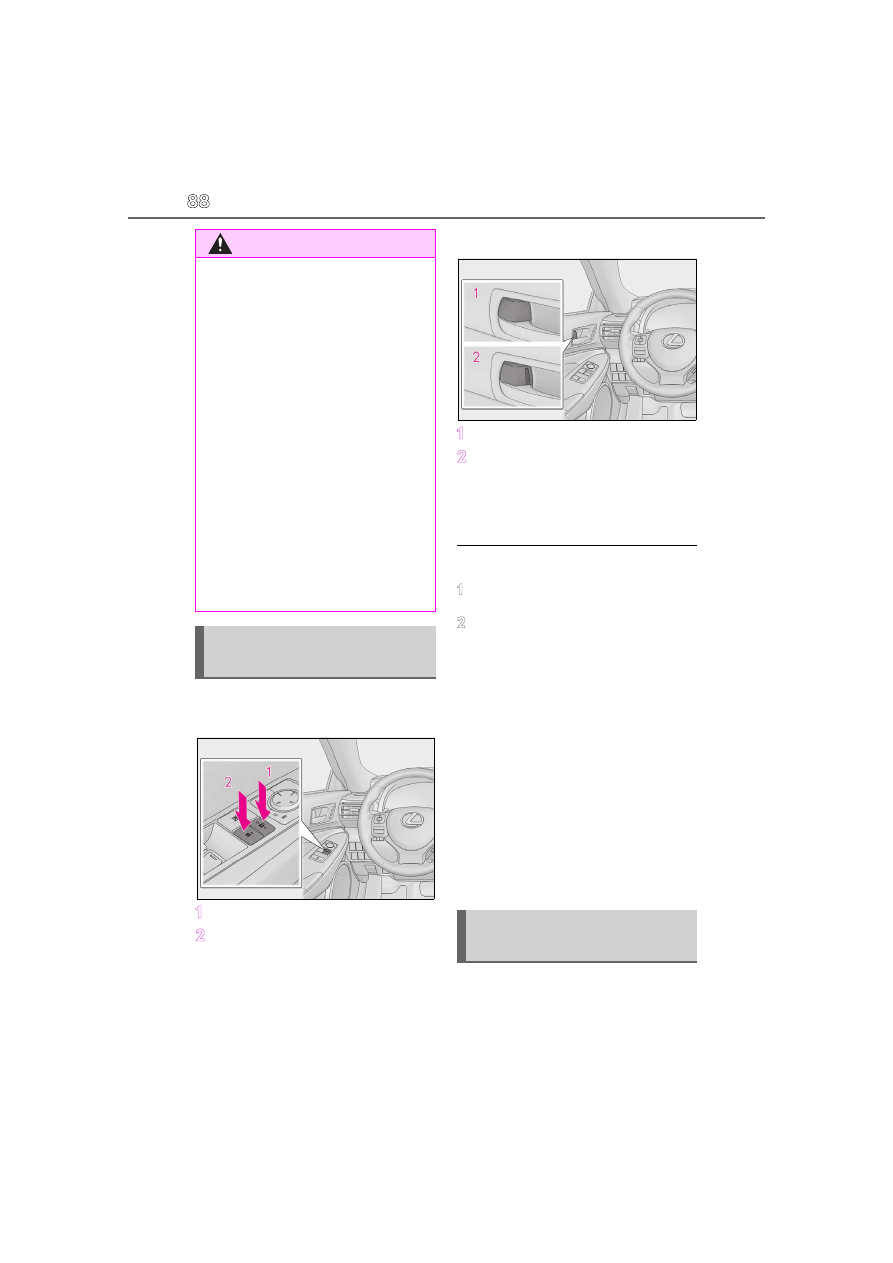
Door lock switches (to
lock/unlock)
1
Locks both side doors
2
Unlocks both side doors
■
Inside lock buttons (to lock/unlock)
1
Locks the door
2
Unlocks the door
Both side doors can be opened by pulling
the inside handle even if the lock buttons
are in the lock position.
■
Locking the doors from the outside with-
out a key
1
Move the inside lock button to the lock
position.
2
Close the door.
The door cannot be locked if the engine
switch is in ACCESSORY or IGNITION
ON mode, or the electronic key is left
inside the vehicle. However, the key may not
be detected correctly and the door may be
locked.
■
If a symbol indicating one or more of the
doors open is shown on the multi-infor-
mation display
The hood, one or more of the doors, or
trunk is not fully closed. If the vehicle
reaches a speed of 3 mph (5 km/h), the
master warning light flashes and a buzzer
sounds to indicate that the door(s) are not
fully closed. Make sure to close hood, all
doors and trunk.
The following functions can be set or
canceled:
For instructions on customizing, refer to
WARNING
■
To prevent an accident
Observe the following precautions while
driving the vehicle.
Failure to do so may result in a door
opening and an occupant being thrown
out of the vehicle, resulting in death or
serious injury.
●
Ensure that both side doors are prop-
erly closed and locked.
●
Do not pull the inside handle of the
doors while driving.
The doors may be opened even if the
inside lock buttons are in locked position.
■
Side window open/close function
linked to door operation
Do not hold the upper edge of the side
window when you close the door. Other-
wise, your fingers or hand may be caught
in the window.
Unlocking and locking the doors
from the inside
Automatic door locking and
unlocking systems