Lexus RC350 (2022 year). Manual in english - page 4
72
2-1. Instrument cluster
■
Menu icons
■
Liquid crystal display
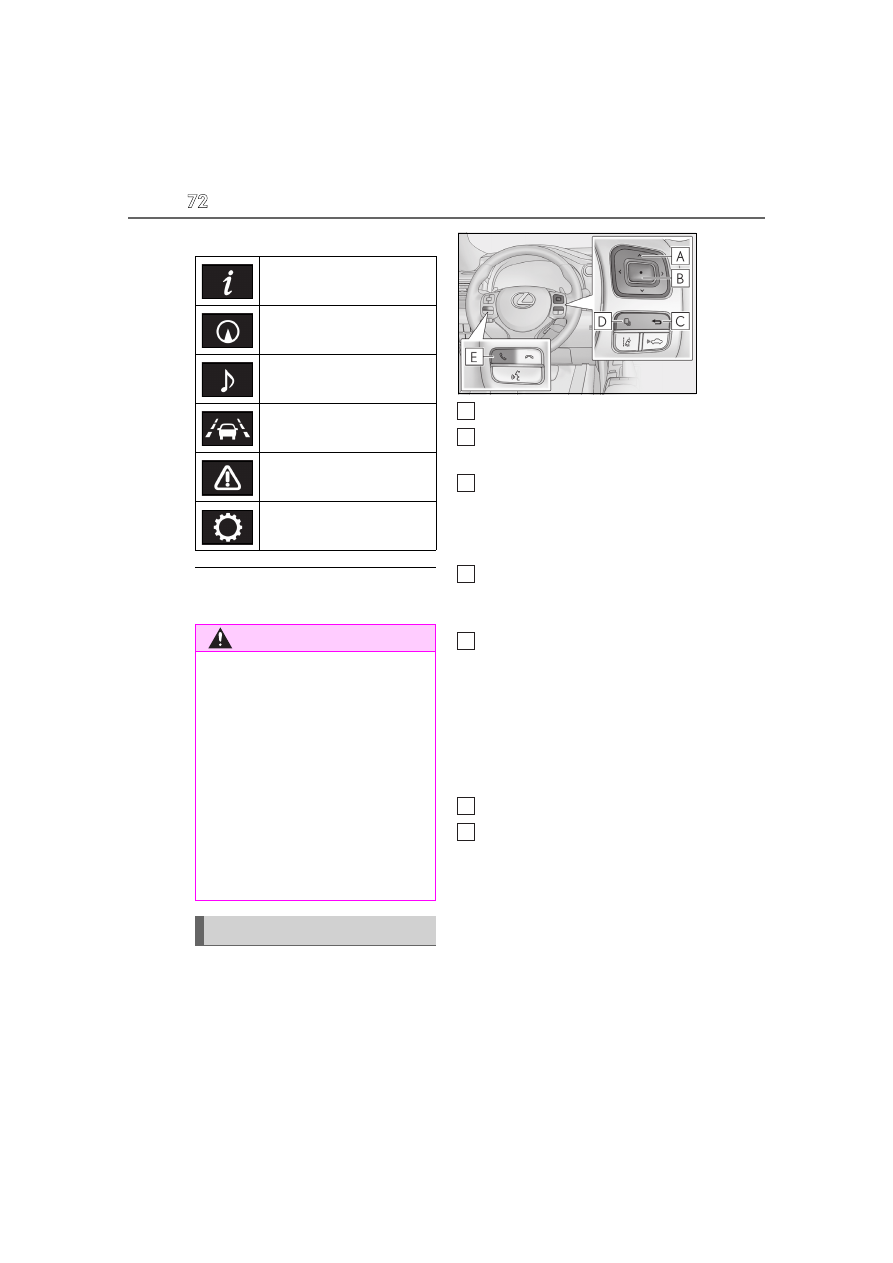
The multi-information display is oper-
ated using the meter control switches.
Select an item/change pages
Press: Enter/Set
Press and hold: Reset
Return to the previous screen
Pressing and holding the switch will display
the first screen of the selected menu icon.
Except F SPORT models
Press: Display the top screen
Press and hold: Register current
screen as the top screen
Call sending/receiving and history
display
Linked with the hands-free system, sending
or receiving call is displayed. For details
regarding the hands-free system, refer to
“NAVIGATION AND MULTIMEDIA
SYSTEM OWNER’S MANUAL”.
F SPORT models
Move the main meter
Call sending/receiving and history
display
Linked with the hands-free system, sending
or receiving call is displayed. For details
regarding the hands-free system, refer to
“NAVIGATION AND MULTIMEDIA
SYSTEM OWNER’S MANUAL”.
■
Registering a top screen (except F
SPORT models)
The displayed top screen can be
Drive information
Navigation system-linked dis-
play (if equipped)
Audio system-linked display
Driving assist system informa-
tion
Warning message display
Settings display
WARNING
■
The multi-information display at low
temperatures
Allow the interior of the vehicle to warm
up before using the liquid crystal infor-
mation display. At extremely low tem-
peratures, the information display
monitor may respond slowly, and display
changes may be delayed.
For example, there is a lag between the
driver’s shifting and the new gear number
appearing on the display. This lag could
cause the driver to downshift again,
causing rapid and excessive engine brak-
ing and possibly an accident resulting in
death or injury.
Changing the meter display
A
B
C
D
E
D
E