Lexus RC300 (2022 year). Manual in english - page 13
216
5-2. Using the air conditioning system
■
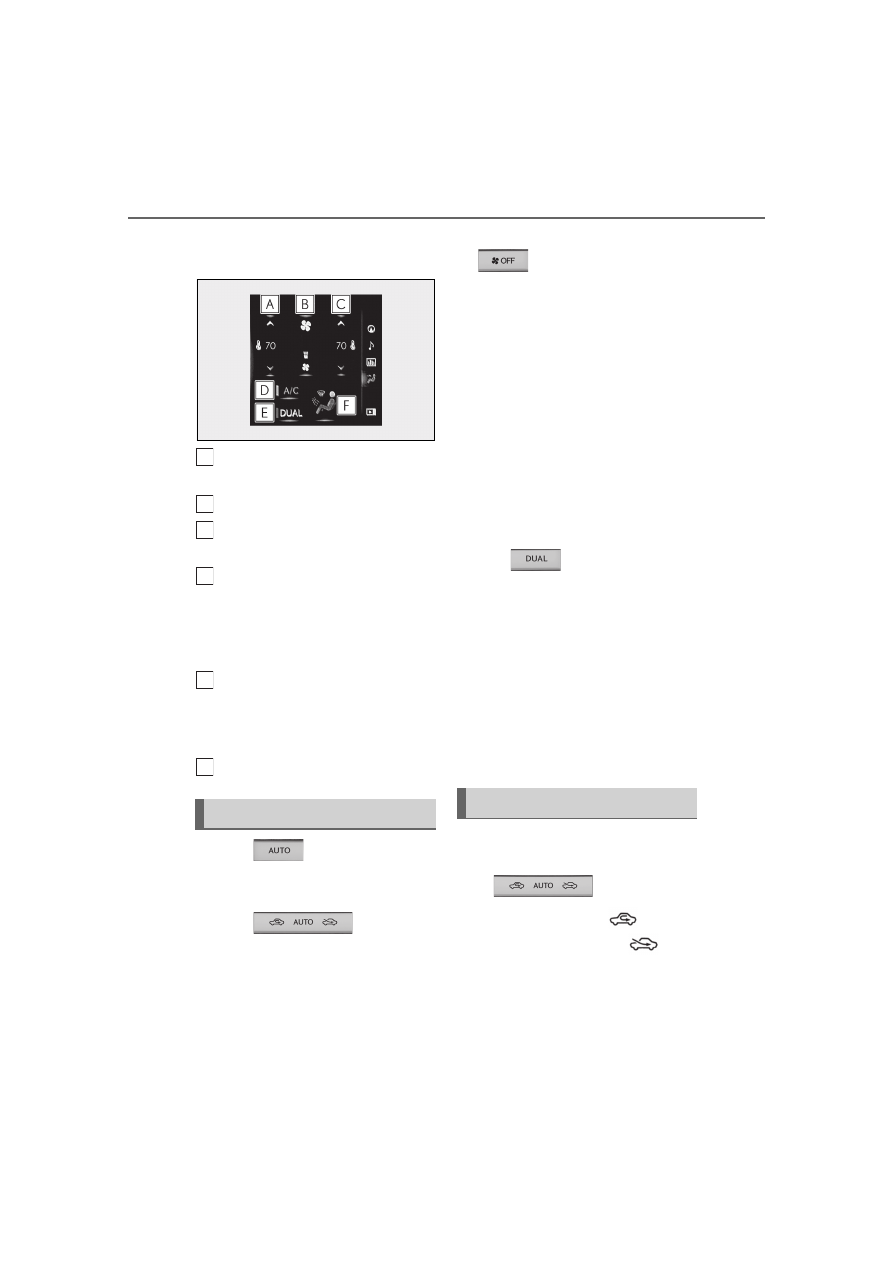
Side display (vehicle with a naviga-
tion system)
Adjust the left-hand side tempera-
ture setting
Adjust the fan speed setting
Adjust the right-hand side tem-
perature setting
Set cooling and dehumidification
function on/off
If the “A/C” indicator is turned off, the sys-
tem will blow ambient temperature air or
heated air.
Adjust the temperature for the
driver’s and front passenger’s seats
separately (“DUAL” mode)
(
Select the air flow mode
1
Press
, or select “AUTO”
on the air conditioning control
screen.
2
Press
to switch to
automatic air intake mode.
The air conditioning system automatically
switches between outside air and recircu-
lated air modes.
3
Adjust the temperature setting.
4
To stop the operation, press
or select “Off” on the sub
function menu.
■
Automatic mode indicator
If the fan speed setting or air flow
modes are operated, the automatic
mode indicator goes off. However,
automatic mode for functions other
than that operated is maintained.
■
Adjusting the temperature for
driver and passenger seats sepa-
rately (“DUAL” mode)
To turn on the “DUAL” mode, perform
any of the following procedures:
Press .
Select “DUAL” on the air condition-
ing control screen.
Adjust the passenger’s side tem-
perature setting.
The indicator comes on when the “DUAL”
mode is on.
While in “DUAL” mode, the temperature of
the rear air outlets is set at the right-hand
side temperature setting.
■
Switching between outside air and
recirculated air modes
Press .
The mode switches among
(recircu-
lated air mode), automatic and
(out-
side air mode) modes each time the button
is pressed.
When the system is switched to automatic
mode, the air conditioning system operates
Using automatic mode
A
B
C
D
E
F
Other functions