Lexus LX570 (2021 year). Manual in english - page 20
336
4-5. Using the driving support systems
■
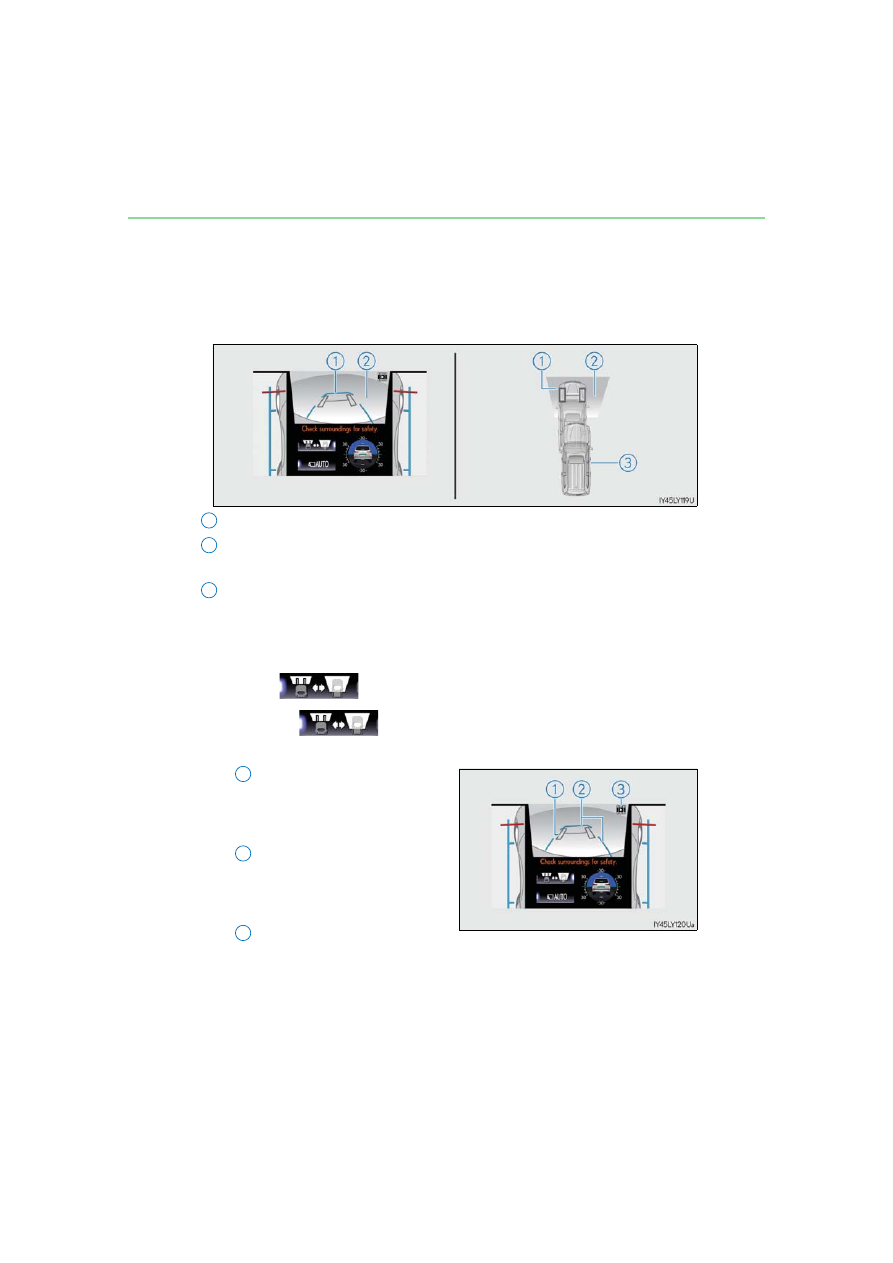
Under vehicle terrain view & dual side view
Lines indicating current vehicle and tire position are displayed in a composite
view on an image taken approximately 10 ft. (3 m) behind the current vehicle
position and assists the driver to check conditions underneath the vehicle or
determine the position of the front tires.
Current vehicle position
Image displayed in the under vehicle terrain view (image taken approximately
10 ft. (3 m) behind the current vehicle position)
Vehicle position at the time the image was taken (approximately 10 ft. (3 m)
behind the current vehicle position)
●
Displaying the under vehicle terrain view
While the front view is displayed, stop the vehicle completely, and then
press .
Pressing
again returns the screen to the front view display.
●
Screen description
Tire position indicator lines
(black)
Indicates the estimated position of
the front tires.
Vehicle position indicator lines
(blue)
Indicates the estimated position of
the vehicle.
Icon (flashing)
Indicates that the under vehicle terrain view display is of an image taken in the
past.
1
2
3
1
2
3