Lexus LX570 (2021 year). Manual in english - page 8
140
3-2. Opening, closing and locking the doors
■
Battery-saving function
The battery-saving function will be activated in order to prevent the electronic key bat-
tery and the battery from being discharged while the vehicle is not in operation for a long
time.
●
In the following situations, the smart access system with push-button start may take
some time to unlock the doors.
• The electronic key has been left in an area of approximately 6 ft. (2 m) of the outside
of the vehicle for 10 minutes or longer.
• The smart access system with push-button start has not been used for 5 days or lon-
ger.
●
If the smart access system with push-button start has not been used for 14 days or lon-
ger, the doors cannot be unlocked at any doors except the driver’s door. In this case,
take hold of the driver’s door handle, or use the wireless remote control or the mechan-
ical key, to unlock the doors.
■
Electronic Key Battery-Saving Function
When battery-saving mode is set, battery depletion is minimized by stopping the elec-
tronic key from receiving radio waves.
The smart access system with push-button start uses weak radio waves. In the following
situations, the communication between the electronic key and the vehicle may be
affected, preventing the smart access system with push-button start, wireless remote
control and engine immobilizer system from operating properly.
(Ways of coping:
●
When the electronic key battery is depleted
●
Near a TV tower, electric power plant, gas station, radio station, large display, airport or
other facility that generates strong radio waves or electrical noise
●
When the electronic key is in contact with, or is covered by the following metallic
objects
• Portable radio, cellular phone, cordless phone or other wireless communication
device
• Cards to which aluminum foil is attached
• Cigarette boxes that have aluminum foil inside
• Metallic wallets or bags
• Coins
• Hand warmers made of metal
• Media such as CDs and DVDs
●
When other wireless keys (that emit radio waves) are being used nearby
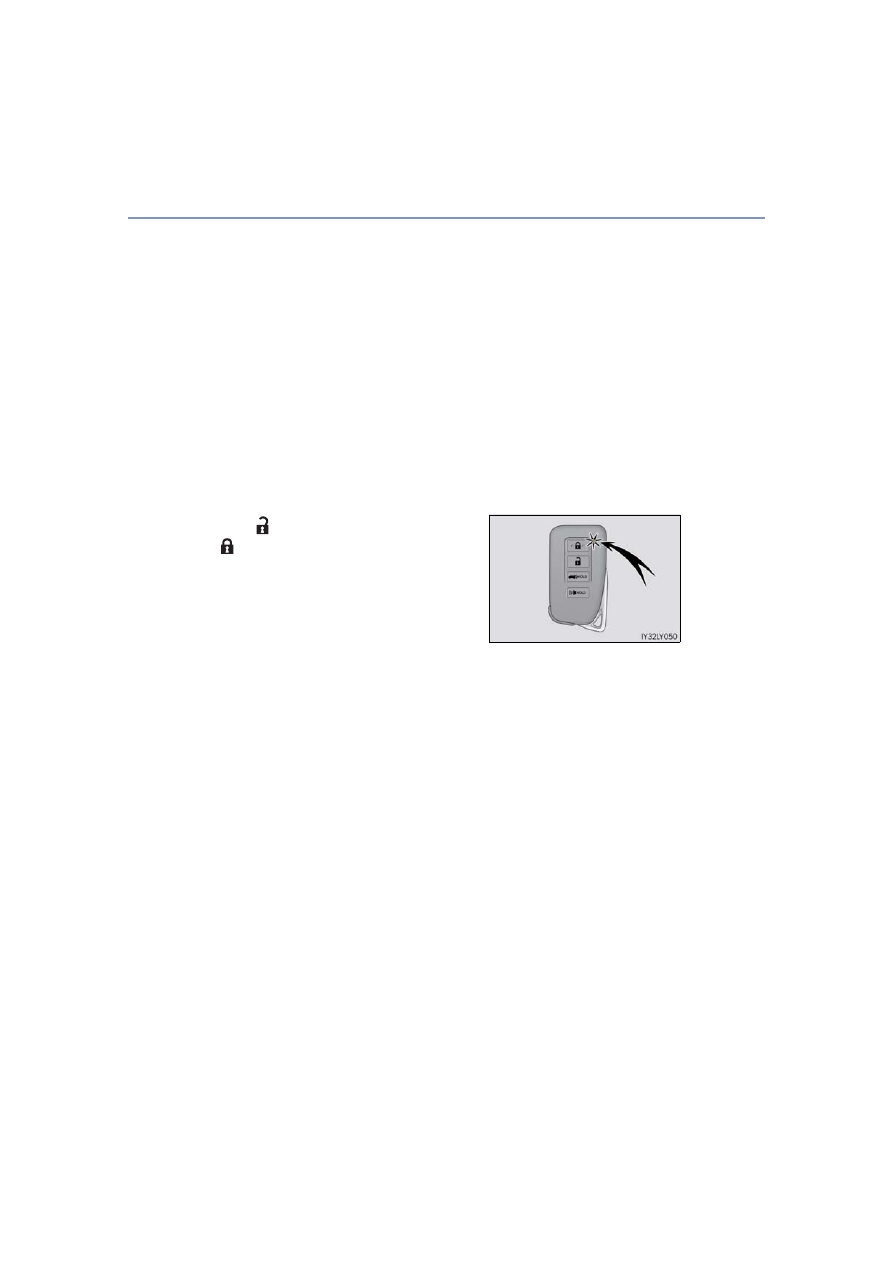
Press
twice while pressing and holding
. Confirm that the electronic key indica-
tor flashes 4 times.
While the battery-saving mode is set, the smart
access system with push-button start cannot be
used. To cancel the function, press any of the
electronic key buttons.