Hyundai Nexo (2024 year). Manual in english - page 14
 

  Index      Manuals     Hyundai Nexo (2024 year). Manual in english


Search            copyright infringement  


Content      ..     12      13      14      15     ..


Hyundai Nexo (2024 year). Manual in english - page 14


5-98

Driving your vehicle

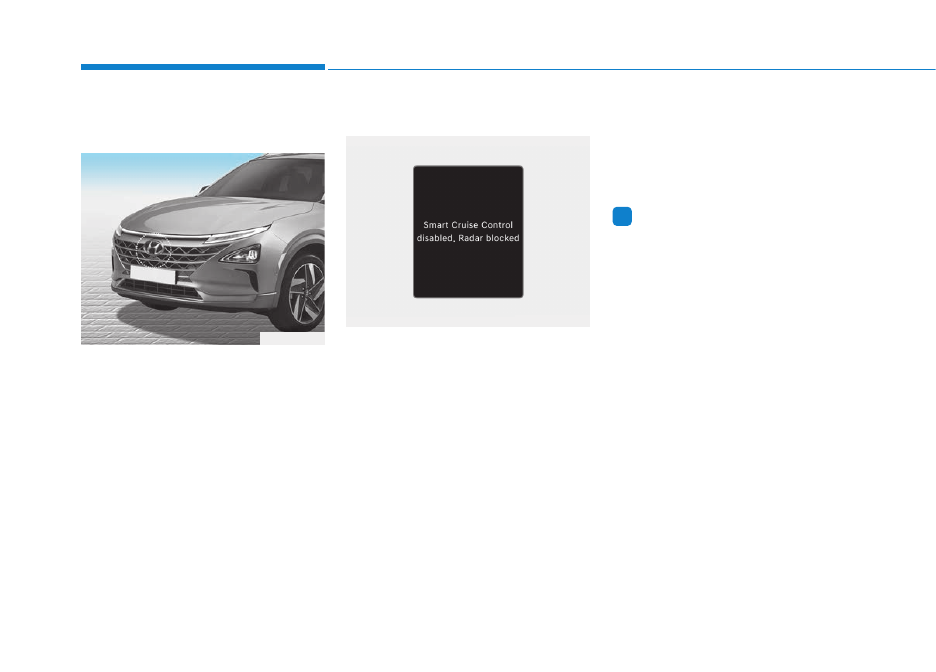
Sensor to detect distance to
the vehicle ahead

Smart Cruise Control uses a sensor
to detect distance to the vehicle
ahead.
If the sensor is covered with dirt or
other foreign matter, the vehicle to
vehicle distance control may not
operate correctly.
Always keep the sensor clean.

Warning message

Smart Cruise Control disabled.
Radar blocked

When the sensor lens cover is
blocked with dirt, snow, or debris,
Smart Cruise Control operation may
stop temporarily. If this occurs, a
warning message will appear on the
cluster display. Remove any dirt,
snow, or debris and clean the radar
sensor lens cover before operating
Smart Cruise Control.

The Smart Cruise Control may not
properly activate, if the radar is total-
ly contaminated, or if any substance is
not detected after turning ON the vehi-
cle (for example, in an open terrain).

Information

For Smart Cruise Control operation is
temporarily stopped if the radar is
blocked, but you wish to use cruise
control mode (speed control function),
you must convert to the cruise control
mode (refer to "To convert to Cruise
Control mode" in the following page.  

i

OFE058075

OTM070115N

5-99

Dri
ving y

our v

ehicle

5

Check Smart Cruise Control System

The message will appear when the
vehicle to vehicle distance control
system is not functioning normally.
We recommend that you take your
vehicle to an authorized HYUNDAI
dealer and have the function checked.

If the front bumper becomes
damaged in the area around
the radar sensor,

Smart

Cruise Control may not oper-
ate properly. We recommend
that you have the vehicle
inspected by an authorized
HYUNDAI dealer.

Use only Hyundai parts to
repair or replace a damaged
sensor or sensor cover. Do
not apply paint to the sensor
cover.

Do not apply license plate
frame or foreign objects such
as a bumper sticker or a
bumper guard near the radar
sensor. Doing so may adverse-
ly affect the sensing perform-
ance of the radar.

Always keep the radar sensor
and lens cover clean and free
of dirt and debris.

Use only a soft cloth to wash
the vehicle. Do not spray pres-
surized water directly on the
sensor or sensor cover.

Be careful not to apply unnec-
essary force on the radar sen-
sor or sensor cover. If the sen-
sor is forcibly moved out of
proper alignment, the Smart
Recuperation System may not
operate correctly. In this case,
a warning message may not
be displayed. We recommend
that the vehicle be inspected
by an authorized HYUNDAI
dealer.

CAUTION

OTM070116N

5-100

Driving your vehicle

To adjust the sensitivity of
Smart Cruise Control 

The sensitivity of vehicle speed
when following the front vehicle to
maintain the set distance can be
adjusted. Go to the 'Vehicle settings

Driver assistance 

SCC

response 

Fast/Normal/Slow' on

the infotainment system screen. You
may select one of the three stages
you prefer.
- Fast:

Vehicle speed following the front
vehicle to maintain the set distance
is faster than normal speed.

- Normal:

Vehicle speed following the front
vehicle to maintain the set distance
is normal.

- Slow:

Vehicle speed following the front
vehicle to maintain the set distance
is slower than normal speed.

Information

The last selected speed sensitivity of
Smart Cruise Control is remained in
the function.

To convert to Cruise Control
mode

The driver may choose to only use
the conventional Cruise Control
mode (speed control function) by
doing as follows:
1. Turn Smart Cruise Control on (the

cruise indicator light will be on but
the function will not be activated).

2. Push and hold the Vehicle-to-

Vehicle Distance button for more
than 2 seconds.

3. Choose between "Smart Cruise

Control" and "Cruise Control".

When the function is canceled using
the 

button or the 

button after the vehicle is turned on,
the Smart Cruise Control mode will
turn on.

i

When using the Cruise Control
mode,

you must manually

adjust the distance to other
vehicles by depressing the
brake pedal. The function does
not automatically adjust the dis-
tance to vehicles in front of you.

WARNING  

5-101

Dri
ving y

our v

ehicle

5

Limitations of Smart Cruise
Control

Smart Cruise Control may have lim-
its to its ability to detect distance to
the vehicle ahead due to road and
traffic conditions.

On curves

• The Smart Cruise Control may not

detect a moving vehicle in your
lane, and then your vehicle could
accelerate to the set speed. Also,
the vehicle speed will decrease
when the vehicle ahead is recog-
nized suddenly.

• Select the appropriate set speed

on curves and apply the brakes or
accelerator pedal if necessary.

Your vehicle speed can be reduced
due to a vehicle in the adjacent lane.
Apply the accelerator pedal and
select the appropriate set speed.
Check to be sure that the road con-
ditions permit safe operation of the
Smart Cruise Control.

OTM058117

OTM058073

5-102

Driving your vehicle

On inclines

• During uphill or downhill driving,

Smart Cruise Control may not
detect a moving vehicle in your
lane, and cause your vehicle to
accelerate to the set speed. Also,
the vehicle speed will rapidly
decrease when the vehicle ahead
is recognized suddenly.

• Select the appropriate set speed

on inclines and apply the brake or
accelerator pedal if necessary.

Lane changing

• A vehicle which moves into your

lane from an adjacent lane cannot
be recognized by the sensor until it
is in the sensor's detection range.

• The radar may not detect immedi-

ately when a vehicle cuts in sud-
denly. Always pay attention to the
traffic, road and driving conditions.

• If a slower vehicle moves into your

lane, your speed may decrease to
maintain the distance to the vehicle
ahead.

• If a faster vehicle which moves into

your lane, your vehicle will acceler-
ate to the set speed.

Vehicle recognition

Some vehicles in your lane cannot
be recognized by the sensor:
- Narrow vehicles such as motorcy-

cles or bicycles

- Vehicles offset to one side
- Slow-moving vehicles or sudden-

decelerating vehicles 

- Stopped vehicles
- Vehicles with small rear profile

such as trailers with no loads

OTM058074

OFE058041

OTM058128

5-103

Dri
ving y

our v

ehicle

5

A vehicle ahead cannot be recog-
nized correctly by the sensor if any of
following occurs:
- When the vehicle is pointing

upwards due to overloading in the
luggage compartment

- While the steering wheel is operat-

ing

- When driving to one side of the

lane

- When driving on narrow lanes or

on curves

Apply the brake or accelerator pedal
if necessary.

• Your vehicle may accelerate when

a vehicle ahead of you disappears.

• When you are warned that the

vehicle ahead of you is not detect-
ed, drive with caution.

• When driving in stop-and-go traffic,

and a stopped vehicle in front of
you merges out of the lane, the
function may not immediately
detect the new vehicle that is now
in front of you. In this case, you
must maintain a safe braking dis-
tance, and if necessary, depress
the brake pedal to reduce your
driving speed in order to maintain a
safe distance.

OTM058129

OTM058119

5-104

Driving your vehicle

• Always look out for pedestrians

when your vehicle is maintaining a
distance with the vehicle ahead.

• Always be cautious for vehicles

with higher height or vehicles car-
rying loads that sticks out from the
back of the vehicle.

OFE058042

OTM058124

When using Smart Cruise
Control take the following pre-
cautions:

If an emergency stop is nec-
essary, you must apply the
brakes. The vehicle cannot be
stopped at every emergency
situation by using the Smart
Cruise Control.

Keep a safe distance accord-
ing to road conditions and
vehicle speed. If the vehicle to
vehicle distance is too close
during a high-speed driving, a
serious collision may result.

Always maintain sufficient
braking distance and deceler-
ate your vehicle by applying
the brakes if necessary.

WARNING  

5-105

Dri
ving y

our v

ehicle

5

Smart Cruise Control may not
operate temporarily due to:
• Electrical interference
• Modifying the suspension
• Differences of tire abrasion or

tire pressure 

• Installing different type of tires

Information

This device complies with Part 15 of
the FCC rules. 

Operation is subject to the following
two conditions:

1. This device may not cause harmful

interference.

2. This device must accept any inter-

ference received, including interfer-
ence that may cause undesired
operation.

Information

Radio frequency radiation exposure
information:
This equipment complies with FCC
radiation exposure limits set forth for
an uncontrolled environment.
This equipment should be installed
and operated with minimum distance
of 8 in. (20 cm) between the radiator
(antenna) and your body.
This transmitter must not be co-locat-
ed or operating in conjunction with
any other antenna or transmitter.

i

i

NOTICE

Smart Cruise Control cannot
recognize a stopped vehicle,
pedestrians or an oncoming
vehicle. Always look ahead
cautiously to prevent unex-
pected and sudden situations
from occurring.

Vehicles moving in front of you
with a frequent lane change
may cause a delay in the func-
tion's reaction or may cause
the function to react to a vehi-
cle actually in an adjacent
lane. Always drive cautiously
to prevent unexpected and
sudden situations from occur-
ring.

Always be aware of the select-
ed speed and vehicle to vehi-
cle distance.

The driver

should not solely rely on the
function but always pay atten-
tion to driving conditions and
control your vehicle speed.

Smart Cruise Control may not
recognize complex driving sit-
uations so always pay atten-
tion to driving conditions and
control your vehicle speed.

5-106

Leading Vehicle Departure Alert
function alerts the driver of the
departure of the vehicle in front when
the vehicle is stopped and Smart
Cruise Control is in activation.

Leading Vehicle Departure
Alert Setting and Operating
Conditions

Function setting

With the vehicle ON, the Leading
Vehicle Departure Alert function
turns on and gets ready to be acti-
vated when the 'vehicle Settings 

Driver Assistance 

Driving assist

Leading vehicle departure alert' is

selected on the cluster. The function
stops operation when the setting is
deactivated. However, if the vehicle
is turned off then on again, the func-
tion maintains the previous state.

Operating conditions

While Smart Cruise Control system
is in operation, your vehicle stops
behind the vehicle in front when it
stops. The message is displayed on
the cluster within 3 seconds after the
stop and the function will be in the
standby position.

L

LE

EA

AD

DIIN

NG

G  V

VE

EH

HIIC

CL

LE

E  D

DE

EP

PA

AR

RT

TU

UR

RE

E  A

AL

LE

ER

RT

T  ((IIF

F  E

EQ

QU

UIIP

PP

PE

ED

D))

Driving your vehicle

OFE058180L

Type A

OTM070114L

Type B

5-107

Dri
ving y

our v

ehicle

5

Function activation

If the driver does not take action for a
certain period of time after the vehi-
cle in front departs, the message is
displayed on the cluster.

The vehicle departs automatically if
the accelerator pedal is depressed or
[RES +] or [SET -] switch is activated
when there is a vehicle in front.
Smart Cruise Control is deactivated
if the accelerator pedal is depressed
or [RES +] or [SET -] switch is acti-
vated when there is no vehicle in
front.

Always check the front of the
vehicle and road conditions
before departure.

WARNING  

OFE048442L

Type A

OFE050442L

Type B

5-108

Lane Following Assist helps detect
lane markers on the road with a front
view camera at the front windshield,
and assists the driver's steering to
help keep the vehicle between lanes.

Driving your vehicle

L

LA

AN

NE

E  F

FO

OL

LL

LO

OW

WIIN

NG

G  A

AS

SS

SIIS

ST

T  ((L

LF

FA

A))

OFE053038

Lane Following Assist is not a
substitute for safe driving prac-
tices, but a convenience function.
It is the responsibility of the driver
to always be aware of the sur-
rounding and steer the vehicle.

WARNING  

Take the following precautions
when using Lane Following
Assist:

Do not steer the steering
wheel unnecessarily when the
steering wheel is being assist-
ed by the function.

Lane Following Assist helps
the driver to keep the vehicle
in the center of the lane by
assisting the driver's steering.
However, the driver should
not solely rely on the function
but always pay attention on
the steering wheel to stay in
the lane.

WARNING  

The operation of Lane
Following Assist can be can-
celed or not work properly
according to road condition
and surroundings. Always be
cautious when driving.

Do not disassemble Lane
Following Assist camera tem-
porarily to tint the window or
attach any types of coatings
and accessories. If you disas-
semble the camera and
assemble it again, we recom-
mend that you take your vehi-
cle to an authorized HYUNDAI
dealer and have the function
checked for calibration.

When you replace the wind-
shield glass, Lane Following
Assist camera or related parts
of the steering wheel, we rec-
ommend that you take your
vehicle to an authorized
HYUNDAI dealer and have the
function checked for calibra-
tion.

5-109

Dri
ving y

our v

ehicle

Lane Following Assist 
operation

The driver can turn on the Lane
Following Assist with the vehicle on
and by selecting "Vehicle settings 

Driver assistance 

Driving assist 

LFA (Lane Following Assist)" in the
infotainment system screen.
The set-up of the Lane Following
Assist will be maintained, as select-
ed, when the vehicle is restarted.

5

The function detects lane mark-
ers and controls the steering
wheel by a camera, therefore, if
the lane markers are hard to
detect, the function may not
work properly.
Please refer to "Limitations of
Lane Following Assist".

Do not remove or damage the
related parts of Lane Following
Assist.

You may not hear a warning
sound of Lane Following Assist
because of excessive audio
sound.

Do not place objects on the
dashboard that reflects light
such as mirrors, white paper,
etc. The function may  malfunc-
tion if the sunlight is reflected.

Always have your hands on the
steering wheel while Lane
Following Assist is activated. If
you continue to drive with your
hands off the steering wheel
after the "Keep hands on steer-
ing wheel" warning message
appears, the system will be
turned off automatically.

However, if the driver has their
hands on the steering wheel
again, the function will start
controlling the steering wheel.

The steering wheel may not
be continuously controlled by
the function if the vehicle
speed is too high. The driver
must always follow the speed
limit when using the function.

If you attach objects to the
steering wheel, the function
may not assist steering nor-
mally or the hands off alarm
may not work properly.

When you tow a trailer, make
sure that you turn off Lane
Following Assist.

5-110

Operating conditions

The function is activated when the
Lane Following Assist is selected
from the vehicle Settings mode when
the following conditions are satisfied:
- The Smart Cruise Control is in acti-

vation (vehicle deceleration and
acceleration)

- Vehicle speed is lower than 95

mph (153 km/h)

When the function is activated, the
indicator (

) on the cluster will illu-

minate. The color of the indicator will
change depending on the condition
of Lane Following Assist.
- Green : The function is in the

assist state.

- White : The function is in the ready

state.

Lane Following Assist 
activation

• After Lane Following Assist is acti-

vated, if the vehicle is within the
lane and both lane markers are
detected (lane color changes grey
to white) and there is no abrupt
steering by the driver, 

indicator

light will change from white to
green. This indicates that Lane
Following Assist is in the Driving
Assist state and the steering wheel
will be able to be controlled.

• The indicator light changes from

green to white when the control is
temporarily cancelled.

• When the function does not recog-

nize the lane or depending on the
vehicle condition in front (presence
of the vehicle, driving status, etc.).
the steering wheel is controlled
restrictively.
When the control of the steering
wheel is stopped temporarily the
activation indicator blinks in green
and then changes to white.

Driving your vehicle

OFE058126L

Type A

OFE053194N

Type B

5-111

Dri
ving y

our v

ehicle

Warning message

Keep hands on steering wheel

If the driver takes their hands off from
the steering wheel for certain time
while Lane Following Assist is acti-
vated, the function will warn the driv-
er.

Information 

If the steering wheel is held very light-
ly the message may still appear
because Lane Following Assist may
not recognize that the driver has their
hands on the wheel.

Driver's grasp not detected. 
LFA system is disabled temporarily

If the driver still does not have their
hands on the steering wheel after the
message "Keep hands on steering
wheel", the function will not control
the steering wheel and warn the driv-
er only when the driver crosses the
lane markers.
However, if the driver has their hands
on the steering wheel again, the
function will start controlling the
steering wheel.

i

5

The warning message may
appear late according to road
conditions. Therefore, always
have your hands on the steering
wheel while driving.

WARNING  

OFE050443L

OFE058155L

Type A

OFE050439L

Type B

5-112

Information 

• Even though the steering is assisted

by the function, the driver may con-
trol the steering wheel. 

• The steering wheel may feel heavier

when the steering wheel is assisted
by the function than when it is not. 

Check Lane Following Assist (LFA)
system

If there is a problem with the function
a message will appear for a few sec-
onds. We recommend that you have
the vehicle checked by an authorized
HYUNDAI dealer.

Lane Following Assist will not be in
the Driving Assist state when : 

• The turn signal is turned on before

changing a lane. If you change
lanes without the turn signal on,
the steering wheel might be con-
trolled.

• The vehicle is not driven in the mid-

dle of the lane when the function is
turned on or right after changing a
lane.

• ESC (Electronic Stability Control) or

VSM (Vehicle Stability Management)
is activated.

• The vehicle is driven on a sharp

curve with high speed.

• Vehicle speed is over 95 mph (153

km/h).

• The vehicle makes sharp lane

changes.

• The vehicle brakes suddenly.
• Only one lane marker is detected.
• The lane is very wide or narrow.
• Radius of a curve is too small.
• The vehicle is driven on a steep

incline.

• The steering wheel is turned sud-

denly.

i

Driving your vehicle

The driver is responsible for
accurate steering.

Turn off the function and drive
the vehicle in following situa-
tions.
- In bad weather
- In bad road condition

When the steering wheel

needs to be controlled by the
driver frequently.

WARNING  

OFE048437L

Type A

OTM070118N

Type B

5-113

Dri
ving y

our v

ehicle

Limitations of Lane Following
Assist

Lane Following Assist may operate
prematurely even if the vehicle does
not depart from the intended lane,
OR, Lane Following Assist may not
assist your steering if the vehicle
leaves the intended lane under the
following circumstances:

When the lane and road condi-
tions are poor

• It is difficult to distinguish the lane

marking from the road surface or
the lane marking is faded or not
clearly marked.

• It is difficult to distinguish the color

of the lane marker from the road.

• There are markings on the road

surface that look like a lane marker
that is inadvertently being detected
by the camera.

• The lane marker is indistinct or

damaged.

• The lane marker is merged or

divided. (for example, tollgate) 

• The lane number increases or

decreases or the lane marker are
crossing complicatedly.

• There are more than two lane

markers on the road in front of you.

• The lane marker is very thick or

thin.

• The lane marker ahead is not visi-

ble due to rain, snow, water on the
road, damaged or stained road
surface, or other factors.

• The shadow is on the lane marker

by a median strip, trees, guardrail,
noise barriers, etc.

• The lane markers are complicated

or a structure substitutes for the
lines such as a construction area.

• There are crosswalk signs or other

symbols on the road.

• The lane suddenly disappears

such as at the intersection.

When external condition is inter-
vened

• The brightness outside changes

suddenly such as when entering or
exiting a tunnel, or when passing
under a bridge.

• The brightness outside is too low

such as when the headlights are
not on at night or the vehicle is
going through a tunnel.

• There is a boundary structure in

the roadway such as a concrete
barrier, guardrail and reflector post
that is inadvertently being detected
by the camera.

• When light coming from a street

light or an oncoming vehicle is
reflected on a wet road surface
such as a puddle in the road.

• The field of view in front is

obstructed by sun glare.

• There is not enough distance

between you and the vehicle in
front to be able to detect the lane
marker or the vehicle ahead is driv-
ing on the lane marker.

5

5-114

• Driving on a steep grade, over a

hill, or when driving on a curved
road.

• The adverse road conditions cause

excessive vehicle vibrations while
driving.

• The surrounding of the inside side

view mirror temperature is high
due to direct sunlight, etc.

When front visibility is poor

• The windshield or the camera lens

is blocked with dirt or debris.

• The windshield glass is fogged up;

a clear view of the road is obstruct-
ed.

• Placing objects on the dashboard,

etc.

• The sensor cannot detect the lane

because of fog, heavy rain or snow.

Driving your vehicle

5-115

Dri
ving y

our v

ehicle

[A] Rear Cross-Traffic Collision Warning operating

range, 

[B] Rear Cross-Traffic Collision-Avoidance Assist

operating range

Rear Cross-Traffic Collision-
Avoidance Assist detects vehicles
approaching from the rear left or
right while your vehicle is reversing
and warns you of a possible collision
with a warning message and a warn-
ing sound. Also, Rear Cross-Traffic
Collision-Avoidance Assist may
assist with braking your vehicle to
help avoid a collision.

Rear Cross-Traffic Collision-
Avoidance Assist setting and
activation

Function setting

• The driver can activate the func-

tions by placing the power button
to the ON position and by selecting
"Vehicle settings 

Driver assis-

tance 

Driving assist 

Blind-

spot safety 

Rear Cross-Traffic

Safety".

Rear Cross-Traffic

Collision-Avoidance Assist turn on
and get ready to be activated when
'Rear Cross-Traffic safety' is select-
ed.

• When the vehicle is turned off then

on again, the functions always get
ready to be activated.

• When the function is initially turned

on and when the vehicle is turned
off then on again, the warning light
will illuminate for 3 seconds on the
outside rearview mirror.

R

RE

EA

AR

R  C

CR

RO

OS

SS

S-

-T

TR

RA

AF

FF

FIIC

C  C

CO

OL

LL

LIIS

SIIO

ON

N-

-A

AV

VO

OIID

DA

AN

NC

CE

E  A

AS

SS

SIIS

ST

T  ((R

RC

CC

CA

A))  

5

OFE053497

Always be aware of road condi-
tions while driving and be alert
for unexpected situations even
though Rear Cross-Traffic
Collision-Avoidance Assist are
operating.

Rear Cross Traffic Collision-
Avoidance Assist are supple-
mental functions to assist you.
Do not entirely rely on the func-
tions.
Always pay attention, while
driving, for your safety.

Rear Cross-Traffic Collision-
Avoidance Assist are not sub-
stitutes for proper and safe
driving. Always drive safely
and use caution when backing
up the vehicle.

WARNING  

5-116

The driver can select the initial warn-
ing activation time in the Vehicle set-
tings in the infotainment system
screen by selecting "Vehicle settings

→ 

Driver assistance 

Warning tim-

ing". The options for the initial Rear
Cross-Traffic Collision Warning
includes the following:
- Normal:
When this condition is selected, the
initial Rear Cross-Traffic Collision
Warning is activated normally. If this
setting feels too sensitive change the
option to 'late'.
The warning activation time may feel
late if the side/rear vehicle abruptly
accelerates.
- Later:
Select this warning activation time
when the traffic is light and you are
driving in a low speed. However, if
you change the warning activation
time, the warning activation time of
vehicle's other system may also
change. Check the warning activa-
tion time before changing it.

The driver can select the warning
volume of the Rear Cross-Traffic
Collision Warning by selecting
"Vehicle settings 

→ 

Driver assis-

tance 

Warning volume 

High/Medium/Low”. However, if you
change the warning volume, the
warning volume of vehicle's other
system may also change.

Operating conditions

The function will activate when vehi-
cle speed is below 7 mph (10 km/h)
and with the shift lever in R
(Reverse).
* The function will not activate when

the vehicle speed exceeds 7 mph
(10 km/h). The function will activate
again when the speed is below 7
mph (10 km/h).

The function's detecting range is
approximately 1 ft ~ 65 ft (0.5 m ~ 20
m)). An approaching vehicle will be
detected if their vehicle speed is
within 5 mph ~ 22.5 mph (8 km/h ~
36 km /h).
Note that the detecting range may
vary under certain conditions. As
always, use caution and pay close
attention to your surroundings when
backing up your vehicle.

Driving your vehicle

5-117

Dri
ving y

our v

ehicle

Warning message and 
function control

Rear Cross-Traffic Collision
Warning

If the vehicle detected by the sensors
approaches from the rear left/right
side of your vehicle, the warning
chime will sound, the warning light
on the outside rearview mirror will
blink and a message will appear on
the cluster display. If the rear view
monitor system is in activation, a
message will also appear on the
audio or infotainment system screen.

The warning will stop when:
- The vehicle moving at the rear

left/right side of your vehicle is not
in the detection range.

- The vehicle is right behind your

vehicle.

- The vehicle is not driving towards

your vehicle.

- The vehicle’s approaching speed is

decreased.

Rear Cross-Traffic Collision-
Avoidance

5

OFE058120

Left

OFE053121AU

Right

OFE050153L

Left

OFE050154L

Right

5-118

If the risk of collision is detected
while the Rear Cross-Traffic Collision
Warning is generated, brake is con-
trolled. The instrument cluster will
inform the driver of the brake control.
If the rear view monitor system is in
activation, a message will also
appear on the audio or infotainment
system screen.
After the brake control the driver
must immediately depress the brake
pedal and check the surroundings.
- The brake activation by the func-

tion lasts for about 2 seconds only.
The driver must pay attention as
the brake is disengaged after the
time.

- The brake control by the function is

cancelled if the driver depresses
the pedal with sufficient power.

- Brake control is activated once for

each right/left approach after shift-
ing the shift lever to R (Reverse).

The brake control may not operate
properly according to the status of
the ESC (Electronic Stability
Control). The same warning mes-
sage is displayed on the instrument
cluster for this case also.
- When the ESC (Electronic Stability

Control) warning light is on.

- When the ESC (Electronic Stability

Control) is engaged in a different
function.

Driving your vehicle

When the operation condition
of Rear Cross-Traffic Collision
Warning is satisfied the warn-
ing will occur every time a vehi-
cle approaches the side/rear of
your stopped (0 mph (0 km/h)
vehicle speed) vehicle.

The function's warning or
brake may not operate properly
if the left/right of your vehicle's
rear bumper is blocked by a
vehicle or obstacle.

The driver should always use
extreme caution while operat-
ing the vehicle, whether or not
the warning light on the out-
side rearview mirror illumi-
nates or there is a warning
alarm.

Playing the vehicle audio sys-
tem at high volume may offset
the function's warning sounds.

The warning of Rear Cross-
Traffic Collision Warning may
not sound while other system's
warning sounds.

CAUTION

5-119

Dri
ving y

our v

ehicle

Detecting Sensor

The rear corner radars are the sen-
sors inside the rear bumper for
detecting the side/rear areas. Always
keep the rear bumper clean for prop-
er operation of the function.

5

Drive safely even though the
vehicle is equipped with Rear
Cross-Traffic Collision-
Avoidance Assist. Do not
solely rely on the function but
check your surrounding when
backing the vehicle up.

The driver is responsible for
accurate brake control.

Always pay extreme caution
while driving. Rear Cross-
Traffic Collision-Avoidance
Assist may not operate prop-
erly or unnecessarily operate
in accordance with your driv-
ing situations.

Rear Cross-Traffic Collision-
Avoidance Assist is not a sub-
stitute for safe driving prac-
tices, but a convenience func-
tion only. It is the responsibil-
ity of the driver to always
drive cautiously to prevent
unexpected and sudden situa-
tions from occurring. Pay
attention to the road condi-
tions at all times.

WARNING  

OFE052049L

The function may  not work
properly when the bumper
has been damaged, or if the
rear bumper has been
replaced or repaired.

The function may  turn off due
to strong electromagnetic
waves.

CAUTION

5-120

Blind-Spot Collision Warning
(BCW) system disabled. Rear cor-
ner radar blocked

• This warning message may appear

when:
- One or both of the sensors on the

rear bumper is blocked by dirt or
snow or a foreign object.

- Driving in rural areas where the

sensor does not detect another
vehicle for an extended period of
time.

- When there is inclement weather

such as heavy snow or rain.

If any of these conditions occur, the
light on the Blind-Spot Safety button
and the function will turn off automat-
ically.
When the radar blocked warning
message is displayed in the cluster,
check to make sure that the rear
bumper is free from any dirt or snow
in the areas where the sensor is
located. Remove any dirt, snow, or
foreign material that could interfere
with the radar sensors.
After any dirt or debris is removed,
Rear Cross-Traffic Collision-
Avoidance Assist should operate
normally after about 10 minutes of
driving the vehicle.
If the function still does not operate
normally have your vehicle inspected
by an authorized HYUNDAI dealer.

Driving your vehicle

Always keep the sensors
clean.

NEVER arbitrarily disassem-
ble the sensor component nor
apply any impact on the sen-
sor component.

Be careful not to apply unnec-
essary force on the radar sen-
sor or sensor cover. If the sen-
sor is forcibly moved out of
proper alignment, the Smart
Recuperation System may not
operate correctly. In this case,
a warning message may not
be displayed. We recommend
that the vehicle be inspected
by an authorized HYUNDAI
dealer.

Do not apply foreign objects
such as a bumper sticker or a
bumper guard near the radar
sensor or apply paint to the
sensor area. Doing so may
adversely affect the perform-
ance of the sensor.

OFE058150L

Type A

OTM070098N 

Type B

5-121

Dri
ving y

our v

ehicle

Check Blind-Spot Collision
Warning system

If there is a problem with Blind-Spot
Collision-Avoidance Assist, a warn-
ing message will appear and the light
on the switch will turn off.

The function will turn off automatical-
ly.

Rear Cross-Traffic Collision-

Avoidance Assist will not operate
also if Blind-Spot Collision-
Avoidance Assist turns off due to
malfunction. We recommend that you
have your vehicle inspected by an
authorized HYUNDAI dealer.

Limitations of Rear Cross-
Traffic Collision-Avoidance
Assist

The driver must be cautious in the
below situations, because the func-
tion may not detect other vehicles or
objects in certain circumstances.
• When a trailer or carrier is

installed.

• The vehicle drives in inclement

weather such as heavy rain or
snow.

• The sensor is polluted with rain,

snow, mud, etc.

• The rear bumper where the sensor

is located is covered with a foreign
object such as a bumper sticker, a
bumper guard, a bike rack, etc.

• The rear bumper is damaged, or

the sensor is out of the original
default position.

• The vehicle height gets lower or

higher due to heavy loading in a
trunk, abnormal tire pressure, etc.

• When the temperature of the rear

bumper is high.

5

OFE058151L

Type A

OTM070099N

Type B

5-122

• When the sensors are blocked by

other vehicles, walls or parking-lot
pillars.

• The vehicle drives on a curved

road.

• The road pavement (or the periph-

eral ground) abnormally contains
metallic components (for example,
possibly due to subway construc-
tion).

• There is a fixed object near the

vehicle, such as a guardrail.

• While going down or up a steep

road where the height of the lane is
different.

• Driving on a narrow road where

trees or grass or overgrown.

• Driving in rural areas where the

sensor does not detect another
vehicle for an extended period of
time.

• Driving on a wet road.
• Driving on a road where the

guardrail or wall is in double struc-
ture.

• A big vehicle is near such as a bus

or truck.

• When the other vehicle approach-

es very close.

• When the other vehicle passes at a

very fast speed.

• While changing lanes.
• If the vehicle has started at the

same time as the vehicle next to
you and has accelerated.

• When the vehicle in the next lane

moves two lanes away from you or
when the vehicle two lanes away
moves to the next lane from you.

• A motorcycle or bicycle is near.
• A flat trailer is near.
• If there are small objects in the

detecting area such as a shopping
cart or a baby stroller.

• If there is a low height vehicle such

as a sports car.

• The brake pedal is depressed.
• ESC (Electronic Stability Control)

is activated.

• ESC (Electronic Stability Control)

malfunctions.

• The tire pressure is low or a tire is

damaged.

• The brake is reworked.
• The vehicle sharply stops.
• Temperature is extremely low

around the vehicle.

• The vehicle severely vibrates while

driving over a bumpy road,
uneven/bumpy road, or concrete
patch.

• The vehicle drives on a slippery

surface due to snow, water puddle,
or ice.

Driving your vehicle

5-123

Dri
ving y

our v

ehicle

[A] : Structure

• Driving where there is a vehicle or

structure near

The function may  not operate prop-
erly when driving where there is a
vehicle or structure near.
In certain instances, the function
may not detect the vehicle approach-
ing from behind and the warning or
brake may not operate properly.
Always pay attention to your sur-
rounding while driving.

• When the vehicle is in a complex

parking environment 
The function may  not operate
properly when the vehicle is in a
complex parking environment.
In certain instances, the function
may not be able to exactly deter-
mine the risk of collision for the
vehicles which are parking or
pulling out near your vehicle (for
example, a vehicle escaping
beside your vehicle,  a vehicle
parking or pulling out in the rear
area, a vehicle approaching your
vehicle making a turn, etc.).
In this case, the warning or brake
may not operate properly.

[A] : Vehicle

• When the vehicle is parked diago-

nally

The function may  not operate prop-
erly when the vehicle is parked diag-
onally.
In certain instances, when the diago-
nally parked vehicle is pulled out of
the parking space, the function may
not detect the vehicle approaching
from the rear left/right of your vehi-
cle. In this case, the warning or brake
may not operate properly.
Always pay attention to your sur-
rounding while driving.

5

OTM058102L

OTM058103

OTM058104L

5-124

• When the vehicle is on/near a

slope

The function may  not operate prop-
erly when the vehicle is on/near a
slope.
In certain instances, the function
may not detect the vehicle approach-
ing from the rear left/right and the
warning or brake may not operate
properly.
Always pay attention to your sur-
rounding while driving.

[A] : Structure, [B] : Wall

• Pulling into the parking space

where there is a structure 

The function may  not operate prop-
erly when pulling in the vehicle to the
parking space where there is a struc-
ture at the back or side of your vehi-
cle.
In certain instances, when backing
into the parking space, the function
may not detect the vehicle moving in
front of your vehicle. In this case, the
warning or brake may not operate
properly.
Always pay attention to the parking
space while driving.

• When the vehicle is parked rear-

ward 

If the vehicle is parked rearward and
the sensor detects the another vehi-
cle in the rear area of the parking
space, the function can warn or con-
trol braking. Always pay attention to
the parking space while driving.

Driving your vehicle

OFE058127

OTM058106L

OTM058107

5-125

Dri
ving y

our v

ehicle

5

D

DE

EC

CL

LA

AR

RA

AT

TIIO

ON

N  O

OF

F  C

CO

ON

NF

FO

OR

RM

MIIT

TY

Y  ((IIF

F  E

EQ

QU

UIIP

PP

PE

ED

D))

The radio frequency components complies:

Information

This device complies with Part 15 of
the FCC rules. 

Operation is subject to the following
two conditions:

1. This device may not cause harmful

interference.

2. This device must accept any inter-

ference received, including inter-
ference that may cause undesired
operation.

i

Front Radar

Rear Corner Radar (if
equipped)

OANATEL003

OANATEL002

OANATEL125

5-126

Driving your vehicle

Hazardous Driving Conditions

When hazardous driving elements
are encountered such as water,
snow, ice, mud and sand, take the
bellow suggestions:
• Drive cautiously and keep a longer

braking distance.

• Avoid abrupt braking or steering.
• When your vehicle is stuck in snow,

mud, or sand, turn off the vehicle.
Remove the mud, snow or sand
from around the front wheels and
restart the vehicle. Accelerate
slowly to avoid unnecessary wheel
spin.

• Put sand, rock salt, tire chains or

other non-slip materials under the
wheels to provide additional trac-
tion while the vehicle becomes
stuck in ice, snow, or mud.

Rocking the Vehicle

If it is necessary to rock the vehicle
to free it from snow, sand, or mud,
first turn the steering wheel right and
left to clear the area around your
front wheels. Then, shift back and
forth between R (Reverse) and a for-
ward gear.
Try to avoid spinning the wheels, and
do not race the vehicle.
To prevent reduction gear wear, wait
until the wheels stop spinning before
shifting gears. Release the accelera-
tor pedal while shifting, and press
lightly on the accelerator pedal while
the reduction gear is in gear. Slowly
spinning the wheels in forward and
reverse directions causes a rocking
motion that may free the vehicle.

S

SP

PE

EC

CIIA

AL

L  D

DR

RIIV

VIIN

NG

G  C

CO

ON

ND

DIIT

TIIO

ON

NS

S

If the vehicle is stuck and
excessive wheel spin occurs,
the temperature in the tires can
increase very quickly. If the tires
become damaged, a tire blow
out or tire explosion can occur.
This condition is dangerous -
you and others may be injured.
Do not attempt this procedure if
people or objects are anywhere
near the vehicle.
If you attempt to free the vehi-
cle, the vehicle can overheat
quickly, possibly causing an
fuel cell power module com-
partment fire or other damage.
Try to avoid spinning the
wheels as much as possible to
prevent overheating of either
the tires or the vehicle. DO NOT
allow the vehicle to spin the
wheels above 35 mph (56 km/h).

WARNING  

5-127

Dri
ving y

our v

ehicle

5

Information 

The ESC system (if equipped) must be
turned OFF before rocking the vehi-
cle. 

If you are still stuck after rocking
the vehicle a few times, have the
vehicle pulled out by a tow vehicle
to avoid vehicle overheating, pos-
sible damage to the reduction
gear and tire damage.

See

"Towing" in chapter 6.

Smooth Cornering

Avoid braking, especially when roads
are wet. Ideally, corners should
always be taken under gentle accel-
eration.

Driving at Night

Night driving presents more hazards
than driving in the daylight. Here are
some important tips to remember:
• Slow down and keep more dis-

tance between you and other vehi-
cles, as it may be more difficult to
see at night, especially in areas
where there may not be any street
lights.

• Adjust your mirrors to reduce the

glare from other driver's head-
lights.

• Keep your headlights clean and

properly aimed. Dirty or improperly
aimed headlights will make it much
more difficult to see at night.

• Avoid staring directly at the head-

lights of oncoming vehicles. You
could be temporarily blinded, and it
will take several seconds for your
eyes to readjust to the darkness.

Driving in the Rain

Rain and wet roads can make driving
dangerous. Here are a few things to
consider when driving in the rain or
on slick pavement:
• Slow down and allow extra follow-

ing distance. A heavy rainfall
makes it harder to see and increas-
es the distance needed to stop
your vehicle.

• Turn OFF your Cruise Control. (if

equipped)

• Replace your windshield wiper

blades when they show signs of
streaking or missing areas on the
windshield.

• Be sure your tires have enough

tread. If your tires do not have
enough tread, making a quick stop
on wet pavement can cause a skid
and possibly lead to an accident.

See "Tire Tread" in chapter 7

.

• Turn on your headlights to make it

easier for others to see you.

• Driving too fast through large pud-

dles can affect your brakes. If you
must go through puddles, try to
drive through them slowly.

NOTICE

i

5-128

Driving your vehicle

• If you believe your brakes may be

wet, apply them lightly while driv-
ing until normal braking operation
returns.

Hydroplaning 

If the road is wet enough and you are
going fast enough, your vehicle may
have little or no contact with the road
surface and actually ride on the
water. The best advice is SLOW
DOWN when the road is wet.

The risk of hydroplaning increas-
es as the depth of tire tread
decreases, refer to "Tire Tread" in
chapter 7.

Driving in Flooded Areas

Avoid driving through flooded areas
unless you are sure the water is no
higher than the bottom of the wheel
hub. Drive through any water slowly.
Allow adequate stopping distance
because brake performance may be
reduced.
After driving through water, dry the
brakes by gently applying them sev-
eral times while the vehicle is moving
slowly.

Highway Driving

Tires

Adjust the tire inflation, as specified.
Under-inflation may overheat or
damage the tires.
Do not install worn-out or damaged
tires, which may reduce traction or
fail the braking operation.

Information 

Never over-inflate your tires above the
maximum inflation pressure, as speci-
fied on your tires.

Coolant and high voltage bat-
tery

Be sure to check both the coolant
level and the high voltage battery
level before driving.

i

5-129

Dri
ving y

our v

ehicle

5

Reducing the Risk of a
Rollover 

Your multi-purpose passenger vehi-
cle is defined as a Sports Utility
Vehicle (SUV). SUV's have higher
ground clearance and a narrower
track to make them capable of per-
forming in a wide variety of off-road
applications. The specific design
characteristics give them a higher
center of gravity than ordinary vehi-
cles making them more likely to roll
over if you make abrupt turns. Utility
vehicles have a significantly higher
rollover rate than other types of vehi-
cles. Due to this risk, driver and pas-
sengers are strongly recommended
to buckle their seat belts. In a rollover
crash, an unbelted person is signifi-
cantly more likely to die than a per-
son wearing a seat belt.
There are steps that a driver can
make to reduce the risk of a rollover.
If at all possible, avoid sharp turns or
abrupt maneuvers, do not load your
vehicle with heavy cargo on the roof,
and never modify your vehicle in any
way.

Utility vehicles have a signifi-
cantly higher rollover rate than
other types of vehicles. To pre-
vent rollovers or loss of control:

Take corners at slower speeds
than you would with a passen-
ger vehicle.

Avoid sharp turns and abrupt
maneuvers.

Do not modify your vehicle in
any way that you would raise
the center of gravity.

Keep tires properly inflated.

Do not carry heavy cargo on
the roof.

WARNING  


Content      ..     12      13      14      15     ..