Hyundai Kona (2024 year). Manual in english - page 4
4
4-3
Instrument cluster control
Instrument panel illumination
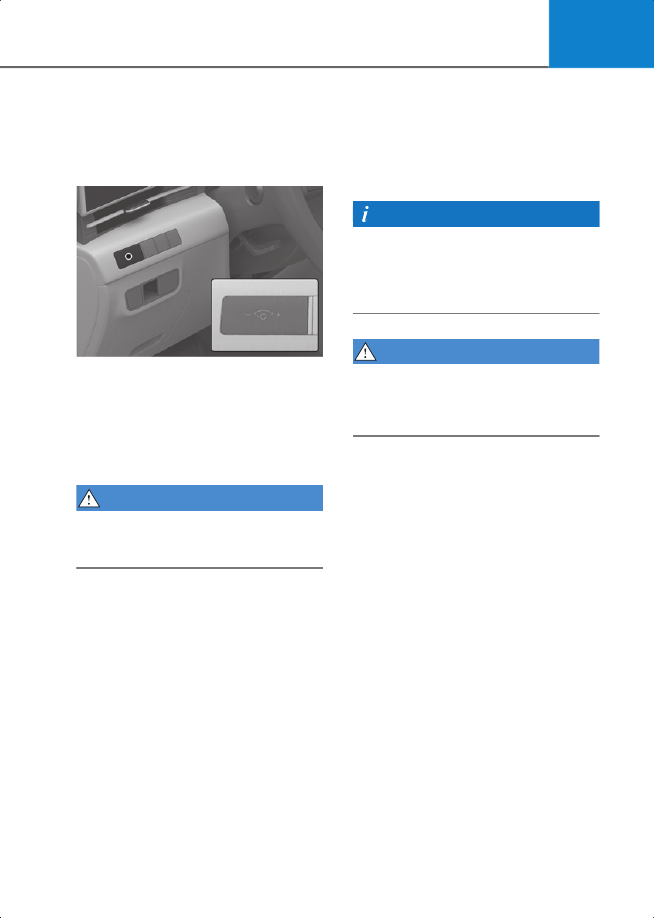
Control switch
2C_IlluminationControlSwitch
When the vehicle’s parking lights or
headlights are on, press the illumination
control switch to adjust the brightness of
the instrument panel illumination.
When pressing the illumination control
switch, the interior switch illumination
intensity is also adjusted.
WARNING
Never adjust the instrument panel
illumination while driving to prevent
death, serious injury, or vehicle damage.
• The brightness of the instrument panel
illumination is displayed.
• When the brightness setting reaches
either the minimum or maximum level,
a chime sounds.
Infotainment system
You can adjust he brightness of the
instrument panel illumination from the
Settings menu in the infotainment
system. Select:
•
Setup
>
Cluster
>
Illumination
Information
The infotainment system may change
after software updates. For more
information, refer to the manual provided
in the infotainment system and the quick
reference guide.
WARNING
Never adjust the instrument cluster while
driving. This could result in loss of control
and lead to an accident that may cause
death, serious injury, or vehicle damage.