Honda HR-V (2024 year). Manual in english - page 8
257
uu
Audio System Basic Operation
u
System Updates
Continued
Features
System Updates
The audio system’s firmware can be updated with a Wi-Fi connection or with a USB
device.
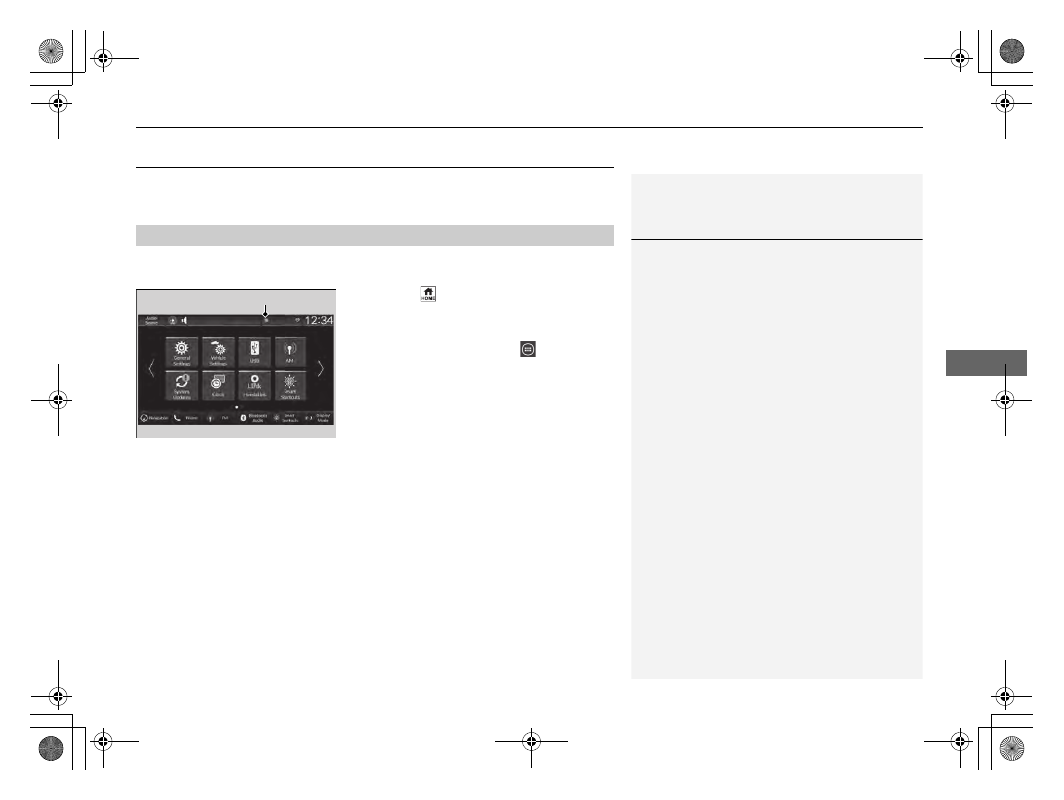
When the audio system update is available, the notification is shown on the status
area. Use the following procedure to update the system.
1.
Press the
button.
2.
Select
System Updates
.
u
If
System Updates
is not displayed on
the home screen, select
All Apps
.
u
The system will check for updates.
u
If the update icon appears on the home
screen, select the status icon.
2
3.
Select
Download
.
u
A notification appears on the screen for
the user to accept the download.
4.
Select
Install Now
or
Install While
Vehicle Off
.
u
A notification appears on the screen if
the update is successful.
■
How to Update
1
You can update the system via Wi-Fi, but cannot use
the captive portal that require login or agreement the
terms of use on the browser.
Your download will be canceled if:
•
Your Wi-Fi connection is severed.
•
You stop the engine when the battery is low on
power.
Your download will recommence the next time a Wi-
Fi connection is established.
For the battery protection,
Install While Vehicle Off
cannot be selected when the battery is low on power.
If you want to install the updated data, recharge the
battery or select
Install Now
.
Notification