Honda Civic Hatchback (2024 year). Manual in english - page 8
267
uu
Audio System Basic Operation
u
Playing AM/FM Radio
Continued
Features
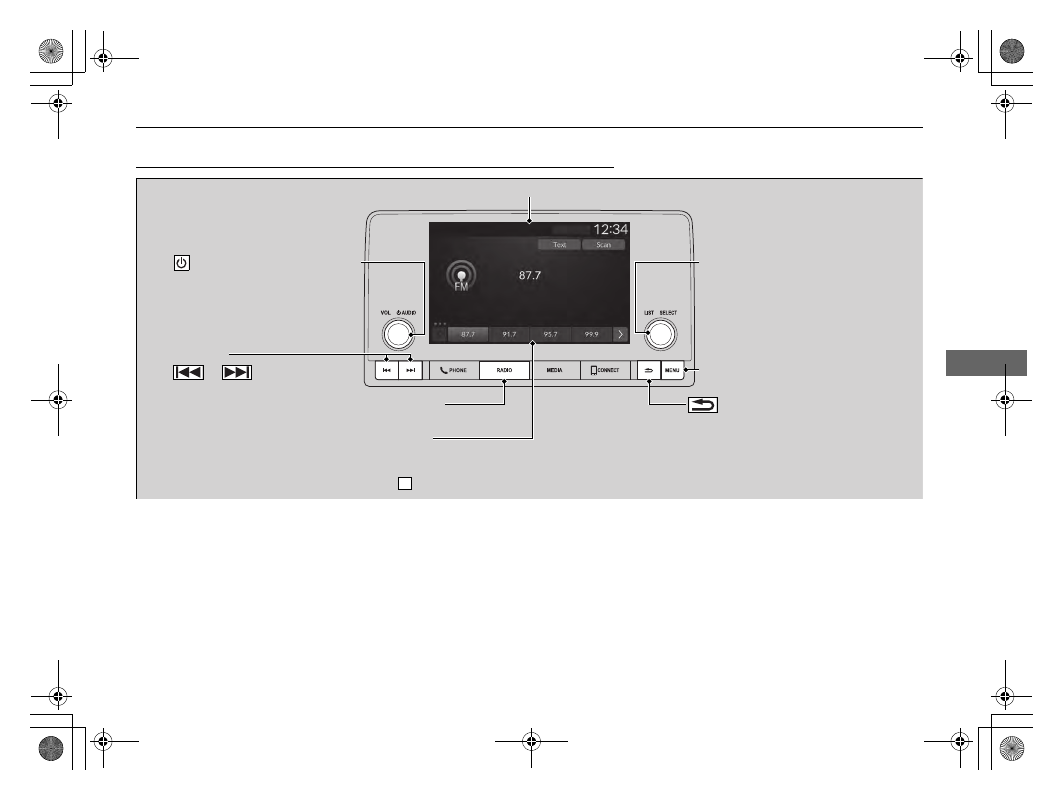
Playing AM/FM Radio
RADIO Button
Press to select a band.
(Back) Button
Press to go back to the previous display.
Seek Buttons
Press
or
to search the
selected band up or down for a station
with a strong signal.
VOL/
AUDIO (Volume/Power) Knob
Press to turn the audio system on and
off.
Turn to adjust the volume.
Selector Knob
Turn to tune the radio frequency.
Press, and then turn to select an item.
After that, press again to make your
selection.
MENU Button
Press to display the menu items.
Audio/Information Screen
Preset Icons
Tune the radio frequency for preset memory. Select and
hold the preset icon to store that station.
Select
to display beyond preset 5.
>