Honda Civic Hatchback (2024 year). Manual in english - page 5
171
uu
Gauges and Driver Information Interface
u
Driver Information Interface Right Side Area (B-type-Meter)
In
strum
e
nt Pa
nel
■
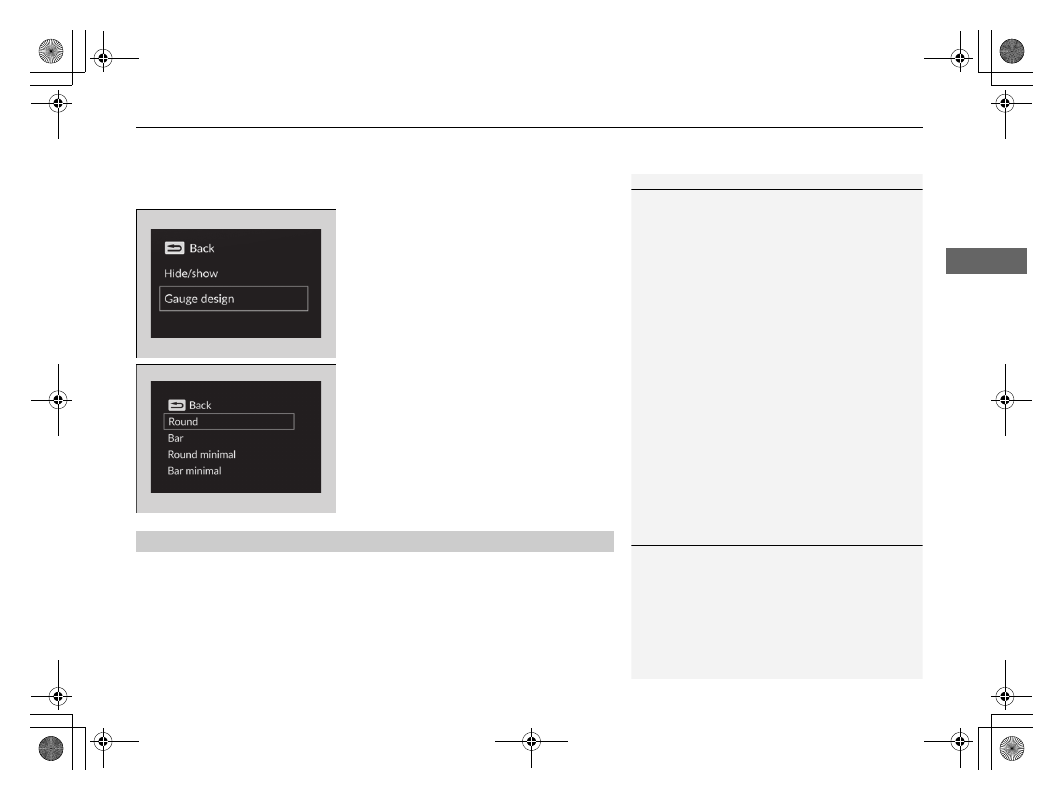
Change gauge design
You can change the gauge design to a round or bar design.
1.
Press the right selector wheel when you
select the
Customize display
on the driver
information interface.
2.
Roll the right selector wheel to scroll to
select
Gauge design
, then press the right
selector wheel.
3.
Roll the right selector wheel to scroll to
select your desired settings, then press the
right selector wheel.
You can check if there are any active warning messages.
1
When using the
Round minimal
or
Bar minimal
gauge design, a simplified display is used when ACC
with Low Speed Follow
*
is in operation.
The
+R
gauge design cannot be changed.
■
Warnings
1
If there are multiple warnings or informations, you
can roll the right selector wheel to see other
warnings.
* Not available on all models