Honda Odyssey (2023 year). Manual in english - page 23
366
uu
Blu-ray/DVD Rear Entertainment System
*
u
Wireless Headphones
Features
Wireless Headphones
The rear seat passengers can listen to audio from the Blu-ray/DVD rear
entertainment system using the wireless headphones that come with your vehicle.
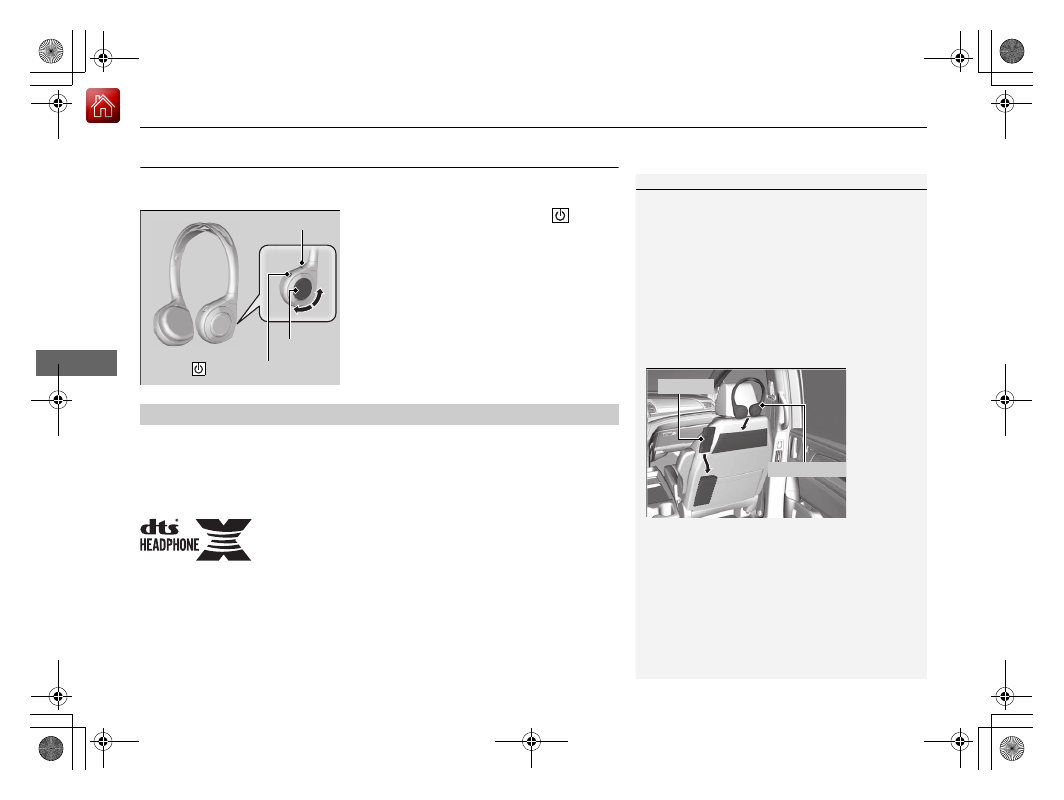
To turn on the switch:
Press the
(power)
button at the right earpiece. The indicator
comes on.
To adjust the volume:
Turn the dial at the
right earpiece.
For DTS patents, see
http://patents.dts.com
. Manufactured under license from DTS
Licensing Limited. DTS, the Symbol, & DTS and the Symbol together are registered
trademarks, and DTS Headphone:X is a trademark of DTS, Inc. © DTS, Inc. All Rights
Reserved.
1
Your vehicle comes with two wireless headphones.
Wear the headphones correctly with the earpiece
marked with L over your left ear, and the earpiece
marked R over your right ear.
Wearing the headphones backward may affect the
audio reception.
You can put the headphones into the front seat-back
upper pockets, and the remote into the front
passenger’s seat-back lower pocket as shown below.
Remote
Headphones
Indicator
(Power) Button
Volume
■
DTS Headphone:X
TM