Honda Insight (2022 year). Manual in english - page 27
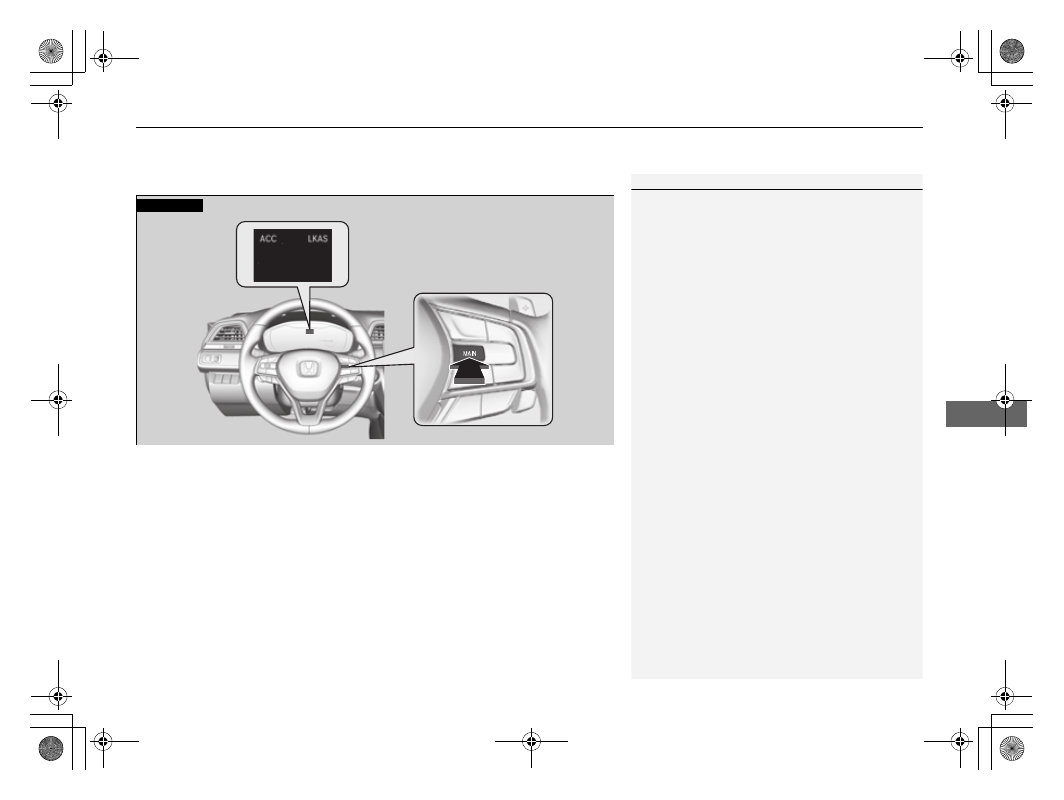
Continued
429
uu
Honda Sensing
®
u
Adaptive Cruise Control (ACC) with Low Speed Follow
Driving
■
How to activate the system
1
Adaptive Cruise Control (ACC) with Low Speed Follow
You can read about handling information for the
camera equipped with this system.
2
P. 465
When the
MAIN
button is pressed, both ACC with
Low Speed Follow and the Lane Keeping Assist
System (LKAS) are either turned on or off.
ACC with Low Speed Follow may not work properly
under certain conditions.
2
ACC with Low Speed Follow Conditions
and Limitations
P. 435
When not using ACC with Low Speed Follow: Turn
off adaptive cruise by pressing the
MAIN
button. This
also will turn off the Lane Keeping Assist System
(LKAS).
Do not use ACC with Low Speed Follow under the
following conditions:
•
On roads with heavy traffic or while driving in
continuous stop and go traffic.
•
On roads with sharp turns.
•
On roads with steep downhill sections, as the set
vehicle speed can be exceeded by coasting. In such
cases, ACC with Low Speed Follow will not apply
the brakes to maintain the set speed.
•
On roads with toll collection facilities or other
objects between lanes of traffic, or in parking
areas, or facilities with drive through access.
How to use
■
Press the
MAIN
button on
the steering wheel.
ACC (green) is on in the instrument panel.
ACC with Low Speed Follow is ready to use.