Honda HR-V eHEV (2022 year). Manual in english - page 19
 

  Index      Manuals     Honda HR-V eHEV (2022 year). Manual in english


Search            copyright infringement  


Content      ..     17      18      19      20     ..


Honda HR-V eHEV (2022 year). Manual in english - page 19


uu

Display Audio

u

Android Auto

304

Features

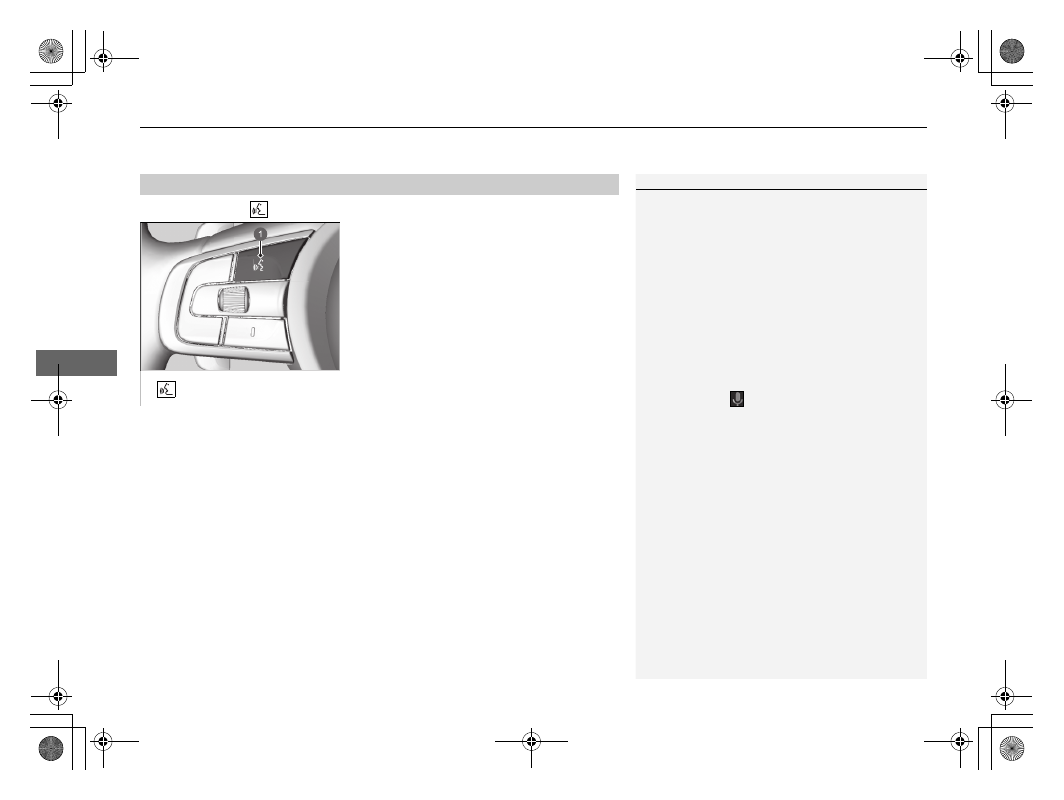
Press and hold the 

 (talk) button to operate Android Auto with your voice.

Press and hold to operate Android Auto with your voice.
Press and release to activate standard voice recognition system.

Operating Android Auto with Voice Recognition

1

Operating Android Auto with Voice Recognition

Below are examples of commands you can give with 
voice recognition:

Reply to text.

Call my wife.

Navigate to Honda.

Play my music.

Send a text message to my wife.

Call flower shop.

For more information, please refer to the Android 
Auto homepage.

You can also activate the voice recognition function 

by selecting the 

 icon in the lower-left corner of 

the screen.

a

 (Talk) Button

305

uu

Display Audio

u

Customized Features

Continued

Features

Customized Features

Use the audio/information screen to customize certain features.

With the power mode in ON, select 

General Settings

, then select a setting item.

System


2

 P. 306

Smartphone Connection


2

 P. 308

Connections


2

 P. 309

Display


2

 P. 310

Sound


2

 P. 310

Camera


2

 P. 311

Voice Control

*


2

 P. 311

How to Customize the General Settings

1

Customized Features

When you customize settings, make sure that the 
vehicle is at a complete stop and shift to 

(

P

.

* Not available on all models

306

uu

Display Audio

u

Customized Features

Features

System

*1:Default Setting

Customizable Features

Description

Selectable Settings

Date & Time

Set 
Date & 
Time

Automatic 
Date & Time

Selects 

ON

 to have the GPS automatically adjust the 

clock. Select 

OFF

 to cancel this function.

ON

*1

/

OFF

Set Date

Adjusts date.

2

Adjusting the Clock

 P. 266

Day

/

Month

/

Year

Set Time

Adjusts time.

2

Adjusting the Clock

 P. 266

Hour

/

Minute

AM

/

PM

Time 
Zone

Automatic 
Time Zone

Sets the audio system to automatically adjust the clock 
when driving through different time zones.

ON

*1

/

OFF

(Select time 
zone)

Changes the time zone manually.

Auto Daylight Saving 
Time

Sets the clock to update based on daylight savings time.

ON

*1

/

OFF

Date Format

Select a date format.

MM/DD/YYYY

/

DD/MM/YYYY

*1

/

YYYY/MM/DD

Time Format

Select a time format.

12-H

*1

/

24-H

307

uu

Display Audio

u

Customized Features

Continued

Features

*1:Default Setting

Customizable Features

Description

Selectable Settings

Language

Changes the driver information interface and audio/
information screen language separately.

English

*1

 or 

Turkish

*1

See other selectable 
languages on the screen.

Touch Panel 
Sensitivity

Sets the sensitivity of the touch panel screen.

High

/

Normal

*1

System Volumes

System Sounds

Sets the system sound volume level.

Text-to-Speech

Sets the text-to-speech volume level.

Navigation 
Guidance

Sets the navigation guidance volume level.

Phone Calls

Sets the phone call volume level.

Default

Resets all 

System Volumes

 settings to default values.

Location and 
vehicle data sharing

Location and vehicle 
data sharing

Turns the data sharing setting on and off.

2

Start Up

 P. 248

ON

/

OFF

*1

Refuel Recommend

Turns the refuel recommend function on and off.

2

Refuel Recommend

 P. 350

ON

*1

/

OFF

308

uu

Display Audio

u

Customized Features

Features

Smartphone Connection

Customizable Features

Description

Selectable Settings

About

Status

Displays the Android setting items.

Legal Information

Model Number

Android Version

Kernel Version

Build Number

Factory Data 
Reset

Resets all the settings to their factory default.

2

Defaulting All the Settings

 P. 318

Continue

/

Cancel

Detail 
Information

App Manager

Displays the Android system memory and apps 
information.

Customizable Features

Description

Selectable Settings

Apple CarPlay

+ Connect New Device

Pairs a new phone to Apple CarPlay.

2

Phone Setup

 P. 326

(Saved Devices)

Connects, disconnects, or deletes a paired phone.

2

Phone Setup

 P. 326

Android Auto

(Saved Devices)

Connects, disconnects, or deletes a paired phone.

2

Phone Setup

 P. 326

309

uu

Display Audio

u

Customized Features

Continued

Features

Connections

*1:Default Setting
*2:Appears only when Apple CarPlay is connected.

Customizable Features

Description

Selectable Settings

Wi-Fi

Change Mode

Changes the Wi-Fi mode.

Network

/

Smartphone

*2

/

OFF

*1

(Available Networks/Connected 
Devices)

Displays the available network(s) or current connected 
device(s).

Options

Add Network

Adds a new network to connect Wi-Fi.

Saved Networks

Saves the connected network.

Bluetooth

Options

Bluetooth

Turns the 

Bluetooth

®

 on and off.

ON

*1

/

OFF

Priority Device

Sets a device as the priority device.

+ Connect New Device

Pairs a new phone to HFT.

2

Phone Setup

 P. 326

(Saved Devices)

Connects, disconnects, or deletes a paired phone.

2

Phone Setup

 P. 326

310

uu

Display Audio

u

Customized Features

Features

Display

*1:Default Setting

Sound

Customizable Features

Description

Selectable Settings

Day Mode

*1

Changes between the daytime mode and nighttime 
mode.

2

Display Setup

 P. 270

Night Mode

Brightness

Changes the brightness of the audio/information screen.

Contrast

Changes the contrast of the audio/information screen.

Black Level

Changes the black level of the audio/information screen.

Default

Resets all customized settings for the brightness, 
contrast, and black level.

Customizable Features

Description

Selectable Settings

Bass / Treble

Treble

Adjusts the settings of the audio speakers’ sound.

2

Adjusting the Sound

 P. 269

Midrange

Bass

Balance / Fader

Speed Volume Compensation

Subwoofer Volume

*

* Not available on all models

311

uu

Display Audio

u

Customized Features

Continued

Features

Camera

*1:Default Setting

Voice Control

*

*1:Default Setting

Customizable Features

Description

Selectable Settings

Rear Camera

Fixed Guideline

Shows the guideline that does not move with the 
steering wheel.

2

Multi-View Rear Camera

 P. 493

ON

*1

/

OFF

Dynamic Guideline

Shows the guideline that moves with the steering 
wheel.

2

Multi-View Rear Camera

 P. 493

ON

*1

/

OFF

Cross Traffic Monitor

*

Shows arrows on the rear camera image to indicate 
vehicles approaching from the sides.

2

Cross Traffic Monitor

*

 P. 488

ON

*1

/

OFF

Customizable Features

Description

Selectable Settings

Voice Control Mode

Selects a mode of the voice portal screen.

2

Voice Control Operation

*

*

1

 P. 255

Assist

/

Normal

*1

* Not available on all models

uu

Display Audio

u

Customized Features

312

Features

With the power mode in ON, select 

Vehicle Settings

, then select a setting item.

Deflation Warning System


2

 P. 313

Driver Assist System Setup


2

 P. 313

Meter setup


2

 P. 315

Keyless Access Setup


2

 P. 316

Lighting Setup


2

 P. 316

Door/Window Setup


2

 P. 317

Power tailgate setup

*


2

 P. 317

Maintenance Info.

*


2

 P. 317

How to Customize the Vehicle Settings

1

How to Customize the Vehicle Settings

If 

Vehicle Settings

 is not displayed on the home 

screen, select 


All Apps

. You can change the 

displayed icons on the home screen.

2

App Shortcut Function

 P. 259

* Not available on all models

313

uu

Display Audio

u

Customized Features

Continued

Features

Deflation Warning System

Driver Assist System Setup

*1:Default Setting

Customizable Features

Description

Selectable Settings

Deflation Warning System

Cancels/Calibrates Deflation Warning System.

2

Deflation Warning System

 P. 392

Calibrate

/

Cancel

Customizable Features

Description

Selectable Settings

Preceding vehicle proximity 
warning distance

Selects distance for Forward Collision Warning audible and visual 
alerts.

2

Collision Mitigation Braking System (CMBS)

 P. 405

Far

/

Normal

*1

/

Near

ACC vehicle ahead detected 
beep

Turns On/Off audible notification when vehicle has moved in/out of 
adaptive cruise control range.

2

Adaptive Cruise Control (ACC) with Low Speed Follow

 P. 423

ON

/

OFF

*1

Road departure mitigation 
setting

Selects operating mode of the Road Departure Mitigation system.

2

Road Departure Mitigation System

 P. 453

Early

/

Normal

/

Delayed

*1

Lane keep assist beep

Selects On/Off the LKAS alert for not detecting road lines.

2

Lane Keeping Assist System (LKAS)

 P. 441

ON

/

OFF

*1

314

uu

Display Audio

u

Customized Features

Features

*1:Default Setting

Customizable Features

Description

Selectable Settings

Blind spot information

*

Selects On/Off the blind spot information system audible alert.

2

Blind spot information System

*

 P. 394

Audible and visual alert

*1

/

Visual Alert Only

Traffic sign recognition 
system display

Displays the traffic sign recognition system on the instrument panel.

2

Traffic Sign Recognition System

 P. 461

Display

*1

/

None

Traffic sign recognition 
system over speed warning

Enables over speed limit warning when speed limit is exceeded.

2

Traffic Sign Recognition System

 P. 461

ON

*1

/

OFF

* Not available on all models

315

uu

Display Audio

u

Customized Features

Continued

Features

Meter setup

*1:Default Setting

Customizable Features

Description

Selectable Settings

Warning message

Selects whether to display the warning message.

2

Driver Information Interface Warning and Information 
Messages

 P. 120

ON

/

OFF

*1

Adjust outside temp. display

Selects to adjust outside temperature reading by a few degrees.

2

Outside Temperature

 P. 133

-3°C

 ~ 

±0°C

*1

 ~ 

+3°C

Trip A reset timing

Selects the timing to reset Trip A. 

2

Range / Fuel / Trip Meter

 P. 139

2

Speed & Time

 P. 141

When fully refueled

/

When ignition 

is turned OFF

/

Manual reset

*1

Trip B reset timing

Selects the timing to reset Trip B. 

2

Range / Fuel / Trip Meter

 P. 139

2

Speed & Time

 P. 141

When fully refueled

/

When ignition 

is turned OFF

/

Manual reset

*1

Alarm volume control

Changes volume level of all system warnings, door opening 
warning and indicator.

Max

/

Mid

*1

/

Min

Fuel efficiency backlight

Turns the ambient meter feature on and off.

ON

*1

/

OFF

Turn by turn display

Turns on/off the pop-up warning in the turn-by-turn 
navigation in the driver information interface.

2

Turn-by-Turn Directions

 P. 143

ON

*1

/

OFF

Speed/distance units

Selects the trip computer units.

2

Change Units

 P. 137

km/h · km

*1

/

mph · miles

km/h · km

/

mph · miles

*1

Rear seat reminder

Turns the Rear Seat Reminder feature on and off.

ON

*1

/

OFF

Left-hand drive type

Right-hand drive type

316

uu

Display Audio

u

Customized Features

Features

Keyless Access Setup

*1:Default Setting

Lighting Setup

*1:Default Setting

Customizable Features

Description

Selectable Settings

Smart Entry Light Flash

Causes some exterior lights to flash when you unlock/lock the 
doors.

ON

*1

/

OFF

Customizable Features

Description

Selectable Settings

Auto High Beam

Turns on/off auto high beam function.

ON

*1

/

OFF

Interior light dimmer 
duration

Selects the length of time the interior lights stay on after doors are 
closed.

2

Interior Lights

 P. 219

60sec

/

30sec

*1

/

15sec

Headlight auto OFF timer

Selects the length of time the exterior lights stay on after you close 
the driver's door.

2

Automatic Lighting Off Feature

 P. 186

60sec

/

30sec

/

15sec

*1

/

0sec

Headlight integration with 
wipers

Selects On/Off headlight function and wiper operation when the 
headlight is in 

AUTO

 setting.

2

Headlight Integration with Wipers

 P. 186

ON

*1

/

OFF

317

uu

Display Audio

u

Customized Features

Features

Door/Window Setup

*1:Default Setting

Power tailgate setup

*

*1:Default Setting

Maintenance Info.

*

Customizable Features

Description

Selectable Settings

Keyless lock notification

Turns on/off flash of exterior lights when doors are locked/unlocked 
by remote.

2

Using the Remote Transmitter

 P. 157

ON

*1

/

OFF

Auto Folding Door Mirror

*

Selects door mirror auto folding operation.

ON

*1

/

OFF

Remote Window Control

Changes the settings for the remote window control function.

ON

*1

/

OFF

Customizable Features

Description

Selectable Settings

Keyless open mode

Changes the keyless setting for when the power tailgate opens.

Anytime

*1

/

When unlocked

Power open by outer handle

Changes the setting to open power tailgate by tailgate outer handle.

ON (Power/Manual)

*1

/

OFF 

(Manual only)

Hands free access function

Changes the setting to open power tailgate by a swift forward in 
and out kicking motion under the rear bumper.

ON

*1

/

OFF

Customizable Features

Description

Selectable Settings

Maintenance Info.

Resets the maintenance information.

2

Service Reminder System

*

 P. 504

Selects Reset Items

* Not available on all models

318

uu

Display Audio

u

Defaulting All the Settings

Features

Defaulting All the Settings

Reset all the menu and customized settings as the factory defaults.

1.

Press the 

 button.

2.

Select 

General Settings

.

3.

Select 

System

.

4.

Select 

Factory Data Reset

.

u

A confirmation message appears on the screen.

5.

Select 

Continue

 to reset the settings.

6.

Select 

Continue

 again to reset the settings.

u

The system will reboot.

1.

Press the 

 button.

2.

Select 

Vehicle Settings

.

3.

Select 

Default

.

4.

Select 

Yes

.

Defaulting General Settings

Defaulting Vehicle Settings

1

Defaulting All the Settings

When you transfer the vehicle to a third party, reset 
all settings to default and delete all personal data.

If you perform 

Factory Data Reset

, it will reset the 

preinstalled apps to their factory default.

319

uu

Display Audio

u

Hands-Free Telephone System

Continued

Features

Hands-Free Telephone System

Hands-Free Telephone (HFT) system allows you to place and receive phone calls 
using your vehicle’s audio system, without handling your mobile phone.

HFT Buttons

1

Hands-Free Telephone System

Place your phone where you can get good reception.

To use HFT, you need a 

Bluetooth

-compatible mobile 

phone. For a list of compatible phones, pairing 
procedures, and special feature capabilities, ask a 
dealer or your local Honda.

To use the system, the 

Bluetooth

 setting must be 

ON

.

2

Phone Setup

 P. 326

Voice control tips

Aim the vents away from the ceiling and close the 
windows, as noise coming from them may interfere 
with the microphones.

Press the 

 button when you want to call a 

number using a stored voice tag

*

, a phonebook 

name

*

, or a number

*

. Speak clearly and naturally 

after a beep.

If the microphone picks up voices other than yours, 
the command may be misinterpreted.

To change the volume level, the volume level is able 
to change by the audio system’s volume.

If there is no Favourite contacts entry in the system, 
the pop-up notification appears on the screen.

2

Favourite Contacts

 P. 331

a

VOL


(

+

/

VOL


(

-

 (Volume) Buttons

b

 (Talk) Button

c

 (Home) Button

d

Left Selector Wheel

e

 (Back) Button

* Not available on all models


Content      ..     17      18      19      20     ..