Honda CR-V Hybrid (2022 year). Manual in english - page 28
Continued
445
uu
Bluetooth
®
HandsFreeLink
®
u
HFL Menus
Features
■
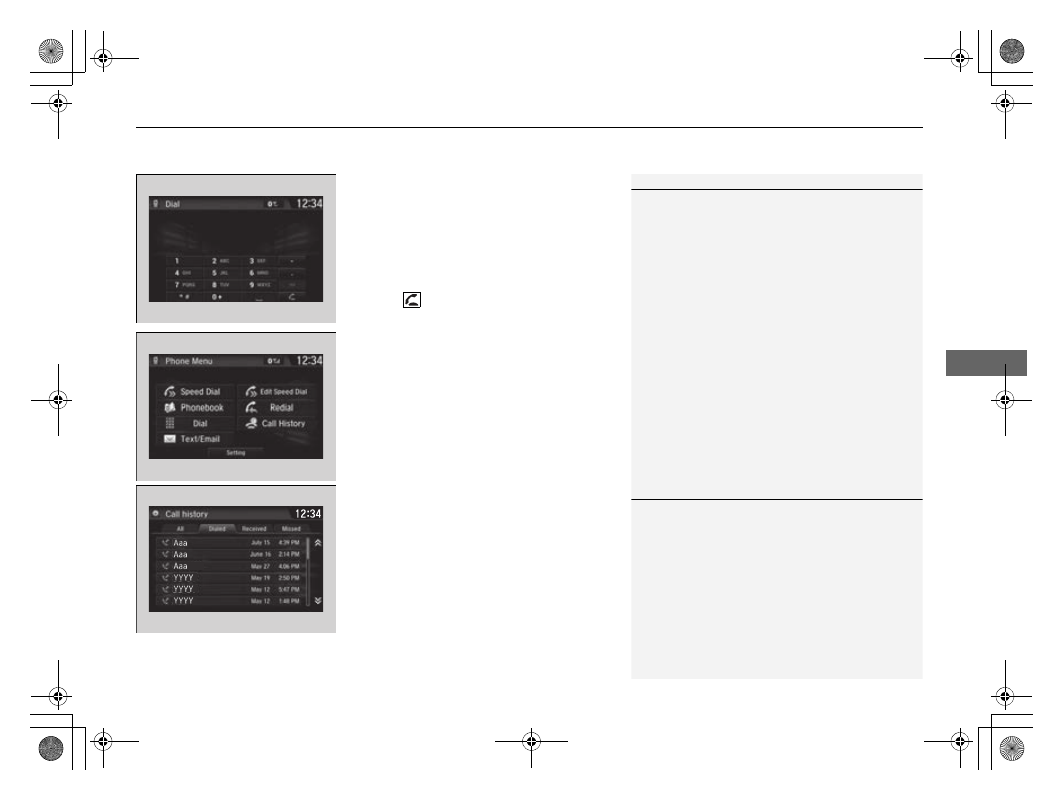
To make a call using a phone number
1.
Go to the
Phone Menu
screen.
2
P. 428
2.
Select
Dial
.
3.
Select a number.
u
Use the keyboard on the touch screen for
entering numbers.
4.
Select .
u
Dialing starts automatically.
■
To make a call using redial
1.
Go to the
Phone Menu
screen.
2
P. 428
2.
Select
Redial
.
u
Dialing starts automatically.
■
To make a call using the Call History
Call history is stored by
All
,
Dialed
,
Received
, and
Missed
.
1.
Go to the
Phone Menu
screen.
2
P. 428
2.
Select
Call History
.
3.
Select
All
,
Dialed
,
Received
, or
Missed
.
4.
Select a number.
u
Dialing starts automatically.
1
To make a call using a phone number
You can call a stored voice-tagged speed dial number
using voice commands.
2
1
To make a call using the Call History
The call history displays the last 20 all, dialed,
received, or missed calls.
(Appears only when a phone is connected to the
system.)