Ford Expedition (2022 year). Manual in english - page 29
Occupancy Mode
(If Equipped)
1.
Press
Settings
on the touchscreen.
2. Press
Sound Settings
.
3. Press
Occupancy Mode
.
4. Press a setting.
Sound Mode
(If Equipped)
1.
Press
Settings
on the touchscreen.
2. Press
Sound Settings
.
3. Press
Sound Mode
.
4. Press a setting.
SETTING THE CLOCK AND
DATE
1.
Press
Settings
on the touchscreen.
2. Press
Clock Settings
.
3. Set the time.
Note:
The
AM
and
PM
options are not
available if
24-hour mode
is on.
Switching Automatic Time
Updates On and Off
1.
Press
Settings
on the touchscreen.
2. Press
Clock Settings
.
3. Switch
Automatic time zone update
on or off.
AM/FM RADIO
AM/FM RADIO LIMITATIONS
The further you travel from an AM or FM
station, the weaker the signal and the
weaker the reception.
Hills, mountains, tall buildings, bridges,
tunnels, freeway overpasses, parking
garages, dense tree foliage and
thunderstorms can interfere with the
reception.
When you pass a ground-based broadcast
repeating tower, a stronger signal may
overtake a weaker one and result in the
audio system muting.
SELECTING A RADIO STATION
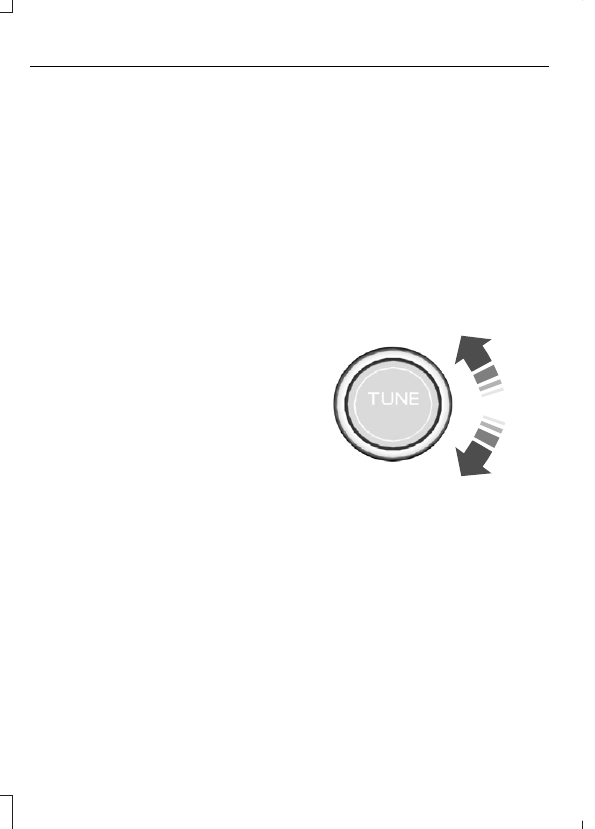
Manually Selecting a Radio
Station
E270235
Turn to search through the radio frequency
band.
Using Direct Tune
1.
Press
Direct Tune
to open the number
pad.
2. Enter the station you prefer.
Note:
You can only enter a valid station for
the audio source you are currently listening
to.
472
Audio System - Vehicles With: 12.3 Inch Screen