Ford Ranger EV (2001 year). Manual - part 133
414-03A-128
414-03A-128
High Voltage/Traction Battery
REMOVAL AND INSTALLATION (Continued)
Traction Battery Cooling/Ventilation Fan
Removal
1. Remove the traction battery. Refer to
.
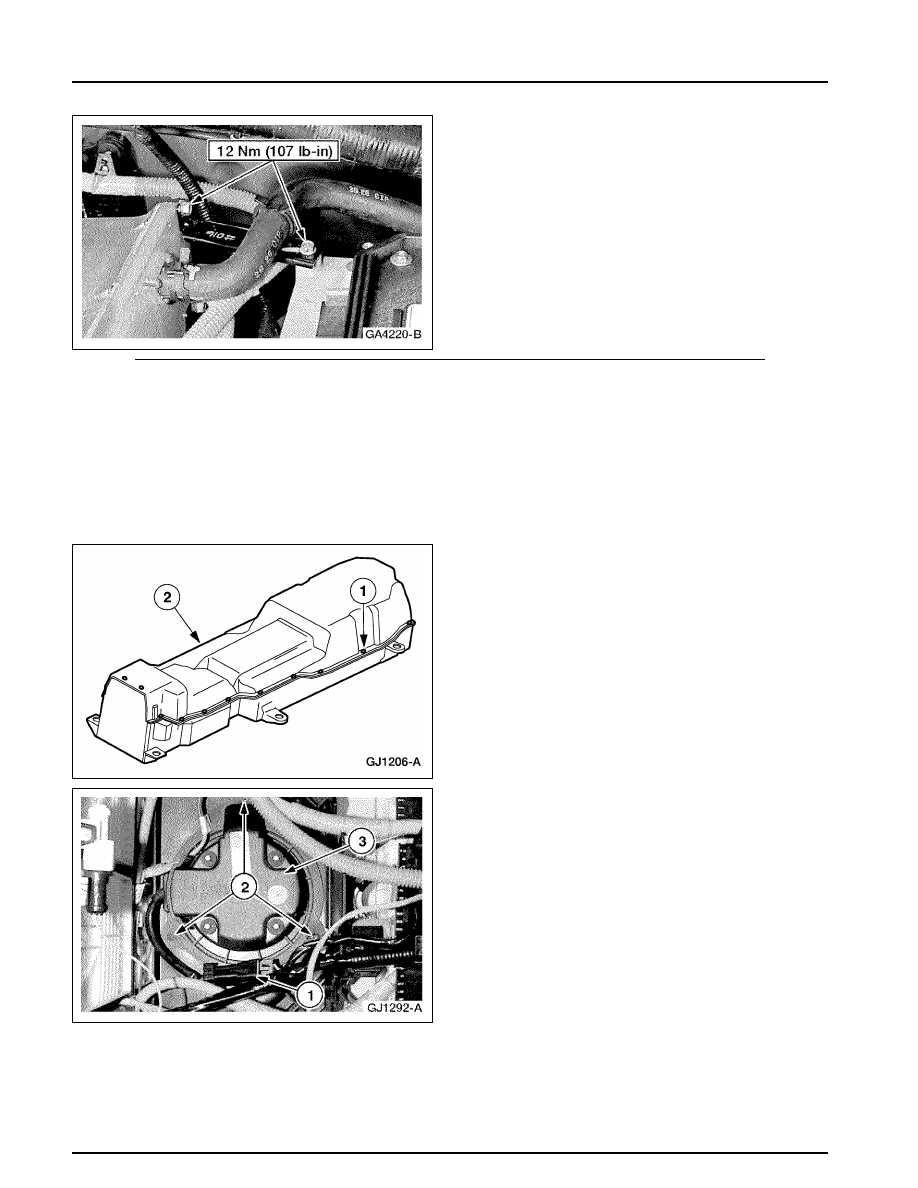
2. Remove the traction battery cover.
1 Remove the 22 bolts.
2 Remove the cover.
3. Remove the traction battery cooling fan.
1 Disconnect the cooling fan electrical
connector.
2 Remove the three screws.
3 Remove the cooling fan.