Ford Escape (2018 year). Manual - part 80
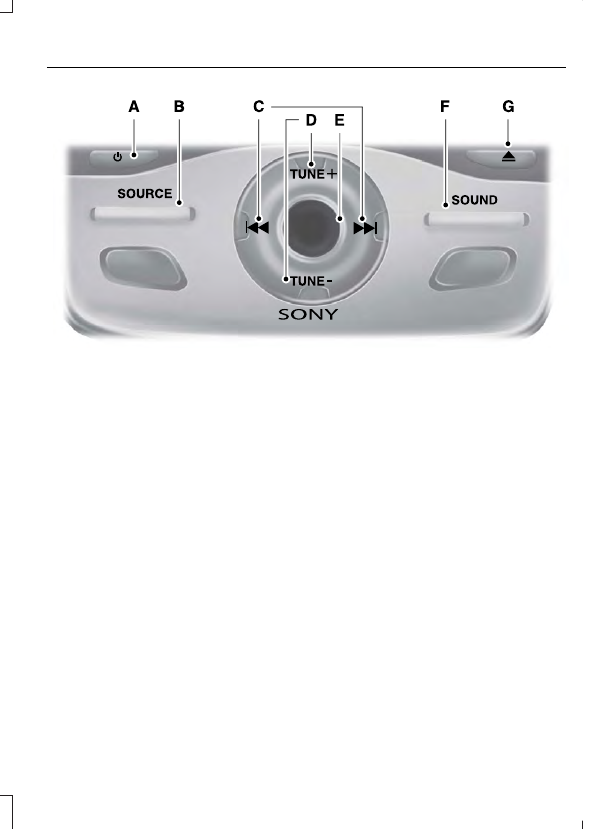
E143844
Power: Press to switch the system on and off.
A
SOURCE: Press to access different audio modes, for example AM, FM, Media,
and Satellite Radio.
B
Seek, Fast Forward and Reverse: In radio mode, select a frequency band
and press either button. The system stops at the first station it finds in that
direction. In SIRIUS mode, press to select the next or previous satellite radio
station. If you select a specific category (such as jazz, rock or news), press to
find the next or previous station in the category you select. In CD mode, press
to select the next or previous track. Press and hold to move quickly forward or
backward through the current track.
C
TUNE: In radio mode, press to search through the radio frequency band. In
SIRIUS mode, press to find the previous or next available satellite radio station.
D
Volume: Turn to adjust the volume.
E
SOUND: Press to access settings for Treble, Midrange, Bass, Fade or Balance.
F
Eject: Press to eject a CD.
G