Ford Contour (2000 year). Manual - part 10
 

  Index      Ford     Ford Contour - service manual 2000 year in english


Search            


Content   ..  8  9  10  11   ..


Ford Contour (2000 year). Manual - part 10


Controls and features

38

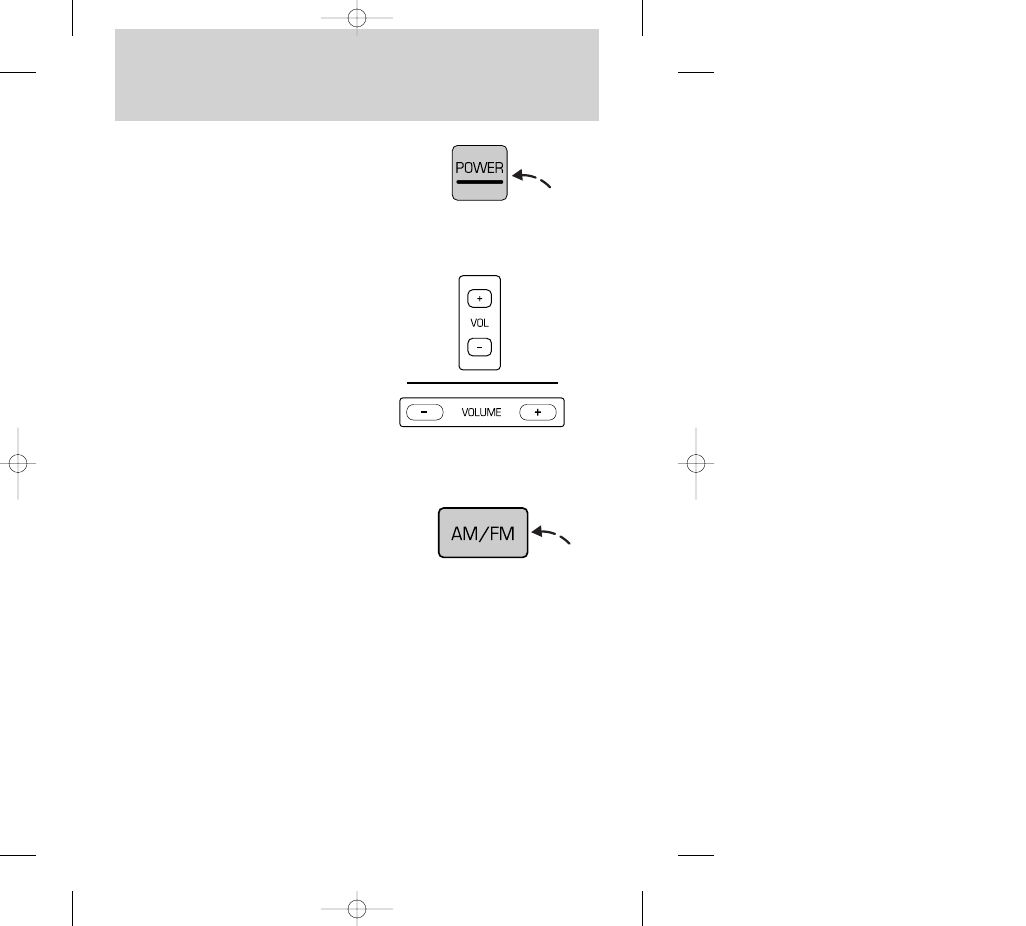
Power control

Press the control to turn the audio
system on or off.

Volume control

Press the control to raise or lower
volume.

If the volume is set above a certain
level and the ignition is turned off,
the volume will come back on at a
“nominal” listening level when the
ignition switch is turned back on.

AM/FM select

The AM/FM select control works in
radio mode and allows you to select
AM or FM frequency bands.

Press the control to switch
between AM, FM1 or FM2 memory
preset stations.

Tune adjust

The tune control works in radio
mode.

13CCfen  17.6.99 10:52 Uhr  Seite 38

Controls and features

39

The tune adjust with electronic
stereo radio

• Press (–) to move to the next
frequency down the band (whether
or not a listenable station is located
there). Hold the control to move
through the frequencies quickly.

• Press (+) to move to the next
frequency up the band (whether or
not a listenable station is located
there). Hold for quick movement.

Tune adjust with compact disc
radio

• Press the SCAN/TUNE control
twice.

• Within approximately five
seconds press and release either 
or 

on the SEEK button to

change to the next frequency up or
down.

• Press and hold down 

or 

to

quickly move through the
frequencies.

Tune adjust with electronic
stereo cassette radio

• Press the AMS control.

13CCfen  17.6.99 10:52 Uhr  Seite 39

Controls and features

40

• Within approximately five
seconds, press and release either

or 

on the SEEK control to

change to the next frequency up or
down.

• Press and hold down 

or 

to

quickly move through the
frequencies.

Seek function

The seek function control works in
radio or tape mode.

Seek function in radio mode

• Press 

to find the next

listenable station down the
frequency band.

• Press 

to find the next

listenable station up the frequency
band.

Seek function in tape mode

• Press the AMS control.

• Press 

to listen to the

previous selection on the tape.

• Press 

to listen to the next

selection on the tape.

13CCfen  17.6.99 10:52 Uhr  Seite 40

Controls and features

41

Scan function

The scan function works in radio
and CD mode (if equipped).

Scan function with  electronic
stereo cassette radio

Press the SCAN control to hear a
brief sampling of all listenable
stations on the frequency band.
Press the control again to stop the
scan mode.

Scan function with  compact
disc radio

• Press the SCAN/TUNE control
once.

Radio station memory preset

The radio is equipped with six
station memory preset controls.
These controls can be used to
select up to six preset AM stations
and twelve FM stations (six in FM1
and six in FM2).

• Push 

on the SEEK control to

hear a brief sampling of listenable
stations up the frequency band. 

• Push 

to hear a brief sampling

of listenable stations down the
frequency band. 

13CCfen  17.6.99 10:52 Uhr  Seite 41


Content   ..  8  9  10  11   ..