Ford C-MAX Hybrid / Energi (2017 year). Manual - part 18
 

  Index      Ford     Ford C-MAX Hybrid / Energi - service manual 2017 year in english


Search            


Content   ..  16  17  18  19   ..


Ford C-MAX Hybrid / Energi (2017 year). Manual - part 18


If equipped, the following also activate
when the lighting control is in the
autolamps position and you switch them
on in the information display:

Configurable daytime running lamps.

Automatic high beam control.

Adaptive headlamp control.

The headlamps remain on for a period of
time after you switch the ignition off. Use
the information display controls to adjust
the period of time that the headlamps
remain on.  See Information Displays
(page 92).

Note: With the headlamps in the
autolamps position, you cannot switch the
high beam headlamps on until the
autolamps system turns the low beam
headlamps on.

Windshield Wiper Activated
Headlamps

The windshield wiper activated headlamps
turn on within 10 seconds when you switch
the windshield wipers on and the lighting
control is in the autolamps position. They
turn off approximately 60 seconds after
you switch the windshield wipers off.

The headlamps will not turn on by wiper
activation:

During a mist wipe.

When the wipers are on to clear washer
fluid during a wash condition.

If the wipers are in intermittent mode.

Note:  If you switch autolamps and
autowipers on, the headlamps will
automatically turn on when the windshield
wipers continuously operate.

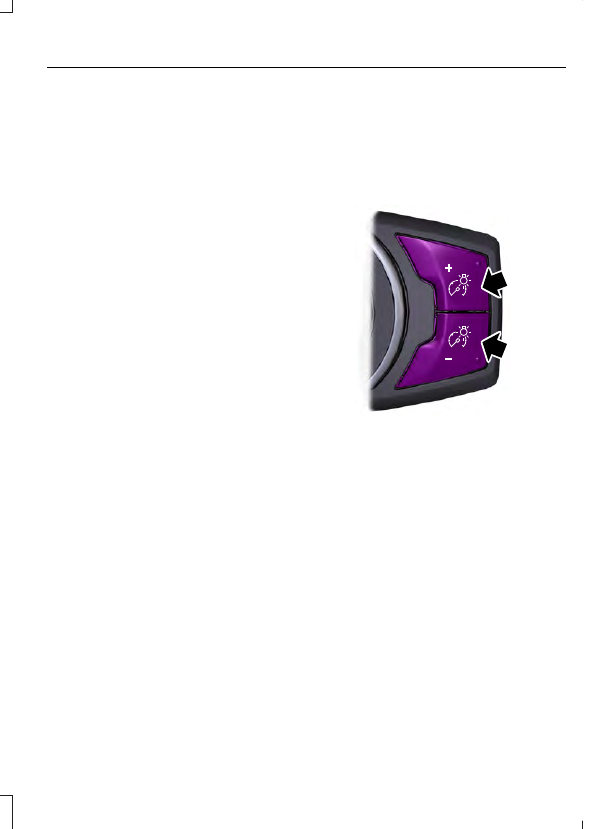
INSTRUMENT LIGHTING
DIMMER

Note: If the battery is disconnected,
discharged, or a new battery is installed, the
dimmer will set the illuminated components
to the maximum setting automatically.

E161902

Press repeatedly or press and hold until
the desired level is reached.

HEADLAMP EXIT DELAY

After you switch the ignition off, you can
switch the headlamps on by pulling the
direction indicator lever toward you. You
will hear a short tone. The headlamps will
switch off automatically after three
minutes with any door open or 30 seconds
after the last door has been closed. You
can cancel this feature by pulling the
direction indicator toward you again or
switching the ignition on.

DAYTIME RUNNING LAMPS

 (If

Equipped)

WARNING

The autolamps switch position may
not activate the headlamps in all low
visibility conditions, such as daytime

fog. Always ensure that your headlamps
are switched to auto or on, as appropriate,
during all low visibility conditions. Failure
to do so may result in a crash.

To switch the system on:

1.

Switch the ignition on.

2. Switch the lighting control to the off or

autolamp position.

FRONT FOG LAMPS

E142453

Press the control to switch the fog lamps
on or off.

You can switch the fog lamps on when the
lighting control is in any position except
Off and the high beams are not on.

DIRECTION INDICATORS

E162681

Push the lever up or down to use the
direction indicators.

Note: Tap the lever up or down to make the
direction indicators flash three times to
indicate a lane change.

INTERIOR LAMPS

The lamps will switch on when one of the
following conditions have been met:

You open any door.

You press a remote control button.

You press switch B on the front interior
lamp.

Front Interior Lamp

 (If Equipped)

E161163

D

C

A

B

E160819

(A) Door function switch. Press
this switch to disable the interior
lamps. The door function

indicator lamp will illuminate yellow with
lamps disabled. Press the switch again to
turn interior lamps back on. The indicator
lamp will illuminate blue.

E160816

(B) All lamps on and off switch.

E160817

(C) Passenger individual lamp
on and off switch.

E160818

(D) Driver individual lamp on and
off switch.

Front Interior Lamp - With
Panorama Roof

 (If Equipped)

Driver Side Lamp

E142454

B

A

C

E160819

(A) Door function switch. Press
this switch to disable the interior
lamps. The door function

indicator lamp will illuminate yellow with
lamps disabled. Press the switch again to
turn interior lamps back on. The indicator
lamp will illuminate blue.

E160816

(B) All lamps on and off switch.

E160818

(C) Individual lamp on and off
switch.

Passenger Side Lamp

A

E142455

E160818

(A) Individual lamp on and off
switch.

Rear Interior Lamp

 (If Equipped)

E190496

B

A

E160817

(A) Passenger side lamp on and
off switch.

E160818

(B) Driver side lamp on and off
switch.

AMBIENT LIGHTING

 (If Equipped)

You can adjust the ambient lighting and
intensity using the SYNC system. See your
SYNC information.

POWER WINDOWS

WARNINGS

Do not leave children unattended in
your vehicle and do not let them play
with the power windows. They may

seriously injure themselves.

When closing the power windows,
you should verify they are free of
obstructions and make sure that

children and pets are not in the proximity
of the window openings.

E70848

Note: You may hear a pulsing noise when
just one of the windows is open. Lower the
opposite window slightly to reduce this
noise.

Press the switch to open the window.

Lift the switch to close the window.

One-Touch Down

Press the switch fully and release it. Press
again or lift it to stop the window.

One-Touch Up

Lift the switch fully and release it. Press or
lift it again to stop the window.

Window Lock

E70850

Press the control to lock or unlock the rear
window controls. It illuminates when you
lock the rear window controls.

Bounce-Back

 (If Equipped)

The window will stop automatically while
closing. It will reverse some distance if
there is an obstacle in the way.

Overriding the Bounce-Back Feature

WARNING

When you override the bounce-back
feature the window will not reverse
if it detects an obstacle. Take care

when closing the windows to avoid
personal injury or damage to your vehicle.

Proceed as follows to override this
protection feature when there is a
resistance, for example in winter:

1.

Close the window twice until it reaches
the point of resistance and let it
reverse.


Content   ..  16  17  18  19   ..