Lincoln MKZ (2020 year). Manual in english - page 13
 

  Index      Manuals     Lincoln MKZ (2020 year). Manual in english


Search            copyright infringement  


Content      ..     11      12      13      14     ..


Lincoln MKZ (2020 year). Manual in english - page 13


To toggle through the modes, use the
buttons on the information display to select
the following:

Parallel parking.

Perpendicular parking.

Parallel park out assist.

Switch the system off.

Note: There is no time limit for toggling
through the modes.

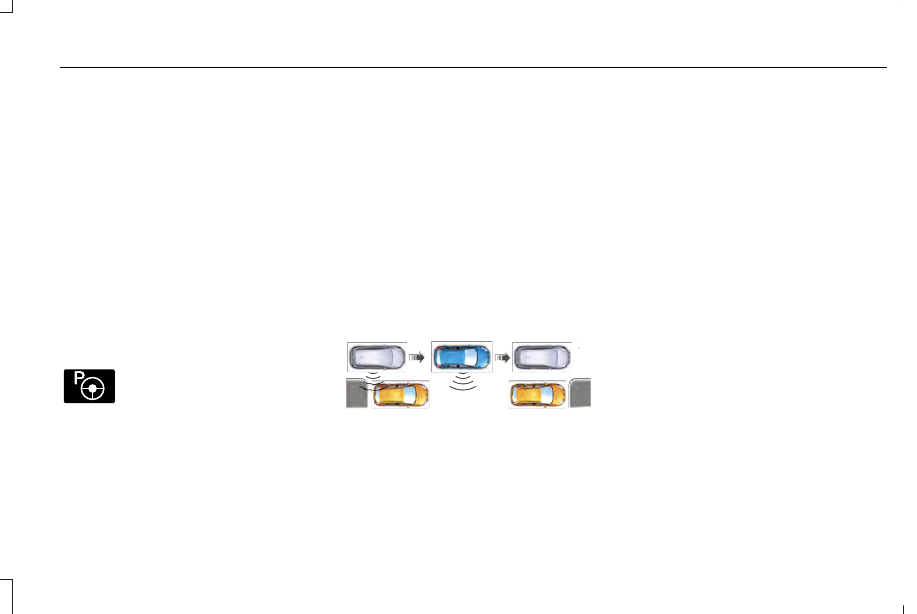
Parallel Parking

The system detects available parallel parking
spaces and steers your vehicle into the
space. You control the accelerator, gearshift
and brakes. The system visually and audibly
guides you into a parallel parking space.

E146186

Press the button once to search
for a parking space.

Note: You can also switch the system on
after you have already driven partially or
completely past a parking space. Press the
active park assist button and the system
informs you if you have recently passed a
suitable parking space.

When the vehicle speed is less than 22 mph
(35 km/h), the system scans both sides of
your vehicle for an available parking space.
A message and a graphic appear in the
information display to indicate the system is
searching for a parking space. Use the
direction indicator lever to search for a
parking space on the driver or passenger
side of your vehicle.

Note: The system scans both sides of your
vehicle and offers parking spaces one side
at a time if you do not use the direction
indicator.

Note: The system defaults to the passenger
side if you do not use the direction indicator.

E130107

Drive your vehicle approximately 3 ft (1 m)
and parallel to the other parked vehicles
when searching for a parking space.

Note: If you drive your vehicle less than 2 ft
(0.5 m) or greater than 5 ft (1.5 m) away from
other parked vehicles, the system may not
be able to detect an available parking
space.

When the system detects a suitable space,
a message displays and a tone sounds. Stop
your vehicle and follow the onscreen
instructions. If your vehicle is moving very
slowly, you may have to move forward a
short distance before the system is ready to
park.

Note: You must observe that the space the
system selects remains clear of obstructions
at all times during the maneuver.

Note: The system always offers the last
parking space it detects. For example, if your
vehicle detects multiple spaces when you
are driving, it offers the last one.

Note: If the vehicle speed is greater than
approximately 22 mph (35 km/h), the system
shows a message to instruct you to reduce
the vehicle speed.

211

Parking Aids

-------------------------------------------------------------------------------------------------------------------------------------------------------------

Automatically Steering into a Parallel
Parking Space

When you shift into reverse (R), with your
hands off the steering wheel and nothing
obstructing its movement, your vehicle steers
itself into the space. The system displays
instructions to move your vehicle backward
and forward in the space.

Note: If the vehicle speed exceeds
approximately 6 mph (9 km/h), you interrupt
the maneuver, or the system switches off,
you must take full control of your vehicle.

Note: If the system detects an object is very
close to your vehicle and it may be unsafe
to continue the maneuver, it may instruct you
to stop your vehicle. The system may not
provide any further instruction. Steering
assistance continues to operate but you
must decide if it is safe to continue the
maneuver.

E130108

When you believe your vehicle is correctly
parked, or a solid tone sounds and an
information message appears, bring your
vehicle to a complete stop.

When the Active Park Assist maneuver is
complete, a tone sounds and an information
message appears.

Note: You are responsible for checking how
your vehicle is parked and making any
necessary corrections before leaving your
vehicle.

Deactivating Active Park Assist

You can manually deactivate the system by:

Pressing the Active Park Assist button
during an active maneuver.

Grabbing the steering wheel during an
active maneuver.

Driving above 22 mph (35 km/h) for 30
seconds when searching for a parking
space.

Driving above 6 mph (9 km/h) during an
active maneuver.

Switching the traction control system off.

Certain vehicle conditions may also
deactivate the system, for example:

The traction control system activates or
fails.

The anti-lock brake system activates or
fails.

If the system malfunctions, a message
appears and a tone sounds.  Have your
vehicle checked as soon as possible.

Perpendicular Parking

The system detects available perpendicular
parking spaces and steers your vehicle into
the space. You control the accelerator,
gearshift and brakes. The system visually
and audibly guides you into a perpendicular
parking space.

E146186

Press the button twice to search
for a parking space.

212

Parking Aids

-------------------------------------------------------------------------------------------------------------------------------------------------------------

When the vehicle speed is less than 19 mph
(30 km/h), the system scans both sides of
your vehicle for an available parking space.
A message and a graphic appear in the
information display to indicate the system is
searching for a parking space. Use the
direction indicator lever to search for a
parking space on the driver or passenger
side of your vehicle.

Note: The system scans both sides of your
vehicle and offers parking spaces one side
at a time if you do not use the direction
indicator.

Note: The system defaults to the passenger
side if you do not use the direction indicator.

E186193

Drive your vehicle approximately 3 ft (1 m)
and perpendicular to the other parked
vehicles when searching for a parking space.

Note: If you drive your vehicle less than 2 ft
(0.5 m) or greater than 5 ft (1.5 m) away from
other parked vehicles, the system may not
be able to detect an available parking
space.

When the system detects a suitable space,
a message displays and a tone sounds. Stop
your vehicle and follow the onscreen
instructions. If your vehicle is moving very
slowly, you may have to move forward a
short distance before the system is ready to
park.

Note: You must observe that the space the
system selects remains clear of obstructions
at all times during the maneuver.

Note: The system always offers the last
detected parking space. For example, if your
vehicle detects multiple spaces when you
are driving, it offers the last one.

Note: If the vehicle speed is greater than
approximately 19 mph (30 km/h), the system
shows a message to instruct you to reduce
the vehicle speed.

Automatically Steering into a Perpendicular
Parking Space

When you shift into reverse (R), with your
hands off the steering wheel and nothing
obstructing its movement, your vehicle steers
itself into the space. The system displays
instructions to move your vehicle backward
and forward in the space.

Note: If the vehicle speed exceeds
approximately 6 mph (9 km/h), you interrupt
the maneuver, or the system switches off,
you must take full control of your vehicle.

Note: If the system detects an object is very
close to your vehicle and it may be unsafe
to continue the maneuver, it may instruct you
to stop your vehicle. The system may not
provide any further instruction. Steering
assistance continues to operate but you
must decide if it is safe to continue the
maneuver.

213

Parking Aids

-------------------------------------------------------------------------------------------------------------------------------------------------------------

E186191

When you believe your vehicle is correctly
parked, or a solid tone sounds and an
information message appears, bring your
vehicle to a complete stop.

When the active park assist maneuver is
complete, a tone sounds and a message
appears.

Note: You are responsible for checking how
your vehicle is parked and making any
necessary corrections before leaving your
vehicle.

Deactivating Active Park Assist

You can manually deactivate the system by:

Pressing the Active Park Assist button
during an active maneuver.

Grabbing the steering wheel during an
active maneuver.

Driving above 19 mph (30 km/h) for 30
seconds when searching for a parking
space.

Driving above 6 mph (9 km/h) during an
active maneuver.

Switching the traction control system off.

Certain vehicle conditions may also
deactivate the system, for example:

The traction control system activates or
fails.

The anti-lock brake system activates or
fails.

If the system malfunctions, a message
appears and a tone sounds.  Have your
vehicle checked as soon as possible.

Parallel Park Out Assist

The system steers your vehicle out of a
parallel parking space. You control the
accelerator, gearshift and brakes. The system
visually and audibly guides you out of a
parallel parking space.

Note: This system is not intended to assist
when exiting a perpendicular parking space.

E146186

Press the button once when your
vehicle is stationary in a parallel
parking space.

Note: If you did not use active park assist to
parallel park your vehicle, pressing the
button once selects parallel park. You must
use the information display to select park
out assist.

The system displays a message instructing
you to switch a direction indicator on. Use
the direction indicator to select which side
of your vehicle you want to exit the parking
space. The system displays instructions to
move your vehicle backward and forward in
the space.

214

Parking Aids

-------------------------------------------------------------------------------------------------------------------------------------------------------------

Note: If the system detects an object is very
close to your vehicle and it may be unsafe
to continue the maneuver, it may instruct you
to stop your vehicle. The system may not
provide any further instruction. Steering
assistance continues to operate but you
must decide if it is safe to continue the
maneuver.

E188012

After the system directs your vehicle to a
position where you can exit the parking
space in a forward movement, a message
appears instructing you to take full control
of your vehicle. Generally, hand-over is when
your vehicle is still inside the parking space.

Note: Parallel Park Out Assist may not be
available when the clearance to the front or
the rear of your vehicle is too small.

Note: If the vehicle speed exceeds
approximately 6 mph (9 km/h), you interrupt
the maneuver, or the system switches off,
you must take full control of your vehicle.

Note: You are responsible for controlling
your vehicle and making sure the path is
clear prior to pulling into traffic.

Troubleshooting

Possible Cause

Symptom

You may have switched the traction control off.

The system does not search for a parking space.

The transmission is in reverse (R). Your vehicle must be moving forward to be able to
detect a parking space.

The sensors may be blocked. For example, snow, ice or dirt buildup. Blocked sensors
can affect how the system functions.

The system does not offer a parking space.

There is not enough room in the parking space for your vehicle to safely park.

There is not enough space for the parking maneuver on the opposite side of the parking
space.

215

Parking Aids

-------------------------------------------------------------------------------------------------------------------------------------------------------------

Possible Cause

Symptom

The parking space is more than 5 ft (1.5 m) or less than 2 ft (0.5 m) away.

The vehicle speed is greater than 22 mph (35 km/h) for parallel parking or greater than
19 mph (30 km/h) for perpendicular parking.

You recently disconnected or replaced the battery. After you reconnect the battery you
must drive your vehicle on a straight road for a short period of time.

Your vehicle is rolling in the opposite direction of the current transmission position. For
example, rolling forward when in reverse (R).

The system does not correctly position your vehicle
in a parking space.

An irregular curb along the parking space prevents the system from correctly aligning
your vehicle.

Vehicles or objects bordering the space may not be correctly parked.

Your vehicle stopped too far past the parking space.

The tires may not be correctly installed or maintained. For example, not inflated correctly,
improper size, or of different sizes.

A repair or alteration changes the detection capabilities.

216

Parking Aids

-------------------------------------------------------------------------------------------------------------------------------------------------------------

Possible Cause

Symptom

A parked vehicle has a high attachment. For example, a salt sprayer, snowplow or moving
truck bed.

The parking space length or position of parked objects changes after your vehicle passes
the space.

The temperature around your vehicle quickly changes. For example, driving from a
heated garage into the cold, or after leaving a car wash.

REAR VIEW CAMERA

WARNING: The rear view camera

system is a reverse aid supplement device
that still requires the driver to use it in
conjunction with the interior and exterior
mirrors for maximum coverage.

WARNING: Objects that are close to

either corner of the bumper or under the
bumper, might not be seen on the screen
due to the limited coverage of the camera
system.

WARNING: Back up as slow as

possible since higher speeds might limit
your reaction time to stop your vehicle.

WARNING: Use caution when using

the rear video camera and the trunk is ajar.
If the trunk is ajar, the camera will be out
of position and the video image may be
incorrect. All guidelines (if enabled) have
been removed when the trunk is ajar.

WARNING: Use caution when turning

camera features on or off while in reverse
(R). Make sure your vehicle is not moving.

The rear view camera system provides a
video image of the area behind your vehicle.
The image will display in either the rear view
mirror or the display in the center of the
instrument panel.

During operation, lines will appear in the
display that represent your vehicle’s path
and proximity to objects behind your vehicle.

217

Parking Aids

-------------------------------------------------------------------------------------------------------------------------------------------------------------

E152548

The camera is located on the trunk near the
high-mount brake lamp.

Using the Rear View Camera System

The rear view camera system displays what
is behind your vehicle when you place the
transmission in reverse (R).

The system uses three types of guides to
help you see what is behind your vehicle:

Active guidelines: Show the intended
path of your vehicle when reversing.

Fixed guidelines: Show the actual path
your vehicle is moving in while reversing
in a straight line. This can be helpful
when backing into a parking space or
aligning your vehicle with another object
behind you.

Centerline (if applicable): Helps align the
center of your vehicle with an object
(trailer).

Note: If the transmission is in reverse (R) and
the luggage compartment is ajar, no rear
view camera features will display.

Note: If the image comes on while the
transmission is not in reverse (R), have the
system inspected by an authorized dealer.

Note: When towing, the camera only sees
what you are towing behind your vehicle.
This might not provide adequate coverage
and you might not see some objects. In some
vehicles, the guidelines may disappear once
you connect the trailer tow connector.

The camera may not operate correctly under
the following conditions:

Nighttime or dark areas if the reverse
lamps are not operating.

Mud, water or debris obstructs the
camera's view. Clean the lens with a soft,
lint-free cloth and non-abrasive cleaner.

The camera is misaligned due to damage
to the rear of your vehicle.

To access any of the rear view camera
system settings, make the following
selections in the touch screen when the
transmission is not in reverse (R):

Menu > Vehicle > Camera Settings

After changing a system setting, the touch
screen shows a preview of the selected
features.

Guidelines and the Centerline

Note: Active guidelines and fixed guidelines
are only available when the transmission is
in reverse (R).

Note: The centerline is only available if
Active or Fixed guidelines are on.

218

Parking Aids

-------------------------------------------------------------------------------------------------------------------------------------------------------------

A

B C

D

F

E

E142436

Active guidelines

A

Centerline

B

Fixed guideline: Green zone

C

Fixed guideline: Yellow zone

D

Fixed guideline: Red zone

E

Rear bumper

F

Active guidelines are only shown with fixed
guidelines. To use active guidelines, turn the
steering wheel to point the guidelines toward
an intended path. If you change the steering
wheel position while reversing, your vehicle
might deviate from the original intended
path.

The fixed and active guidelines fade in and
out depending on your steering wheel
position. When your steering wheel position
is straight, the active guidelines are not
visible.

Always use caution while reversing. Objects
in the red zone are closest to your vehicle
and objects in the green zone are farther
away. Objects are getting closer to your
vehicle as they move from the green zone
to the yellow or red zones. Use the side view
mirrors and rear view mirror to get better
coverage on both sides and rear of your
vehicle.

Enhanced Park Aids

Note: The reverse sensing system is not
effective at speeds above 3 mph (5 km/h)
and may not detect certain angular or
moving objects.

The system uses red, yellow and green
highlights that appear on top of the video
image when the reverse sensing system
detects an object. The alert highlights the
closest object detected. You can disable the
reverse sensing alert if you have enhanced
park aids enabled, you will still see the
displayed highlighted areas.

Selectable settings for this feature are ON
and OFF.

Manual Zoom

WARNING: When manual zoom is

on, the full area behind your vehicle is not
shown. Be aware of your surroundings
when using the manual zoom feature.

Note: Manual zoom is only available when
the transmission is in reverse (R).

219

Parking Aids

-------------------------------------------------------------------------------------------------------------------------------------------------------------

Note: Only the centerline shows when you
enable manual zoom.

This allows you to get a closer view of an
object behind your vehicle. The zoomed
image keeps the bumper in the image to
provide a reference. The zoom is only active
while the transmission is in reverse (R). When
you shift the transmission out of reverse (R),
the feature automatically turns off and you
must enable it to use it again.

Selectable settings for this feature are ON
and OFF.

Rear Camera Delay

When shifting the transmission out of reverse
(R) and into any gear other than park (P), the
camera image remains in the display until
your vehicle speed reaches 5 mph (8 km/h)
or until you select a radio button.

Selectable settings for this feature are ON
and OFF. The default setting for the rear
camera delay is OFF.

220

Parking Aids

-------------------------------------------------------------------------------------------------------------------------------------------------------------

WHAT IS CRUISE CONTROL

Cruise control lets you maintain a set speed
without keeping your foot on the accelerator
pedal. You can use cruise control when your
vehicle speed is greater than 20 mph
(30 km/h).

SWITCHING CRUISE CONTROL ON
AND OFF

WARNING: Do not use cruise control

on winding roads, in heavy traffic or when
the road surface is slippery. This could
result in loss of vehicle control, serious
injury or death.

The cruise controls are on the steering
wheel.  See Cruise Control (page 83).

Switching Cruise Control On

E265296

Press the button.

Switching Cruise Control Off

E265297

Press the button when the system
is in standby mode.

The system also turns off when you switch
the ignition off.

Note: The set speed erases when you switch
the system off.

SETTING THE CRUISE CONTROL
SPEED

WARNING: When you are going

downhill, your vehicle speed could
increase above the set speed. The system
does not apply the brakes.

Drive to the speed you prefer.

Press either button to set the
current speed.

Take your foot off the accelerator pedal.

Note: The indicator changes color in the
information display.

Changing the Set Speed

Press and release the button to
increase the set speed in small
increments.

Press and hold the button to accelerate.
Release the button when you reach your
preferred speed.

Press and release the button to
decrease the set speed in small
increments.

Press and hold the button to decelerate.
Release the button when you reach your
preferred speed.

Note:  If you accelerate by pressing the
accelerator pedal, the set speed does not
change. When you release the accelerator
pedal, your vehicle returns to the speed that
you previously set.

221

Cruise Control

-------------------------------------------------------------------------------------------------------------------------------------------------------------

CANCELING THE SET SPEED

E265298

Press the button, or tap the brake
pedal to cancel the set speed.

Note: The system remembers the set speed.

Note: The system cancels if the vehicle
speed drops below 10 mph (16 km/h) under
the set speed when driving uphill.

RESUMING THE SET SPEED

Press the button.

CRUISE CONTROL INDICATORS

E71340

Illuminates when you switch the
system on.

USING ADAPTIVE CRUISE
CONTROL

WARNING: Pay close attention to

changing road conditions such as entering
or leaving a highway, on roads with
intersections or roundabouts, roads
without visible lanes of travel, roads that
are winding, slippery, unpaved, or steep
slopes.

WARNING: Do not use the system in

poor visibility, for example fog, heavy rain,
spray or snow.

WARNING: Do not use the system

when towing a trailer that has aftermarket
electronic trailer brake controls. Failure to
follow this instruction could result in the
loss of control of your vehicle, personal
injury or death.

WARNING: Do not use tire sizes

other than those recommended because
this can affect the normal operation of the
system. Failure to do so may result in a loss
of vehicle control, which could result in
serious injury.

WARNING: The system may not

detect stationary or slow moving vehicles
below 6 mph (10 km/h).

WARNING: The system does not

detect pedestrians or objects in the road.

WARNING: The system does not

detect oncoming vehicles in the same lane.

WARNING: The system is not a crash

warning or avoidance system.

The system adjusts your vehicle speed to
maintain the set gap between you and the
vehicle in front of you in the same lane.  You
can select four gap settings.

222

Cruise Control

-------------------------------------------------------------------------------------------------------------------------------------------------------------

The system uses a radar sensor which
projects a beam directly in front of your
vehicle.

E262918

The cruise controls are on the steering
wheel.  See What Is Cruise Control (page
221).

Switching Adaptive Cruise Control On

E265296

For vehicles without Speed Limiter,
press and release the button.

E144529

For vehicles with Speed Limiter,
press and release the button.

The indicator, current gap setting and set
speed appear in the information display.

E164805

Setting the Adaptive Cruise Speed

Drive to your preferred speed.

Press and release the button.

Take your foot off the accelerator pedal.

The indicator, current gap setting and set
speed appear in the information display.

E164805

A vehicle graphic illuminates if there is a
vehicle detected in front of you.

Note: When adaptive cruise control is active,
the speedometer may vary slightly from the
set speed displayed in the information
display.

Setting the Adaptive Cruise Speed
When Your Vehicle is Stationary

Follow a vehicle to a complete stop.

E265299

Press while keeping the brake
pedal fully pressed.

The set speed adjusts to 20 mph (30 km/h).

The indicator, current gap setting and set
speed appear in the information display.

223

Cruise Control

-------------------------------------------------------------------------------------------------------------------------------------------------------------

Following a Vehicle

WARNING: When following a vehicle

that is braking, your vehicle does not
always decelerate quickly enough to avoid
a crash without driver intervention. Apply
the brakes when necessary. Failure to
follow this instruction could result in
personal injury or death.

WARNING: The system only warns

of vehicles detected by the radar sensor.
In some cases there may be no warning
or a delayed warning. Apply the brakes
when necessary. Failure to follow this
instruction could result in personal injury
or death.

When a vehicle ahead of you enters the
same lane or a slower vehicle is ahead in the
same lane, the vehicle speed adjusts to
maintain a preset gap distance. A vehicle
graphic illuminates in the instrument cluster.

Note: The brakes may emit noise when
applied by the system.

Note: When you are following a vehicle and
you switch on a direction indicator, adaptive
cruise control may provide a small temporary
acceleration to help you pass.

Your vehicle maintains a consistent gap from
the vehicle ahead until:

The vehicle in front of you accelerates to
a speed above the set speed.

The vehicle in front of you moves out of
the lane you are in.

You set a new gap distance.

The system applies the brakes to slow your
vehicle to maintain a safe gap distance from
the vehicle in front.  The system only applies
limited braking.  You can override the system
by applying the brakes.

If the system determines that its maximum
braking level is not sufficient, an audible
warning sounds, a message appears in the
information display and an indicator flashes
when the system continues to brake. Take
immediate action.

Following a Vehicle to a Complete Stop

If your vehicle follows a vehicle to a complete
stop and remains stationary for less than
three seconds, your vehicle accelerates from
a stationary position to follow the vehicle
ahead.

E265299

If your vehicle follows a vehicle to
a complete stop and remains
stationary for more than three

seconds, press to follow the vehicle ahead.
Or press the accelerator pedal.

Setting the Gap Distance

You can decrease or increase the distance
between your vehicle and the vehicle in front
by pressing the gap control.

E263697

Press and release to decrease the
gap distance.

E263696

Press and release to increase the
gap distance.

224

Cruise Control

-------------------------------------------------------------------------------------------------------------------------------------------------------------

E164805

The selected gap appears in the information
display as shown by the bars in the image.

Note: The gap setting is time dependent and
therefore the distance adjusts with your
vehicle speed.

Note: It is your responsibility to select a gap
appropriate to the driving conditions.

Adaptive Cruise Control Gap Settings

Dynamic

Behavior

Distance Gap

Graphic
Display,

Bars Indic-

ated

Between

Vehicles

Sport.

Closest.

1

Normal.

Close.

2

Normal.

Medium.

3

Comfort.

Far.

4

Each time you switch the system on, it
selects the last chosen gap setting.

Overriding the Set Speed

WARNING: If you override the system

by pressing the accelerator pedal, it does
not automatically apply the brakes to
maintain a gap from any vehicle ahead.

When you press the accelerator pedal, you
override the set speed and gap distance.

Use the accelerator pedal normally to
intentionally exceed the set speed limit.

When you override the system, the green
indicator light illuminates and the vehicle
image does not appear in the information
display.

The system resumes operation when you
release the accelerator pedal. The vehicle
speed decreases to the set speed, or a lower
speed if following a slower vehicle.

Changing the Set Speed

E265299

Press and release to increase the
set speed in small increments.

Press and release to decrease the
set speed in small increments.

Press and hold either button to change the
set speed in large increments. Release the
button when you reach your preferred speed.

225

Cruise Control

-------------------------------------------------------------------------------------------------------------------------------------------------------------

The system may apply the brakes to slow
the vehicle to the new set speed.  The set
speed displays continuously in the
information display when the system is
active.

Canceling the Set Speed

E265298

Press and release the button or tap
the brake pedal.

Note: The system remembers the set speed.

Resuming the Set Speed

E265299

Press and release the button.

Your vehicle speed returns to the previously
set speed and gap setting.  The set speed
displays continuously in the information
display when the system is active.

Note: Only use resume if you are aware of
the set speed and intend to return to it.

Automatic Cancellation

Automatic cancellation can also occur when:

The tires lose traction.

You apply the parking brake.

Park Brake Application

Automatic parking brake application and
cancellation occurs if:

You unbuckle the seatbelt and open the
door after you stop the vehicle.

You hold the vehicle at a stop
continuously for more than three minutes.

Hilly Condition Usage

Select a lower gear when the system is
active in situations such as prolonged
downhill driving on steep grades, for
example in mountainous areas. The system
needs additional engine braking in these
situations to reduce the load on the vehicle’s
regular brake system to prevent it from
overheating.

Note: An audible alarm sounds and the
system shuts down if it applies brakes for an
extended period of time. This allows the
brakes to cool. The system functions
normally again after the brakes cool.

Switching Adaptive Cruise Control Off

E265297

For vehicles without Speed Limiter,
press and release the button when
the system is in standby mode or

switch the ignition off.

E144529

For vehicles with Speed Limiter,
press and release the button when
the system is in standby mode or

switch the ignition off.

Note: You erase the set speed when you
switch the system off.

Detection Issues

WARNING: On rare occasions,

detection issues can occur due to the road
infrastructures, for example bridges,
tunnels and safety barriers. In these cases,
the system may brake late or
unexpectedly. At all times, you are
responsible for controlling your vehicle,
supervising the system and intervening, if
required.

226

Cruise Control

-------------------------------------------------------------------------------------------------------------------------------------------------------------


Content      ..     11      12      13      14     ..