Lincoln MKZ (2020 year). Manual in english - page 7
 

  Index      Manuals     Lincoln MKZ (2020 year). Manual in english


Search            copyright infringement  


Content      ..     5      6      7      8     ..


Lincoln MKZ (2020 year). Manual in english - page 7


INFORMATION MESSAGES

Note:  Depending on the vehicle options
equipped with your vehicle, not all of the
messages will display or be available.
Certain messages may be abbreviated or
shortened depending upon which cluster
type you have.

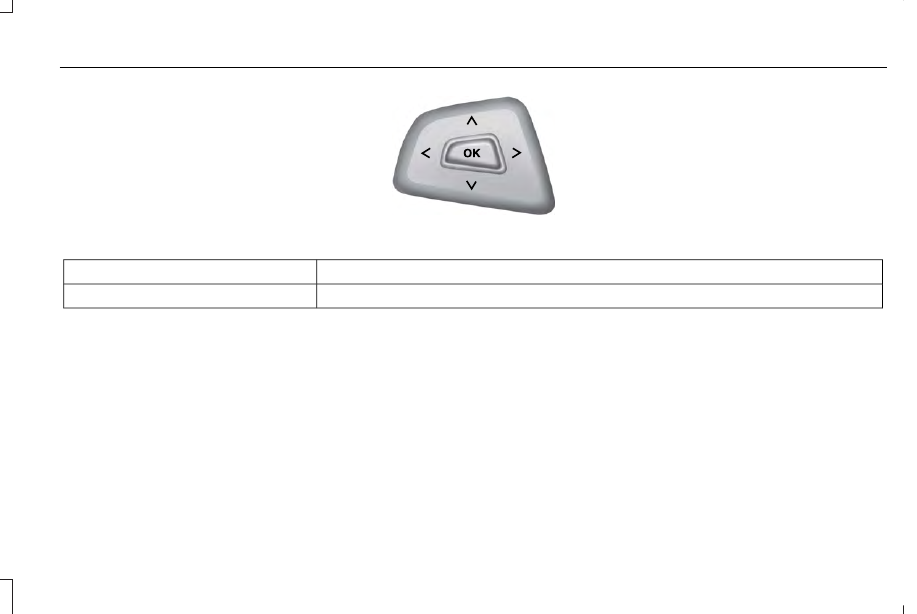
E145981

Press the OK button to acknowledge and
remove some messages from the information
display. Other messages will be removed
automatically after a short time.

Certain messages need to be confirmed
before you can access the menus.

Active Park

Action

Message

Displayed when the system needs service. Contact your authorized dealer as soon as possible.

Active Park Fault

115

Information Displays

-------------------------------------------------------------------------------------------------------------------------------------------------------------

Adaptive Cruise Control

Action

Message

Displayed when a radar malfunction is preventing the ACC from engaging.  See Using Adaptive

Cruise Control (page 222).

Adaptive Cruise Malfunction

Displayed when conditions exist such that the adaptive cruise cannot function properly.  See

Using Adaptive Cruise Control (page 222).

Adaptive Cruise Not Available

Displayed when the radar is blocked because of poor radar visibility due to bad weather or ice/
mud/water in front of radar. Driver can typically clean the sensor to resolve.  See Using Adaptive

Cruise Control (page 222).

Adaptive Cruise Not Available Sensor

Blocked See Manual

Displayed when the automatic braking has been disabled.

Normal Cruise Active Automatic Braking

Turned Off

Displayed when a radar malfunction is preventing the ACC from engaging.

Front Sensor Not Aligned

Displayed when the adaptive cruise has reinstated controls to the driver.

Adaptive Cruise - Driver Resume Control

Displays when the vehicle speed is too slow to activate the adaptive cruise.

Adaptive Cruise Speed Too Low to

Activate

Displays when the adaptive cruise is automatically adjusting the gap distance and the driver

needs to shift the transmission into a lower gear.

Adaptive Cruise Shift Down

116

Information Displays

-------------------------------------------------------------------------------------------------------------------------------------------------------------

Adaptive Headlamps

Action

Message

Displays when a fault with the system has occurred. Contact an authorized dealer as soon as

possible.

Check Headlamp System See Manual

AdvanceTrac™

Action

Message

Displays when the system detects a malfunction due to a blocked sensor.

Service AdvanceTrac

Displayed when the traction control has been disabled or enabled by the driver.

AdvanceTrac Off On

Airbag

Action

Message

Displays when the system detects a malfunction due to a blocked sensor.

Occupant Sensor BLOCKED Remove

Objects Near Passenger Seat

117

Information Displays

-------------------------------------------------------------------------------------------------------------------------------------------------------------

Alarm

Action

Message

Displays when the alarm has been triggered due to unauthorized entry.   See Anti-Theft Alarm

(page 78).

Vehicle Alarm To Stop Alarm, Start Vehicle.

Automatic Engine Shutdown

Action

Message

Displays when the engine is getting ready to shut off.

Engine Shuts Off In {seconds to shut off:#0}

Seconds

Displays when the engine has shut off to help increase fuel economy.

Engine Shut Off For Fuel Economy

Displays when the engine is getting ready to shut off. You can press OK on the left steering

wheel button to override the shut down.

Engine Shuts Off in {seconds to shut off:#0}

Seconds Press Ok to Override

118

Information Displays

-------------------------------------------------------------------------------------------------------------------------------------------------------------

AWD

Action

Message

Displayed when the AWD system has been temporarily disabled to protect itself from overheating.

AWD Temporarily Disabled

Displayed when the AWD system has been automatically disabled to protect itself. This is caused

by operating the vehicle with the compact spare tire installed or if the system is overheating.

AWD OFF

The AWD system will resume normal function and clear this message after driving a short distance

with the road tire re-installed or after the system is allowed to cool.

AWD Restored

Displayed in conjunction with the Throttle Control/Transmission/AWD light when the AWD system
is not operating properly. If the warning stays on or continues to come on, contact your authorized

dealer as soon as possible.

AWD Malfunction Service Required

119

Information Displays

-------------------------------------------------------------------------------------------------------------------------------------------------------------

Battery and Charging System

Action

Message

Displayed when the charging system needs servicing. If the warning stays on or continues to

come on, contact your authorized dealer as soon as possible.

Check Charging System

Displayed when the battery management system detects an extended low-voltage condition.

Various vehicle features will be disabled to help preserve the battery. Turn off as many of the

electrical loads as soon as possible to improve system voltage. If the system voltage has

recovered, the disabled features will operate again as normal.

Low Battery Features Temporarily Turned

Off

The battery management system determines that the battery is at a low state of charge. Turn

the ignition off as soon as possible to protect the battery. This message will clear once the vehicle
has been started and the battery state of charge has recovered. Turning off unnecessary electrical

loads will allow faster battery state-of-charge recovery.

Turn Power Off To Save Battery

The battery management system determines that the 12V battery is at a low state of charge.

Start the engine to charge the battery or charge the battery using an aftermarket battery charger.
This message clears once you restart your vehicle and the battery state of charge has recovered.

Battery State of Charge Low

120

Information Displays

-------------------------------------------------------------------------------------------------------------------------------------------------------------

Blind Spot Information and Cross Traffic Alert System

Action

Message

Displayed when a fault with the system has occurred. Contact your authorized dealer as soon

as possible.

Blindspot System Fault

Displayed when the system sensors are blocked. Contact your authorized dealer as soon as

possible.  See Blind Spot Information System (page 237).

Blindspot Not Available Sensor Blocked

See Manual

Displayed when the system detects a vehicle.  See Blind Spot Information System (page 237).

Cross Traffic Vehicle Coming From X

Displayed when the blind spot information system and cross traffic alert system sensors are

blocked.  See Blind Spot Information System (page 237).

Cross Traffic Not Available Sensor Blocked

See Manual

Displays when a fault with the system has occurred. Contact your authorized dealer as soon as

possible.

Cross Traffic System Fault

Doors and Locks

Action

Message

Displays when the door(s) listed is not completely closed and the vehicle is moving.

X Door Ajar

Displays when the door(s) listed is not completely closed.

Displays when the luggage compartment is not completely closed.

Trunk Ajar

Displays when the hood is not completely closed.

Hood Ajar

121

Information Displays

-------------------------------------------------------------------------------------------------------------------------------------------------------------

Action

Message

Displays when the door switches have been disabled.

Switches Inhibited Security Mode

Displayed when there is a system malfunction with the child locks. Contact your authorized dealer

as soon as possible.

Child Lock Malfunction Service Required

Displays the factory keypad code after the keypad has been reset.  See Keyless Entry (page

73).

Factory Keypad Code {X X X X X}

Driver Alert

Action

Message

Stop and rest as soon as it is safe to do so.

Driver Alert Warning Rest Now

Take a rest soon.

Driver Alert Warning Rest Suggested

Fuel

Action

Message

Displayed as an early reminder of a low fuel condition.

Fuel Level Low

Displayed when the fuel fill inlet may not be properly closed.

Check Fuel Fill Inlet

122

Information Displays

-------------------------------------------------------------------------------------------------------------------------------------------------------------

Hill Start Assist

Action

Message

Displays when hill start assist is not available.  Contact your authorized dealer. 

Hill Start Assist Not Available

Keys and Intelligent Access

Action

Message

Displayed as a reminder to press the brake while starting the vehicle.

To START Press Brake

Displayed if the key is not detected by the system.  See Keyless Starting (page 161).

No Key Detected

Displayed when the start/stop button is pressed to shut off the engine and an Intelligent Access

key is not detected inside the vehicle.

Restart Now or Key is Needed

Displayed when the vehicle is in the run ignition state.

Run Power Active

This message is displayed when there is a problem with your vehicle’s starting system. See your

authorized dealer for service.

Starting System Fault

Displayed during spare key programming, when an intelligent access key is programmed to the

system.

Key Program Successful

Displayed during spare key programming, when an intelligent access key has failed to be

programmed.

Key Program Failure

123

Information Displays

-------------------------------------------------------------------------------------------------------------------------------------------------------------

Action

Message

Displayed during spare key programming when the maximum number of keys have been

programmed.

Max Number of Keys Learned

Displayed during spare key programming when not enough keys have been programmed.

Not Enough Keys Learned

Displays when the key battery is low. Change the battery as soon as possible.

Key Battery Low Replace Soon

Displayed when an attempt is made to program a spare key using two existing MyKeys.

Could Not Program Integrated Key

Displays to inform the driver that they are exiting the vehicle and the engine is on.

Vehicle is ON

Lane Keeping System

Action

Message

The system has malfunctioned. Contact your authorized dealer as soon as possible.

Lane Keeping Sys. Malfunction Service

Required

The system has detected a condition that has caused the system to be temporarily unavailable.

Front Camera Temporarily Not Available

The system has detected a condition that requires the windshield to be cleaned to operate

properly.

Front Camera Low Visibility Clean Screen

The system has malfunctioned. Contact your authorized dealer as soon as possible.

Front Camera Malfunction Service

Required

Displayed when the system requests the driver to keep their hands on the steering wheel.

Keep Hands on Steering Wheel

124

Information Displays

-------------------------------------------------------------------------------------------------------------------------------------------------------------

Maintenance

Action

Message

Stop the vehicle as soon as safely possible, turn off the engine. Check the oil level. If the warning

stays on or continues to come on with your engine running, contact your authorized dealer as

soon as possible.

Low Engine Oil Pressure

Displayed when the engine oil life remaining is 10% or less.

Change Engine Oil Soon

Displayed when the oil life left reaches 0%.

Oil Change Required

Indicates the brake fluid level is low and the brake system should be inspected immediately.

See Brake Fluid Check (page 317).

Brake Fluid Level Low

Displays when the brake system needs servicing. Stop the vehicle in a safe place. Contact your

authorized dealer.

Check Brake System

Displays when the engine coolant temperature is excessively high.

Engine Coolant Over Temperature

Displays when the washer fluid is low and needs to be refilled.

Washer Fluid Level Low

Displays when the engine has reduced power in order to help reduce high coolant temperatures.

Power Reduced to Lower Engine Temp

Displays to indicate that the vehicle is still in Transport or Factory mode. This may not allow some

features to operate properly. See your authorized dealer.

Transport / Factory Mode

Informs the driver that the powertrain needs service due to a powertrain malfunction.

See Manual

125

Information Displays

-------------------------------------------------------------------------------------------------------------------------------------------------------------

MyKey

Action

Message

Displayed during key programming when MyKey cannot be programmed.

MyKey not Created

Displays when MyKey is active.

MyKey Active Drive Safely

Displays when starting the vehicle and MyKey is in use and the MyKey speed limit is on.

Speed Limited to XX MPH/km/h

Displays when a MyKey is in use and the MyKey speed limit is on and the vehicle speed is

approaching 80 mph (130 km/h).

Near Vehicle Top Speed

Displays when a MyKey is in use and the MyKey speed limit is reached.

Vehicle at Top Speed of MyKey Setting

Displays when MyKey is active.

Check Speed Drive Safely

Displays when a MyKey is in use and seatbelt reminder is activated.

Buckle Up to Unmute Audio

Displays when a MyKey is in use and AdvanceTrac is activated.

AdvanceTrac On - MyKey Setting

Displays when a MyKey is in use and Traction control is activated.

Traction Control On - MyKey Setting

Displays when a MyKey is in use and park aid is activated.

MyKey Park Aid Cannot be Deactivated

Displayed when the lane keeping aid is on per MyKey settings.

Lane Keeping Alert On MyKey Setting

126

Information Displays

-------------------------------------------------------------------------------------------------------------------------------------------------------------

Park Aid

Action

Message

Displays when the system has detected a condition that requires service. Contact your authorized

dealer. See Principle of Operation (page 203).

Check Front Park Aid

Displays when the system has detected a condition that requires service. Contact your authorized

dealer. See Principle of Operation (page 203).

Check Rear Park Aid

Displays the park aid status.

Front Park Aid On Off

Displays the park aid status.

Rear Park Aid On Off

Park Brake

Action

Message

The electric parking brake is set and a manual release is attempted without the brake pedal

being pressed.

To Release: Press Brake and Switch

The electric parking brake is set and an automatic release is attempted but cannot be performed.

Perform a manual release.

Park Brake Use Switch to Release

The electric parking brake is set and your vehicle speed exceeds 3 mph (5 km/h). Release park

brake before continued driving.

Release Park Brake

The electric parking brake is not fully applied.

Park Brake Not Applied

127

Information Displays

-------------------------------------------------------------------------------------------------------------------------------------------------------------

Action

Message

The electric parking brake is not fully released.

Park Brake Not Released

The electric parking brake system has been put into a special mode that is used to allow service

of the rear brakes. Contact an authorized dealer.

Park Brake Maintenance Mode

The electric park brake system has detected a condition that requires service. Some functionality

may still be available. Contact your authorized dealer.

Park Brake Limited Function Service

Required

The electric parking brake system has detected a condition that requires service. Contact your

authorized dealer.

Park Brake Malfunction Service Now

Numerous park brake applies have overheated the system. Wait 2 minutes before attempting

to apply again.

Park Brake System Overheated

Power Steering

Action

Message

The power steering system has detected a condition that requires service. See your authorized

dealer.

Steering Fault Service Now

The power steering system is not working.  Stop the vehicle in a safe place.  Contact your

authorized dealer.

Steering Loss Stop Safely

The power steering system has detected a condition within the power steering system or passive

entry or passive start system requires service. Contact your authorized dealer.

Steering Assist Fault Service Required

128

Information Displays

-------------------------------------------------------------------------------------------------------------------------------------------------------------

Pre-Collision Assist

Action

Message

Displayed when there is a system malfunction with the collision warning system. The system will

be disabled. Contact an authorized dealer as soon as possible.

Pre-Collision Assist Malfunction

Displayed when the collision warning system radar is blocked because of poor radar visibility

due to bad weather, ice, mud or water in front of the radar. Driver can typically clean the sensor

to resolve. Contact an authorized dealer as soon as possible.

Pre-Collision Assist Not Available Sensor

Blocked

Displayed when there is a system malfunction with the collision warning system. The system will

be disabled. Contact an authorized dealer as soon as possible.

Pre-Collision Assist Not Available

Remote Start

Action

Message

Displays as a reminder to apply the brake and push the gear shift button to drive the vehicle

after a remote start.

To Drive: Press Brake and Gear Shift

Button

129

Information Displays

-------------------------------------------------------------------------------------------------------------------------------------------------------------

Seats

Action

Message

Displays as a reminder that memory seats are not available while driving.

Memory Recall Not Permitted While Driving

Displays to show where your memory setting has been saved.

Memory {0} Saved

Starting System

Action

Message

Displays when starting the vehicle as a reminder to apply the brake.

To START Press Brake

Displays when the starter has exceeded its cranking time in attempting to start the vehicle.

Cranking Time Exceeded

Displays when the starter is attempting to start the vehicle.

Engine Start Pending Please Wait

Displays when the pending start has been cancelled.

Pending Start Cancelled

130

Information Displays

-------------------------------------------------------------------------------------------------------------------------------------------------------------


Content      ..     5      6      7      8     ..