Dodge Durango SRT (2019 year). Manual - part 9
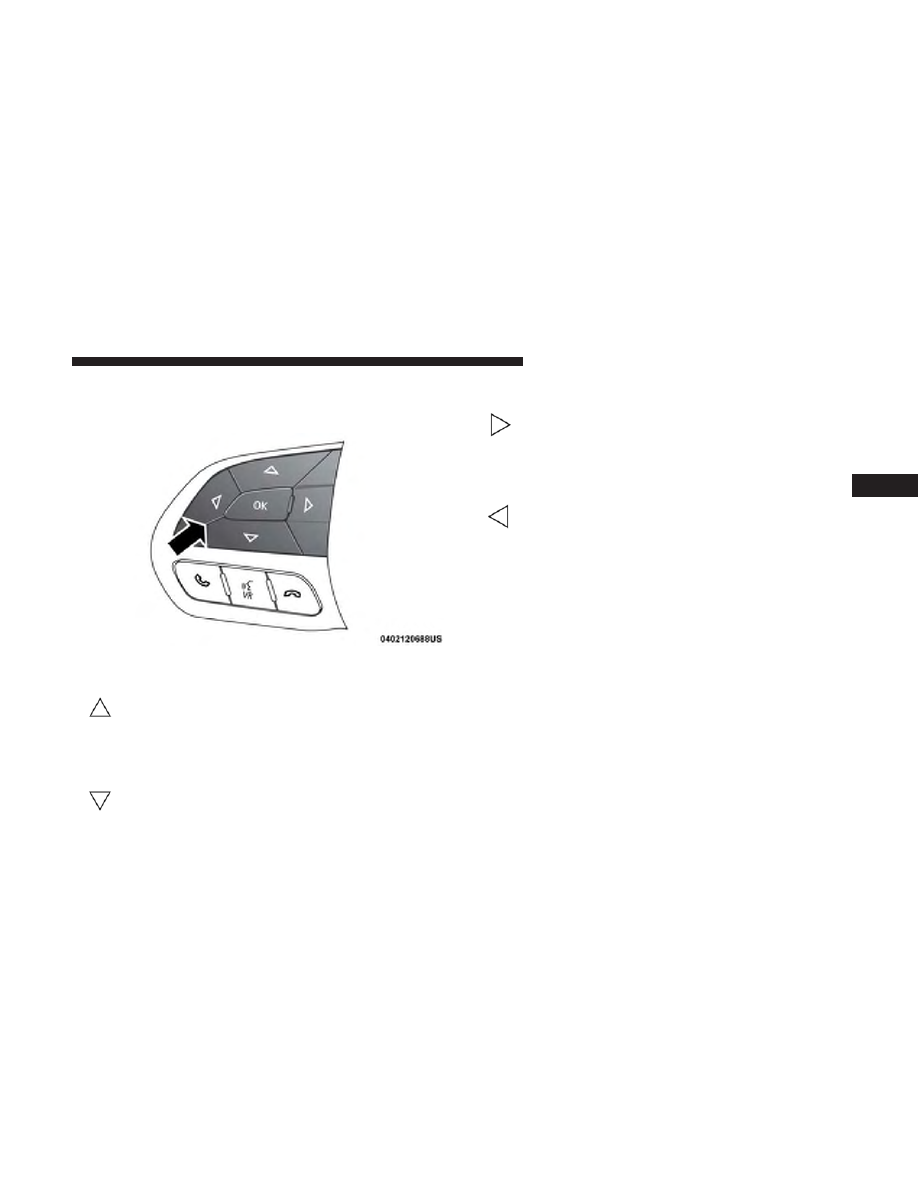
The system allows the driver to select information by
pushing the following buttons mounted on the steering
wheel:
• Up Arrow Button
Push and release the up arrow button to scroll
upward through the main menu.
• Down Arrow Button
Push and release the down arrow button to scroll
downward through the main menu.
• Right Arrow Button
Push and release the right arrow button to access
the information screens or submenu screens of a
main menu item.
• Left Arrow Button
Push the left arrow button to return to the main
menu from an info screen or submenu item.
• OK Button
Push the OK button to access/select the information
screens or submenu screens of a main menu item. Push and
hold the OK button for one second to reset displayed/
selected features that can be reset.
The instrument cluster display is located in the center
portion of the cluster and consist of multiple sections:
• Main Screen — The inner ring of the display will
illuminate in grey under normal conditions, yellow for
non critical warnings, red for critical warnings, and
white for on demand information.
• Submenu Dots — Whenever there are submenus avail-
able, the position within the submenus is shown here.
Instrument Cluster Display Control Buttons
4
GETTING TO KNOW YOUR INSTRUMENT PANEL
141