Chrysler Pacifica (2022 year). Manual in english - page 5
74
GETTING TO KNOW YOUR VEHICLE
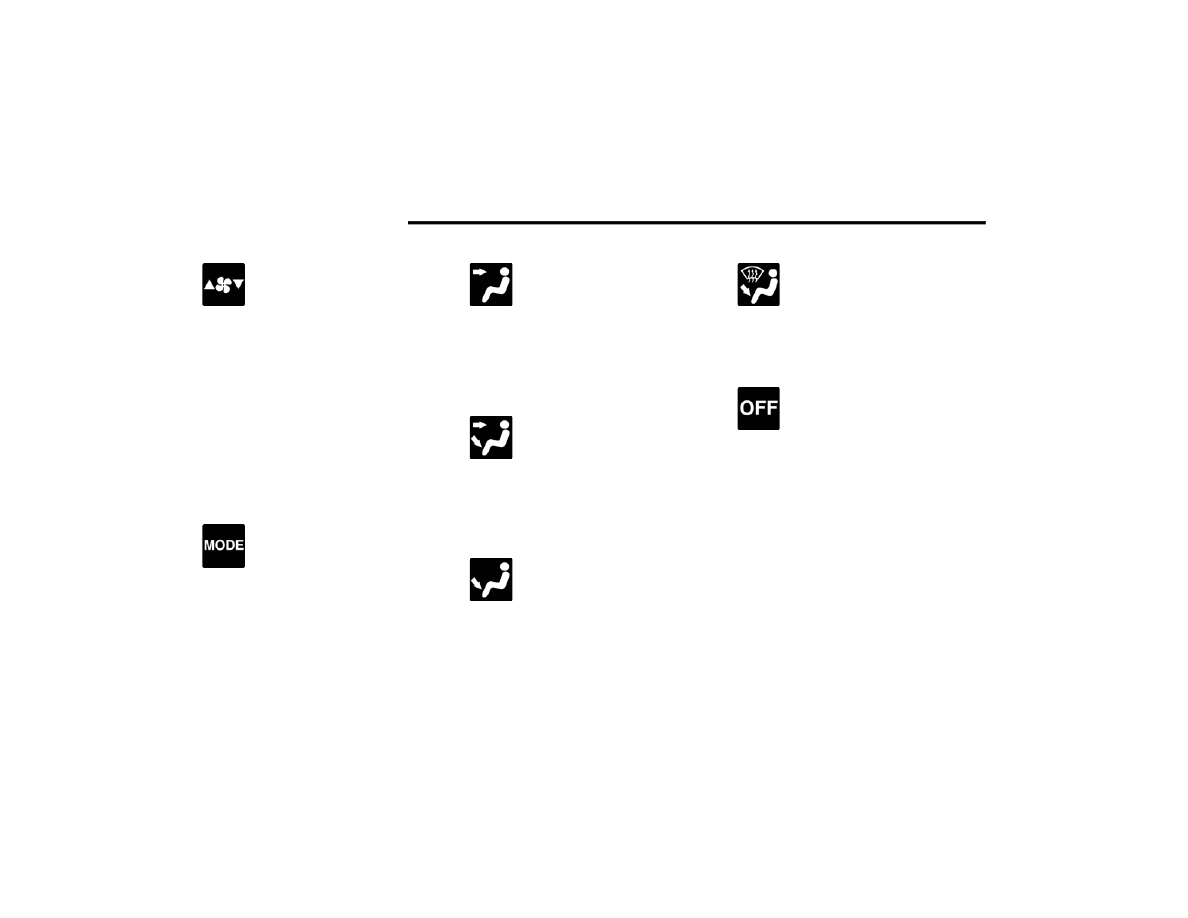
Blower Control
Blower Control regulates the amount of
air forced through the climate control
system. There are seven blower speeds
available. Adjusting the blower will cause
automatic mode to switch to manual operation.
The speeds can be selected using either the
blower control knob on the faceplate or the
buttons on the touchscreen.
Faceplate: The blower speed increases as you
turn the blower control knob clockwise from
the lowest blower setting. The blower speed
decreases as you turn the blower control knob
counterclockwise.
Touchscreen:Blower speed can be selected by
pressing the blower bar area between the icons.
Press the desired blower speed from 1-7.
Mode Control
The airflow distribution mode can be
adjusted so air comes from the
instrument panel outlets, floor outlets,
defrost outlets and demist outlets.
Faceplate: Push the button in the center of the
knob to change the airflow distribution mode.
Touchscreen: Select Mode by pressing one of the
Mode Buttons on the touchscreen.
Panel Mode
Air comes from the outlets in the
instrument panel. Each of these outlets
can be individually adjusted to direct the
flow of air. The air vanes of the center
outlets and outboard outlets can be moved up and
down or side to side to regulate airflow direction.
There is a shut-off wheel located below the air
vanes to shut off or adjust the amount of airflow
from these outlets.
Bi-Level Mode
Air comes from the instrument panel
outlets and floor outlets. A slight amount
of air is directed through the defrost and
side window demister outlets.
NOTE:
Bi-Level mode is designed under comfort condi
-
tions to provide cooler air out of the panel outlets
and warmer air from the floor outlets.
Floor Mode
Air comes from the floor outlets. A slight
amount of air is directed through the
defrost and side window demister
outlets.
Mix Mode
Air is directed through the floor, defrost,
and side window demister outlets. This
setting works best in cold or snowy
conditions that require extra heat to the
windshield. This setting is good for maintaining
comfort while reducing moisture on the
windshield.
Climate Control OFF Button
Press and release this button on the
touchscreen or push and release the
button on the faceplate to turn the
Climate Control ON/OFF.
Controlling The Rear Climate Controls
From The Front ATC Panel—If Equipped
The Three-Zone Automatic Temperature Control
(ATC) system allows for adjustment of the rear
climate controls from the front ATC panel.
To change the rear system settings:
Press the Rear Climate button on the touch
-
screen to display the rear climate controls.
Control functions now operate the rear system.
To return to the Front screen on the Uconnect
system, press the Front Climate or Done button
on the touchscreen.