Chrysler Pacifica (2022 year). Manual in english - page 2
26
GETTING TO KNOW YOUR VEHICLE
NOTE:
On the third attempt ALL doors will lock and the key
fob can be locked in the vehicle.
To Lock The Vehicle’s Doors And Liftgate
With one of the vehicle’s key fobs within 5 ft
(1.5 m) of the driver or passenger front door
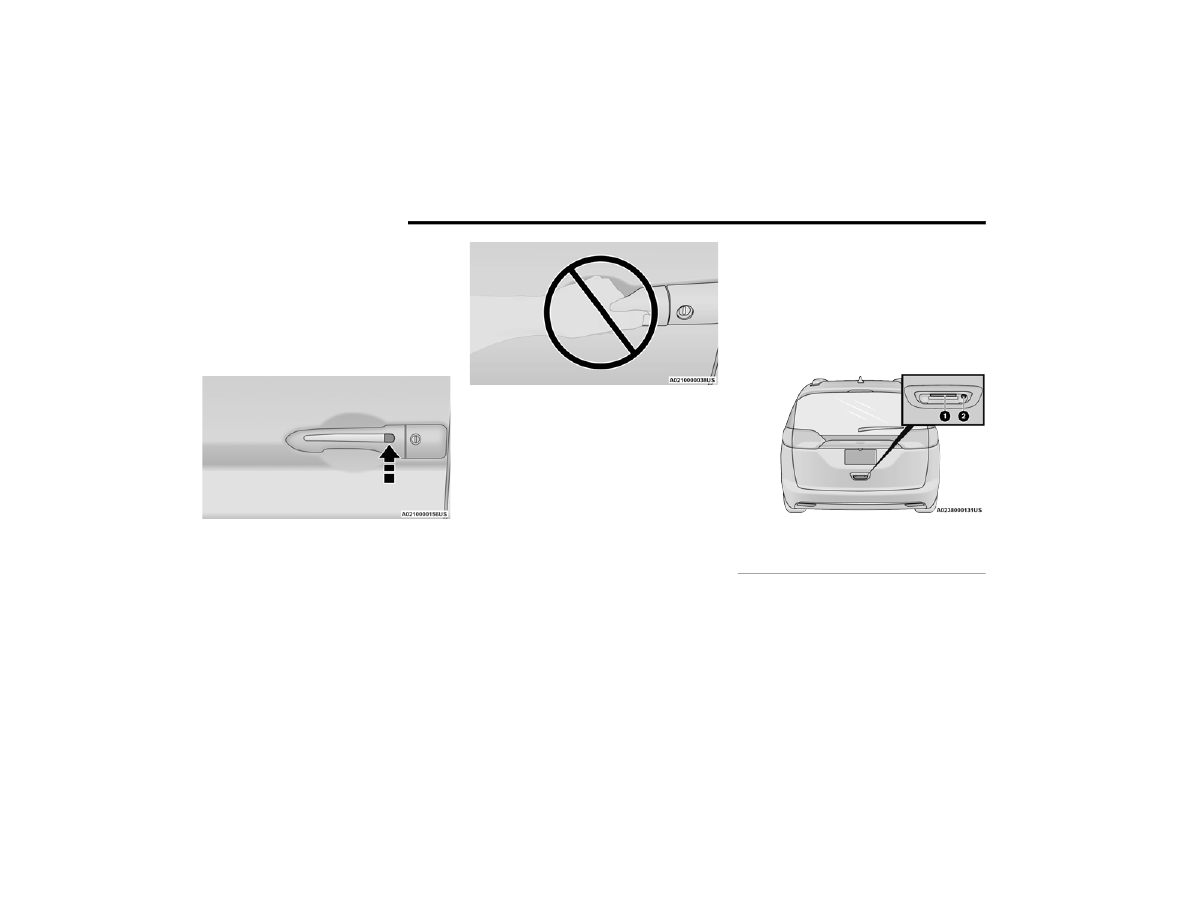
handle, push the door handle lock button to lock all
four doors and the liftgate.
Push The Door Handle Button To Lock
Do NOT grab the door handle when pushing the
door handle button. This could unlock the door(s).
Do NOT Grab The Door Handle When Locking
NOTE:
After pushing the door handle lock button, you
must wait two seconds before you can lock or
unlock the doors, using either Passive Entry
door handle. This is done to allow you to check
if the vehicle is locked by pulling the door
handle, without the vehicle unlocking.
If Passive Entry is disabled using the Uconnect
Settings, the key protection described in
"Frequency Operated Button Integrated Key
(FOBIK-Safe)" remains active/functional.
The Passive Entry system will not operate if the
key fob battery is depleted.
To Unlock/Enter The Liftgate
The liftgate Passive Entry unlock feature is built
into the electronic liftgate release button. With a
valid Passive Entry key fob within 5 ft (1.5 m) of the
liftgate, push the electronic liftgate release button
for a power open on vehicles equipped with Power
Liftgate. Pull the electronic liftgate handle and lift
for Manual Liftgate vehicles.
Electronic Liftgate
1 — Electronic Liftgate Release Handle
2 — Passive Entry Lock Button