Chrysler 300 (2022 year). Manual in english - page 1
 

  Index      Manuals     Chrysler 300 (2022 year). Manual in english


Search            copyright infringement  


Content      ..      1       2         ..


Chrysler 300 (2022 year). Manual in english - page 1


8  

SYMBOLS KEY

If you do not read this entire Owner’s Manual, you may miss important 

information. Observe all Cautions and Warnings.

VEHICLE MODIFICATIONS/ALTERATIONS  

SYMBOL GLOSSARY

Some car components have colored labels with symbols indicating 

precautions to be observed when using this component. It is important to 

follow all warnings when operating your vehicle. See below for the definition of 

each symbol  

Ú

page 76.

NOTE:

Warning and Indicator lights are different based upon equipment options and 

current vehicle status. Some telltales are optional and may not appear.

WARNING!

These statements are against operating 

procedures that could result in a collision, bodily 

injury and/or death.

CAUTION!

These statements are against procedures that 

could result in damage to your vehicle. 

NOTE:

A suggestion which will improve installation, 

operation, and reliability. If not followed, may 

result in damage.

TIP:

General ideas/solutions/suggestions on easier 

use of the product or functionality.

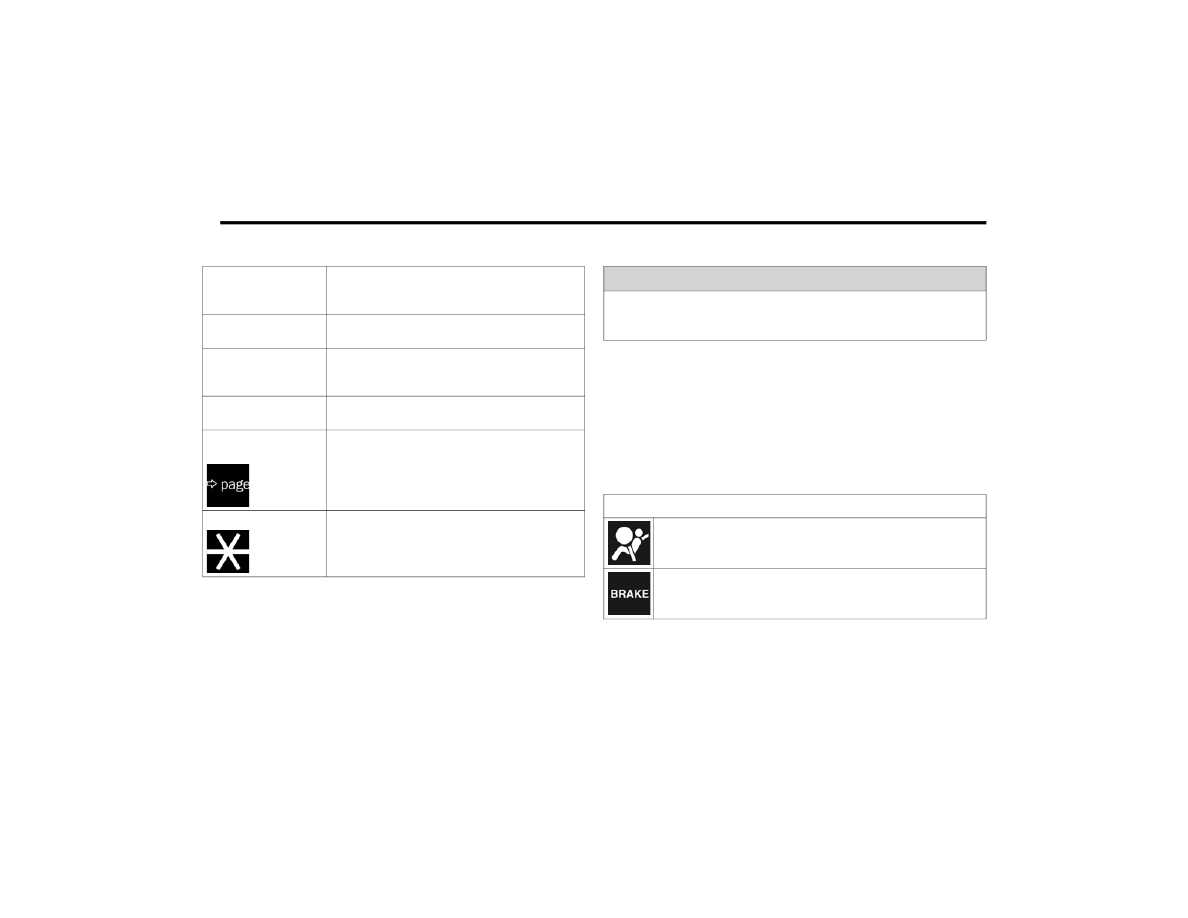
PAGE REFERENCE 

ARROW 

Follow this reference for additional information on 

a particular feature.

FOOTNOTE

Supplementary and relevant information 

pertaining to the topic. 

WARNING!

Any modifications or alterations to this vehicle could seriously affect its 

roadworthiness and safety and may lead to a collision resulting in serious 

injury or death.

Red Warning Lights

Air Bag Warning Light


Ú

page 77

Brake Warning Light


Ú

page 77

9

Battery Charge Warning Light


Ú

page 78

Door Open Warning Light


Ú

page 78

Electric Power Steering Fault Warning Light


Ú

page 78

Electronic Throttle Control (ETC) Warning Light


Ú

page 78

Engine Coolant Temperature Warning Light


Ú

page 78

Oil Pressure Warning Light


Ú

page 79

Oil Temperature Warning Light


Ú

page 79

Red Warning Lights

Seat Belt Reminder Warning Light


Ú

page 78

Transmission Temperature Warning Light


Ú

page 79

Trunk Open Warning Light


Ú

page 79

Vehicle Security Warning Light


Ú

page 79

Yellow Warning Lights

Engine Check/Malfunction Indicator Warning Light (MIL)


Ú

page 80

Electronic Stability Control (ESC) Active Warning Light


Ú

page 80

Red Warning Lights

1

10  

Electronic Stability Control (ESC) OFF Warning Light


Ú

page 80

Low Washer Fluid Warning Light


Ú

page 80

Tire Pressure Monitoring System (TPMS) Warning Light


Ú

page 81

Low Fuel Warning Light


Ú

page 80

Anti-Lock Brake System (ABS) Warning Light


Ú

page 79

Service Forward Collision Warning (FCW) Light


Ú

page 81

Yellow Warning Lights

Service AWD Warning Light


Ú

page 81

LaneSense Warning Light


Ú

page 80

Service LaneSense Warning Light


Ú

page 80

Service Adaptive Cruise Control Warning Light


Ú

page 79

Yellow Indicator Lights

Forward Collision Warning OFF Indicator Light


Ú

page 82

Yellow Warning Lights

11

Green Indicator Lights

Adaptive Cruise Control (ACC) Set With Target Vehicle Light


Ú

page 82

Adaptive Cruise Control (ACC) Set Without Target Vehicle Light


Ú

page 82

Cruise Control Set Indicator Light


Ú

page 82

Front Fog Indicator Light


Ú

page 82

LaneSense Indicator Light


Ú

page 83

Park/Headlight On Indicator Light


Ú

page 83

White Indicator Lights

Adaptive Cruise Control (ACC) Ready Light


Ú

page 83

Cruise Control Ready Indicator Light


Ú

page 83

Blue Indicator Lights

High Beam Indicator Light


Ú

page 83

1

12  

GETTING TO KNOW YOUR VEHICLE

KEYS 

K

EY

 F

OB

Your vehicle is equipped with a key fob which 

supports Passive Entry, Remote Keyless Entry 

(RKE), Keyless Enter ‘n Go™ (if equipped), Remote 

Start (if equipped), and remote trunk release. The 

key fob allows you to lock or unlock the doors and 

trunk from distances up to approximately 66 ft 

(20 m). The key fob does not need to be pointed at 

the vehicle to activate the system. The key fob also 

contains an emergency key, which is stored in the 

rear of the key fob.
NOTE:

The key fob’s wireless signal may be blocked if 

the key fob is located next to a mobile phone, 

laptop, or other electronic device. This may 

result in poor performance.

With ignition in the ON position and the vehicle 

moving at 2 mph (4 km/h), all RKE commands 

are disabled.

Key Fob

In case the ignition switch does not change with 

the push of a button, the key fob may have a low or 

fully depleted battery. A low key fob battery can be 

verified by referring to the instrument cluster, 

which will display directions to follow  

Ú

page 273.

To Lock/Unlock The Doors And Trunk

Push and release the unlock button on the key fob 

once to unlock the driver’s door, or twice within five 

seconds to unlock all the doors and the trunk. To 

lock all the doors and the trunk, push the lock 

button once.
When the doors are unlocked, the turn signals will 

flash and the illuminated entry system will be 

activated. When the doors are locked, the turn 

signals will flash and the horn will chirp.
NOTE:

If the vehicle is unlocked by Passive Entry and 

no door is opened within 60 seconds, the 

vehicle will relock and the Vehicle Security 

system (if equipped) will arm.

If one or more doors are open, or the trunk is 

open, the doors will lock. The doors will unlock 

automatically if the key fob is left inside the 

passenger compartment, otherwise the doors 

will stay locked.

1 — Unlock
2 — Trunk Open
3 — Lock
4 — Remote Start
5 — PANIC Button
6 — Emergency Key

GETTING TO KNOW YOUR VEHICLE

13

All doors can be programmed to unlock on the first 

push of the unlock button through Uconnect 

Settings  

Ú

page 129.

NOTE:

When you use the key fob to open any door, the 

courtesy lights, overhead lights, and approach 

lighting in the outside mirrors (if equipped) will turn 

on.

Key Left Vehicle Feature

If a valid key fob is no longer detected inside the 

vehicle while the vehicle’s ignition system is in the 

ON/RUN or START position, the message “Key Left 

Vehicle” will be shown in the instrument cluster 

display along with an interior chime. An exterior 

audible and visual alert will also be activated to 

warn the driver.
The vehicle’s horn will rapidly chirp three times 

along with a single flash of the vehicle’s exterior 

lights.
NOTE:

The doors have to be open and then closed in 

order for the vehicle to check for the presence of 

a key fob; the Key Left Vehicle feature will not 

activate until all of the doors are closed.

These alerts will not be activated in situations 

where the vehicle’s engine is left running with 

the key fob inside.

To Unlatch The Trunk

Push the trunk button on the key fob two times 

within five seconds to unlatch the trunk.

Replacing The Battery In The Key Fob 

The recommended replacement battery is one 

CR2032 battery.
NOTE:

Customers are recommended to use a battery 

obtained from Mopar®. Aftermarket coin 

battery dimensions may not meet the original 

OEM coin battery dimensions.

Perchlorate Material — special handling may 

apply. See 

www.dtsc.ca.gov/hazard

-

ouswaste/perchlorate for further information.

Do not touch the battery terminals that are on 

the back housing or the printed circuit board.

1. Remove the emergency key (2) by sliding the 

emergency key release (1) on the back of the 

key fob and pulling the emergency key out 

with your other hand.

Emergency Key Removal

1 — Emergency Key Release Button
2 — Emergency Key

2

14

GETTING TO KNOW YOUR VEHICLE


2. Separate the key fob halves using a #2 flat 

blade screwdriver or a coin, and gently pry the 

two halves of the key fob apart. Make sure not 

to damage the seal during removal.

Separating Case With A Coin

Key Fob Battery Replacement

3. Remove the back cover to access and replace 

the battery. When replacing the battery, match 

the (+) sign on the battery to the (+) sign on the 

inside of the battery clip, located on the back 

cover. Avoid touching the new battery with your 

fingers. Skin oils may cause battery deterio

-

ration. If you touch a battery, clean it with 

rubbing alcohol.

4. To assemble the key fob case, snap the two 

halves together.

Programming And Requesting Additional 

Key Fobs  

Programming the key fob may be performed by an 

authorized dealer.
NOTE:

Once a key fob is programmed to a vehicle, it 

cannot be repurposed and reprogrammed to 

another vehicle.

Only key fobs that are programmed to the 

vehicle electronics can be used to start and 

operate the vehicle. Once a key fob is 

programmed to a vehicle, it cannot be 

programmed to any other vehicle.

WARNING!

The integrated key fob contains a coin cell 

battery. Do not ingest the battery; there is a 

chemical burn hazard. If the coin cell battery is 

swallowed, it can cause severe internal burns 

in just two hours and can lead to death.

If you think a battery may have been swal

-

lowed or placed inside any part of the body, 

seek immediate medical attention.

Keep new and used batteries away from chil

-

dren. If the battery compartment does not 

close securely, stop using the product and 

keep it away from children.

WARNING!

Always remove the key fobs from the vehicle 

and lock all doors when leaving the vehicle 

unattended.

Always remember to place the Keyless Enter 

‘n Go™ Ignition in the OFF position.

GETTING TO KNOW YOUR VEHICLE

15

Duplication of key fobs may be performed at an 

authorized dealer. This procedure consists of 

programming a blank key fob to the vehicle 

electronics. A blank key fob is one that has never 

been programmed.
NOTE:

When having the Sentry Key Immobilizer system 

serviced, bring all vehicle keys with you to an 

authorized dealer.

Keys must be ordered to the correct key cut to 

match the vehicle locks.

SENTRY KEY

The Sentry Key Immobilizer system prevents 

unauthorized vehicle operation by disabling the 

engine. The system does not need to be armed or 

activated. Operation is automatic, regardless of 

whether the vehicle is locked or unlocked.
The system uses a key fob, keyless push button 

ignition and a Radio Frequency (RF) receiver to 

prevent unauthorized vehicle operation. Therefore, 

only key fobs that are programmed to the vehicle 

can be used to start and operate the vehicle. The 

system cannot reprogram a key fob obtained from 

another vehicle.

After placing the ignition in the ON/RUN position, 

the Vehicle Security Light will turn on for three 

seconds for a bulb check. If the light remains on 

after the bulb check, it indicates that there is a 

problem with the electronics. In addition, if the light 

begins to flash after the bulb check, it indicates 

that someone attempted to start the engine with 

an invalid key fob. In the event that a valid key fob 

is used to start the engine but there is an issue 

with the vehicle electronics, the engine will start 

and shut off after two seconds.
If the Vehicle Security Light turns on during normal 

vehicle operation (vehicle running for longer than 

10 seconds), it indicates that there is a fault in the 

electronics. Should this occur, have the vehicle 

serviced as soon as possible by an authorized 

dealer.

All of the key fobs provided with your new vehicle 

have been programmed to the vehicle electronics  

Ú

page 273.

NOTE:

A key fob that has not been programmed is also 

considered an invalid key.

IGNITION SWITCH  

K

EYLESS

 E

NTER

 ‘

N

 G

O

™ I

GNITION

This feature allows the driver to operate the 

ignition switch with the push of a button as long as 

the key fob is in the passenger compartment.
The START/STOP ignition button has several 

operating modes that are labeled and will 

illuminate when in position. These modes are OFF, 

ACC, ON/RUN, and START.

START/STOP Ignition Button

CAUTION!

The Sentry Key Immobilizer system is not 

compatible with some aftermarket Remote Start 

systems. Use of these systems may result in 

vehicle starting problems and loss of security 

protection.

1 — OFF
2 — ACC
3 — ON/RUN

2

16

GETTING TO KNOW YOUR VEHICLE


(Continued)

The push button ignition can be placed in the 

following modes:
OFF 

The engine is stopped.

Some electrical devices (e.g. power locks, 

alarm, etc.) are still available.

ACC

Engine is not started.

Some electrical devices are available (e.g. 

power windows).

ON/RUN 

Driving position.

All electrical devices are available (e.g. climate 

controls, etc.).

START 

The engine will start (when brake pedal is 

pressed).

NOTE:

If the ignition switch does not change the mode by 

pushing the button, the key fob may have a low or 

depleted battery. In this situation, a back up 

method can be used to operate the ignition switch. 

Put the nose side (side opposite of the emergency 

key) of the key fob against the START/STOP 

ignition button and push to operate the ignition 

switch.

Depleted Key Fob Battery Procedure

NOTE:

When opening the driver's door with the ignition 

in ON/RUN (engine not running), a chime will 

sound to remind you to place the ignition in the 

OFF position. In addition to the chime, the 

message will display “Ignition Or Accessory On” 

in the cluster.

For more information on normal engine starting 

procedures, see  

Ú

page 86.

WARNING!

When exiting the vehicle, always remove the 

key fob from the vehicle and lock your vehicle.

Never leave children alone in a vehicle, or with 

access to an unlocked vehicle.

Allowing children to be in a vehicle unattended 

is dangerous for a number of reasons. A child 

or others could be seriously or fatally injured. 

Children should be warned not to touch the 

parking brake, brake pedal or the gear 

selector.

Do not leave the key fob in or near the vehicle, 

or in a location accessible to children, and do 

not leave the ignition of a vehicle equipped 

with Keyless Enter ‘n Go™ in the ON/RUN 

position. A child could operate power 

windows, other controls, or move the vehicle.

Do not leave children or animals inside parked 

vehicles in hot weather. Interior heat buildup 

may cause serious injury or death.

CAUTION!

An unlocked vehicle is an invitation for thieves. 

Always remove key fob from the vehicle and lock 

all doors when leaving the vehicle unattended.

WARNING!

GETTING TO KNOW YOUR VEHICLE

17

(Continued)

REMOTE START — IF EQUIPPED

This system uses the key fob to start the 

engine conveniently from outside the 

vehicle while still maintaining security.
Remote Start is used to defrost windows 

in cold weather, and to reach a comfortable 

climate in all ambient conditions before the driver 

enters the vehicle.
NOTE:

Obstructions between the vehicle and key fob may 

reduce this range  

Ú

page 273.

H

OW

 T

O

 U

SE

 R

EMOTE

 S

TART

Push and release the Remote Start button on the 

key fob twice within five seconds. The vehicle 

doors will lock, the parking lights will flash, and the 

horn will chirp twice (if programmed through the 

Uconnect Settings). Then, the engine will start, and 

the vehicle will remain in the Remote Start mode 

for a 15 minute cycle. Pushing the Remote Start 

button a third time shuts the engine off.
To drive the vehicle, push the unlock button, and 

with a valid Keyless Enter ‘n Go™ key fob in the 

vehicle, press the brake pedal and place the 

ignition in the ON/RUN position.
NOTE:

With Remote Start, the engine will only run for 

15 minutes.

If an engine fault is present or fuel level is low, 

the vehicle will start and then shut down in 10 

seconds.

The parking lights will turn on and remain on 

during Remote Start mode.

For security, power window operation is 

disabled when the vehicle is in the Remote Start 

mode.

Remote Start can only be used twice. The igni

-

tion must be placed in the ON/RUN position 

before the Remote Start sequence can be 

repeated for a third cycle.

All of the following conditions must be met before 

the engine will remote start:

Gear selector in PARK

Doors closed

Hood closed

Trunk closed

Hazard switch off

Brake switch inactive (brake pedal not pressed)

Battery at an acceptable charge level

PANIC button not pushed

System not disabled from previous Remote 

Start event

Vehicle Security Light is flashing

Ignition in OFF position

Fuel level meets minimum requirement

Vehicle Security system is not signaling an intrusion

Malfunction Indicator Light is not illuminated

WARNING!

Do not start or run an engine in a closed 

garage or confined area. Exhaust gas contains 

Carbon Monoxide (CO) which is odorless and 

colorless. Carbon Monoxide is poisonous and 

can cause serious injury or death when 

inhaled.

Keep key fobs away from children. Operation 

of the Remote Start system, windows, door 

locks or other controls could cause serious 

injury or death.

WARNING!

Do not start or run an engine in a closed garage 

or confined area. Exhaust gas contains Carbon 

Monoxide (CO) which is odorless and colorless. 

Carbon Monoxide is poisonous and can cause 

serious injury or death when inhaled.

2

18

GETTING TO KNOW YOUR VEHICLE


T

O

 E

XIT

 R

EMOTE

 S

TART

 M

ODE


To drive the vehicle after starting the Remote Start 

system, either push and release the unlock button 

on the key fob to unlock the doors, or unlock the 

vehicle using Keyless Enter ‘n Go™ — Passive Entry 

via the door handles, and disarm the Vehicle 

Security system (if equipped). Then, prior to the 

end of the 15 minute cycle, push and release the 

START/STOP ignition button.
The Remote Start system will turn the engine off 

with another push and release of the Remote Start 

button on the key fob, or if the engine is allowed to 

run for the entire 15 minute cycle. Once the 

ignition is placed in the ON/RUN position, the 

climate controls will resume the previously set 

operations (temperature, blower control, etc.).
NOTE:

To avoid unintentional shutdowns, the system 

will disable for two seconds after receiving a 

valid Remote Start request.

For vehicles equipped with the Keyless Enter ‘n 

Go™ — Passive Entry feature, the message 

“Remote Start Active — Push Start Button” will 

display in the instrument cluster display until 

you push the START/STOP ignition button.

R

EMOTE

 S

TART

 F

RONT

 D

EFROST


A

CTIVATION

 — I

F

 E

QUIPPED

When Remote Start is active, and the outside 

ambient temperature is 40°F (4.5°C) or below, the 

system will automatically activate front defrost for 

15 minutes or less. The time is dependent on the 

ambient temperature. Once the timer expires, the 

system will automatically adjust the settings 

depending on ambient conditions. See “Remote 

Start Comfort Systems — If Equipped” in the next 

section for detailed operation.

R

EMOTE

 S

TART

 C

OMFORT

 S

YSTEMS

 — 

I

F

 E

QUIPPED

When Remote Start is activated, the front and rear 

defrost will automatically turn on in cold weather. 

The heated steering wheel and driver heated seat 

feature will turn on if selected in the comfort menu 

screen within Uconnect Settings  

Ú

page 129. In 

warm weather, the driver vented seat feature will 

turn on when Remote Start is activated, if 

programmed in the Comfort menu screen. The 

vehicle will adjust the climate control settings 

depending on the outside ambient temperature.

Automatic Temperature Control (ATC) — 

If Equipped
The climate controls will be automatically adjusted 

to the optimal temperature and mode settings 

depending on the outside ambient temperature. 

This will occur until the ignition is placed in the ON/

RUN position where the climate controls will 

resume their previous settings.
Manual Temperature Control (MTC) — If Equipped

In ambient temperatures at 40°F (4.5°C) or 

below, the climate settings will default to 

maximum heat, with fresh air entering the 

cabin. If the front defrost timer expires, the 

vehicle will enter Mix Mode.

In ambient temperatures from 40°F (4.5°C) to 

78°F (26°C), the climate settings will be based 

on the last settings selected by the driver.

In ambient temperatures at 78°F (26°C) or 

above, the climate settings will default to MAX 

A/C, Bi-Level Mode, with Recirculation on.

For more information on ATC, MTC, and climate 

control settings, see  

Ú

page 52.

Keep key fobs away from children. Operation 

of the Remote Start system, windows, door 

locks or other controls could cause serious 

injury or death.

WARNING!

GETTING TO KNOW YOUR VEHICLE

19

NOTE:

These features will stay on through the duration of 

Remote Start until the ignition is placed in the ON/

RUN position. The climate control settings will 

change if manually adjusted by the driver while the 

vehicle is in Remote Start mode, and exit auto

-

matic override. This includes the OFF button on the 

climate controls, which will turn the system off.

R

EMOTE

 S

TART

 W

INDSHIELD

 W

IPER


D

E

–I

CER

 A

CTIVATION

 — I

F

 E

QUIPPED

When Remote Start is active and the outside 

ambient temperature is less than 33°F (0.6°C), 

the Windshield Wiper De-Icer will activate. Exiting 

Remote Start will resume its previous operation. If 

the Windshield Wiper De-Icer was active, the timer 

and operation will continue.

R

EMOTE

 S

TART

 C

ANCEL

 M

ESSAGE

The following messages will display in the 

instrument cluster display if the vehicle fails to 

remote start or exits Remote Start prematurely:

Remote Start Aborted — Door Open

Remote Start Aborted — Hood Open

Remote Start Aborted — Fuel Low

Remote Start Aborted — Trunk Open

Remote Start Disabled — Start Vehicle To Reset

Remote Start Aborted — Too Cold

Remote Start Aborted — Time Expired

The instrument cluster display message stays 

active until the ignition is placed in the ON/RUN 

position

VEHICLE SECURITY SYSTEM — IF EQUIPPED   

The Vehicle Security system monitors the vehicle 

doors, hood, trunk, and the Keyless Enter ‘n Go™ 

Ignition for unauthorized operation. While the 

Vehicle Security system is armed, interior switches 

for door locks and trunk release are disabled. If 

something triggers the alarm, the Vehicle Security 

system will provide the following audible and 

visible signals:

The horn will pulse

The turn signals will flash

The Vehicle Security Light in the instrument 

cluster will flash

T

O

 A

RM

 T

HE

 S

YSTEM

Follow these steps to arm the Vehicle Security 

system:
1. Make sure the vehicle’s ignition is placed in 

the OFF position.

2. Perform one of the following methods to lock 

the vehicle: 

Push lock on the interior power door lock 

switch with the driver and/or passenger 

door open.

Push the lock button on the exterior Passive 

Entry door handle with a valid key fob avail

-

able in the same exterior zone  

Ú

page 23.

Push the lock button on the key fob.

3. If any doors are open, close them.

T

O

 D

ISARM

 T

HE

 S

YSTEM

The Vehicle Security system can be disarmed using 

any of the following methods:

Push the unlock button on the key fob.

Grab the Passive Entry door handle to unlock 

the door  

Ú

page 23.

Cycle the ignition out of the OFF position to 

disarm the system.

2

20

GETTING TO KNOW YOUR VEHICLE


NOTE:

The driver's door key cylinder and the trunk 

button on the key fob cannot arm or disarm the 

Vehicle Security system. Use of the door key 

cylinder when the system is armed will sound 

the alarm when the door is opened.

If Passive Entry (if equipped) is used to unlock 

the trunk, the Vehicle Security system is 

disarmed and the rest of the vehicle doors will 

remain locked unless all doors are set to unlock 

on first press within Uconnect Settings.

When the Vehicle Security system is armed, the 

interior power door lock switches will not unlock 

the doors.

The Vehicle Security system is designed to protect 

your vehicle. However, you can create conditions 

where the system will give you a false alarm. If one 

of the previously described arming sequences has 

occurred, the Vehicle Security system will arm, 

regardless of whether you are in the vehicle or not. 

If you remain in the vehicle and open a door, the 

alarm will sound. If this occurs, disarm the Vehicle 

Security system.
If the Vehicle Security system is armed and the 

battery becomes disconnected, the Vehicle 

Security system will remain armed when the 

battery is reconnected; the exterior lights will flash, 

and the horn will sound. If this occurs, disarm the 

Vehicle Security system.

R

EARMING

 O

F

 T

HE

 S

YSTEM

If something triggers the alarm and no action is 

taken to disarm it, the Vehicle Security system will 

turn the horn off after a 29 second cycle (with five 

seconds between cycles and up to eight cycles if 

the trigger remains active) and then rearm itself.

S

ECURITY

 S

YSTEM

 M

ANUAL

 O

VERRIDE

The Vehicle Security system will not arm if you lock 

the doors using the manual door lock.

T

AMPER

 A

LERT

If something has triggered the Vehicle Security 

system in your absence, the horn will sound three 

times and the exterior lights will blink three times 

when you disarm the Vehicle Security system.

DELUXE VEHICLE SECURITY SYSTEM — 

IF EQUIPPED 

The Deluxe Vehicle Security system monitors the 

doors, hood latch, and trunk for unauthorized entry 

and the ignition switch for unauthorized operation. 

The system also includes a dual function intrusion 

sensor and vehicle tilt sensor. The intrusion sensor 

monitors the vehicle interior for motion. The 

vehicle tilt sensor monitors the vehicle for any 

tilting actions (tow away, tire removal, ferry 

transport, etc.).

If a perimeter violation triggers the security system, 

the horn will sound for 29 seconds and the exterior 

lights will flash followed by approximately five 

seconds of no activity. This will continue for eight 

cycles if no action is taken to disarm the system.

T

O

 A

RM

 T

HE

 S

YSTEM

Follow these steps to arm the security system:
1. Make sure the vehicle ignition system is OFF.
2. Perform one of the following methods to lock 

the vehicle:

Push lock on the interior power door lock 

switch with the driver and/or passenger 

door open.

Push the lock button on the exterior Passive 

Entry door handle with a key fob available in 

the same exterior zone  

Ú

page 23.

Push the lock button on the key fob.

3. If any doors, windows, or the sunroof (if 

equipped) are open, close them.

NOTE:

When armed, the interior motion sensor detects 

movement within the vehicle's interior, 

including moving objects (i.e. people and pets) 

and air currents through open windows or the 

sunroof. The windows and sunroof should be 

GETTING TO KNOW YOUR VEHICLE

21

closed, and moving objects should not be left in 

the vehicle when the intrusion detection is 

armed, otherwise false alarms can occur.

Once the security system is armed, it remains in 

that state until you disarm it by following either 

of the disarming procedures described. If a 

power loss occurs after arming the system, you 

must disarm the system after restoring power to 

prevent alarm activation.

The ultrasonic intrusion sensor (motion 

detector) actively monitors your vehicle every 

time you arm the Vehicle Security system. If you 

prefer, you can turn off the ultrasonic intrusion 

sensor when arming the Vehicle Security 

system. To do so, push the lock button on the 

key fob three times within 15 seconds of arming 

the system (while the Vehicle Security Light is 

flashing rapidly). The vehicle will remain locked 

but disable the alarm in the case of repeated 

false alarms due to ambient conditions.

T

O

 D

ISARM

 T

HE

 S

YSTEM

The Vehicle Security system can be disarmed using 

any of the following methods:

Push the unlock button on the key fob.

Grab the Passive Entry door handle to unlock 

the door  

Ú

page 23.

Cycle the vehicle ignition system out of the OFF 

position by pushing the START/STOP ignition 

button (requires at least one valid key fob in the 

vehicle).

NOTE:

The driver's door key cylinder and the trunk 

button on the key fob cannot arm or disarm the 

Vehicle Security system.

The Vehicle Security system remains armed 

during power trunk entry. If a valid key fob or key 

fob passive entry is used to open the trunk, the 

motion sensing will be suppressed until after 

the trunk is closed. If someone enters the 

vehicle through the trunk and opens any door, 

the alarm will sound.

When the Vehicle Security system is armed, the 

interior power door lock switches will not unlock 

the doors.

The ultrasonic intrusion sensor (motion 

detector) actively monitors your vehicle every 

time you arm the Vehicle Security system. If you 

prefer, you can turn off the ultrasonic intrusion 

sensor when arming the Vehicle Security 

system. To do so, push the lock button on the 

key fob three times within 15 seconds of arming 

the system (while the Vehicle Security Light is 

flashing rapidly). The vehicle will remain locked 

but disable the alarm in the case of repeated 

false alarms due to ambient conditions.

The Vehicle Security system is designed to protect 

your vehicle; however, you can create conditions 

where the system will give you a false alarm. If one 

of the previously described arming sequences has 

occurred, the Vehicle Security system will arm 

regardless of whether you are in the vehicle or not. 

If you remain in the vehicle and open a door, the 

alarm will sound. If this occurs, disarm the Vehicle 

Security system.
If the Vehicle Security system is armed and the 

battery becomes disconnected, the Vehicle 

Security system will remain armed when the 

battery is reconnected; the exterior lights will flash 

and the horn will sound. If this occurs, disarm the 

Vehicle Security system.

S

ECURITY

 S

YSTEM

 M

ANUAL

 O

VERRIDE

The Vehicle Security system will not arm if you lock 

the doors using the manual door lock.

2

22

GETTING TO KNOW YOUR VEHICLE


DOORS 

M

ANUAL

 D

OOR

 L

OCKS

The power door locks can be manually locked from 

inside the vehicle by using the door lock knob. To 

lock each door, push the door lock knob on each 

door trim panel downward. To unlock the front 

doors, pull the inside door handle to the first 

detent. To unlock the rear doors, pull the door lock 

knob on the door trim panel upward. If the lock 

knob is down when the door is closed, the door will 

lock. Make sure the key fob is not inside the 

vehicle before closing the door.

Door Lock Knob

NOTE:

Manually locking the vehicle will not arm the 

Vehicle Security system.

P

OWER

 D

OOR

 L

OCKS


The power door lock switches are located on each 

front door panel. Push the switch to lock or unlock 

the doors.

Power Door Lock Switches

The driver’s door will unlock automatically if the 

keys are detected inside the vehicle when the door 

lock button on the front door panel is used to lock 

the door. This will occur for two attempts. Upon the 

third attempt, the doors will lock even if the key is 

inside.
NOTE:

If the key fob is located next to a mobile phone, 

laptop, or other electronic device, the wireless 

signal may get blocked, and the driver’s door may 

not unlock automatically.

WARNING!

For personal security and safety in the event 

of a collision, lock the vehicle doors before you 

drive as well as when you park and leave the 

vehicle.

When exiting the vehicle, always make sure 

the Keyless Enter ‘n Go™ Ignition is placed in 

the OFF position, remove the key fob from the 

vehicle and lock your vehicle.

Never leave children alone in a vehicle, or with 

access to an unlocked vehicle. Allowing chil

-

dren to be in a vehicle unattended is 

dangerous for a number of reasons. A child or 

others could be seriously or fatally injured. 

Children should be warned not to touch the 

parking brake, brake pedal or the gear 

selector.

Do not leave the key fob in or near the vehicle, 

or in a location accessible to children, and do 

not leave the ignition of a vehicle equipped 

with Keyless Enter ‘n Go™ Ignition in the ACC 

or ON/RUN position. A child could operate 

power windows, other controls, or move the 

vehicle.

GETTING TO KNOW YOUR VEHICLE

23

If the door lock switch is pushed while the ignition 

is in ACC or ON/RUN and the driver's door is open, 

the doors will not lock.
If a rear door is locked, it cannot be opened from 

inside the vehicle without first unlocking the door. 

The door may be unlocked manually by raising the 

lock knob.

K

EYLESS

 E

NTER

 ‘

N

 G

O

™ — P

ASSIVE


E

NTRY


The Passive Entry system is an enhancement to 

the vehicle’s key fob and a feature of Keyless Enter 

‘n Go™. This feature allows you to lock and unlock 

the vehicle’s door(s) without having to push the key 

fob lock or unlock buttons.
NOTE:

Passive Entry may be programmed on/off 

through Uconnect Settings  

Ú

page 129.

The key fob may not be able to be detected by the 

vehicle Passive Entry system if it is located next to 

a mobile phone, laptop or other electronic device; 

these devices may block the key fob’s wireless 

signal and prevent the Passive Entry handle from 

locking/unlocking the vehicle.

Passive Entry Unlock initiates illuminated approach 

(low beams, license plate lamp, position lamps) for 

whichever time duration is set between 0, 30, 60 or 

90 seconds. Passive Entry Unlock also initiates two 

flashes of the turn signal lamps.

If wearing gloves, or if it has been raining/

snowing on the Passive Entry door handle, the 

unlock sensitivity can be affected, resulting in a 

slower response time.

If the vehicle is unlocked by Passive Entry and 

no door is opened within 60 seconds, the 

vehicle will relock and (if equipped) will arm the 

Vehicle Security system.

To Unlock From The Driver Or Passenger Side
With a Passive Entry key fob within 5 ft (1.5 m) of 

the door handle, grab the handle to unlock the 

vehicle. Grabbing the driver’s door handle will 

unlock the driver door automatically. Grabbing the 

passenger door handle will unlock both doors 

automatically.

Grab The Door Handle To Unlock

NOTE:

Either the driver door only or all doors will unlock 

when you grab hold of the front driver’s door 

handle, depending on the selected setting in the 

Uconnect system  

Ú

page 129.

All doors will unlock when the front passenger 

door handle is grabbed regardless of the 

driver’s door unlock preference setting.

Frequency Operated Button Integrated Key 

(FOBIK-Safe)
To minimize the possibility of unintentionally 

locking a Passive Entry key fob inside your vehicle, 

the Passive Entry system is equipped with an 

automatic door unlock feature which will function if 

the ignition is in the OFF position.
There are three situations that trigger a 

FOBIK-Safe search in any Passive Entry vehicle.
1. A lock request is made by a valid Passive 

Entry key fob while a door is open.

2. A lock request is made by the Passive Entry 

door handle while a door is open.

3. A lock request is made by the door panel 

switch while the door is open.

When any of these situations occur, after all open 

doors are shut, the FOBIK-Safe search will be 

executed. If it detects a Passive Entry key fob 

inside the vehicle, the vehicle will unlock and alert 

the customer.

2


Content      ..      1       2         ..


///////////////////////////////////////