Acura TLX (2021 year). Manual in english - page 14
221
uu
Audio System Basic Operation
u
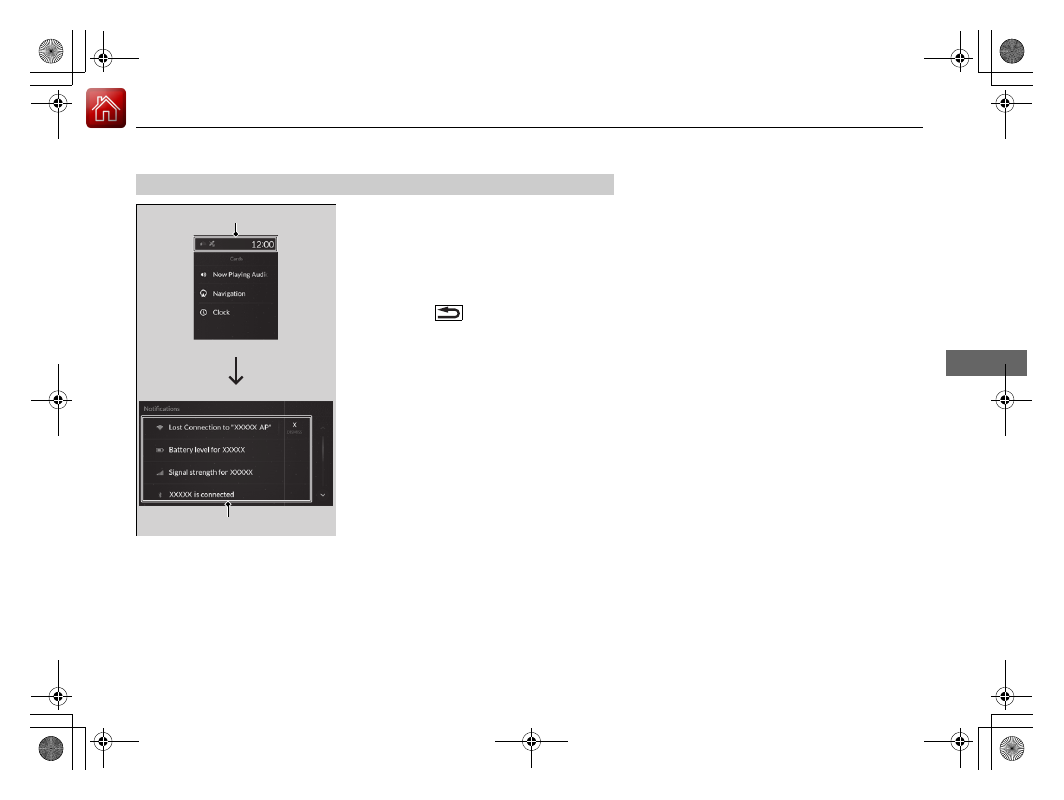
Audio/Information Screen
Continued
Features
1.
Select the system status area, then press
B-zone touchpad.
u
The status items will appear in the
A-zone.
2.
Select an item to see the details.
u
Select
Dismiss
to delete the detail.
u
Press the
(back) button or select
status area again to close the status list.
■
Status Area
System Status Area
Status Items