Acura ILX (2021 year). Manual in english - page 7
110
Co
ntrols
Clock
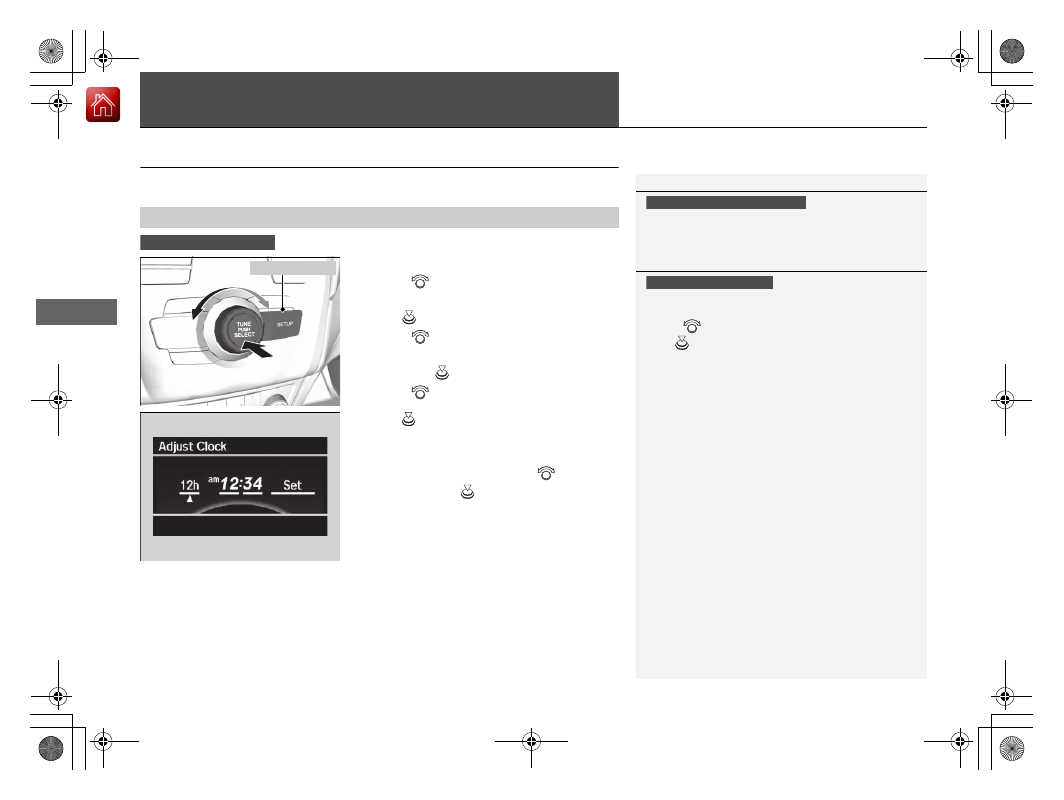
Adjusting the Clock
You can adjust the time in the clock display with the power mode in ON.
1.
Press the
SETUP
button.
2.
Rotate
to select
Adjust Clock
on the
screen.
3.
Press .
Adjust Clock
appears.
4.
Rotate
to select the item you want to
adjust (12/24 hour mode, hour, minute).
Then press
.
5.
Rotate
to make the adjustment.
6.
Press
to enter your selection. The display
returns to
Adjust Clock
. Repeat steps 4 to
6 to adjust other items.
7.
To enter the selection, rotate
and select
Set
, then press
.
■
Adjusting the Time
1
The clock is automatically updated through the audio
system.
Models with navigation system
1
These indications are used to show how to operate
the selector knob.
Rotate
to select.
Press
to enter.
Models with one display
Models with one display
SETUP
Button