Acura MDX HYBRID (2020 year). Manual in english - page 25
400
uu
Bluetooth
®
HandsFreeLink
®
u
HFL Menus
Features
HFL Menus
The power mode must be in ACCESSORY or ON to use HFL.
■
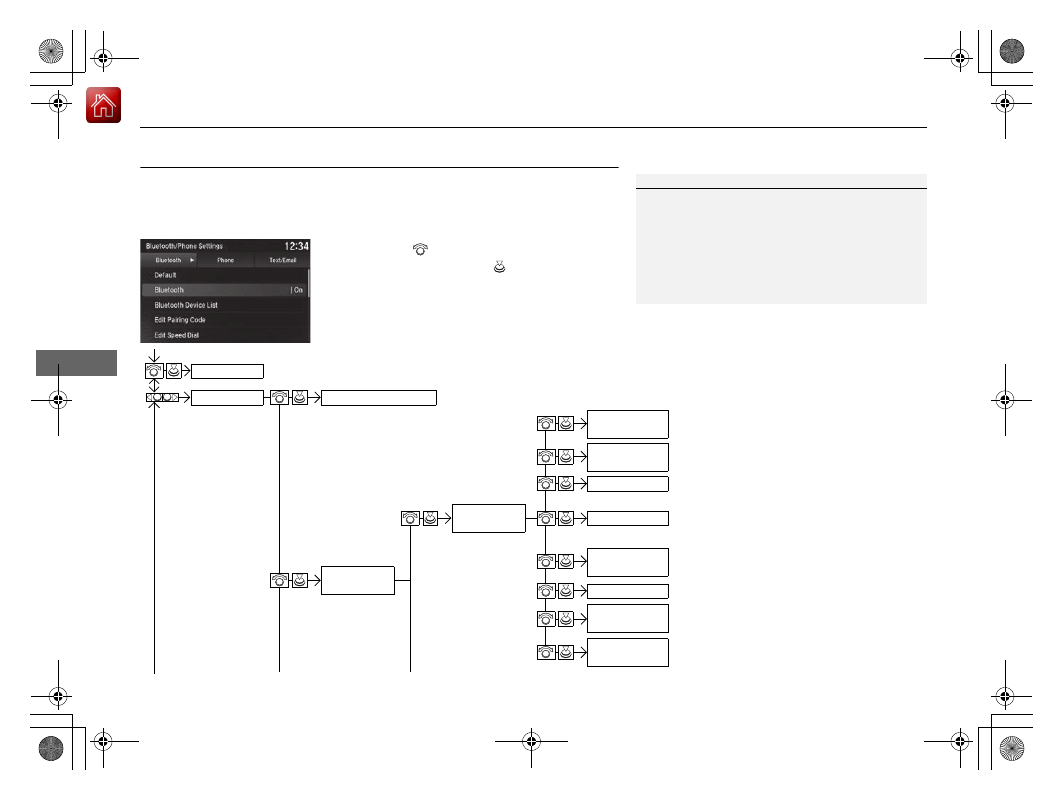
Bluetooth/Phone Settings screen
1.
Press the
SETTINGS
button.
2.
Rotate
to select
Bluetooth/Phone
Settings
, then press
.
1
To use HFL, you must first pair your
Bluetooth
-
compatible cell phone to the system while the vehicle
is parked.
Some functions are limited while driving. A message
appears on the screen when the vehicle is moving
and the operation is canceled.
Bluetooth
Replace This
Device
Turns the
Bluetooth
®
on and off.
Bluetooth
Edit PIN
Create a security PIN for a paired phone.
Replace a previously paired phone with a
new phone.
Delete This
Device
Delete a previously paired phone.
Connect to
Audio
Connect a phone to use the
Bluetooth
®
audio and smartphone function.
Connect to
Phone
Connect a phone to use the HFL.
Disconnect
Disconnect a paired phone from the
system.
Connect Both
Connect the device to use the all
functions of
Bluetooth
®
connection.
Cancel/Reset all customized items in the
Bluetooth/Phone Settings
group as default.
Default
(Existing
entry list)
Bluetooth
Device List
Edit Device
Name
Edit the user name of a paired phone.