Acura MDX (2020 year). Manual in english - page 19
Continued
301
uu
Audio System Basic Operation
u
Apple CarPlay
Features
After you have connected your iPhone to the system via the 2.5A USB port (
),
use the following procedure to set up Apple CarPlay. Use of Apple CarPlay will result
in the transmission of certain user and vehicle information (such as vehicle location,
speed, and status) to your iPhone to enhance the Apple CarPlay experience. You will
need to consent to the sharing of this information on the information screen.
■
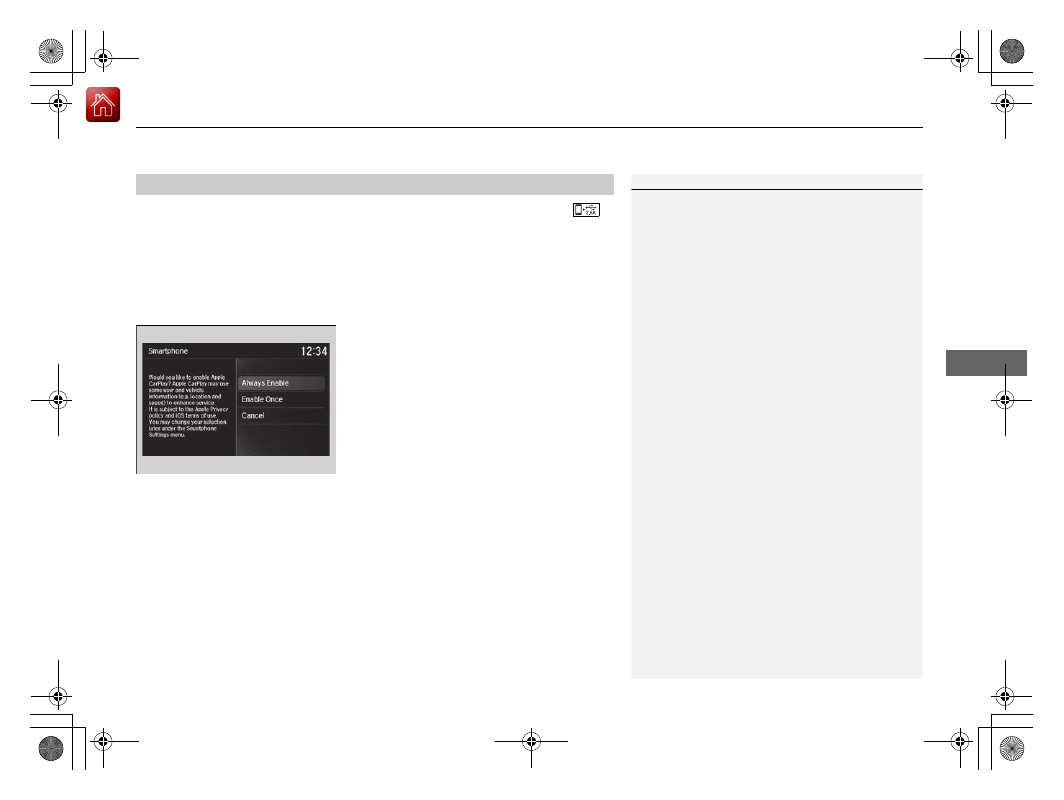
Enabling Apple CarPlay
Enable Once
: Allows only once. (Prompt
shows again next time.)
Always Enable
: Allows anytime. (Prompt
does not show again.)
Cancel
: Does not allow this consent.
You may change the consent settings under
the
Smartphone Settings
menu.
■
Setting Up Apple CarPlay
1
You can also use the method below to set up Apple
CarPlay:
Press the SETTINGS
Select Smartphone
Settings
Apple CarPlay Device List
Use of user and vehicle information
The use and handling of user and vehicle information
transmitted to/from your iPhone by Apple CarPlay is
governed by the Apple iOS terms and conditions and
Apple’s Privacy Policy.