Acura MDX (2020 year). Manual in english - page 17
Continued
269
uu
Audio System Basic Operation
u
Playing a CD
Features
1.
Select
Search
.
2.
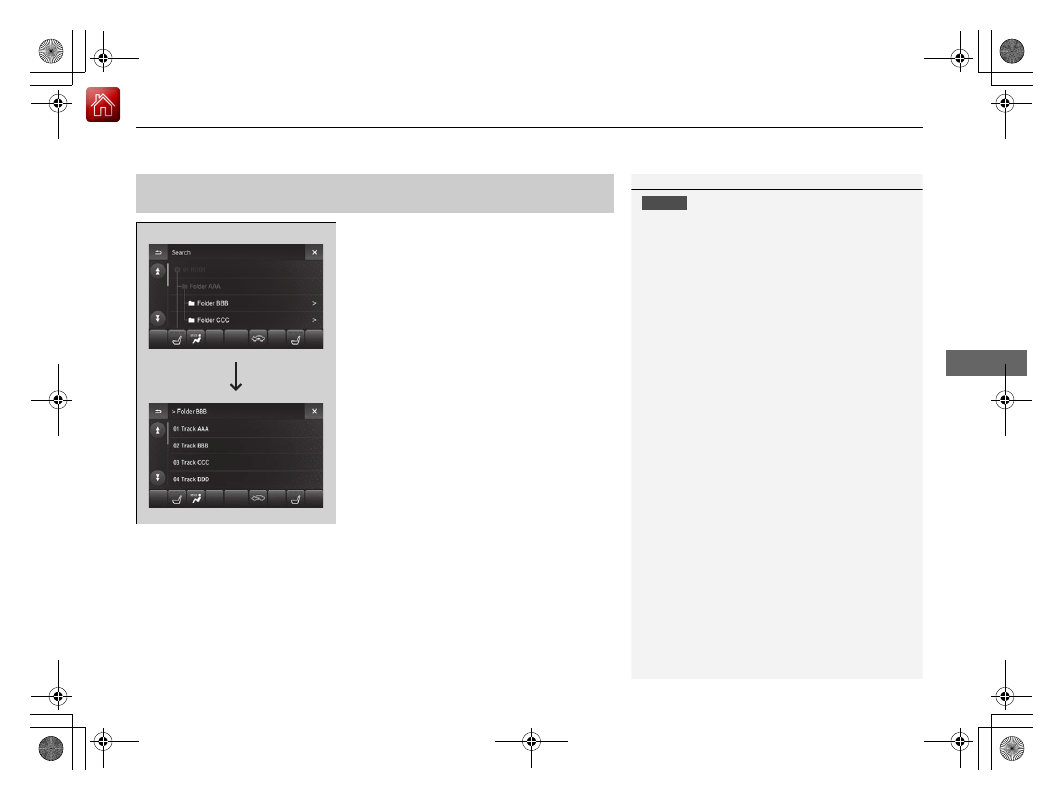
Select a folder.
3.
Select a track.
■
How to Select a File from the Music Search List
(MP3/WMA/AAC)
1
NOTICE
Do not use CDs with adhesive labels. The label can
cause the CD to jam in the unit.
WMA and AAC files protected by digital rights
management (DRM) cannot be played.
The audio system skips to the next file.
Text data appears on the display under the following
circumstances:
•
When you select a new folder, file, or track.
•
When you change the audio mode to CD.
•
When you insert a CD.
If you eject the CD but do not remove it from the slot,
the system reloads the CD automatically after several
seconds.
Folder Selection
File Selection