Acura MDX (2020 year). Manual in english - page 10
 

  Index      Manuals     Acura MDX (2020 year). Manual in english


Search            copyright infringement  


Content      ..     8      9      10      11     ..


Acura MDX (2020 year). Manual in english - page 10


Continued

157

uu

Tailgate

u

Opening/Closing the Power Tailgate

Co
ntrols

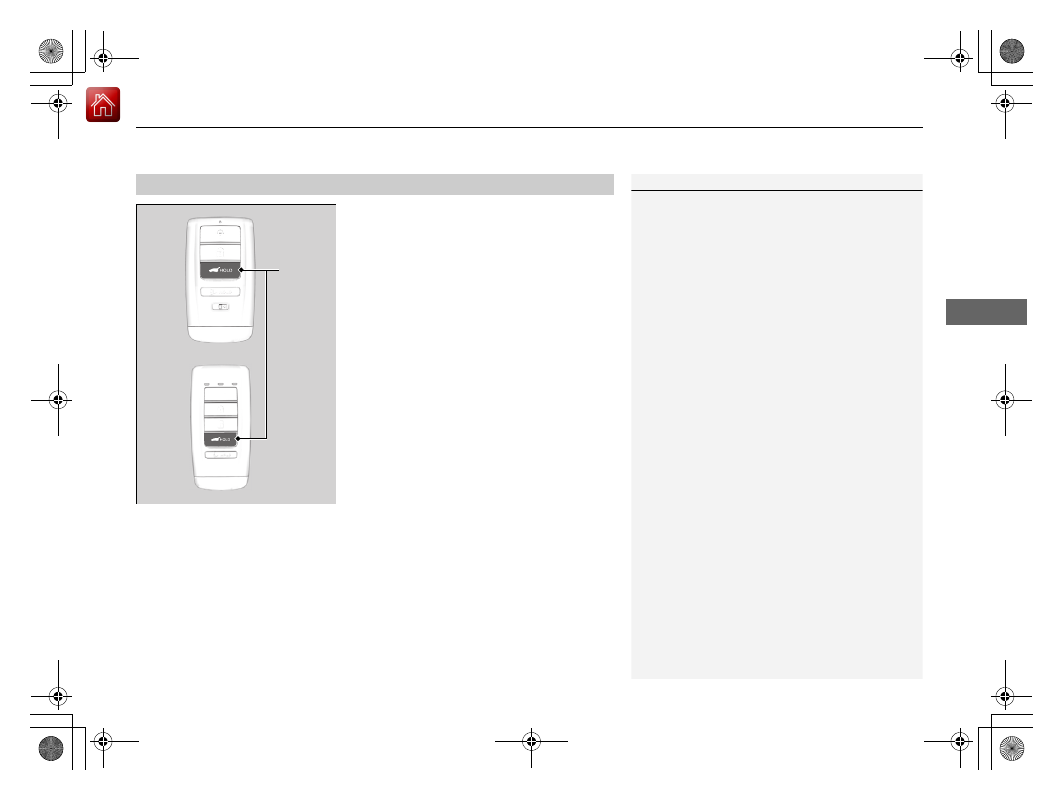
Press the power tailgate button for more than 
one second to operate when the power mode 
is in VEHICLE OFF (LOCK).

u

Some exterior lights flash and the beeper 
sounds.

If you press the button again while the power 
tailgate is moving, it reverses direction.

Customizing when to open the tailgate

Anytime:

 The power tailgate unlocks and opens at the same time. This is the 

default setting.

When Unlocked:

 The tailgate opens when all doors are unlocked.

2

Customized Features

 P. 126, 358

Using the Remote Transmitter

1

Opening/Closing the Power Tailgate

If you close the power tailgate when all the doors are 
locked, the power tailgate locks automatically.

If you replace the battery or the power tailgate fuse 
while the tailgate is open, the power tailgate may be 
disabled. The power tailgate resumes once you 
manually close the tailgate.

Installing aftermarket components other than Acura 
genuine accessories on the power tailgate may 
prevent it from fully opening or closing.

Make sure the power tailgate is fully open before you 
get your luggage in and out.

The beeper sounds when you start driving while the 
power tailgate is still open, or closing.

Do not touch the sensors located on both sides of the 
tailgate. The power tailgate does not close if you 
touch either sensor when you are trying to close the 
tailgate.

Be careful not to scratch the sensors with a sharp 
object. If scratched, they can be damaged, and the 
power tailgate closing feature malfunctions.

If the power tailgate meets resistance while opening 
or closing, the auto reverse feature reverses the 
direction. The beeper sounds three times.

Power 
Tailgate 
Button

-------------------------------------------------------------------------------------------------------------------------------------------------------------

uu

Tailgate

u

Opening/Closing the Power Tailgate

158

Co
ntrols

To open or close the power tailgate, press the 
power tailgate button for about one second.

u

Some exterior lights flash and the beeper 
sounds.

If you press the button again while the power 
tailgate is moving, it reverses direction.

If you press the outer handle of the tailgate for 
no longer than one second, the tailgate opens 
automatically.

u

The beeper sounds.

u

If you want to open the tailgate 
manually, press the outer handle for 
more than one second.

2

Opening/Closing the Tailgate

 P. 161

If you are carrying the keyless access remote, 
you do not have to unlock the tailgate before 
opening it.

If you press the outer handle again while the 
power tailgate is moving, it reverses direction.

Using the Power Tailgate Button

1

Opening/Closing the Power Tailgate

The auto reverse function stops sensing when the 
tailgate is almost closed to make sure that it fully 
closes.

Power Tailgate Button

Using the Tailgate Outer Handle

1

Using the Tailgate Outer Handle

Do not leave the keyless access remote in the 
vehicle when you get out. Carry it with you.

Even if you are not carrying the keyless access 
remote, you can unlock the tailgate while someone 
else with the remote is within range.

Do not leave the keyless access remote inside the 
cargo area and close the tailgate. The beeper 
sounds and the tailgate cannot be closed.

You can change the power tailgate operation setting 
on and off.

2

Customized Features

 P. 126, 358

Outer Handle

-------------------------------------------------------------------------------------------------------------------------------------------------------------

Continued

159

uu

Tailgate

u

Opening/Closing the Power Tailgate

Co
ntrols

Press the button on the tailgate to close the 
power tailgate.

u

The beeper sounds.

If you press the button again while the power 
tailgate is moving, it reverses direction.

If you manually close the power tailgate, it latches automatically.

Using the Tailgate Inner Button

Tailgate Inner 
Button

Auto-Closer

1

Auto-Closer

Keep your hands away from the tailgate when you 
manually close the tailgate and let it latch 
automatically. It is dangerous to put your hands 
around the tailgate as it starts to latch itself.

The auto-closer feature does not activate if you press 
and hold the tailgate outer handle while the power 
tailgate is closing.

Do not put any force on the tailgate while the power 
tailgate is latching.

-------------------------------------------------------------------------------------------------------------------------------------------------------------

uu

Tailgate

u

Opening/Closing the Power Tailgate

160

Co
ntrols

Automatically lowers the power tailgate when there is a possibility that the fully 
opened power tailgate can fall down by its own weight (for example, by snow on 
the tailgate). The beeper sounds while the power tailgate lowers.

Power Tailgate Fall Detection

1

Power Tailgate Fall Detection

If you try to manually close the power tailgate 
immediately after it fully opens, the power tailgate 
fall detection may activate.

Once the power tailgate fall detection activates, wait 
until the power tailgate fully closes. Keep away from 
the power tailgate when it is in motion.

If the power tailgate fall detection constantly 
activates, consult at a dealer.

-------------------------------------------------------------------------------------------------------------------------------------------------------------

161

uu

Tailgate

u

Opening/Closing the Tailgate

Co
ntrols

Opening/Closing the Tailgate

When all the doors are unlocked, the tailgate 
is unlocked.

Press the outer handle of the tailgate and lift 
open the tailgate.

If you are carrying the keyless access remote, 
you do not have to unlock the tailgate before 
opening it.
To close the tailgate, grab the inner handle, 
pull the tailgate down, and push it closed 
from outside.

If you close the tailgate when the driver’s door 
is locked, the tailgate locks automatically.

1

Opening/Closing the Tailgate

Do not leave the keyless access remote in the 
vehicle when you get out. Carry it with you.

Even if you are not carrying the keyless access 
remote, you can unlock the tailgate while someone 
else with the remote is within range.

Do not leave the keyless access remote inside the 
cargo area and close the tailgate. The beeper 
sounds and the tailgate cannot be closed.

Outer Handle

Inner Handle

-------------------------------------------------------------------------------------------------------------------------------------------------------------

162

Co
ntrols

Security System

Immobilizer System

The immobilizer system prevents a key that has not been pre-registered from 
starting the engine. Each key contains electronic transmitters that use electronic 
signals to verify the key.

Pay attention to the following when pressing the 

ENGINE START/STOP

 button:

Do not allow objects that emit strong radio waves near the 

ENGINE START/

STOP

 button.

Make sure the key is not covered by or touching a metal object.

Do not bring a key from another vehicle’s immobilizer system near the 

ENGINE 

START/STOP

 button.

Do not put the key near magnetic items. Electronic devices, such as televisions 
and audio systems emit strong magnetic fields. Note that even a key chain can 
become magnetic.

Security System Alarm

The security system alarm activates when the tailgate, hood or doors are forcibly 
opened. The alarm does not activate if the tailgate or doors are opened with the key, 
remote transmitter or keyless access system.

However, the alarm activates if a door is opened with the key and then the hood is 
opened before the power mode is set to ON.

When the security system alarm activates

The horn sounds intermittently, and some exterior lights flash.

1

Immobilizer System

NOTICE

Leaving the key in the vehicle can result in theft or 
accidental movement of the vehicle.
Always take the key with you whenever you leave the 
vehicle unattended.

Do not alter the system or add other devices to it.
Doing so may damage the system and make your 
vehicle inoperable.

1

Security System Alarm

Do not alter the system or add other devices to it.
Doing so may damage the system and make your 
vehicle inoperable.

The security system alarm continues for a maximum 
of two minutes until the security system alarm 
deactivates.

-------------------------------------------------------------------------------------------------------------------------------------------------------------

Continued

163

uu

Security System

u

Security System Alarm

Co
ntrols

To deactivate the security system alarm

Unlock the vehicle using the key, remote transmitter or keyless access system, or set 
the power mode to ON. The system, along with the horn and flashing lights, is 
deactivated.

Setting the security system alarm

The security system alarm automatically sets when the following conditions have 
been met:

The power mode is set to VEHICLE OFF (LOCK).

The hood is closed.

All doors and the tailgate are locked from outside with the key, remote 
transmitter, or keyless access system.

When the security system alarm sets

The security system alarm indicator in the instrument panel blinks and the blinking 
interval changes after about 15 seconds.

To cancel the security system alarm

The security system alarm is canceled when the vehicle is unlocked using the remote 
transmitter or keyless access system, or when the power mode is set to ON. The 
security system alarm indicator goes off at the same time.

1

Security System Alarm

Do not set the security system alarm when someone 
is in the vehicle or a window is open. The system can 
accidentally activate when:

Unlocking the door with the lock tab.

Opening the hood with the hood release.

If the battery goes dead after you have set the 
security system alarm, the security alarm may go off 
once the battery is recharged or replaced.
If this occurs, deactivate the security system alarm by 
unlocking a door using the key, remote transmitter, 
or keyless access system.

-------------------------------------------------------------------------------------------------------------------------------------------------------------

164

uu

Security System

u

Security System Alarm

Co
ntrols

The panic button on the remote 
transmitter

If you press the panic button for 
approximately one second, the following will 
occur for about 30 seconds:

The horn sounds.

Some exterior lights flash.

Canceling panic mode

Press any button on the remote transmitter.

Set the power mode to ON.

Panic Mode

Panic 
Button

-------------------------------------------------------------------------------------------------------------------------------------------------------------

165

Continued

Co
ntrols

Opening and Closing the Windows

Opening/Closing the Power Windows

The power windows can be opened and closed when the power mode is in ON, 
using the switches on the doors.

The driver’s side switches can be used to open and close all the windows. The power 
window lock button on the driver’s side must be switched off (not pushed in, 
indicator off) to open and close the windows from anywhere other than the driver’s 
seat.

When the power window lock button is pushed in, the indicator comes on and you 
can only operate the driver’s window. Turn the power window lock button on if a 
child is in the vehicle.

Manual operation

To open: 

Push the switch down lightly, and 

hold it until the desired position is reached.

To close: 

Pull the switch up lightly, and hold it 

until the desired position is reached.

Automatic operation

To open:

 Push the switch down firmly.

To close:

 Pull the switch up firmly.

The window opens or closes completely. To 
stop the window at any time, push or pull the 
switch briefly.

Opening/Closing the Windows with Auto-Open/Close 

Function

1

Opening/Closing the Power Windows

The power windows can be operated for up to 10 
minutes after you set the power mode to VEHICLE 
OFF (LOCK).
Opening either front door cancels this function.

Auto Reverse

If a power window senses resistance when closing 
automatically, it will stop closing and reverse 
direction.

The driver’s window auto reverse function is disabled 
when you continuously pull up the switch.

The auto reverse function stops sensing when the 
window is almost closed to ensure that it fully closes.

3

WARNING

Closing a power window on someone’s 
hands or fingers can cause serious injury.

Make sure your passengers are away from 
the windows before closing them.

ON
OFF

Power Window 
Lock Button

Rear Passenger’s 
Window Switches

Front Passenger’s 
Window Switch

Driver’s Window 
Switch

Indicator

-------------------------------------------------------------------------------------------------------------------------------------------------------------

uu

Opening and Closing the Windows

u

Opening/Closing the Power Windows

166

Co
ntrols

To open: 

Press the unlock button, and then 

within 10 seconds, press it again and hold it.

If the windows stop midway, repeat the 
procedure.

To open:

 Unlock the driver’s door with the 

key. Within 10 seconds of returning the key to 
the central position, turn the key in the unlock 
direction and hold it there.

To close:

 Lock the driver’s door with the key. 

Within 10 seconds of returning the key to the 
central position, turn the key in the lock 
direction and hold it there.

Release the key to stop the windows at the 
desired position. If you want further 
adjustment, repeat the same operation.

Opening the Windows with the Remote

1

Opening the Windows with the Remote

If you open the windows with the remote, the 
moonroof will open automatically along with them.

Unlock Button

Opening/Closing the Windows with the Key

1

Opening/Closing the Windows with the Key

If you open/close the windows with the key, the 
moonroof will open/close automatically along with 
them.

Close

Open

-------------------------------------------------------------------------------------------------------------------------------------------------------------

167

Co
ntrols

Moonroof

Opening/Closing the Moonroof

You can operate the moonroof when the power mode is in ON. Use the switch in 
the front of the ceiling to open and close the moonroof.

Automatic operation

To open:

 Pull the switch back firmly.

To close:

 Push the switch forward firmly.

The moonroof automatically opens or closes 
all the way. To stop the moonroof midway, 
pull or push the switch briefly.

Manual operation

To open:

 Pull the switch back lightly, and 

hold it until the desired position is reached.

To close:

 Push the switch forward lightly, and 

hold it until the desired position is reached.

Tilting the moonroof up

To tilt:

 Push on the center of the moonroof 

switch.

To close:

 Push the switch forward firmly, then 

release.

Using the Moonroof Switch

1

Moonroof

NOTICE

Opening the moonroof in below freezing 
temperature or when it is covered with snow or ice 
can damage the moonroof panel or motor.

The moonroof can be operated for up to 10 minutes 
after you set the power mode to VEHICLE OFF 
(LOCK).
Opening either front door cancels this function.

When resistance is detected, the auto reverse 
function causes the moonroof to change directions, 
then stop. Auto reverse stops sensing when the 
moonroof is almost closed to ensure that it fully 
closes. Make sure that all objects, including fingers, 
are clear of the moonroof.

You can use the remote transmitter or the key to 
operate the moonroof.

2

Opening the Windows with the Remote


P. 166

2

Opening/Closing the Windows with the 
Key

 P. 166

3

WARNING

Opening or closing the moonroof on 
someone’s hands or fingers can cause 
serious injury.

Make sure all hands and fingers are clear of 
the moonroof before opening or closing it.

Open

Close

Tilt

-------------------------------------------------------------------------------------------------------------------------------------------------------------

168

Co
ntrols

Operating the Switches Around the Steering Wheel

ENGINE START/STOP Button

*1:Canadian models

Changing the Power Mode

1

ENGINE START/STOP Button

ENGINE START/STOP

 Button Operating Range

You can start the engine when the keyless access 
remote is inside the vehicle.
The engine may also run if the keyless access remote 
is close to the door or window, even if it is outside the 
vehicle.

ON mode:
Indicator in the button is off, if the engine is running.

If the battery of the keyless access remote is getting 
low, the engine may not start when you press the 

ENGINE START/STOP

 button. If the engine does not 

start, refer to the following link.

2

If the Keyless Access Remote Battery is 
Weak

 P. 650

Do not leave the power mode in ACCESSORY or ON 
when you get out.

Operating Range

VEHICLE OFF (LOCK)

Indicator in the button is off.
The steering wheel is locked

*1

The power to all electrical components is turned off.

ACCESSORY

Indicator in the button is on.
Operate the audio system and other accessories in this 
position.

ON

Indicator in the button is on.
All electrical components can be used.

Press the button.

Indicator

Without pressing 
the brake pedal

Press the button without 
the transmission in 

(

P

.

Press the button with 
the transmission in 

(

P

.

Put the transmission into 

(

P

.

U.S. models

-------------------------------------------------------------------------------------------------------------------------------------------------------------

169

uu

Operating the Switches Around the Steering Wheel

u

ENGINE START/STOP Button

Continued

Co
ntrols

If you leave the vehicle for 30 to 60 minutes with the transmission in 

(

P

 and the 

power mode in ACCESSORY, the vehicle automatically goes into the mode similar to 
VEHICLE OFF (LOCK) to avoid draining the battery.

When in this mode:
The steering wheel does not lock.
You cannot lock or unlock doors with the remote transmitter or the keyless access 
system.

Press the 

ENGINE START/STOP

 button twice to switch the mode to VEHICLE OFF 

(LOCK).

If you open the driver’s door when the power mode is set to ACCESSORY, a warning 
buzzer sounds.

Automatic Power Off

Power Mode Reminder

Canadian models

-------------------------------------------------------------------------------------------------------------------------------------------------------------

uu

Operating the Switches Around the Steering Wheel

u

ENGINE START/STOP Button

170

Co
ntrols

Warning buzzers may sound from inside and/
or outside the vehicle to remind you that the 
keyless access remote is out of the vehicle. If 
the buzzer continues even after the remote is 
put back inside, place it to be within its 
operational range.

When the power mode is in ON

If the keyless access remote is taken out of the 
vehicle, and all the doors are closed, a 
warning buzzer sounds from both inside and 
outside the vehicle. A warning message on 
the MID notifies the driver inside that the 
remote is outside of the vehicle.

When the power mode is in 
ACCESSORY

If the keyless access remote is taken out of the 
vehicle, and all the doors are closed, a 
warning buzzer sounds from outside the 
vehicle.

Keyless Access Remote Reminder

1

Keyless Access Remote Reminder

When the keyless access remote is within the 
system’s operational range, and the driver’s door is 
closed, the warning function cancels.

If the keyless access remote is taken out of the vehicle 
after the engine has been started, you can no longer 
change the 

ENGINE START/STOP

 button mode or 

restart the engine. Always make sure if the remote is 
in your vehicle when you operate the 

ENGINE 

START/STOP

 button.

Removing the keyless access remote from the vehicle 
through a window does not activate the warning 
buzzer.

Do not put the keyless access remote on the 
dashboard or in the glove box. It may cause the 
warning buzzer to go off. Under some other 
conditions that can prevent the vehicle from locating 
the remote, the warning buzzer may also go off even 
if the remote is within the system’s operational 
range.

-------------------------------------------------------------------------------------------------------------------------------------------------------------

171

uu

Operating the Switches Around the Steering Wheel

u

Turn Signals

Co
ntrols

Turn Signals

The turn signals can be used when the power 
mode is in ON.

One-touch turn signal

When you lightly push up or down and release 
the turn signal lever, the exterior turn signals 
and turn signal indicator blink three times.
This feature can be used when signaling for a 
lane change.

Right Turn

Left Turn

-------------------------------------------------------------------------------------------------------------------------------------------------------------

172

uu

Operating the Switches Around the Steering Wheel

u

Light Switches

Co
ntrols

Light Switches

Rotating the light switch turns the lights on 
and off, regardless of the power mode 
setting.

High beams

Push the lever forward until you hear a click.

Low beams

When in high beams, pull the lever back to 
return to low beams.

Flashing the high beams

Pull the lever back, and release it.

Lights off

Turn the lever to 

OFF

 either when:

The transmission is in 

(

P

.

The parking brake is applied.

To turn the lights on again, turn the lever to 

OFF

 to cancel the lights off mode. Even if you 

do not cancel the lights off mode, the lights 
come on automatically when:

The transmission is taken out of 

(

P

 and the 

parking brake is released.

The vehicle starts to move.

Manual Operation

1

Light Switches

If you leave the power mode in VEHICLE OFF (LOCK) 
while the lights are on, a chime sounds when the 
driver’s door is opened.

When the lights are on, the lights on indicator in the 
instrument panel will be on.

2

Lights On Indicator

 P. 89

Do not leave the lights on when the engine is off 
because it will cause the battery to discharge.

If you sense that the level of the headlights is 
abnormal, have the vehicle inspected by a dealer.

Your vehicle is equipped with the automatic 
headlight adjusting system that automatically adjusts 
the vertical angle of the high/low beam headlights. If 
you find a significant change in the vertical angle of 
the headlights, there may be a problem with the 
system. Have your vehicle checked by a dealer.

Models without automatic headlight adjusting system

Models with automatic headlight adjusting system

High Beams

Flashing the high beams

Low Beams

Turns on parking, side marker, 
tail, and rear license plate lights

Turns on headlights, parking, 
side marker, tail, and rear 
license plate lights

-------------------------------------------------------------------------------------------------------------------------------------------------------------


Content      ..     8      9      10      11     ..