FANUC Series 30i/300i/300is-MODEL A. Machining Center System. User's manual - page 246
13
.
GRAPHIC
FUNCTION
OPERATION
B-63944EN/03
- 1924 -
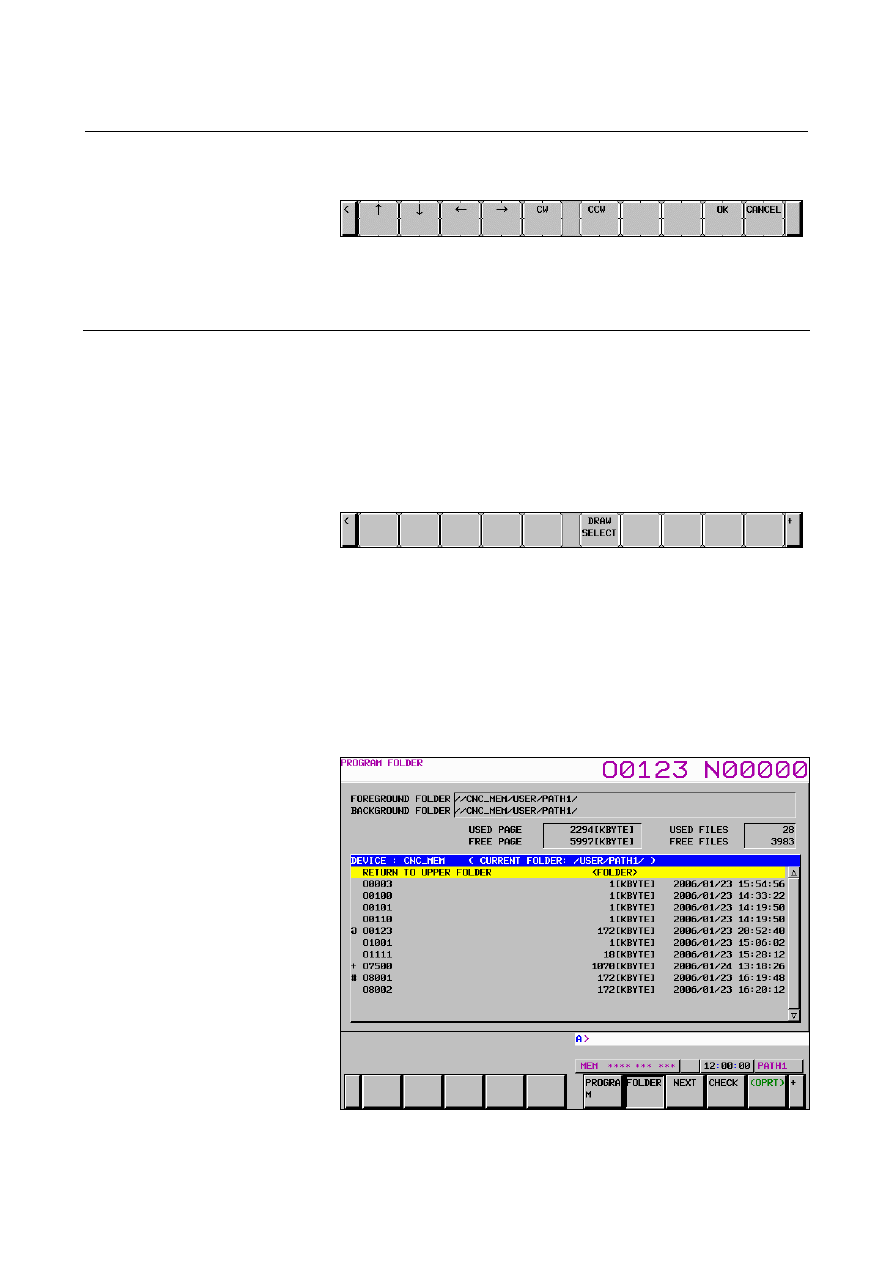
6 Press the [ROTATION] soft key to display the soft keys for
rotating the graphic coordinate system.
Fig. 13.2.1.2 (f) PATH GRAPHIC screen
(rotating the graphic coordinate system)
For the operation of each soft key, see the explanation.
Explanation
- Graphic program selection
Press the [PRGRAM SELECT] soft key to select a drawing target
program.
Pressing the [PRGRAM SELECT] soft key displays the program list
screen.
On the program list screen, move the cursor to a desired program then
press the [DRAW SELECT] soft key.
Fig. 13.2.1.2 (g) Program list screen ([DRAW SELECT] soft key)
Pressing the [DRAW SELECT] soft key selects a drawing target
program and switches the screen display to the PATH GRAPHIC
screen.
The file whose name is prefixed by a "#" mark on the program list
screen is selected as the drawing target program. And the mark of "+"
is displayed in the file that has been selected as a program for drawing
in other path systems.
Fig. 13.2.1.2 (h) Program list screen (drawing target program selection
state)