FANUC Series 30i/300i/300is-MODEL A. Machining Center System. User's manual - page 234
12.SETTING AND DISPLAYING DATA
OPERATION
B-63944EN/03
- 1828 -
12.4.26
Displaying Memory Data (15-inch Display Unit)
The contents of the CNC memory can be displayed starting at a
specified address.
Displaying memory data
Procedure
1 Set bit 0 (MEM) of parameter No. 8950 to 1 to display the
memory contents display screen.
2
Press function key
.
3
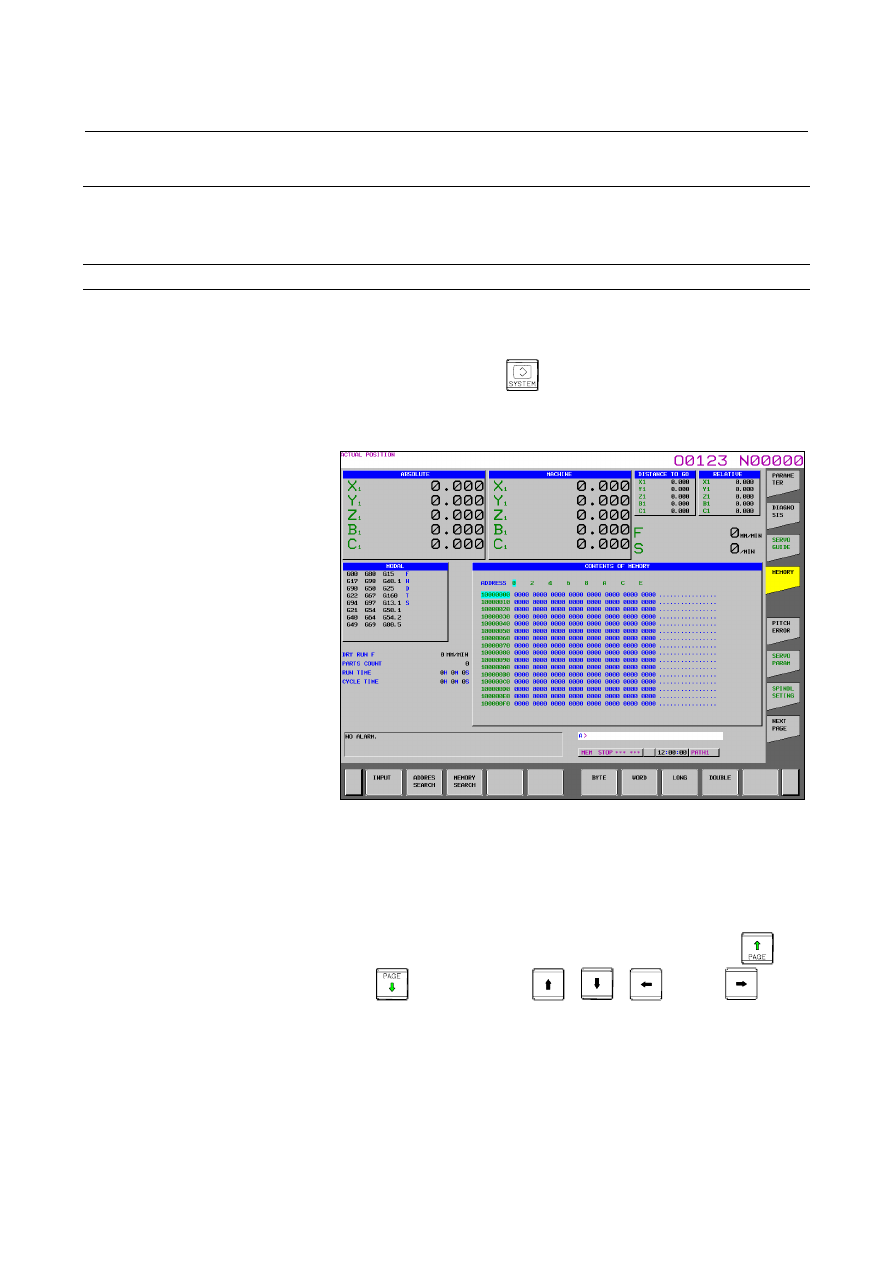
Press vertical soft key [MEMORY].
The following screen appears:
Fig. 12.4.26 (a) Memory contents display screen (15-inch)
4
Key in a desired address (hexadecimal) then press horizontal soft
key [ADDRES SEARCH]. Starting at the specified address,
256-byte data is displayed.
(Example: When you input 100000 then press [ADDRES
SEARCH], data is displayed starting at 100000H.)
5 Display data can be switched by using page keys
and
and cursor keys
,
,
, and/or
.
6
By pressing horizontal soft key [BYTE], [WORD], [LONG], or
[DOUBLE], select a data type to be displayed.