FANUC Series 0i-MODEL F Plus. CONNECTION MANUAL (FUNCTION) - page 266
12. PROGRAM COMMAND
B-64693EN-1/01
- 2082 -
<5> Set the desired attribute of the MTB1 folder.
<6> Set a value other than the password in parameter No. 11312 (keyword) to lock the key.
(2) Modification/addition
<1> Set the same value as the password in parameter No. 11312 (keyword) to unlock the key.
<2> Cancel the attribute of the MTB1 folder.
<3> Modify a program in the MTB1 folder or add a program to the MTB1 folder.
<4> Set the desired attribute of the MTB1 folder.
<5> Set a value other than the password in parameter No. 11312 (keyword) to lock the key.
(3) Copy (copy to another NC)
<1> Make the MTB1 folder empty.
Delete all programs and folders from the MTB1 folder.
<2> Read a program to the MTB1 folder through an external device.
<3> Set G code numbers for calling and program numbers to be called in parameters Nos. 12020 to
12049 as needed.
<4> Set a password in parameter No. 11311.
Set the same value as the password in parameter No. 11312 (keyword) to unlock the key.
<5> Set the desired attribute of the MTB1 folder.
<6> Set a value other than the password in parameter No. 11312 (keyword) to lock the key.
Setting of the attribute of the MTB1 folder
(1) Set the same value as the password in parameter No. 11312 (keyword) to unlock the key.
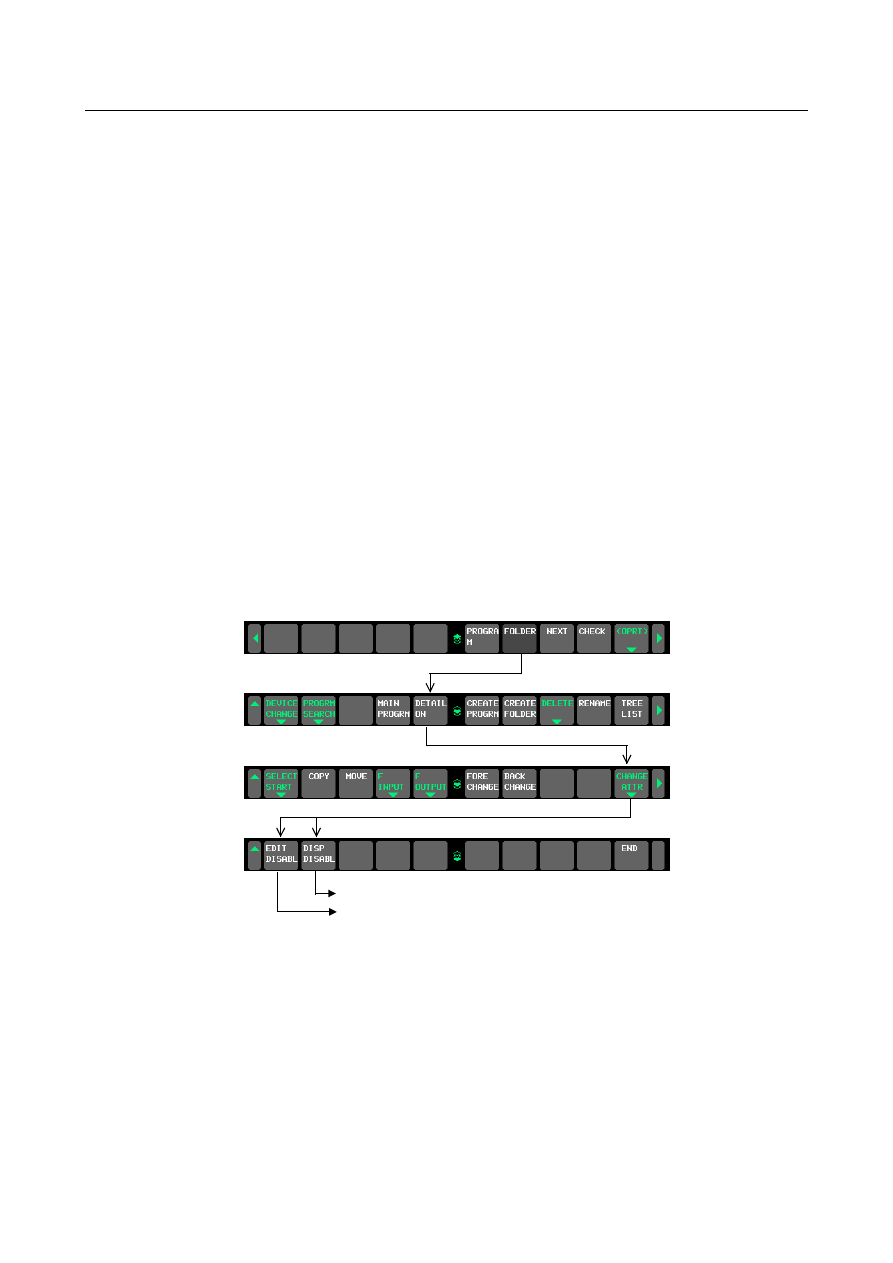
(2) Set the EDIT mode to display the program list screen.
Operate the soft keys in the order shown Fig. 12.6.4 (b).
Sets/cancels the edit/display prohibition attribute.
Sets/cancels the edit prohibition attribute.
Fig. 12.6.4 (b)