Boeing 737 - 600/700/800/900. Operations Manual (1997 year) - page 65
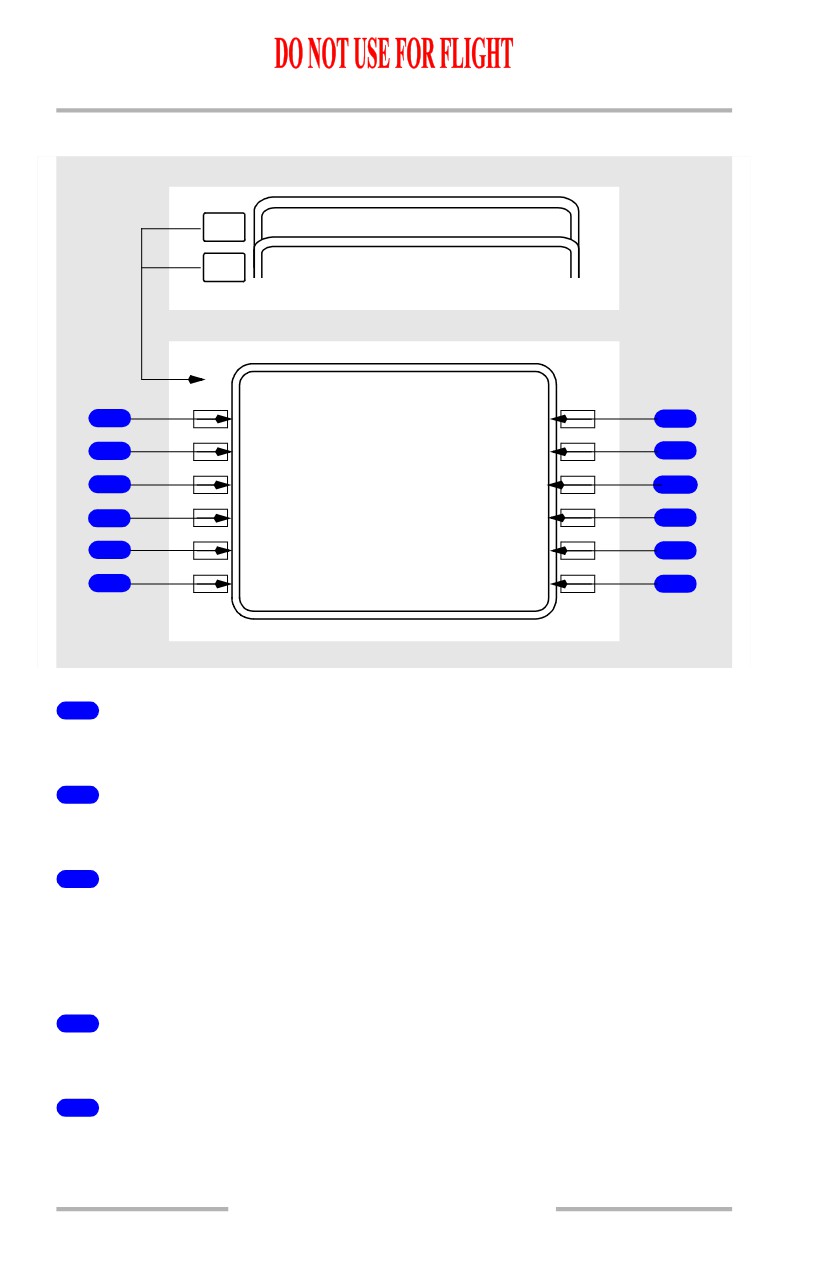
Flight Management, Navigation -
FMC Takeoff and Climb
Boeing 737 Operations Manual
[Option - FMC U10.3 and later with company data link, GPS, and flight number
entry]
NEXT
RT
A
P
ROGRESS
2 / 3
PAGE
PREV
FLT
4
3
0
PROGRESS
1 / 3
PAGE
O
S
FLT
4
3
0
PROGRESS
3 / 3
T A I L W I N D
C R O S S W I N D
1
27
K
T
R
3K T
4
W I N D
S A T / I S A D E V
2
104`/
2
7
-40`C /
0`C
5
X T K E R R O R
V E R T D E V
3
L
0.01
N
M
12H I
6
G P S - L T R K
T A S
12
305
`
T
426K T
7
P R E - F L I G H T
P R O G R E S S
8
<REPOR T
REPORT>
10
W E A T H E R
P O S I T I O N
9
<REQUES T
REPORT>
11
1
HEADWIND or TAILWIND
Displays the present headwind or tailwind component.
2
WIND
Displays the present true wind direction/speed.
3
Crosstrack Error (XTK ERROR)
[Option - FMC U10.3 and later]
Displays present cross-track error from the desired LNAV course.
Blank if error is greater than 99.9 nm.
4
CROSSWIND
Displays present crosswind component (left or right).
5
Static Air Temperature/ISA Deviation (SAT/ISA DEV)
Displays present SAT and the equivalent ISA deviation.
11.41.22
Flight Management, Navigation -
FMC Takeoff and Climb
Boeing 737 Operations Manual
6
Vertical Descent Path Deviation (VERT DEV)
Displays present computed deviation (HI or LO) from the FMC vertical path.
Blank if descent not active or path not available.
7
TAS
Displays present TAS.
8
PRE-FLIGHT REPORT
[Option - With company data link]
Push - transmits downlink report of preflight data.
8
GPS-L TRK
[Option - FMC U10.3 and later with GPS]
Displays GPS track.
9
WEATHER REQUEST
[Option - With company data link]
Push - transmits a data link request for a weather uplink.
10
PROGRESS REPORT
[Option - With company data link]
Push - transmits a downlink report of progress data.
11
POSITION REPORT
[Option - With company data link]
Push - transmits a downlink report of position data.
12
GPS-L TRK
[Option - FMC U10.3 and later with GPS]
Displays GPS track.
11.41.23
Flight Management, Navigation -
FMC Takeoff and Climb
Boeing 737 Operations Manual
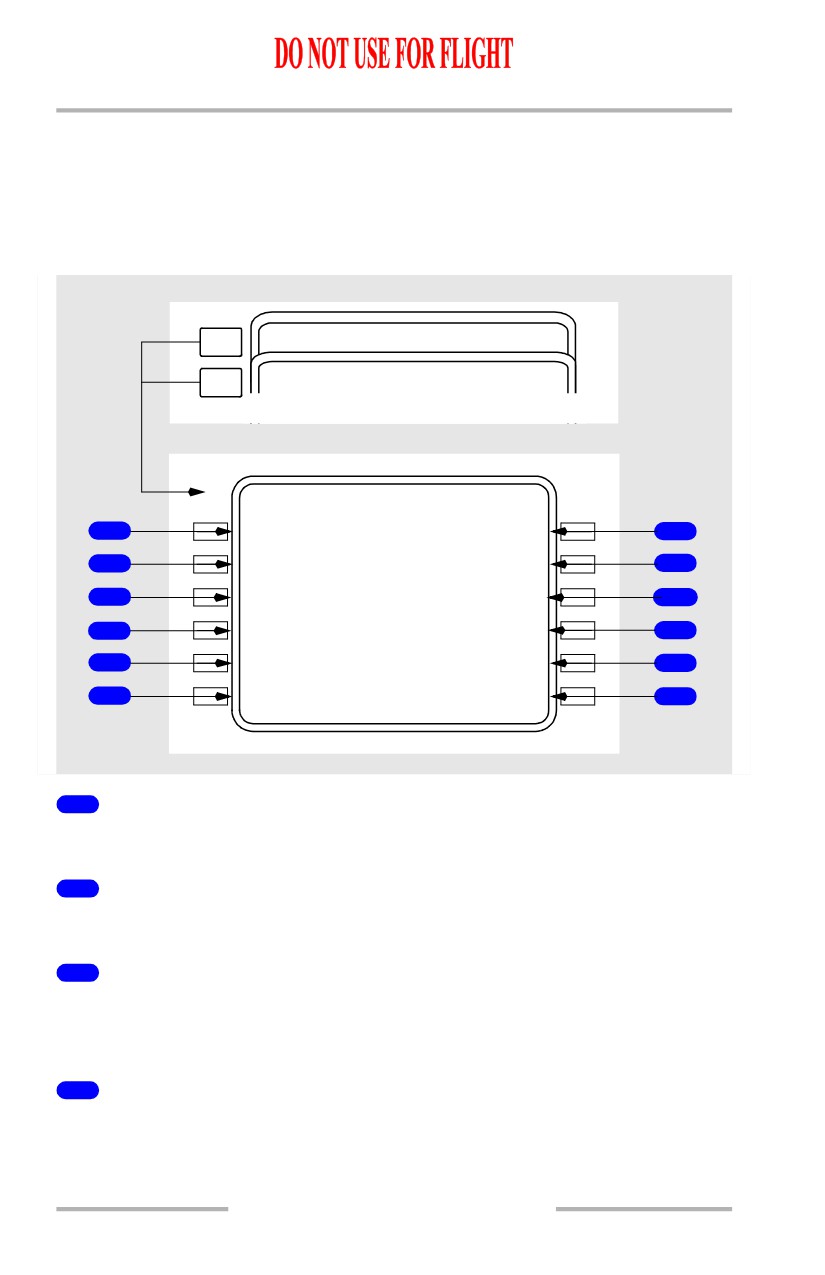
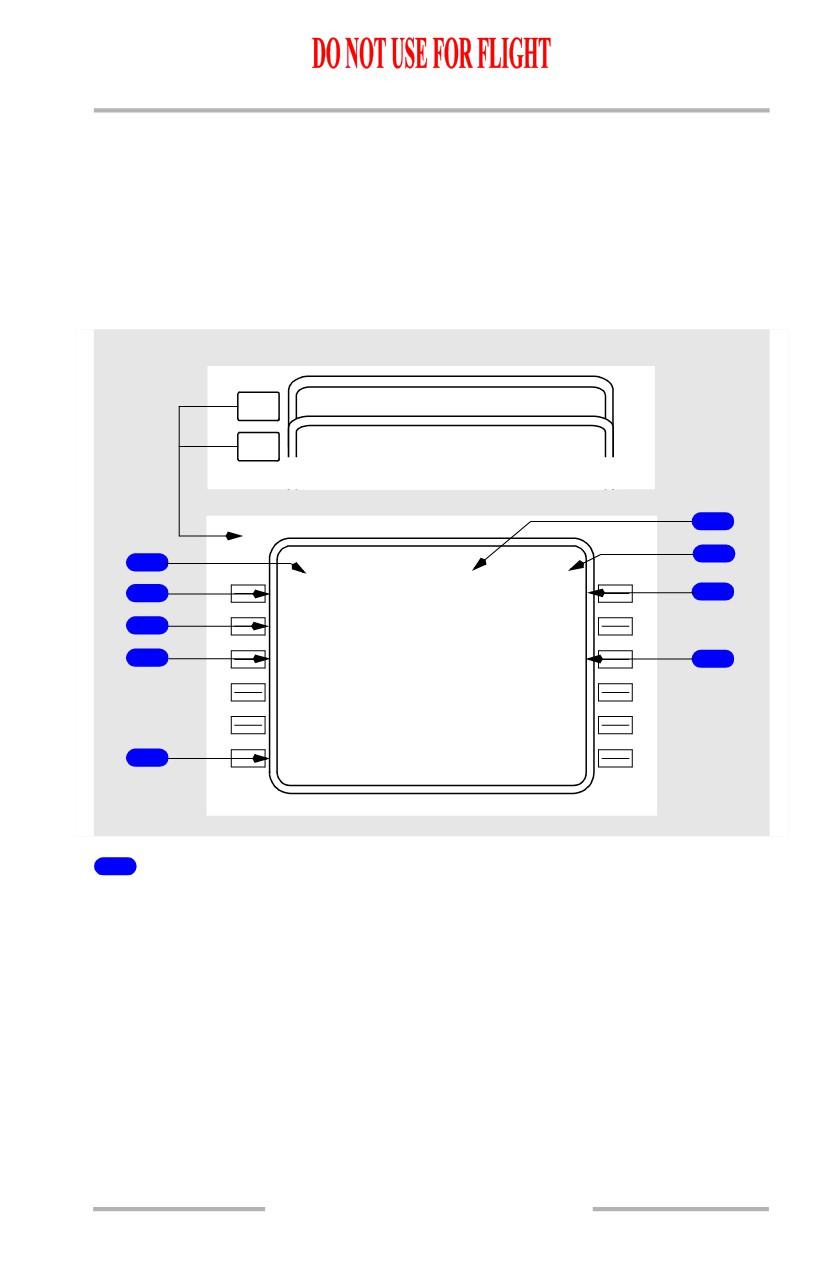
Progress Page 2/4
[Option - FMC U10.5 and later]
The progress page 2/4 displays wind, track, path, temperature, and speed data.
[Option - FMC U10.5 and later, with flight number entry, company data link and
GPS]
NEXT
FLT
4
3
0
PROGRESS
1 / 4
PAGE
PREV
RTA PROGRESS
3 / 4
PAGE
FLT
4
3
0
PROGRESS
2 / 4
T A I L W I N D
C R O S S W I N D
1
27
K
T
R
3K T
4
W I N D
S A T / I S A D E V
2
104`/
2
7
-40`C /
0`C
5
X T K E R R O R
V E R T D E V
3
L
0.01
N
M
12H I
6
G P S - L T R K
T A S
12
305
`
T
426K T
7
P R E - F L I G H T
P R O G R E S S
8
<REPOR T
REPORT>
10
W E A T H E R
P O S I T I O N
9
<REQUES T
REPORT>
11
1
HEADWIND or TAILWIND
Displays the present headwind or tailwind component.
2
WIND
Displays the present true wind direction/speed.
3
Crosstrack Error (XTK ERROR)
Displays present cross-track error from the desired LNAV course.
Blank if error is greater than 99.9 nm.
4
CROSSWIND
Displays present crosswind component (left or right).
11.41.24
Flight Management, Navigation -
FMC Takeoff and Climb
Boeing 737 Operations Manual
5
Static Air Temperature/ISA Deviation (SAT/ISA DEV)
Displays present SAT and the equivalent ISA deviation.
6
Vertical Descent Path Deviation (VERT DEV)
Displays present computed deviation (HI or LO) from the FMC vertical path.
Blank if descent not active or path not available.
7
TAS
Displays present TAS.
8
PRE-FLIGHT REPORT
[Option - With company data link]
Push - transmits downlink report of preflight data.
9
WEATHER REQUEST
[Option - With company data link]
Push - transmits a data link request for a weather uplink.
10
PROGRESS REPORT
[Option - With company data link]
Push - transmits a downlink report of progress data.
11
POSITION REPORT
[Option - With company data link]
Push - transmits a downlink report of position data.
12
GPS-L TRK
[Option - With GPS]
Displays GPS track.
11.41.25
Flight Management, Navigation -
FMC Takeoff and Climb
Boeing 737 Operations Manual
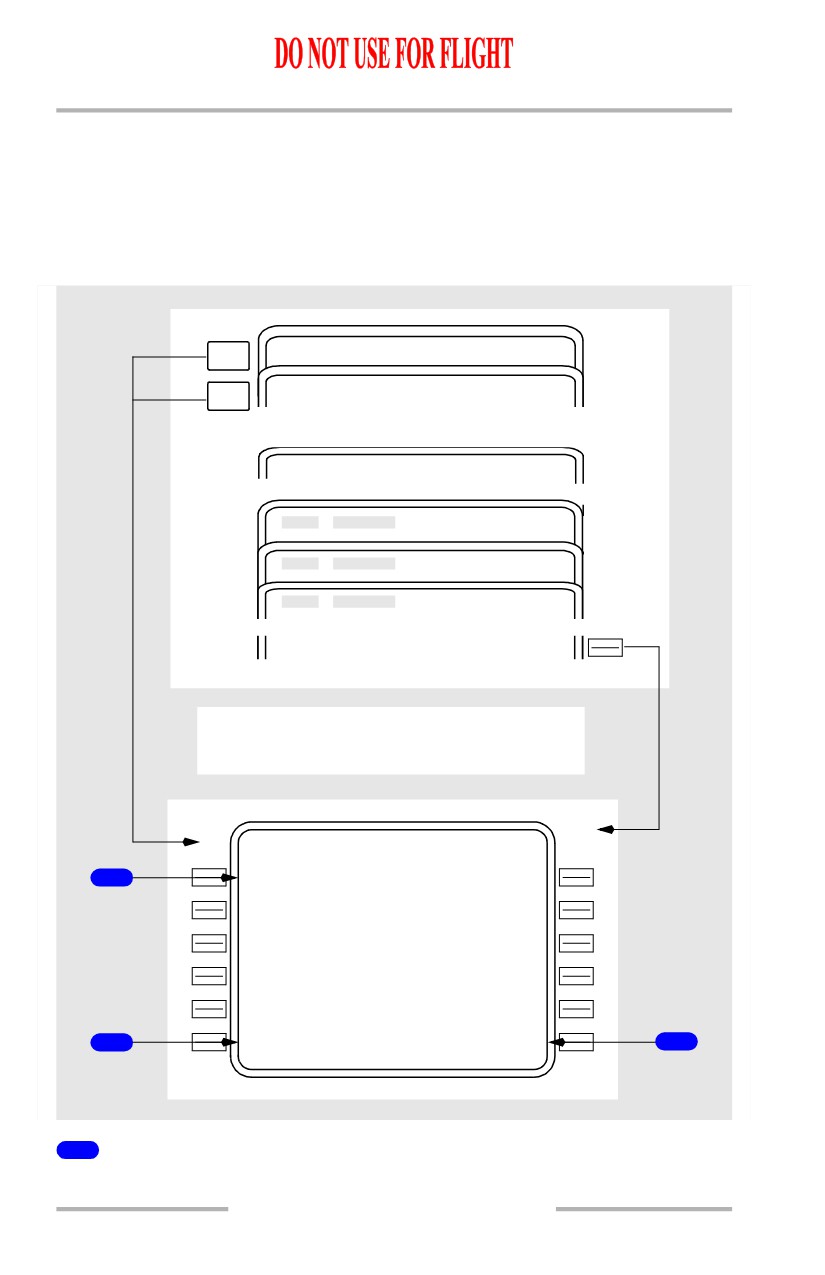
RTA Progress Page 3/4
[Option - FMC U10.5 and later]
RTA Progress page is used to initiate the required time of arrival (RTA) mode.
The RTA page provides advisory data on flight progress in the RTA mode and
advises of control times such as recommended takeoff time to meet RTA.
NEXT
PRO GRESS
2 / 4
PAGE
PREV
RNPE PROGRESS
4 / 4
PAGE
PER F LIMITS
2 / 2
CLB
CR Z
DE S
RT
A
>
Display before RTA Waypoint Entry
RTA PROGRESS
3 / 4
R T A W P T
1
----
-
-
- - - - - - - -
-
-
- - - - - - - - - - - - - -
2
<LIMIT S
PRIOR RTA>
3
1
Required Time of Arrival Waypoint (RTA WPT)
Displays dashes when entry allowed.
11.41.26
Flight Management, Navigation -
FMC Takeoff and Climb
Boeing 737 Operations Manual
2
LIMITS
Displays the PERF LIMITS page.
3
Prior RTA Waypoint (PRIOR RTA)
Prompt displayed when the RTA waypoint field contains dashes and a previous
RTA waypoint is still in the flight plan; otherwise blank.
Push - displays last active RTA waypoint data.
11.41.27
Flight Management, Navigation -
FMC Takeoff and Climb
Boeing 737 Operations Manual
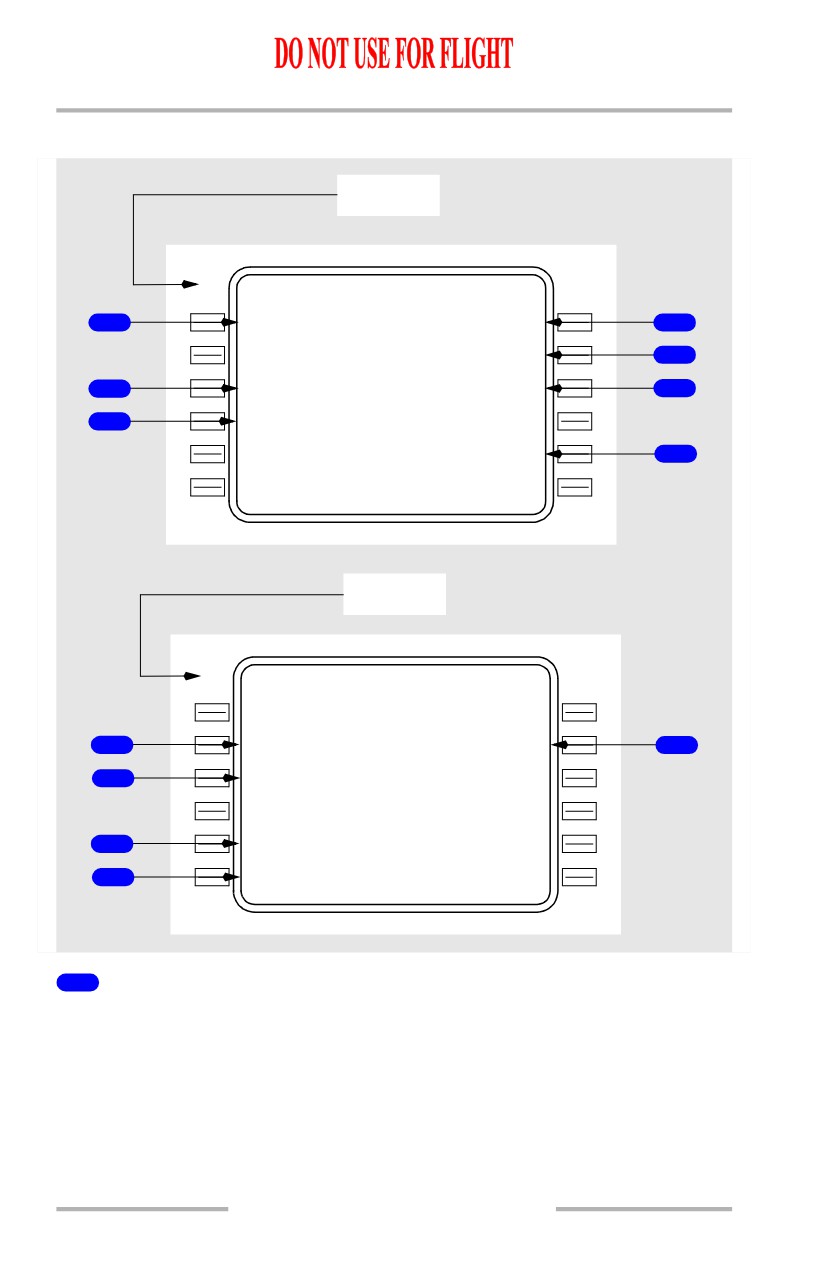
RTA Progress on Ground and in Flight
Ground
ACT RTA PROGRESS
3 / 4
R T A W P T
R T A
1
EP H
1100:00zB
4
T I M E E R R O R
O
N
TIME
5
R E C M D T
/
O
G M T
2
1040: 02
Z
1003:00Z
6
D I S T - - T O
E P H
- - A L T / E T A
3
126
N
M
F L 2 5 0
/
1022:29Z
- - - - - - - T
/
O
W I N D O W - - - L A S T
10
4
1
:44Z
7
- - - - - - - -
-
-
- - - - - - - - - - - - - -
<LIMIT S
In Flight
ACT RTA PROGRESS
3 / 4
R T A W P T
R T A
EP H
1012:00zA
R T A S P D
T I M E E R R O R
8
250/.6
3
3
EARLY
01:30
12
S P D R E S T
G M T
9
250/100
0
0
1000:30Z
D I S T - - T O E P H
- - A L T / E T A
25
N
M
F L
2
5
0
/1010:30Z
F I R S T - - R T A W I N D O W - - - L A S T
10
1008:23
Z
1010:30Z
- - - - - - - -
-
-
- - - - - - - - - - - - - -
11
<LIMIT S
1
Required Time of Arrival Waypoint (RTA WPT)
Waypoint entry must be in flight plan or the CDU message NOT IN FLIGHT
PLAN will be displayed.
Entering a valid waypoint will generate a MOD RTA PROGRESS page and
illuminate the EXEC light.
Deletion of the RTA waypoint will create a MOD RTA PROGRESS page with all
data blanked and EXEC light illuminated. Execution will exit the RTA mode.
11.41.28
Flight Management, Navigation -
FMC Takeoff and Climb
Boeing 737 Operations Manual
Deletion of the RTA waypoint does not remove the waypoint from the flight plan.
Automatically clears the RTA waypoint and exits the RTA waypoint after
sequencing the RTA waypoint out of the flight plan.
2
Recommended Takeoff Time (RECMD T/O)
Displays the recommended takeoff time (brake release time) to meet the planned
RTA.
Time is based on entered Cost Index as well as the earliest and latest times to
achieve RTA..
3
Distance To, Altitude, and ETA at the RTA Waypoint
(DIST - - TO XXX
- - ALT/ETA)
Displays the distance to the RTA waypoint.
Displays the predicted altitude at the RTA waypoint.
Displays ETA to the RTA waypoint based on:
• immediate takeoff
• MIN/MAX speeds on PERF LIMITS page
• entered forecast winds.
4
Required Time of Arrival (RTA)
After RTA waypoint entry, initially displays current ETA based on the active flight
plan and performance parameters at time of waypoint entry.
Desired RTA may be entered by overwriting displayed data.
Entry must be in one of the following forms:
• XXXXXX (hr/min/sec)
• XXXX (hr/min)
• XXXX.X (hr/min/tenths of min).
Entry of “A” after RTA specifies arrival time of at or after.
Entry of “B” after RTA specifies arrival time of at or before.
5
TIME ERROR
Displays the most recent time error in minutes and seconds up to a maximum of
59:59 minutes.
Displays ON TIME if GMT is within current T/O WINDOW.
Displays EARLY or LATE as appropriate if GMT is not within current T/O
WINDOW.
11.41.29
Flight Management, Navigation -
FMC Takeoff and Climb
Boeing 737 Operations Manual
6
GMT
Displays the actual GMT.
7
Takeoff Window (- - - - - - - T/O WINDOW - - - LAST) or
(FIRST - - T/O WINDOW - - - - - - - )
Displays latest takeoff time to meet the planned RTA.
If the entered RTA time is “At or After” time, only the FIRST field shall be
displayed.
If the entered RTA time is “At or Before” time, only the LAST field shall be
displayed.
Time is based on minimum and maximum speeds on the PERF LIMITS page.
8
Required Time of Arrival Speed (RTA SPD)
Displays the target speed required to meet the planned RTA.
Same as speed displayed on RTA CLB, CRZ, or DES page.
Limited by MIN/MAX speeds on the PERF LIMITS page and the SPD REST line.
9
Speed Restriction (SPD REST)
Displays the current speed restriction affecting RTA progress.
10
Arrival Time Window (FIRST - - RTA WINDOW - - - LAST)
Displays earliest and latest achievable arrival times at the RTA waypoint.
Times based on MIN/MAX speeds on PERF LIMITS page, existing winds, and
entered forecast winds.
11
LIMITS
Push - Displays PERF LIMITS page.
12
TIME ERROR
In flight, displays difference between the ETA and the RTA plus the TIME
ERROR TOLERANCE on the PERF LIMITS page.
11.41.30
Flight Management, Navigation -
FMC Takeoff and Climb
Boeing 737 Operations Manual
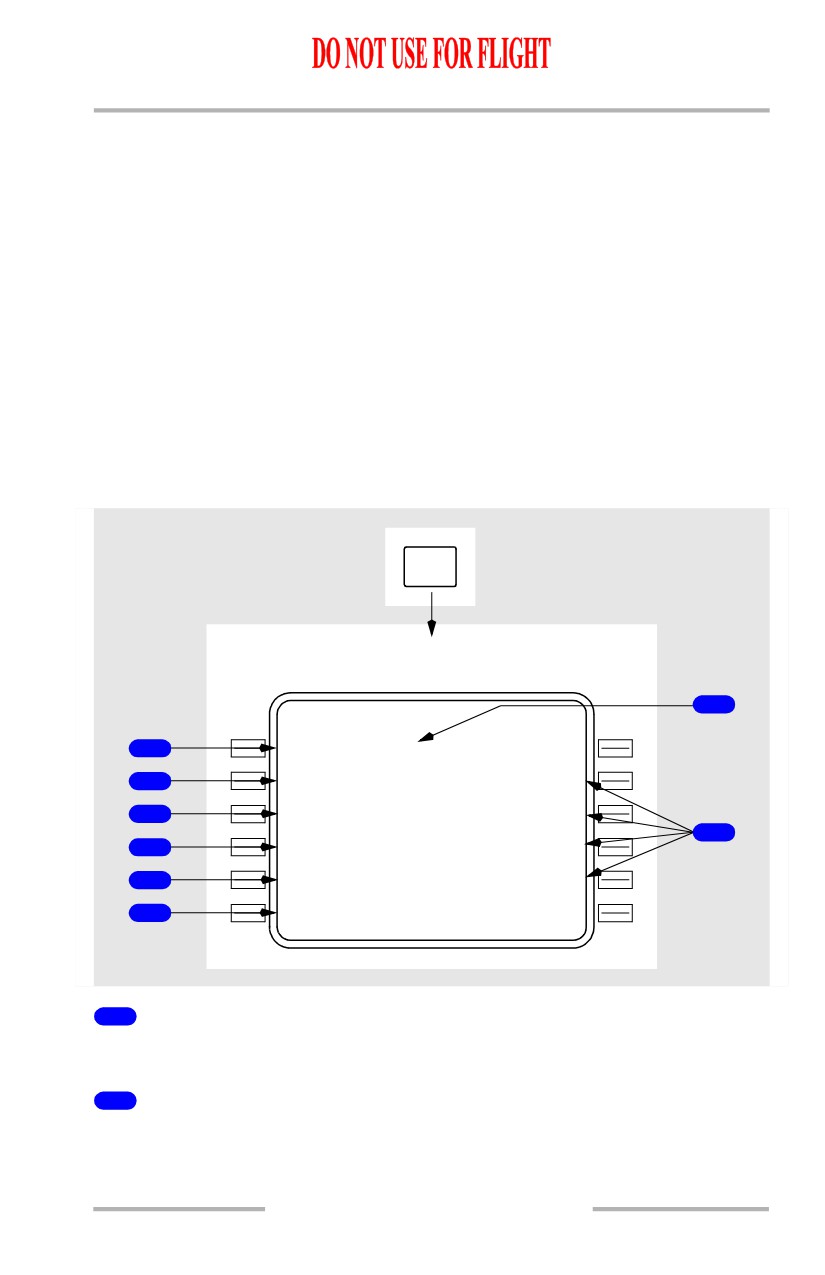
RNP Progress Page 4/4
[Option - FMC U10.5 and later]
Progress page 4/4 displays essential Required Navigation Performance (RNP)
information. The items displayed include waypoint identifier, lateral and vertical
RNP and ANP values, course, distance, glidepath, cross track error, speeds,
altitudes and vertical deviation.
[Option - FMC U10.5 and later]
NEXT
RTA PROGRESS
3 / 4
PAGE
PREV
PRO GRESS
1 / 4
PAGE
O
S
6
7
1
RNP PROGRESS
4 / 4
28
6
`
6 .3 N M
G P 3 . 0 `
2
FF
2
8
150/
2900
8
R N P / A C T U A L
3
0.50/0 . 2
1
N
M
X T K E R R O R
V E R T D E V
4
L
0.11
N
M
123H I
9
R N P - - A P P R O A C H - - - - -
-
-
- - -
5
0.50
N
M
1
Leg Direction
The leg segment direction is displayed as the title of the waypoint line. Courses
are displayed in magnetic (xxx°) or true (xxx° T). Directions to maintain an arc
display the arc distance, the word ARC followed by the direction, and left or right
(24 ARC L). The computed great circle route leg directions may be different than
chart values. Heading leg segments to conditional waypoints are displayed as
(xxx° HDG) and track leg segments are displayed as (xxx° TRK). Directions may
be displayed as special procedural instructions, such as HOLD AT or PROC
TURN.
Display is blank for an undefined course.
11.41.31
Flight Management, Navigation -
FMC Takeoff and Climb
Boeing 737 Operations Manual
2
Waypoint Identifier
Displays the next waypoint.
Same as displayed on the RTE LEGS page.
3
Actual RNP
Displays the actual RNP value for lateral navigation.
Same as displayed the POS SHIFT page.
4
Crosstrack Error (XTK ERROR)
Displays present cross-track error from the desired LNAV course.
L or R indicates left or right of course.
Blank if error is greater than 99.9 nm.
5
Lateral RNP (Approach)
Displays the lowest applicable RNP for the approach.
Displays in large font for manually entered RNP.
Displays in small font for values provided by the navigation database.
6
Distance To Go
Displays the distance remaining to the next waypoint.
7
Glidepath
Displays the FMC computed glidepath for the approach.
8
Waypoint Speed/Altitude
Displays waypoint speed or altitude constraints in large font.
Displays FMC predicted values in small font when no restrictions have been
specified.
9
Vertical Deviation
Displays present vertical deviation from the FMC computed glidepath.
11.41.32
Flight Management, Navigation -
FMC Takeoff and Climb
Boeing 737 Operations Manual
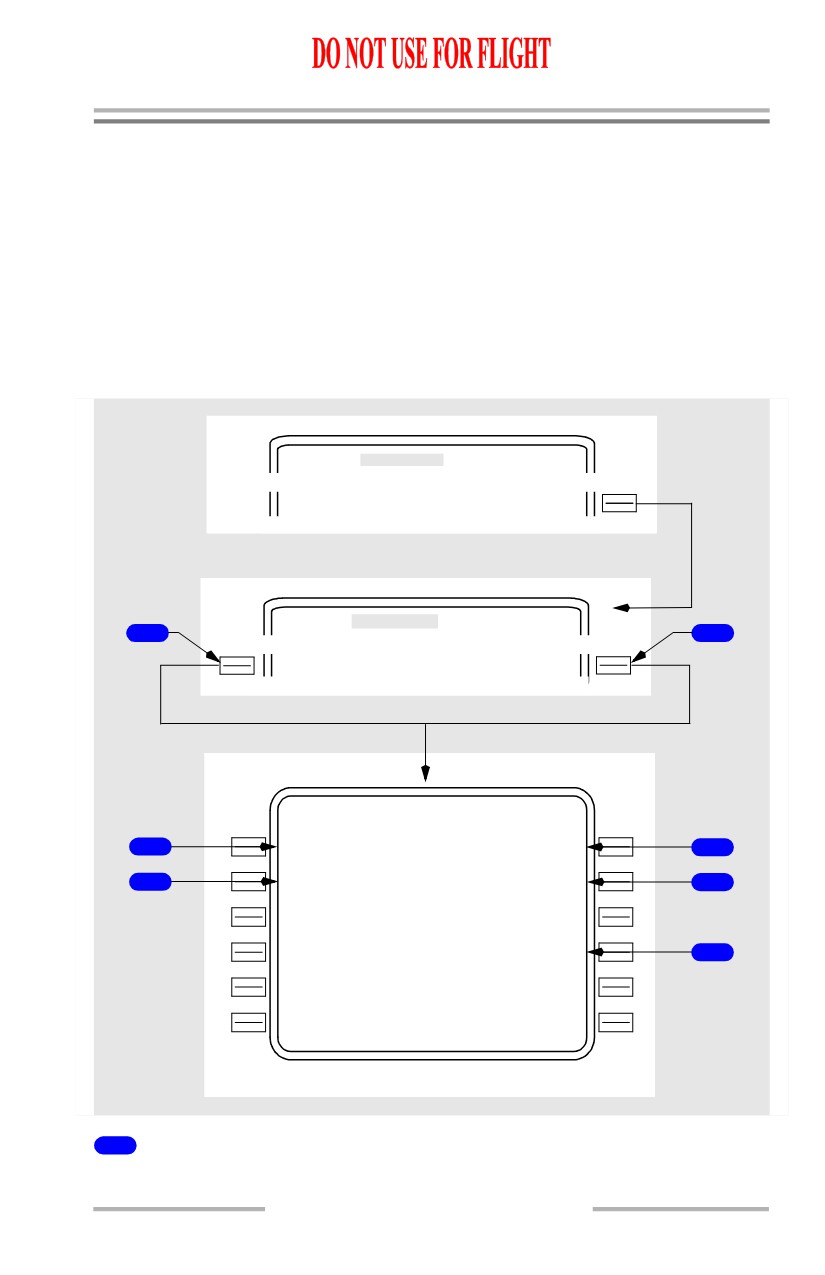
N1 Limit Page
[Option - FMC U10.1 and later]
This section describes the in-flight version of the N1 LIMIT page. See the FMC
Preflight section for a description of the preflight version of the N1 LIMIT page.
Normally, N1 limits are automatically specified. Pilot selection of other limits is
allowed.
Pilot selection of a reduced climb mode does not change the automatic selection
for other phases of flight.
Pilot selected mode is automatically replaced by AUTO selection when the
autopilot next changes vertical mode.
The active thrust limit is used by the autopilot and is displayed on the thrust mode
display.
[Option - FMC U10.1 and later]
N1
LIMIT
In air
7
N1 LIMIT
1 / 1
1
<AUTO
<AC T>
2
<G A
91.8/
91.8
3
<CO N
90.5/
90.5
8
4
<CL B
90.5/
90.5
5
<CR Z
86.8/
86.8
- - - - - - R E D U C E D C L B - - - - - - -
6
<CLB-1
<S EL>
CLB-2>
1
AUTO
Push - selects automatic computation of N1 limits for all phases of flight.
2
Go Around (GA)
Push - selects the go-around thrust limit.
11.41.33
Flight Management, Navigation -
FMC Takeoff and Climb
Boeing 737 Operations Manual
3
Continuous (CON)
Push - selects the maximum continuous thrust limit.
4
Climb (CLB)
Push - changes the thrust mode from AUTO to the active climb thrust, i.e. CLB,
CLB-1, or CLB-2.
5
Cruise (CRZ)
Push - selects the cruise thrust limit.
6
Reduced Climb (REDUCED-CLB)
Push - selects either of two reduced climb thrust modes.
CLB-1 provides a climb limit reduced by 3% N1 (approximately 10% thrust).
CLB-2 provides a climb limit reduced by 6% N1 (approximately 20% thrust).
The reduced climb N1 value is displayed on the CLB pages.
If either mode is <SEL>, deletion allows return to full rated climb thrust.
Any reduced climb selection is automatically deleted above 15,000 feet.
Note: If a reduced thrust takeoff has been specified on the TAKEOFF REF page,
the FMC will re-compute CLB-1 and CLB-2 values as required to avoid
a climb N1 value greater than the reduced thrust takeoff N1 value.
7
<ACT> STATUS LABEL
Identifies the active N1 thrust limit.
8
N1
Displays the N1 for individual thrust limits based on present conditions and bleed
air configuration.
If CLB-1 or CLB-2 is selected, the N1% for CLB and the N1 cursors still display
values for full rated climb.
11.41.34
Flight Management, Navigation -
FMC Takeoff and Climb
Boeing 737 Operations Manual
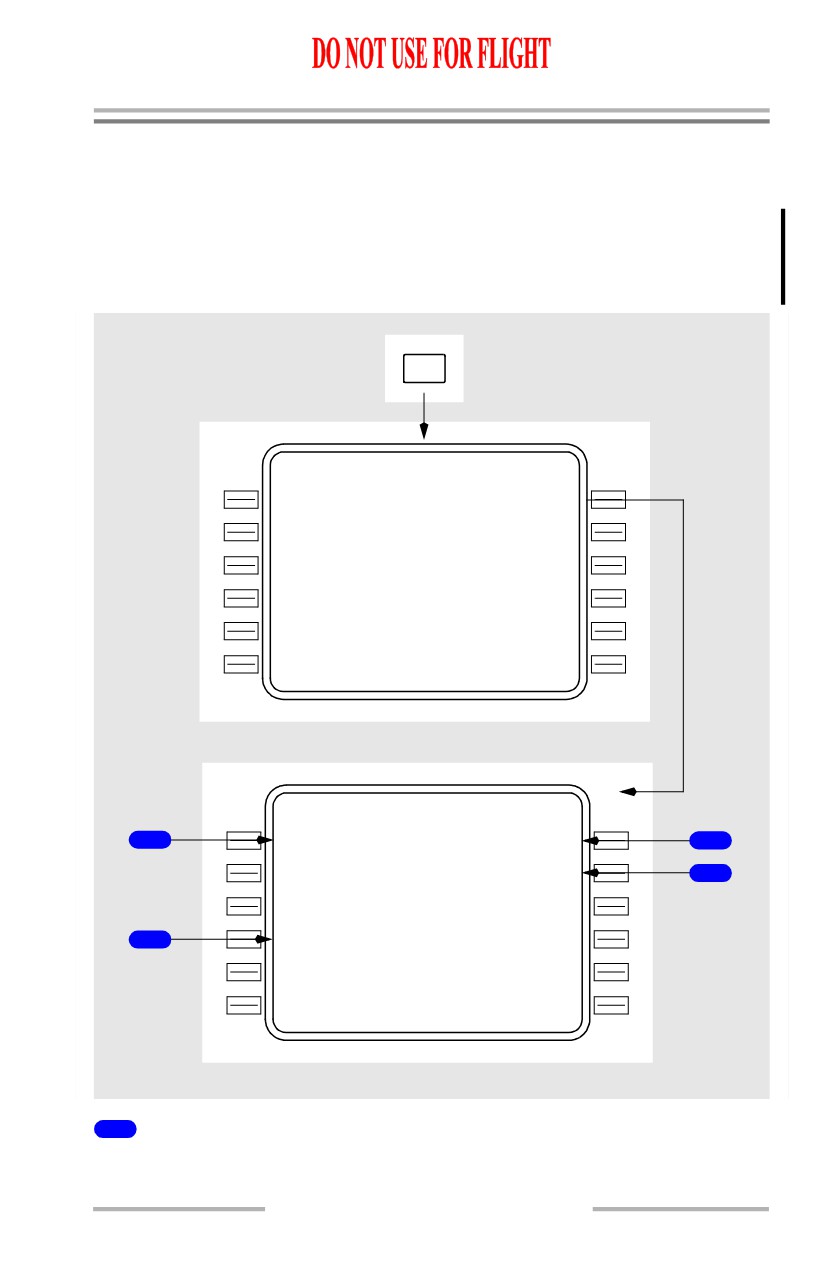
Engine Out Climb
Engine out climb advisory data is available on the CLB page. Engine out data is
also available with both engines operating. The engine out climb phase
automatically transitions to the engine out cruise phase when reaching the cruise
altitude.
Engine Out Climb Page
Displays advisory information for an engine inoperative condition. Once the page
is selected, it cannot be executed.
[Option - FMC U10.3 and later]
AC T
CLB
EN G OUT>
ACT
CLB
1
1
<LT ENG OUT RT ENG OUT>
EN G OUT CLB
C R Z A
L
T
M A X A L T
2
FL3
3
0
FL185
4
E N G O U
T
S
P D
C O N N 1
3
210
K
T
92.6%
5
- - - - - - - -
-
-
- - - - - - - - - - - - - -
<LT ENG
O
U
T RT ENG OUT>
6
1
Engine Out Selection (LT ENG OUT RT ENG OUT)
Displayed after selection of ENG OUT prompt.
11.41.35
Flight Management, Navigation -
FMC Takeoff and Climb
Boeing 737 Operations Manual
2
Cruise Altitude (CRZ ALT)
[Option - FMC U10.3 and later]
Displays the current active cruise altitude. Value is forwarded from either the
PERF INIT, CRZ, CRZ CLB, or CRZ DES pages. Manual entry not allowed.
3
Engine Out Speed (ENG OUT SPD)
[Option - FMC U10.3 and later]
Displays the engine out climb speed.
4
Maximum Altitude (MAX ALT)
Displays the maximum altitude at which company specified rate of climb can be
achieved using one engine at maximum continuous thrust.
After page selection, the FMC accounts for wing and engine anti-ice, air
conditioning and engine bleed of the operating engine.
5
Continuous N1 (CON N1)
[Option - FMC U10.3 and later]
Displays the N1 for maximum continuous thrust.
6
ENG OUT
Reverse highlights the selected engine out.
11.41.36
Flight Management, Navigation -
FMC Takeoff and Climb
Boeing 737 Operations Manual
Air Turnback
Arrivals Page
During a turn-back situation, the crew requires quick access to the arrivals
information for the origin airport. The departure/arrivals index and arrivals page
provide access without changing the destination on the route page. See Chapter
11, Section 43 for additional information on the arrivals page.
DEP
ARR
DE
P
/
ARR INDEX
1 / 1
<DE P
KBFI
ARR>
KMW H
ARR>
DE
P
O
THER
ARR
<--
-
-
---->
KBFI ARRIVALS
1 / 2
S T A R S
A P P R O A C H E S
1
CHNS2<SE
L
>
ILS
13R
3
R U N W A Y S
GLS
R
3
13R
4
JWB
N
5
31L
T R A N S
2
EP H
GE G
- - - - - - - -
-
-
- - - - - - - - - - - - - -
<ERAS E
ROUTE>
1
Standard Terminal Arrival Routes (STARS)
Displays STARS for the origin airport.
11.41.37
Flight Management, Navigation -
FMC Takeoff and Climb
Boeing 737 Operations Manual
2
Transitions (TRANS)
Displays transitions for the origin airport.
3
APPROACHES
Displays approaches for the origin airport.
4
RUNWAYS
Displays runways for the origin airport.
11.41.38
Boeing 737 Operations Manual
Flight Management, Navigation
Chapter 11
FMC Cruise
Section 42
Introduction
The cruise phase automatically begins when the top of climb is reached.
During cruise, the primary FMC pages are:
• RTE LEGS
• PROGRESS
• CRZ.
The RTE LEGS pages are used to manage route restrictions and modify the route.
The PROGRESS pages display flight progress information. RTA requirements are
also specified on the PROGRESS pages. The CRZ pages display VNAV related
information. Other pages include:
• POS REF page - verifies the FMC position (refer to Section 40 of this
chapter)
• POS SHIFT page - permits selection of preferred position from list of
references
• RTE DATA page - displays progress data for each waypoint on the RTE
LEGS page. Displays wind data for cruise waypoints.
• REF NAV DATA page - displays information about waypoints, navaids,
airports, or runways
• LATERAL OFFSET page - permits selection of a route offset
• FIX INFO page - displays information about waypoints, and can be used
to create new waypoints and fixes
• SELECT DESIRED WAYPOINT page - permits selection of the desired
waypoint from a list of duplicate named waypoints
• NAV STATUS page - displays information about available navigation
aids.
The only cruise mode automatic page changes are the transition from climb to
cruise at the top of climb point and from cruise to descent at the top of descent
point.
LNAV Modifications
This section presents the normal techniques for modifying the route. The
modifications include:
• adding and deleting waypoints
• linking discontinuities
• resequencing waypoints
• intercepting a course.
11.42.1
Flight Management, Navigation -
FMC Cruise
Boeing 737 Operations Manual
RTE LEGS Page Modifications
When modifications are made to the RTE LEGS page, several automatic prompt
or identifying features assist in managing and executing the modifications, such
as:
• ERASE
• INTC CRS.
A waypoint can be added to the route whenever necessary.
The new waypoint must first be placed into the CDU scratchpad. Existing
waypoints can be copied from a RTE LEGS page into the scratchpad by pushing
the line select key adjacent to the desired waypoint.
The new waypoint is then inserted into the route at the desired sequence point by
pushing the line select key adjacent to the desired location for the new waypoint.
Using the NEXT PAGE/PREV PAGE function keys to select the desired location
does not alter the CDU scratchpad. The new entry automatically links to the
preceding waypoint via a direct route. Placing the new waypoint into the active
waypoint line is a special case and is discussed under Intercept Course in this
section.
All new waypoints, except along track waypoints, cause a route discontinuity
between the new waypoint and the following waypoint.
Note: If the FMC NAV database contains a HOLD pattern at the FAF, executing
a database approach with a procedure turn and then executing a HOLD at
the same FAF, using any inbound course, may cause a discontinuity
between the FAF and the procedure turn. If the discontinuity is removed,
LNAV guidance is available to fly the approach from the published holding
pattern. LNAV guidance is not available to fly the published procedure
turn.
1
MOD RT E
LEGS
1 / 4
12
8
`
2 .0 N M
LAC
0
1
250/
2500
10
1
`
87 N M
2
YK M
- - - - / - - - - - -
T H E N
3
- - R O U T
E
D
I S C O N T I N U I T Y
-
5
VAMP S
250/
8000A
08
7
`
47 N M - - - - - - - - -
RUMO R
.637/ FL190
- - - - - - - -
-
-
- - - - - - - - - - - - - -
4
<ERAS E
RTE DATA>
11.42.2
Flight Management, Navigation -
FMC Cruise
Boeing 737 Operations Manual
1
Page Title
When the page is modified, MOD appears in front of the title in reverse
highlighting. This means the route is now altered. The MOD title also shows that
the modifications are not yet executed and can be removed using the ERASE
prompt.
2
Modified Waypoint
YKM waypoint is entered into the route between LAC01 and VAMPS. This
modification creates a route discontinuity.
3
Discontinuity Waypoint
Box prompts indicate the requirement to link the route by entering a route
waypoint into the discontinuity waypoint position.
4
ERASE
The ERASE prompt is displayed when the first modification is entered. The
prompt remains on the page until the modifications are erased or executed.
Selecting ERASE removes all modifications and restores all active data.
5
Discontinuity Header
Indicates that the route is not continuous. Distance to destination on the
PROGRESS page is not correct.
October 15, 2001
11.42.3