Saturn Vue (2010 year). Manual - part 9
 

  Index      Saturn     Saturn Vue (2010 year) - manual in english


Search            copyright infringement  


Content      ..     7      8      9      10     ..


Saturn Vue (2010 year). Manual - part 9


5-22

Instruments and Controls

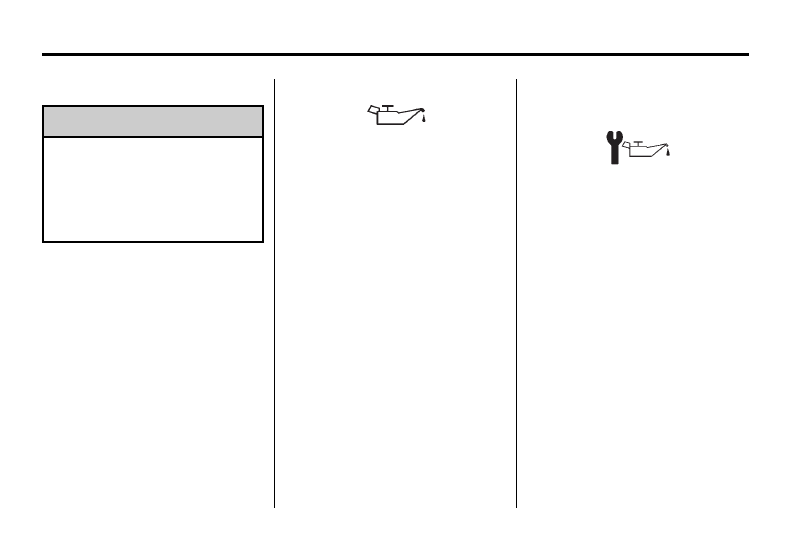
Engine Oil Pressure Light

{

WARNING

Do not keep driving if the oil
pressure is low. The engine can
become so hot that it catches fire.
Someone could be burned. Check
the oil as soon as possible and
have the vehicle serviced.

Notice: Lack of proper engine oil
maintenance can damage the
engine. The repairs would not be
covered by the vehicle warranty.
Always follow the maintenance
schedule in this manual for
changing engine oil.

The oil pressure light should come
on briefly as the engine is started.
If it does not come on have the
vehicle serviced by your dealer/
retailer.

If the light comes on and stays on, it
means that oil is not flowing through
the engine properly. The vehicle
could be low on oil and might have
some other system problem. See
your dealer/retailer.

Change Engine Oil Light

When the change engine oil light
comes on, it means that service is
required on the vehicle.

See Scheduled Maintenance on
page 11‑2 
and Engine Oil on
page 10‑8 
for more information.

After the engine oil is changed the
engine oil life system needs to be
reset in order to turn off this light.
See Engine Oil Life System on
page 10‑10 
for more information.

-------------------------------------------------------------------------------------------------------------------------------------------------------------

Instruments and Controls

5-23

Low Fuel Warning Light

The low fuel warning light, below the
fuel gage, comes on briefly when
the engine is started.

This light also comes on when the
fuel tank is low on fuel. When fuel is
added, the light should go off. If it
does not, have the vehicle serviced.

Security Light

This light flashes when the security
system is activated.

For more information, see Vehicle
Security on page 2‑9
.

Reduced Engine Power
Light

The reduced engine power light
should come on briefly as the
engine is started. If it does not come
on have the vehicle serviced by
your dealer/retailer.

This light , along with the service
engine soon light displays when a
noticeable reduction in the vehicle's
performance occurs. Stop the
vehicle and turn off the ignition. Wait
for 10 seconds and restart the
vehicle. This might correct the
condition.

-------------------------------------------------------------------------------------------------------------------------------------------------------------

5-24

Instruments and Controls

The vehicle can be driven at a
reduced speed when the reduced
engine power light is on but
acceleration and speed might be
reduced. The performance could be
reduced until the next time the
vehicle is driven. If this light stays
on, see your dealer/retailer as soon
as possible for diagnosis and repair.

High-Beam on Light

The highbeam on light comes on
when the high-beam headlamps are
in use.

See Headlamp High/Low-Beam
Changer on page 6‑2 
for more
information.

Fog Lamp Light

The fog lamp light comes on when
the fog lamps are in use.

The light goes out when the fog
lamps are turned off. See Fog
Lamps on page 6‑4 
for more
information.

Low Washer Fluid
Warning Light

The low washer fluid warning light
comes on when the windshield
washer fluid is low. See Washer
Fluid on page 10‑22 
for more
information.

-------------------------------------------------------------------------------------------------------------------------------------------------------------

Instruments and Controls

5-25

Cruise Control Light

The cruise control light comes on
whenever the cruise control is set.

The light goes out when the cruise
control is turned off. See Cruise
Control on page 9‑42 
for more
information.

Door Ajar Light

The door ajar light comes on when
a door is open. Before driving,
check that all doors are properly
closed.

Gate Ajar Light

If the gate ajar light comes on, the
liftgate is not completely closed.
Driving with the liftgate open can
cause carbon monoxide (CO) to
enter the vehicle.

See Engine Exhaust on page 9‑34
for more information.

Information Displays

Driver Information
Center (DIC)

Your vehicle has a Driver
Information Center (DIC).

All information appears in the DIC
display located in the instrument
panel cluster.

The DIC comes on when the ignition
is on. After a short delay, the DIC
displays the information that was
last displayed before the engine
was turned off.

The DIC displays trip, fuel, and
vehicle system information, and
warning messages if a system
problem is detected.

The DIC also displays the compass
direction, outside air temperature,
and shift position indicator at the top
of the DIC display. If there is a
problem with the system that
controls the temperature display, the
numbers will be replaced with

-------------------------------------------------------------------------------------------------------------------------------------------------------------

5-26

Instruments and Controls

dashes. If this occurs, have the
vehicle serviced by your dealer/
retailer. If an abnormal temperature
reading is displayed for an extended
period of time, consult your
dealer/retailer. Under certain
circumstances, especially when the
engine is idling, a delay updating
the temperature display is normal.

See Compass on page 5‑5 and
Automatic Transmission on
page 9‑35 
for more information.

The DIC has different displays
which can be accessed by pressing
the DIC buttons located on the
instrument panel, below the
headlamp switch.

The DIC displays trip, fuel, and
vehicle system information, and
warning messages if a system
problem is detected.

DIC Buttons

The buttons are the trip/fuel, vehicle
information, customization, and set/
reset buttons. The button functions
are detailed in the following pages.

3

(Trip/Fuel): Press this button

to display the odometer, trip
odometer, fuel range, average
economy, fuel used, and elapsed
time. Some vehicles also display
instantaneous economy. The
compass and outside temperature
will also be shown in the display.
The temperature will be shown in
°F or °C depending on the units
selected.

T

(Vehicle Information): Press

this button to display the oil life,
units, tire pressure readings and tire
pressure sensor learning for
vehicles with the Tire Pressure
Monitor System (TPMS), Remote
Keyless Entry (RKE) transmitter
programming, compass zone
setting, compass recalibration on
vehicles with this feature, coolant
temperature, and battery voltage.

U

(Customization): Press this

button to customize the feature
settings on your vehicle. See
Vehicle Personalization on
page 5‑39 
for more information.

V

(Set/Reset): Press this button to

set or reset certain functions and to
turn off or acknowledge messages
on the DIC.

-------------------------------------------------------------------------------------------------------------------------------------------------------------

Instruments and Controls

5-27

Trip/Fuel Menu Items

3

(Trip/Fuel): Press this button

to scroll through the following menu
items:

Odometer

Press the trip/fuel button until
ODOMETER displays. This display
shows the distance the vehicle has
been driven in either miles (mi) or
kilometers (km). Pressing the trip
odometer reset stem will also
display the odometer.

To switch between English and
metric measurements, see “Units”
later in this section.

Trip Odometer

Press the trip/fuel button until
TRIP A or TRIP B displays. This
display shows the current distance
traveled in either miles (mi) or
kilometers (km) since the last reset
for the trip odometer. Pressing the
trip odometer reset stem will also
display the trip odometer.

Each trip odometer can be reset to
zero separately by pressing the set/
reset button while the trip odometer
is displayed. You can also reset the
trip odometer while it is displayed by
pressing and holding the trip
odometer reset stem.

Fuel Range

Press the trip/fuel button until FUEL
RANGE displays. This display
shows the approximate number
of remaining miles (mi) or
kilometers (km) the vehicle can be
driven without refueling. The display
will show LOW if the fuel level
is low.

The fuel range estimate is based on
an average of the vehicle's fuel
economy over recent driving history
and the amount of fuel remaining in
the fuel tank. This estimate will
change if driving conditions change.
For example, if driving in traffic and
making frequent stops, this display
may read one number, but if the
vehicle is driven on a freeway, the
number may change even though

the same amount of fuel is in the
fuel tank. This is because different
driving conditions produce different
fuel economies. Generally, freeway
driving produces better fuel
economy than city driving. Fuel
range cannot be reset.

If the vehicle is low on fuel, the
FUEL LEVEL LOW message will be
displayed. See “FUEL LEVEL LOW”
under Fuel System Messages on
page 5‑34
.

Average Fuel Economy

Press the trip/fuel button until
AVERAGE FUEL ECONOMY
displays. This display shows the
approximate average miles per
gallon (mpg) or liters per
100 kilometers (L/100 km) or
kilometers per liter (km/L). This
number is calculated based on the
number of mpg (L/100 km) (km/L)
recorded since the last time this
menu item was reset. To reset the
AVERAGE FUEL ECONOMY, press
and hold the set/reset button. The
display will show zero.

-------------------------------------------------------------------------------------------------------------------------------------------------------------

5-28

Instruments and Controls

Fuel Used

Press the trip/fuel button until FUEL
USED displays. This display shows
the number of gallons (gal) or
liters (L) of fuel used since the last
reset of this menu item. To reset the
fuel used information, press and
hold the set/reset button while FUEL
USED is displayed.

Elapsed Time

Press the trip/fuel button until
ELAPSED TIME displays. This
display can be used as a timer.

To start the timer, press the set/
reset button while ELAPSED TIME
is displayed. The display will show
the amount of time that has passed
since the timer was last reset, not
including time the ignition is off.
Time will continue to be counted as
long as the ignition is on, even if
another display is being shown
on the DIC. The timer will record up
to 99 hours, 59 minutes and
59 seconds (99:59:59) after which
the display will return to zero.

To stop the timer, press the set/reset
button briefly while ELAPSED TIME
is displayed.

To reset the timer to zero, press and
hold the set/reset button while
ELAPSED TIME is displayed.

Instantaneous Fuel Economy

If the vehicle has this display, press
the trip/fuel button until INSTANT
FUEL ECONOMY displays. This
display shows the current fuel
economy at a particular moment
and will change frequently as driving
conditions change. This display
shows the instantaneous fuel
economy in miles per gallon (mpg)
or liters per 100 kilometers
(L/100 km). Unlike average fuel
economy, this display cannot be
reset.

Blank Display

This display shows no information.

Vehicle Information Menu
Items

T

(Vehicle Information): Press

this button to scroll through the
following menu items:

Oil Life

Press the vehicle information button
until OIL LIFE REMAINING
displays. This display shows an
estimate of the oil's remaining useful
life. If you see 99% OIL LIFE
REMAINING on the display, that
means 99% of the current oil life
remains. The engine oil life system
will alert you to change the oil on a
schedule consistent with your
driving conditions.

-------------------------------------------------------------------------------------------------------------------------------------------------------------

Instruments and Controls

5-29

When the remaining oil life is low,
the CHANGE ENGINE OIL SOON
message will appear on the display.
See “CHANGE ENGINE OIL SOON”
under Engine Oil Messages on
page 5‑33
. You should change the
oil as soon as you can. See Engine
Oil on page 10‑8
In addition to the
engine oil life system monitoring the
oil life, additional maintenance is
recommended in the Maintenance
Schedule in this manual. See
Scheduled Maintenance on
page 11‑2 
for more information.
Whenever the oil is changed the Oil
Life System will need to be reset. To
reset the system through the DIC,
press and hold

V

while this display

is shown. When the system is reset
the display will show 100% OIL LIFE
REMAINING.

Units

Press the vehicle information button
until UNITS displays. This display
allows you to select between
English or Metric units of
measurement. Once in this display,
press the set/reset button to select
between ENGLISH or METRIC
units. All of the vehicle information
will then be displayed in the unit of
measurement selected.

Tire Pressure

If your vehicle has the Tire Pressure
Monitor System (TPMS), the
pressure for each tire can be viewed
in the DIC. The tire pressure will be
shown in either pounds per square
inch (psi) or kilopascals (kPa).
Press the vehicle information button
until the DIC displays FRONT
TIRES PSI (kPa) LEFT ##
RIGHT ##. Press the vehicle
information button again until the
DIC displays REAR TIRES
PSI (kPa) LEFT ## RIGHT ##.

If a low or high tire pressure
condition is detected by the system
while driving, a message advising
you to check the pressure in a
specific tire will appear in the
display. See Tire Pressure on
page 10‑50 
and Tire Messages on
page 5‑37 
for more information.

If the tire pressure display shows
dashes instead of a value, there
may be a problem with your vehicle.
If this consistently occurs, see your
dealer/retailer for service.

For information on relearning tire
positions see “TPMS Sensor
Matching Process” under Tire
Pressure Monitor Operation on
page 10‑54
.

-------------------------------------------------------------------------------------------------------------------------------------------------------------

5-30

Instruments and Controls

Relearn Remote Key

This display allows you to program
Remote Keyless Entry (RKE)
transmitters to your vehicle. When a
new transmitter is programmed to
the vehicle, all remaining
transmitters must also be
programmed. Any lost or stolen
transmitters no longer work once the
new transmitter is programmed.

To program an RKE transmitter to
your vehicle:

1. Press the vehicle information

button until PRESS

V

TO

RELEARN REMOTE KEY
displays.

2. Press the set/reset button until

REMOTE KEY LEARNING
ACTIVE is displayed.

3. Press and hold the lock and

unlock buttons on the first
transmitter at the same time for
about 15 seconds.

A chime will sound indicating
that the transmitter is matched
and REMOTE KEY LEARNING
COMPLETE will be shown on
the display.

4. To program additional

transmitters at this time, repeat
Step 3.

Each vehicle can have a
maximum of eight transmitters
programmed to it.

5. To exit the programming mode,

you must cycle the key to
LOCK/OFF.

Compass Zone Setting

This display allows for setting the
compass zone. See Compass on
page 5‑5 
for more information.

Compass Recalibration

This display allows for calibrating
the compass. See Compass on
page 5‑5 
for more information.

Coolant Temperature

Press the vehicle info button until
the coolant temperature is
displayed. The temperature will be
shown in °F or °C depending on the
units selected.

If the coolant temperature display
shows dashes instead of a value,
there may be a problem with the
vehicle. If this happens often, see
your dealer/retailer for service.

Battery Voltage

Press the vehicle info button until
the battery voltage is displayed.

If the battery voltage display shows
dashes instead of a value, there
may be a problem with the vehicle.
If this happens often, see your
dealer/retailer for service.

Blank Display

This display shows no information.

-------------------------------------------------------------------------------------------------------------------------------------------------------------

Instruments and Controls

5-31

Vehicle Messages

Messages are displayed on the DIC
to notify the driver that the status of
the vehicle has changed and that
some action may be needed by the
driver to correct the condition.
Multiple messages may appear one
after another.

Some messages may not require
immediate action, but you can press
any of the DIC buttons, or the trip
odometer reset stem on the
instrument panel cluster to
acknowledge that you received the
messages and to clear them from
the display.

Some messages cannot be cleared
from the DIC display because they
are more urgent. These messages
require action before they can be
cleared. Take any messages that
appear on the display seriously and
remember that clearing the
messages will only make the
messages disappear, not correct the
problem.

You will find the possible messages
that can be displayed and some
information about them grouped by
subject in the following information.

Battery Voltage and
Charging Messages

BATTERY SAVER ACTIVE

This message displays when the
charging system detects that the
battery is being drained. You may
notice that the vehicle attempts to
reduce the drain for you by turning
off accessories, such as interior
fans, rear defogger, and heated
seats. Turn off all accessories. If the
vehicle is not running, start and run
the engine for at least 10 minutes to
allow the battery to recharge. If the
engine is running and the condition
persists, see your dealer/retailer
immediately.

Brake System Messages

SERVICE BRAKE SYSTEM

This message displays along with
the brake system warning light if
there is a problem with the brake
system or when the brake fluid level
is low. See Brake System Warning
Light on page 5‑18
. Have the brake
system serviced by your dealer/
retailer as soon as possible.

Compass Messages

CALIBRATING COMPASS:
TURN IN CIRCLES

This message displays when
calibrating the compass. Drive the
vehicle in circles at less than
8 km/h (5 mph) to complete the
calibration. See Compass on
page 5‑5
.

COMPASS CALIBRATION
COMPLETE

This message displays when the
compass calibration is complete.
See Compass on page 5‑5.

-------------------------------------------------------------------------------------------------------------------------------------------------------------

5-32

Instruments and Controls

Cruise Control Messages

CRUISE SET TO XXX

This message will display when the
cruise control is set and it will show
the speed it was set to. See Cruise
Control on page 9‑42 
for more
information.

Door Ajar Messages

DRIVER DOOR OPEN

This message will display when the
driver door is not closed properly.
Close the door completely.

HOOD OPEN

If your vehicle has the remote start
feature, this message displays
along with a chime when the hood is
not closed properly. Make sure that
the hood is closed completely. See
Hood on page 10‑5This message
displays while the ignition is in ON/
RUN. Press any of the DIC buttons
to acknowledge this message and
to clear it from the screen.

This message continues to display
for two seconds if it has not been
acknowledged when the engine is
turned off. The message comes
back on for two seconds if it has
been acknowledged, but the
condition still exists when the
engine is turned off. If the condition
still exists, the message reappears
when the engine is turned on.

LIFTGATE OPEN

This message will display when the
liftgate is not closed properly. Close
the liftgate completely.

PASSENGER DOOR OPEN

This message will display when the
passenger doors are not closed
properly. Close the door completely.

Engine Cooling System
Messages

ENGINE HOT A/C
(Air Conditioning) OFF

This message displays when the
engine coolant becomes hotter than
the normal operating temperature.
To avoid added strain on a hot
engine, the air conditioning
compressor is automatically turned
off. When the coolant temperature
returns to normal, the A/C operation
automatically resumes. You can
continue to drive your vehicle.

-------------------------------------------------------------------------------------------------------------------------------------------------------------

Instruments and Controls

5-33

ENGINE OVERHEATED IDLE
ENGINE

Notice: If you drive your vehicle
while the engine is overheating,
severe engine damage may
occur. If an overheat warning
appears on the instrument panel
cluster and/or DIC, stop the
vehicle as soon as possible. Do
not increase the engine speed
above normal idling speed. See
Engine Overheating on page 10‑20
for more information.

This message displays when the
engine coolant temperature is too
hot. Stop and allow the vehicle to
idle until it cools down.

ENGINE OVERHEATED STOP
ENGINE

Notice: If you drive your vehicle
while the engine is overheating,
severe engine damage may
occur. If an overheat warning
appears on the instrument panel
cluster and/or DIC, stop the
vehicle as soon as possible. Do
not increase the engine speed
above normal idling speed. See
Engine Overheating on page 10‑20
for more information.

This message displays along with a
continuous chime when the engine
has overheated. Stop and turn the
engine off immediately to avoid
severe engine damage. See Engine
Overheating on page 10‑20
.

Engine Oil Messages

CHANGE ENGINE OIL SOON

This message displays when
service is required for the vehicle.
See your dealer/retailer. See Engine
Oil on page 10‑8 
and Scheduled
Maintenance on page 11‑2 
for
more information.

Acknowledging this message will
not reset the OIL LIFE REMAINING
display. That must be done at the
OIL LIFE screen. See “OIL LIFE”
under Driver Information Center
(DIC) on page 5‑25 
and Engine Oil
Life System on page 10‑10 
for more
information.

-------------------------------------------------------------------------------------------------------------------------------------------------------------

5-34

Instruments and Controls

OIL PRESSURE LOW STOP
ENGINE

Notice: If you drive your vehicle
while the engine oil pressure is
low, severe engine damage may
occur. If a low oil pressure
warning appears on the
instrument panel cluster and/or
DIC, stop the vehicle as soon as
possible. Do not drive the vehicle
until the cause of the low oil
pressure is corrected. See Engine
Oil on page 10‑8 
for more
information.

This message displays when the
vehicle's engine oil pressure is low.
The oil pressure light also appears
on the instrument panel cluster. See
Engine Oil Pressure Light on
page 5‑22
.

Stop the vehicle immediately, as
engine damage can result from
driving a vehicle with low oil
pressure. Have the vehicle serviced
by your dealer/retailer as soon as
possible when this message is
displayed.

Engine Power Messages

ENGINE POWER IS REDUCED

This message displays when the
vehicle's engine power is reduced.
Reduced engine power can affect
the vehicle's ability to accelerate.
If this message is on, but there is no
reduction in performance, proceed
to your destination. The
performance may be reduced the
next time the vehicle is driven. The
vehicle may be driven at a reduced
speed while this message is on, but
maximum acceleration and speed
may be reduced. Anytime this
message stays on, the vehicle
should be taken to your dealer/
retailer for service as soon as
possible.

Fuel System Messages

FUEL LEVEL LOW

This message displays when your
vehicle is low on fuel. Refill the fuel
tank as soon as possible. See Fuel
Gage on page 5‑11 
and Filling the
Tank on page 9‑50 
for more
information.

TIGHTEN GAS CAP

This message may display along
with the check engine light on the
instrument panel cluster if the
vehicle's fuel cap is not tightened
properly. See Malfunction Indicator
Lamp on page 5‑15
Reinstall the
fuel cap fully. See Filling the Tank
on page 9‑50
. The diagnostic
system can determine if the fuel cap
has been left off or improperly
installed. A loose or missing fuel
cap allows fuel to evaporate into the
atmosphere. A few driving trips with
the cap properly installed should
turn this light and message off.

-------------------------------------------------------------------------------------------------------------------------------------------------------------

Instruments and Controls

5-35

Key and Lock Messages

REMOTE KEY LEARNING
ACTIVE

This message displays while
matching a Remote Keyless Entry
(RKE) transmitter to your vehicle.
See “MATCHING TRANSMITTERS
TO YOUR VEHICLE” under Remote
Keyless Entry (RKE) System
Operation on page 2‑3 
and Driver
Information Center (DIC) on
page 5‑25 
for more information.

REMOTE KEY LEARNING
COMPLETE

This message displays while
matching a Remote Keyless Entry
(RKE) transmitter to your vehicle.
See “MATCHING TRANSMITTERS
TO YOUR VEHICLE” under Remote
Keyless Entry (RKE) System
Operation on page 2‑3 
and Driver
Information Center (DIC) on
page 5‑25 
for more information.

REPLACE REMOTE KEY FOB
BATTERY

This message displays if a Remote
Keyless Entry (RKE) transmitter
battery is low. The battery needs to
be replaced in the transmitter. See
“Battery Replacement” under
Remote Keyless Entry (RKE)
System Operation on page 2‑3
.

Ride Control System
Messages

SERVICE STABILITRAK

This message displays if there is a
problem with the StabiliTrak

®

system. A warning light also
appears on the instrument panel
cluster. See StabiliTrak

®

Indicator

Light on page 5‑20See StabiliTrak
System on page 9‑41 
for more
information.

If this message turns on while you
are driving, pull off the road as soon
as possible and stop carefully. Try
resetting the system by turning the
ignition off and then back on. If this
message still stays on or turns back
on again while you are driving, your
vehicle needs service. Have the
system inspected by your dealer/
retailer as soon as possible.

SERVICE TRACTION
CONTROL

This message displays when the
Traction Control System (TCS) is
not functioning properly. A warning
light also appears on the instrument
panel cluster. See Traction Control
System (TCS) Warning Light on
page 5‑20 
and Traction Control
System (TCS) on page 9‑40 
for
more information. Have the TCS
serviced by your dealer/retailer as
soon as possible.

-------------------------------------------------------------------------------------------------------------------------------------------------------------

5-36

Instruments and Controls

STABILITRAK NOT READY

If your vehicle has StabiliTrak, this
message may display and the
StabiliTrak indicator light on the
instrument panel cluster may be on
after first driving the vehicle and
exceeding 20 mph (32 km/h) for
30 seconds. The StabiliTrak system
is not functional until the light has
turned off. See StabiliTrak System
on page 9‑41 
for more information.

STABILITRAK OFF

If your vehicle has StabiliTrak, this
message displays when you turn off
the StabiliTrak, or when the stability
control has been automatically
disabled. To limit wheel spin and
realize the full benefits of the
stability enhancement system, you
should normally leave StabiliTrak
on. However, you should turn
StabiliTrak off if your vehicle gets
stuck in sand, mud, ice, or snow
and you want to rock your vehicle to
attempt to free it, or if you are
driving in extreme off-road
conditions and require more wheel

spin. See If the Vehicle is Stuck on
page 9‑22
. To turn the StabiliTrak
system on or off, see StabiliTrak
System on page 9‑41
.

TRACTION CONTROL OFF

This message displays when the
Traction Control System (TCS) turns
off. See Traction Control System
(TCS) on page 9‑40 
for more
information.

This message only displays while
the ignition is in ON/RUN and
disappears after 10 seconds, unless
it is acknowledged or an urgent
warning appears.

Any of the following conditions may
cause the TCS to turn off:

.

The TCS is turned off by
pressing the TCS/StabiliTrak
button. See StabiliTrak System
on page 9‑41 
for more
information.

.

The battery is low.

.

There is a TCS failure. See your
dealer/retailer for service.

TRACTION CONTROL ON

This message displays when the
Traction Control System (TCS) turns
on. See StabiliTrak System on
page 9‑41 
for more information.

Airbag System Messages

SERVICE AIR BAG

This message displays when there
is a problem with the airbag system.
Have your vehicle serviced by your
dealer/retailer immediately. See
Airbag Readiness Light on
page 5‑13 
for more information.

-------------------------------------------------------------------------------------------------------------------------------------------------------------

Instruments and Controls

5-37

Service Vehicle Messages

SERVICE A/C
(Air Conditioning) SYSTEM

This message displays when there
is a problem detected in the air
conditioning system. Have the
vehicle serviced by your dealer/
retailer.

SERVICE POWER STEERING

If the vehicle has electric power
steering, this message displays if a
problem has been detected with the
power steering. See Steering on
page 9‑5 
for more information.

SERVICE VEHICLE SOON

This message displays when a
non-emissions related malfunction
occurs. Have the vehicle serviced
by your dealer/retailer as soon as
possible.

Tire Messages

CHECK TIRE PRESSURE

On vehicles with the Tire Pressure
Monitor System (TPMS), this
message displays when the
pressure in one or more of the
vehicle's tires needs to be checked.
This message also displays LEFT
FRONT, RIGHT FRONT, LEFT
REAR, or RIGHT REAR to indicate
which tire needs to be checked. You
can receive more than one tire
pressure message at a time. To
read the other messages that may
have been sent at the same time,
press the set/reset button. If a tire
pressure message appears on the
DIC, stop as soon as you can. Have
the tire pressures checked and set
to those shown on the Tire Loading
Information label. See Tires on
page 10‑43
Vehicle Load Limits on
page 9‑22
, and Tire Pressure on
page 10‑50
The DIC also shows the

tire pressure values. See Driver
Information Center (DIC) on
page 5‑25
If the tire pressure is
low, the low tire pressure warning
light comes on. See Tire Pressure
Light on page 5‑21
.

SERVICE TIRE MONITORING
SYSTEM

On vehicles with the Tire Pressure
Monitor System (TPMS), this
message displays if a part on the
TPMS is not working properly. The
tire pressure light also flashes and
then remains on during the same
ignition cycle. See Tire Pressure
Light on page 5‑21
. Several
conditions may cause this message
to appear. See Tire Pressure
Monitor Operation on page 10‑54 
for
more information. If the warning
comes on and stays on, there may
be a problem with the TPMS. See
your dealer/retailer.

-------------------------------------------------------------------------------------------------------------------------------------------------------------


Content      ..     7      8      9      10     ..